


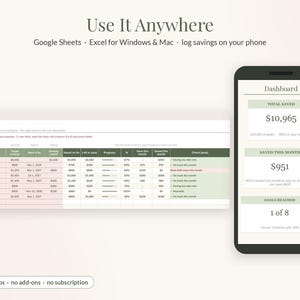
Savings Tracker Spreadsheet, Sinking Funds Tracker, 52 Week Savings Challenge for Google Sheets & Excel, Savings Goal Planner
Item highlights
Seller's description
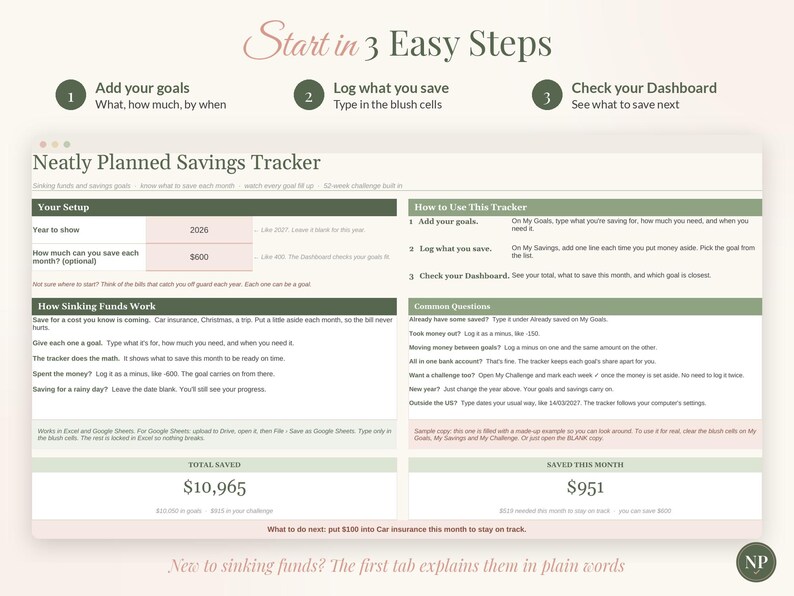
Know exactly what to set aside, for every goal. This Savings Tracker keeps all your sinking funds and savings goals in one place and answers three questions, big and clear: How much have I saved? What do I need to save this month to stay on track? Which goal is closest? Add your goals, log what you put aside, and everything else updates by itself. A 52-week savings challenge is built right in. It works in Google Sheets and Microsoft Excel, and it's an instant digital download.
A note on how it's made: this tracker was designed with the help of AI tools, then built, formatted and tested by hand. The math was checked against an independent calculation in 34 real-life scenarios. These included 600 savings lines, withdrawals, text typed where a number goes, minus amounts, duplicate goal names, past dates, goals with no date, every challenge style, next year and a cleared copy.
✿ MADE FOR REAL LIFE, NOT SPREADSHEET EXPERTS
• Just 5 tabs, and you only type in the blush-colored cells
• Plain English: "Need it by", "Save this month", "What to do next"
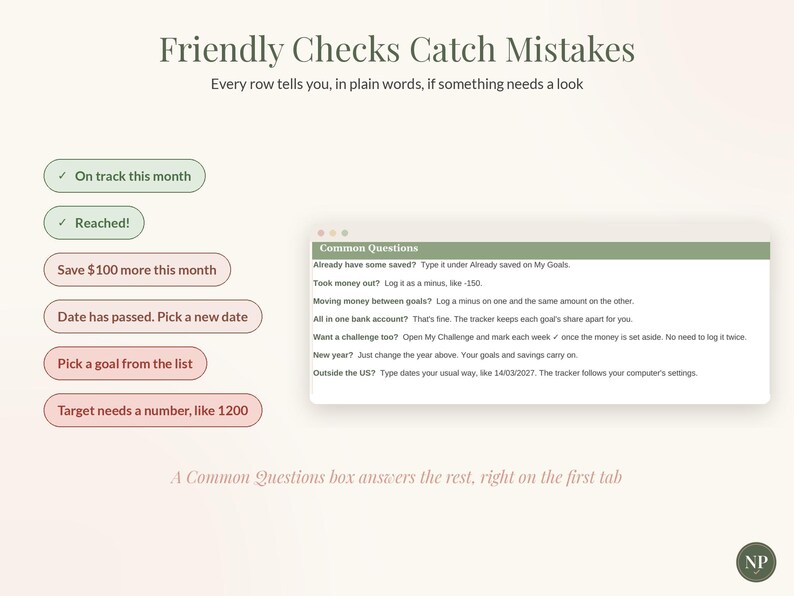
• Short tips next to every box, and a friendly check on every row if something needs a look
• New to sinking funds? The first tab explains them in five short lines
• A Common Questions box right on the first tab
• Formulas are locked in Excel so nothing breaks by accident (in Google Sheets, just type in the blush cells)
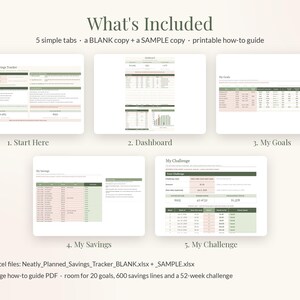
✿ WHAT'S INSIDE: 5 SIMPLE TABS
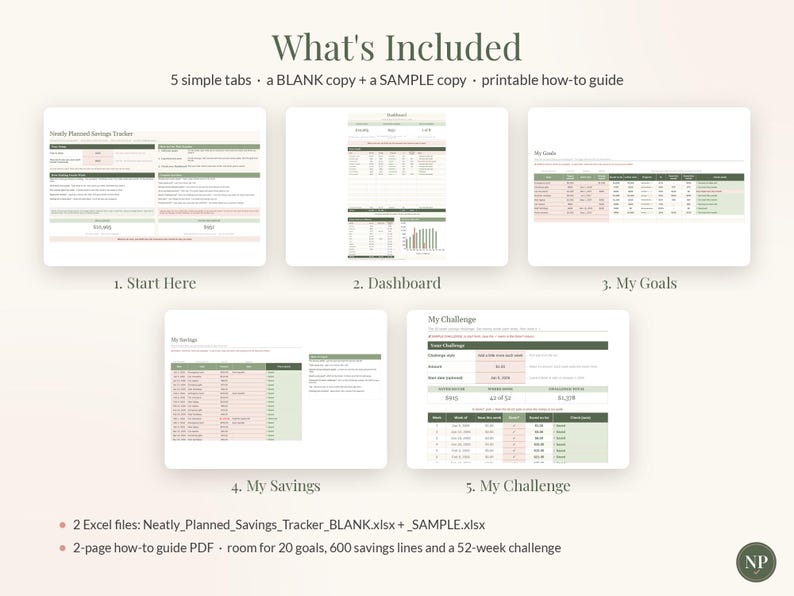
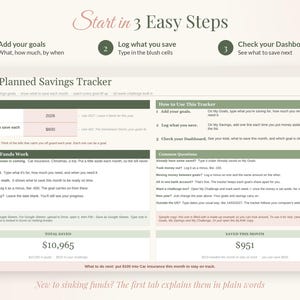
1. START HERE: 3 easy steps, a short "How Sinking Funds Work" box and a Common Questions box. Pick the year and, if you like, how much you can save each month. Your total, what you saved this month and a "What to do next" line show right here.
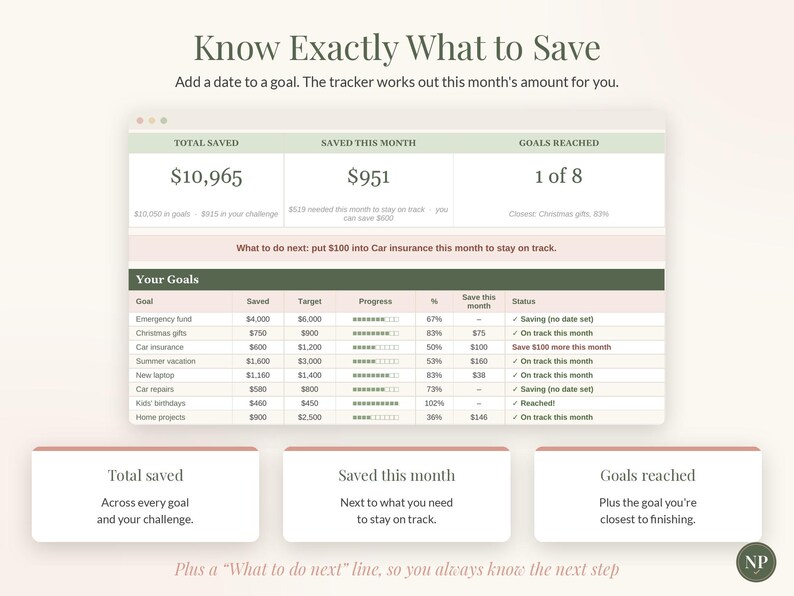
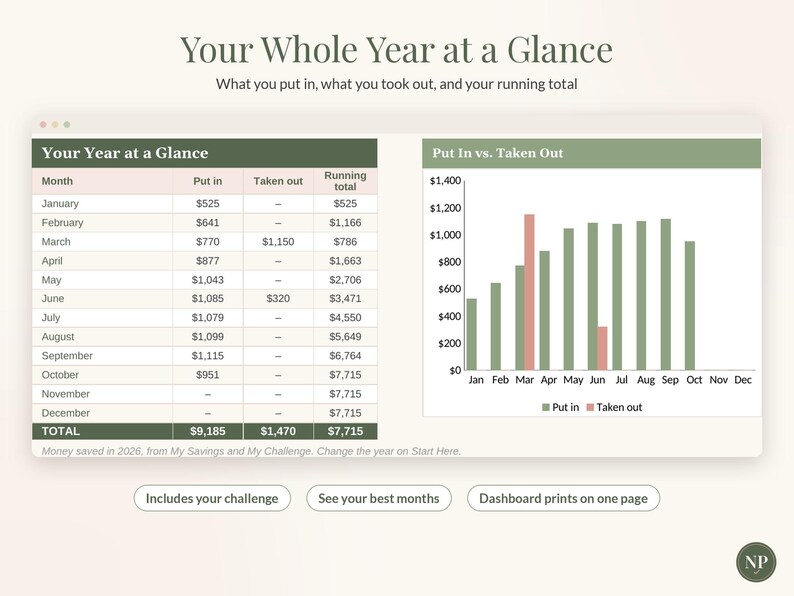
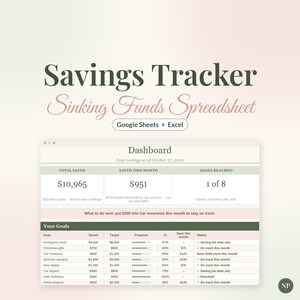
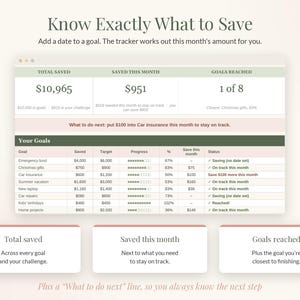
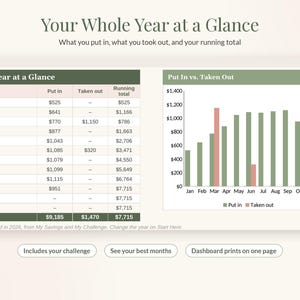
2. DASHBOARD: Your 3 big answers: total saved, saved this month (next to what you need to stay on track) and goals reached. Every goal with a progress bar, what to save this month and a plain status. A line that tells you if your goals fit what you can save. Plus Your Year at a Glance and a "put in vs. taken out" chart. It prints on one page.
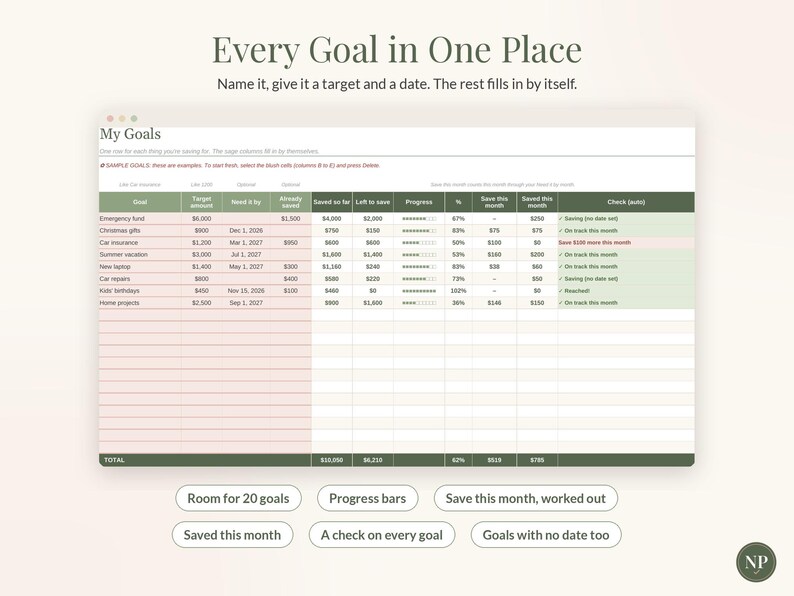
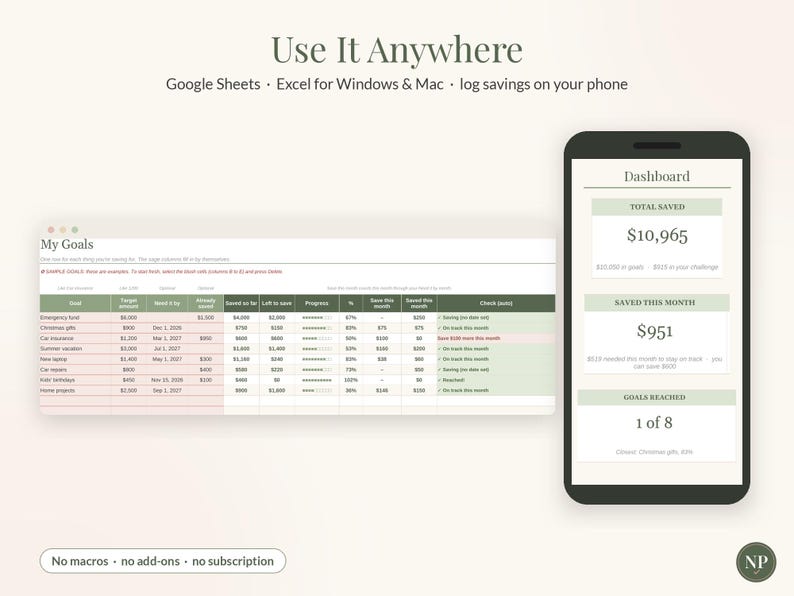
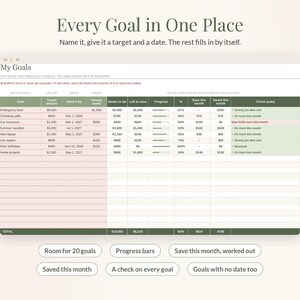
3. MY GOALS: Room for 20 goals. Type what it's for, how much you need, and when you need it (optional). Already saved some? Type it in. The tracker works out how much is left, what to save this month and how much you've saved this month.
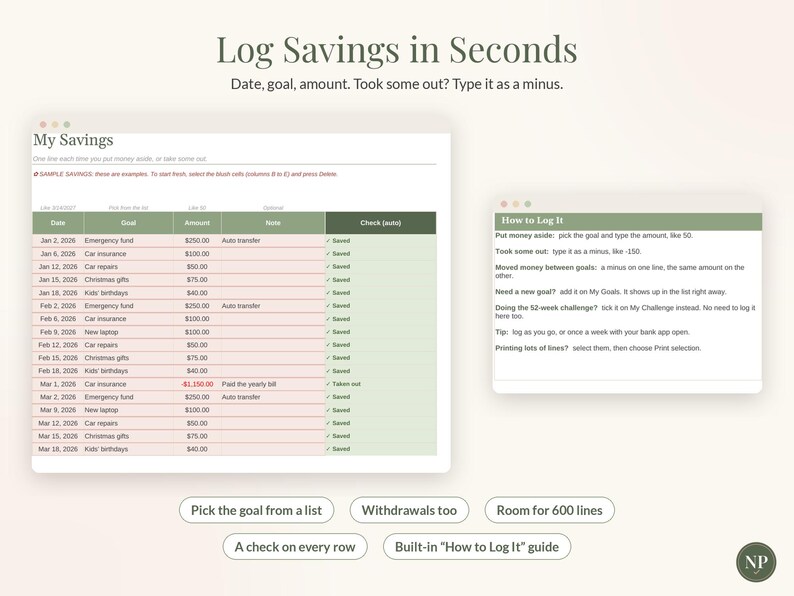
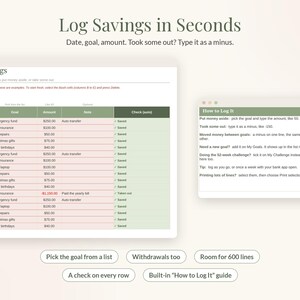
4. MY SAVINGS: One line each time you put money aside or take some out. Date, goal, amount, done. Pick the goal from your own list. A "How to Log It" guide sits right beside the list. Room for 600 lines.
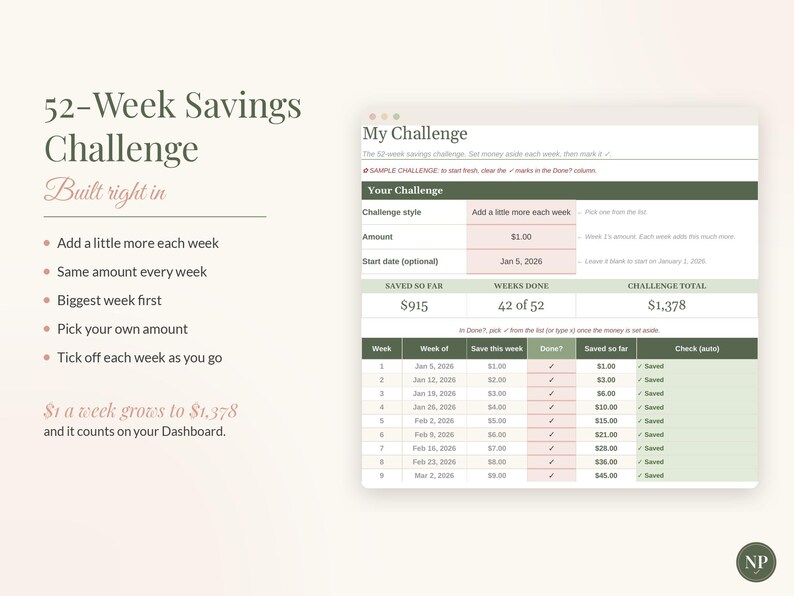
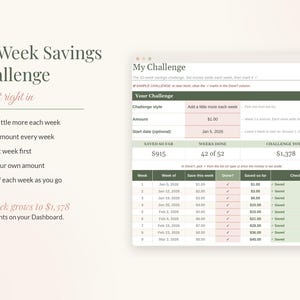
5. MY CHALLENGE: The 52-week savings challenge. Pick a style (add a little more each week, the same every week, or biggest week first), pick your amount and mark each week as you go. $1 a week grows to $1,378, and it counts on your Dashboard.
✿ SMART LITTLE TOUCHES
• Goals with a date get a monthly amount. Goals without one still show your progress.
• Took money out? Type it as a minus, and this month's amount updates to get you back on track.
• Moving money between goals? A minus on one, the same amount on the other.
• Tell it what you can save each month, and the Dashboard tells you if your goals fit.
• Ideal for sinking funds: Christmas, car insurance, vacations, birthdays, an emergency fund.
• US or UK dates: type dates your usual way, and the tracker follows your computer's settings.
• Works great with our Zero-Based Budget Planner and Debt Snowball Tracker.
✿ WHAT YOU RECEIVE
• Neatly_Planned_Savings_Tracker_BLANK.xlsx: ready for your goals
• Neatly_Planned_Savings_Tracker_SAMPLE.xlsx: a filled-in example to explore
• How_To_Use_Savings_Tracker.pdf: a 2-page setup guide
✿ WORKS WITH
• Google Sheets (free) and Microsoft Excel for Windows and Mac (Excel 2016 or newer, or Microsoft 365)
• Log your savings on your phone in the free Google Sheets or Excel app (setting up your goals is easiest on a computer or tablet)
• No macros, add-ins or subscriptions
✿ HOW TO USE IT
Google Sheets: open Google Drive, click New › File upload and choose the BLANK file. Open it, then click File › Save as Google Sheets.
Excel: double-click the file. If you see "Enable Editing," click it.
Then follow the 3 steps on the Start Here tab.
✿ GOOD TO KNOW
• This is an INSTANT DIGITAL DOWNLOAD. No physical item will be shipped.
• Your files are available right after purchase from your Etsy Purchases page (You › Purchases and reviews).
• The names and amounts in the SAMPLE file are made up for illustration.
• This is a planning tool, not financial advice.
• For personal use only. Please don't share, resell or redistribute the file.
✿ RETURNS & REFUNDS
Because this is a digital file you get instantly, we can't accept returns, exchanges or cancellations. If anything isn't working, please message us through Etsy and we'll make it right.
Designed with the help of AI tools, and built and tested by hand by Neatly Planned Sheets.
NowPrice:$7.99
Original Price: $13.32
40% off
Sale ends on November 27
You can only make an offer when buying a single item
Delivery
Instant download
Your files will be available to download once payment is confirmed. Here's how.
Instant download items don't accept returns, exchanges or cancellations. Please contact the seller about any problems with your order.
Seller's description
Specifications
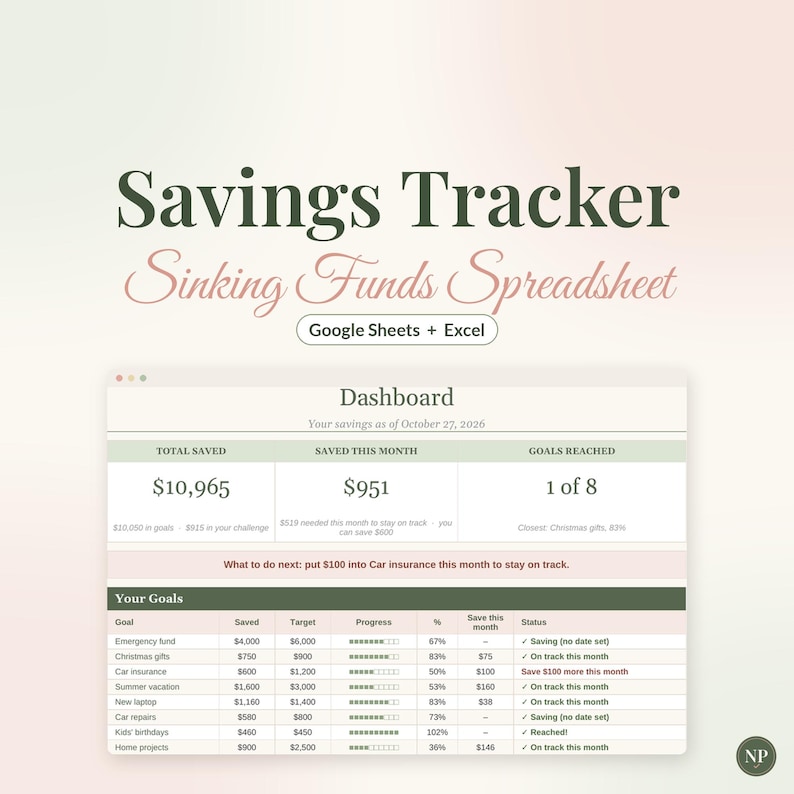
Know exactly what to set aside, for every goal. This Savings Tracker keeps all your sinking funds and savings goals in one place and answers three questions, big and clear: How much have I saved? What do I need to save this month to stay on track? Which goal is closest? Add your goals, log what you put aside, and everything else updates by itself. A 52-week savings challenge is built right in. It works in Google Sheets and Microsoft Excel, and it's an instant digital download.
A note on how it's made: this tracker was designed with the help of AI tools, then built, formatted and tested by hand. The math was checked against an independent calculation in 34 real-life scenarios. These included 600 savings lines, withdrawals, text typed where a number goes, minus amounts, duplicate goal names, past dates, goals with no date, every challenge style, next year and a cleared copy.
✿ MADE FOR REAL LIFE, NOT SPREADSHEET EXPERTS
• Just 5 tabs, and you only type in the blush-colored cells
• Plain English: "Need it by", "Save this month", "What to do next"
• Short tips next to every box, and a friendly check on every row if something needs a look
• New to sinking funds? The first tab explains them in five short lines
• A Common Questions box right on the first tab
• Formulas are locked in Excel so nothing breaks by accident (in Google Sheets, just type in the blush cells)
✿ WHAT'S INSIDE: 5 SIMPLE TABS
1. START HERE: 3 easy steps, a short "How Sinking Funds Work" box and a Common Questions box. Pick the year and, if you like, how much you can save each month. Your total, what you saved this month and a "What to do next" line show right here.
2. DASHBOARD: Your 3 big answers: total saved, saved this month (next to what you need to stay on track) and goals reached. Every goal with a progress bar, what to save this month and a plain status. A line that tells you if your goals fit what you can save. Plus Your Year at a Glance and a "put in vs. taken out" chart. It prints on one page.
3. MY GOALS: Room for 20 goals. Type what it's for, how much you need, and when you need it (optional). Already saved some? Type it in. The tracker works out how much is left, what to save this month and how much you've saved this month.
4. MY SAVINGS: One line each time you put money aside or take some out. Date, goal, amount, done. Pick the goal from your own list. A "How to Log It" guide sits right beside the list. Room for 600 lines.
5. MY CHALLENGE: The 52-week savings challenge. Pick a style (add a little more each week, the same every week, or biggest week first), pick your amount and mark each week as you go. $1 a week grows to $1,378, and it counts on your Dashboard.
✿ SMART LITTLE TOUCHES
• Goals with a date get a monthly amount. Goals without one still show your progress.
• Took money out? Type it as a minus, and this month's amount updates to get you back on track.
• Moving money between goals? A minus on one, the same amount on the other.
• Tell it what you can save each month, and the Dashboard tells you if your goals fit.
• Ideal for sinking funds: Christmas, car insurance, vacations, birthdays, an emergency fund.
• US or UK dates: type dates your usual way, and the tracker follows your computer's settings.
• Works great with our Zero-Based Budget Planner and Debt Snowball Tracker.
✿ WHAT YOU RECEIVE
• Neatly_Planned_Savings_Tracker_BLANK.xlsx: ready for your goals
• Neatly_Planned_Savings_Tracker_SAMPLE.xlsx: a filled-in example to explore
• How_To_Use_Savings_Tracker.pdf: a 2-page setup guide
✿ WORKS WITH
• Google Sheets (free) and Microsoft Excel for Windows and Mac (Excel 2016 or newer, or Microsoft 365)
• Log your savings on your phone in the free Google Sheets or Excel app (setting up your goals is easiest on a computer or tablet)
• No macros, add-ins or subscriptions
✿ HOW TO USE IT
Google Sheets: open Google Drive, click New › File upload and choose the BLANK file. Open it, then click File › Save as Google Sheets.
Excel: double-click the file. If you see "Enable Editing," click it.
Then follow the 3 steps on the Start Here tab.
✿ GOOD TO KNOW
• This is an INSTANT DIGITAL DOWNLOAD. No physical item will be shipped.
• Your files are available right after purchase from your Etsy Purchases page (You › Purchases and reviews).
• The names and amounts in the SAMPLE file are made up for illustration.
• This is a planning tool, not financial advice.
• For personal use only. Please don't share, resell or redistribute the file.
✿ RETURNS & REFUNDS
Because this is a digital file you get instantly, we can't accept returns, exchanges or cancellations. If anything isn't working, please message us through Etsy and we'll make it right.
Designed with the help of AI tools, and built and tested by hand by Neatly Planned Sheets.
-
Designed by
-
Item typeDigital download
-
Digital file type(s)1 PDF, 2 other files
If something goes wrong with an order, we've got your back on all eligible purchases. View program terms
Meet your seller

More from this shop
-
Digital download
Monthly Budget Spreadsheet, Simple One Page Budget Template for Google Sheets & Excel, Beginner Budget Planner Mini
Sale Price $2.99
Original Price $4.98
-
Digital download
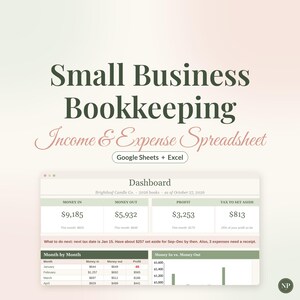
Small Business Bookkeeping Spreadsheet, Income and Expense Tracker for Google Sheets & Excel, Profit and Tax Set Aside Tracker
Sale Price $10.99
Original Price $18.32
-
Digital download
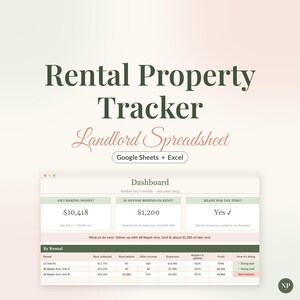
Rental Property Tracker Spreadsheet, Landlord Spreadsheet for Google Sheets & Excel, Rent Tracker, Schedule E Tax Expenses, Real Estate
Sale Price $15.99
Original Price $26.65
-
Digital download
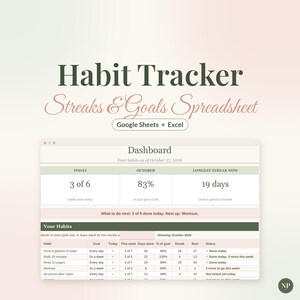
Habit Tracker Spreadsheet, Daily Habit Tracker for Google Sheets & Excel, Weekly Goal and Streak Tracker, Undated Habit Planner
Sale Price $5.99
Original Price $9.98
-
Digital download
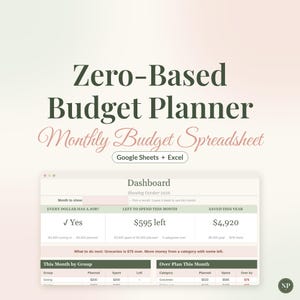
Budget Spreadsheet, Zero Based Budget Planner, Monthly Budget Template for Google Sheets & Excel, Expense Tracker, Paycheck Budget
Sale Price $8.99
Original Price $14.98
-
Digital download
Bill Tracker Spreadsheet, Monthly Bill Checklist for Google Sheets & Excel, Simple Bill Payment Log with Due Dates, Mini
Sale Price $2.99
Original Price $4.98