


Timesheet Template Google Sheets & Excel, Weekly Employee Time Card, Overtime Calculator, Hours, Gross Pay Tracker, Small Business
Item highlights
Seller's description
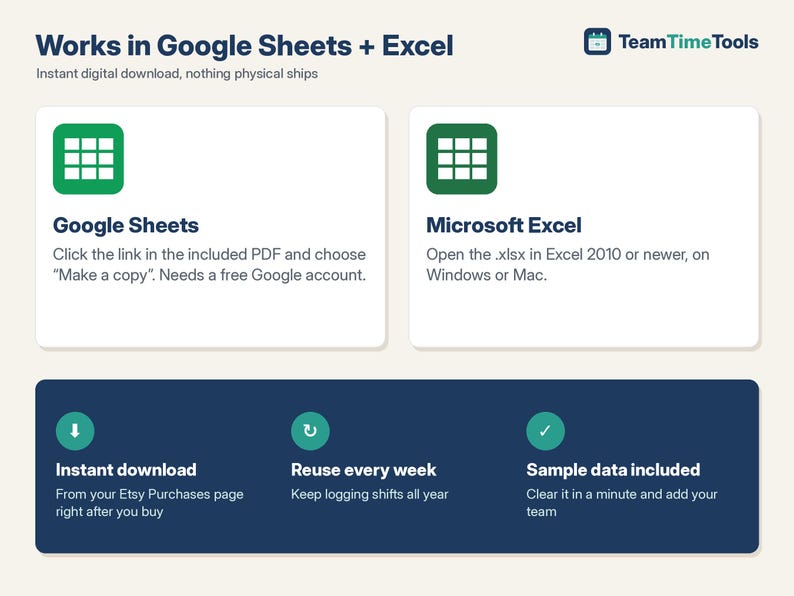
This timesheet template works in Google Sheets and Excel. Log each shift with clock-in, clock-out and unpaid break minutes. It works out hours, regular hours, overtime and gross pay for every employee. Overnight shifts are handled. You set the overtime threshold, the multiplier and the day your week starts. It calculates weekly overtime only, not daily overtime.
IMPORTANT: WEEKLY OVERTIME ONLY
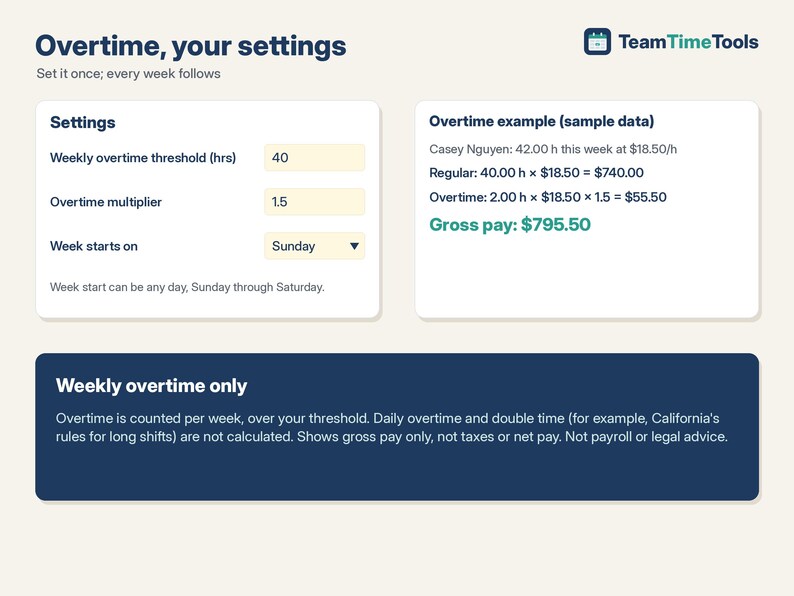
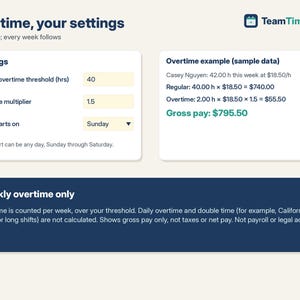
This sheet calculates weekly overtime: hours over your weekly threshold (40 by default). It does NOT calculate daily overtime or double time, such as California's rules for shifts over 8 or 12 hours a day. If your state requires daily overtime, this sheet is not the right fit on its own.
WHAT IT DOES
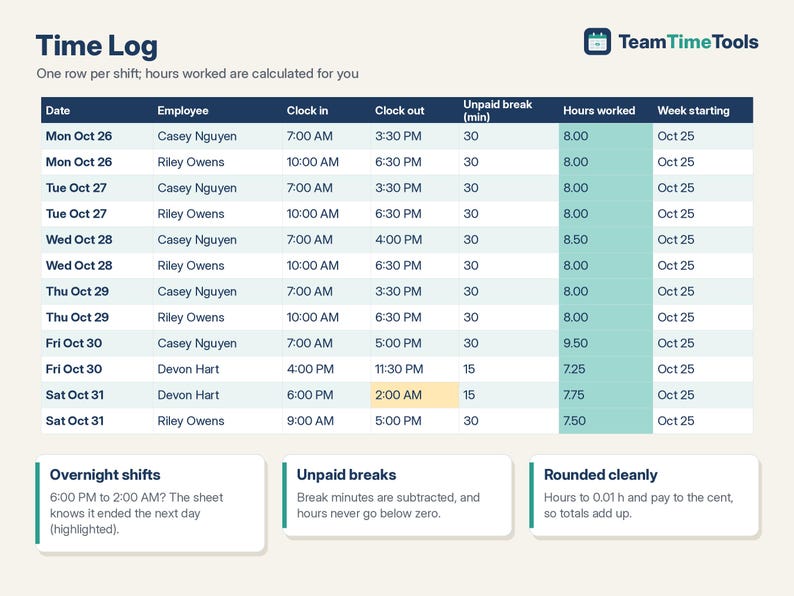
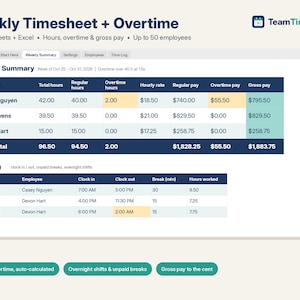
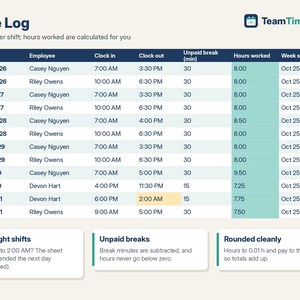
- Time Log: one row per shift. Enter the date, employee, clock-in, clock-out and unpaid break minutes, and hours worked are calculated for you.
- Overnight shifts: if clock-out is earlier than clock-in (e.g. 6:00 PM to 2:00 AM), the sheet knows the shift ended the next day.
- Unpaid breaks are subtracted, and hours never go below zero.
- Hours are rounded to 0.01 h and pay is rounded to the cent.
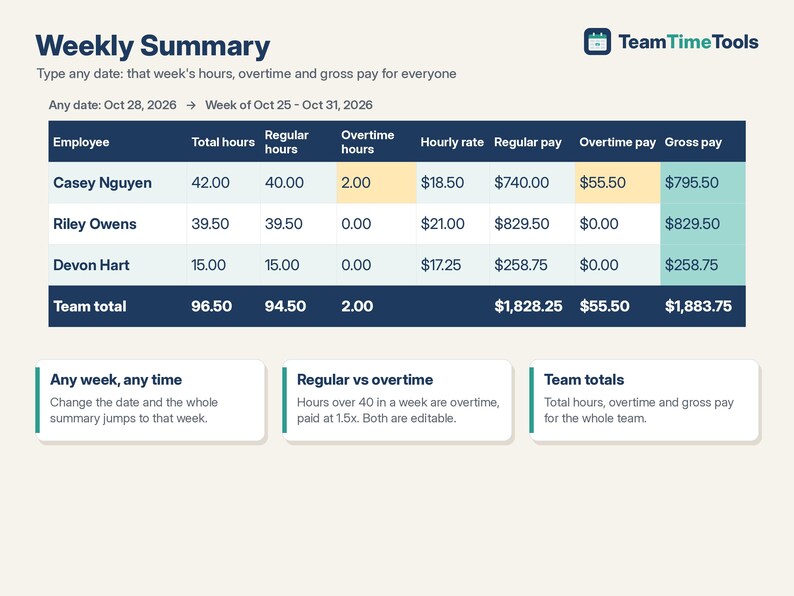
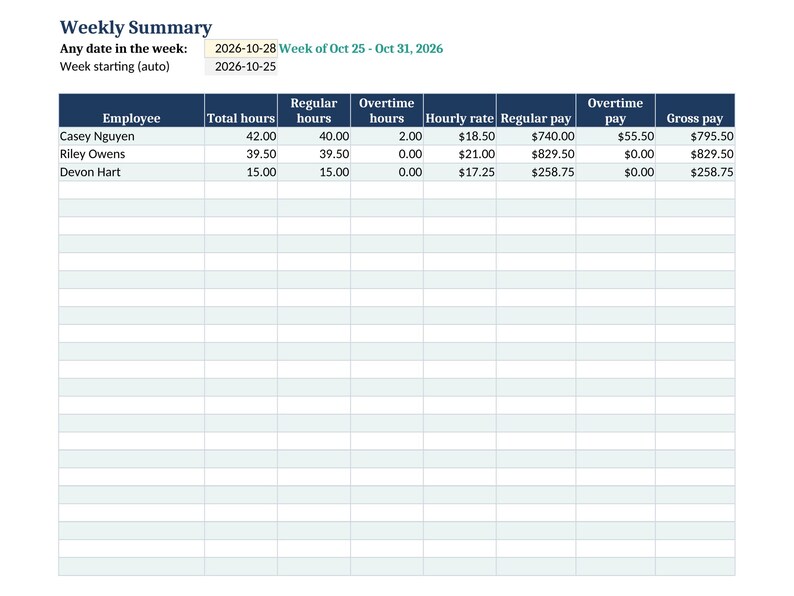
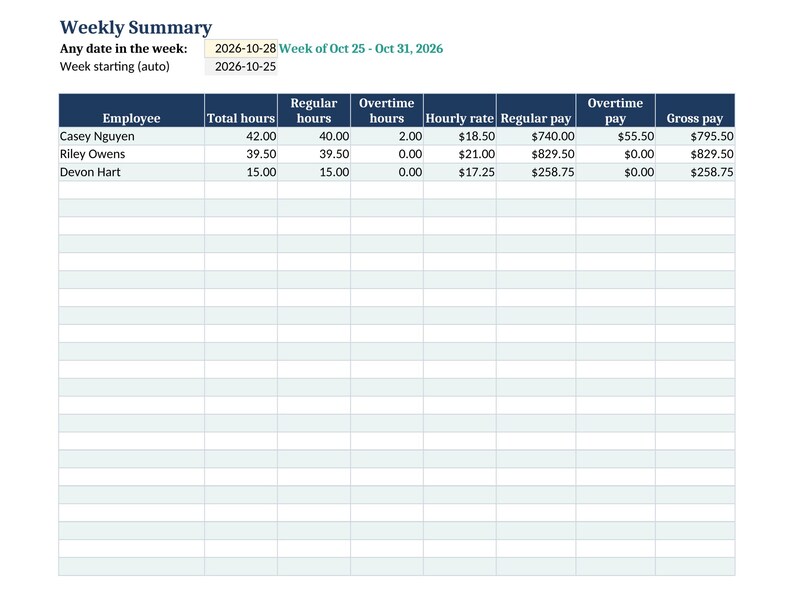
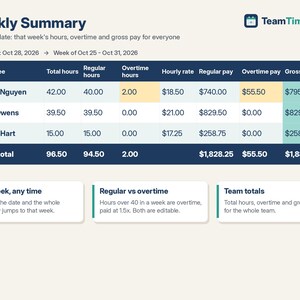
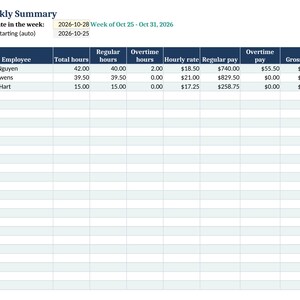
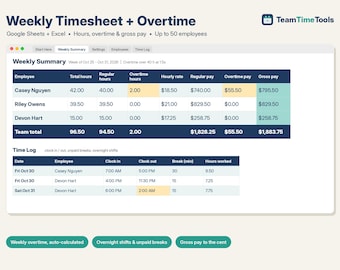
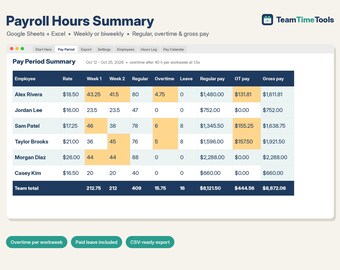
- Weekly Summary: type any date and see that week's total hours, regular hours, overtime hours, hourly rate, regular pay, overtime pay and gross pay for each employee, plus team totals.
- Your settings: overtime threshold (default 40 hours), overtime multiplier (default 1.5x) and the day your work week starts (Sunday, Monday or any day).
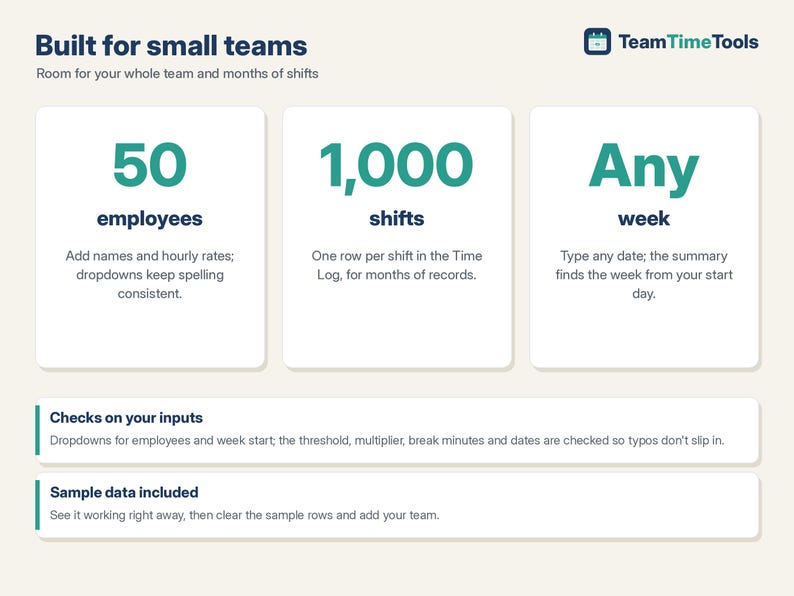
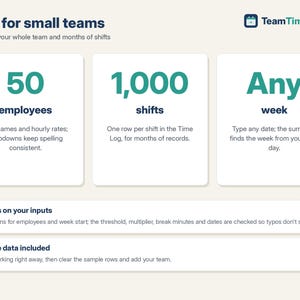
- Dropdown menus for employees and the week-start day, plus checks on the threshold, multiplier, break minutes and dates.
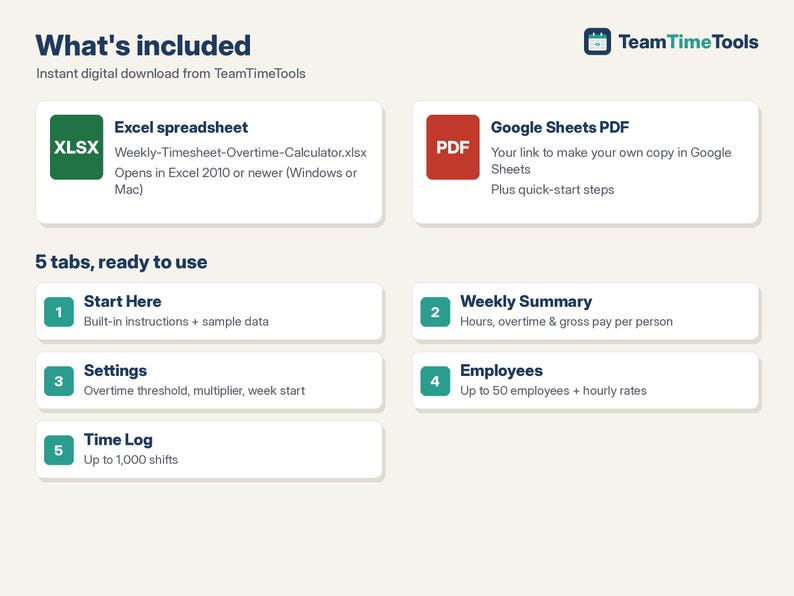
- Up to 50 employees and 1,000 shifts.
WHAT YOU GET
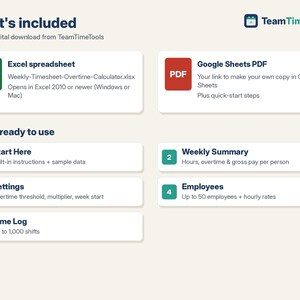
- 1 Excel file (.xlsx): Weekly-Timesheet-Overtime-Calculator.xlsx
- 1 PDF with your link to make your own copy in Google Sheets, plus quick-start steps
- A built-in "Start Here" tab with instructions, and sample data you can clear in a minute
HOW TO GET IT
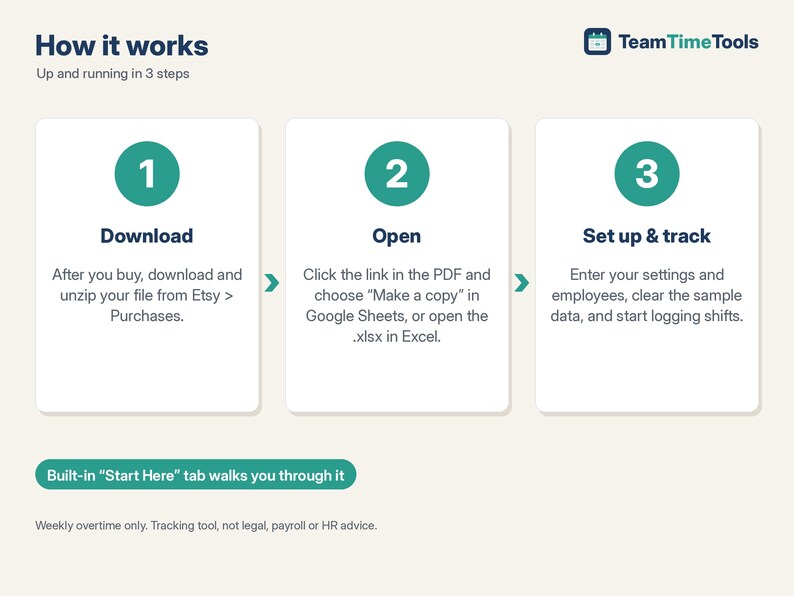
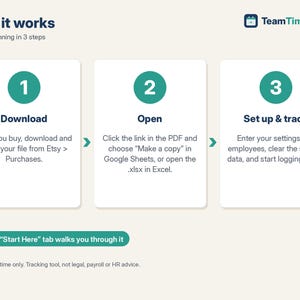
1. After you buy, go to your Etsy account > Purchases and download your file. Etsy also emails you a download link.
2. Unzip it. Google Sheets: open the PDF, click the copy link and choose "Make a copy". The copy is saved to your own Google Drive.
3. Excel: open the .xlsx file in Excel 2010 or newer.
4. Follow the Start Here tab: enter your settings, add your employees and hourly rates, clear the sample data and start logging shifts.
GOOD TO KNOW
- This is a digital download. Nothing physical will be shipped.
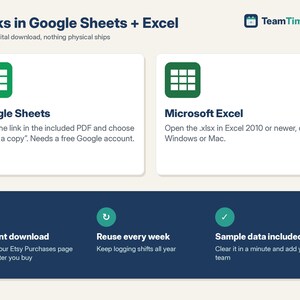
- Compatible with Google Sheets (needs a free Google account) and Microsoft Excel 2010 or newer, on Windows or Mac. Not designed for Apple Numbers.
- Shows gross pay only. It does not calculate taxes, deductions or net pay, and it is not a payroll service.
- Weekly overtime only (see above). This is a tracking tool, not legal, payroll or HR advice. Overtime rules vary by state and employer.
- Because this is a digital file, returns aren't accepted. If something isn't working, send me a message and I'll help.
HOW THIS WAS MADE
I designed this timesheet with help from AI tools, which assisted with building the formulas and layout. I chose the features and the overtime rules, and before listing it I tested every calculation against an independent check (a 23-point test plan covering overtime, overnight shifts, breaks, rounding, blank cells, week-start days and 50-employee / 1,000-shift capacity).
If something goes wrong with an order, we've got your back for all eligible purchases. View program terms
Price:$13.00
You can only make an offer when buying a single item
Delivery
Instant download
Your files will be available to download once payment is confirmed. Here's how.
Instant download items don't accept returns, exchanges or cancellations. Please contact the seller about any problems with your order.
Seller's description
Specifications
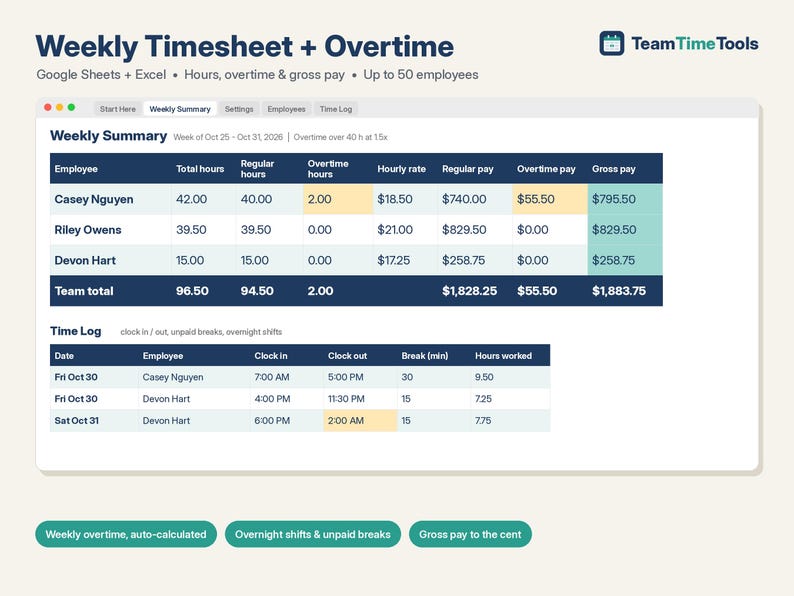
This timesheet template works in Google Sheets and Excel. Log each shift with clock-in, clock-out and unpaid break minutes. It works out hours, regular hours, overtime and gross pay for every employee. Overnight shifts are handled. You set the overtime threshold, the multiplier and the day your week starts. It calculates weekly overtime only, not daily overtime.
IMPORTANT: WEEKLY OVERTIME ONLY
This sheet calculates weekly overtime: hours over your weekly threshold (40 by default). It does NOT calculate daily overtime or double time, such as California's rules for shifts over 8 or 12 hours a day. If your state requires daily overtime, this sheet is not the right fit on its own.
WHAT IT DOES
- Time Log: one row per shift. Enter the date, employee, clock-in, clock-out and unpaid break minutes, and hours worked are calculated for you.
- Overnight shifts: if clock-out is earlier than clock-in (e.g. 6:00 PM to 2:00 AM), the sheet knows the shift ended the next day.
- Unpaid breaks are subtracted, and hours never go below zero.
- Hours are rounded to 0.01 h and pay is rounded to the cent.
- Weekly Summary: type any date and see that week's total hours, regular hours, overtime hours, hourly rate, regular pay, overtime pay and gross pay for each employee, plus team totals.
- Your settings: overtime threshold (default 40 hours), overtime multiplier (default 1.5x) and the day your work week starts (Sunday, Monday or any day).
- Dropdown menus for employees and the week-start day, plus checks on the threshold, multiplier, break minutes and dates.
- Up to 50 employees and 1,000 shifts.
WHAT YOU GET
- 1 Excel file (.xlsx): Weekly-Timesheet-Overtime-Calculator.xlsx
- 1 PDF with your link to make your own copy in Google Sheets, plus quick-start steps
- A built-in "Start Here" tab with instructions, and sample data you can clear in a minute
HOW TO GET IT
1. After you buy, go to your Etsy account > Purchases and download your file. Etsy also emails you a download link.
2. Unzip it. Google Sheets: open the PDF, click the copy link and choose "Make a copy". The copy is saved to your own Google Drive.
3. Excel: open the .xlsx file in Excel 2010 or newer.
4. Follow the Start Here tab: enter your settings, add your employees and hourly rates, clear the sample data and start logging shifts.
GOOD TO KNOW
- This is a digital download. Nothing physical will be shipped.
- Compatible with Google Sheets (needs a free Google account) and Microsoft Excel 2010 or newer, on Windows or Mac. Not designed for Apple Numbers.
- Shows gross pay only. It does not calculate taxes, deductions or net pay, and it is not a payroll service.
- Weekly overtime only (see above). This is a tracking tool, not legal, payroll or HR advice. Overtime rules vary by state and employer.
- Because this is a digital file, returns aren't accepted. If something isn't working, send me a message and I'll help.
HOW THIS WAS MADE
I designed this timesheet with help from AI tools, which assisted with building the formulas and layout. I chose the features and the overtime rules, and before listing it I tested every calculation against an independent check (a 23-point test plan covering overtime, overnight shifts, breaks, rounding, blank cells, week-start days and 50-employee / 1,000-shift capacity).
-
Designed by
-
Item typeDigital download
-
Digital file type(s)1 ZIP
If something goes wrong with an order, we've got your back on all eligible purchases. View program terms
Meet your seller
More from this shop
-
Digital download
Employee Schedule Template Google Sheets & Excel, Weekly, Monthly Shift Planner, Staff Rota, Coverage, Work Hours, Small Team Roster
$12.00
-
Digital download
Rotating Shift Schedule Template, 12 Hour 2-2-3 DuPont Panama 24/48 Fire Rotation, Overtime Calculator, Crew Rota | Excel Google Sheets
$12.00
-
Digital download
Pet Sitting Spreadsheet, Dog Walking Booking Tracker & Client Pet Care Log, Key Log, Holiday Rates | Excel Google Sheets
$19.00
-
Digital download
Restaurant Food Cost Calculator & Menu Pricing Spreadsheet, Recipe Costing, Sub Recipes, Menu Engineering, Cafe | Excel Google Sheets
$15.00
-
Digital download
PTO Tracker 2026 2027 Google Sheets & Excel, Employee Vacation, Sick and Personal Time Off Tracker, Accrual, Carryover, Team Calendar
$16.25
-
Digital download
Employee Offboarding Checklist & Termination Letter Template, Exit Interview Template, Final Paycheck Tracker, HR Form | Excel Google Sheets
$14.00
 This listing
Timesheet Template Google Sheets & Excel, Weekly Employee Time Card, Overtime Calculator, Hours, Gross Pay Tracker, Small Business
Sale Price $11.05
Original Price $13.00
15% off "buy together" offer
Digital Download
-
Digital download
Employee Weekly Timesheet: Salary Calculator, Break Times (Excel Template)
Sale Price $8.25
Original Price $11.00
-

Digital download
Employee Weekly Timesheet: Salary Calculator, Excel & Google Sheets (Digital Download)
Sale Price $9.75
Original Price $13.00
-
Digital download
Employee Monthly Timesheet: Excel & Google Sheets Salary Calculator (Digital Download)
Sale Price $9.75
Original Price $13.00
-
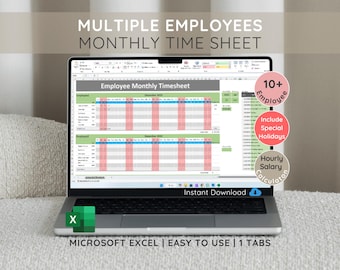
Digital download
Employee Monthly Timesheet: Salary Calculator for 10 Employees (Microsoft Excel)
Sale Price $8.92
Original Price $11.90
-

Digital download
Employee Timesheet Template | Excel & Google Sheets | Time Tracker for Work Hours | Overtime Calculator | Instant Download
Sale Price $5.85
Original Price $11.69
-

Digital download
Timesheet Template Excel & Google Sheets | Daily Timesheet Calculator with Overtime | Small Business Timesheet | Employee Schedule
$11.13
-
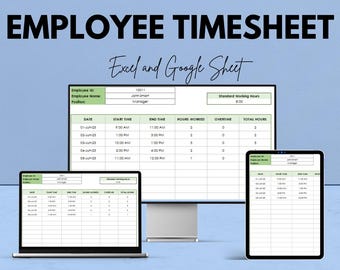
Digital download
Employee Timesheet Template - Excel & Google Sheets, Track Work Hours, Attendance, Overtime Calculation, HR Management
Sale Price $5.85
Original Price $11.69
-
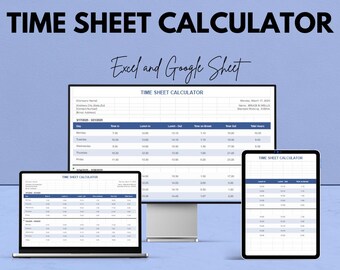
Digital download
Time Sheet Calculator - Excel & Google Sheets Template | Employee Time Tracking, Payroll, Overtime, and Break Hours Calculation
Sale Price $5.85
Original Price $11.69
-
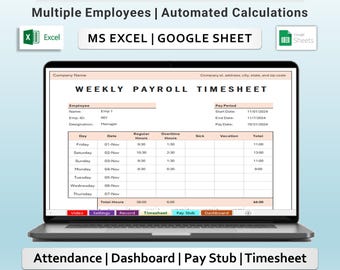
Digital download
Weekly Payroll Timesheet Tracker Excel & Google Sheets Template | employee paystup and Overtime calculator
Sale Price $8.99
Original Price $11.99
-
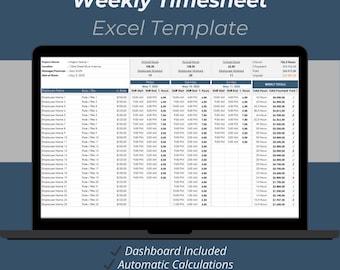
Digital download
Weekly Employee Timesheet & Payment Tracker Excel Template: Work Hours and Payroll Tracker Spreadsheet
$11.90
-
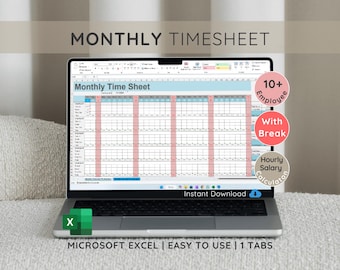
Digital download
Employee Monthly Timesheet with Salary Calculator (Microsoft Excel)
Sale Price $8.92
Original Price $11.90
-
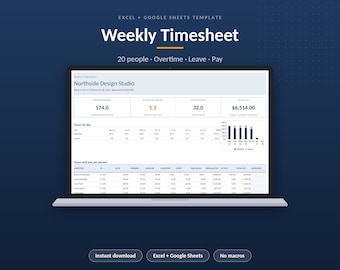
Digital download
Weekly Timesheet Template Excel and Google Sheets, Employee Time Sheet, Overtime & Payroll Calculator, Time Card, Staff Hours Tracker
$9.00
Shoppers with similar taste loved these
-
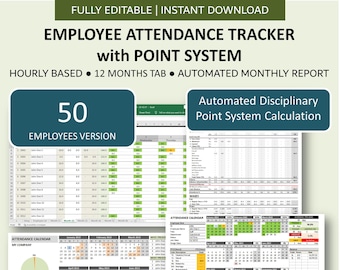
Digital download
Employee Attendance Tracker with Disciplinary Point System | Automated Monthly Attendance Report | PTO-Late Tracker | 50 Hourly Employees
$36.00
-
Digital download
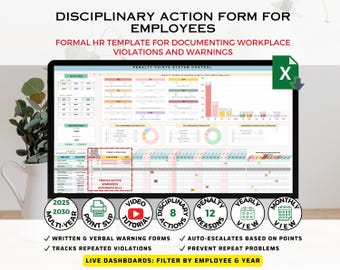
Disciplinary Action Form System | Employee Warning Notice Template, HR Excel Tracker & Behavior Log
$22.88
-
Digital download
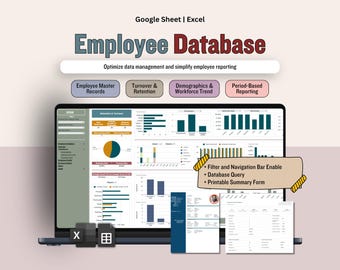
Employee Database Manager Spreadsheet, HR Data Management Dashboard And Employee Directory, Human Resources Template (Google Sheets & Excel)
Sale Price $16.27
Original Price $25.03
-
Digital download
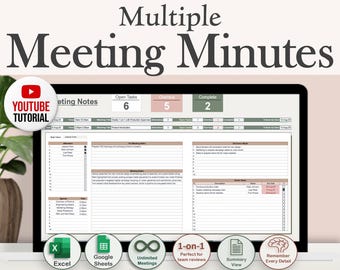
Multiple Meeting Notes Tracker Template for Google Sheets & Excel | Meeting Minutes | Meeting Agendas | 1-on-1 Reviews | Project Meeting
$9.94
-
Digital download
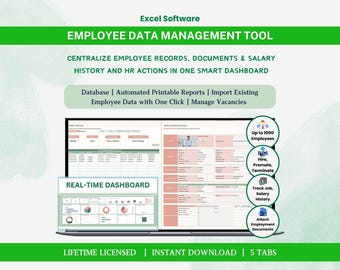
Employee Database HR Spreadsheet Excel Dashboard Template Staff Directory Software with Reporting
Sale Price $25.49
Original Price $33.99
-
Digital download
Employee Attendance Tracker for Small Businesses with Penalty Point System included (MS Excel)
$18.19
-

Digital download
30 Comprehensive HR Analytics Excel Template Collection | Full Excel Editable
$3.86
-

Digital download
HR Professional Portfolio Template, Human Resources Portfolio, HR Resume & Cover Letter, HR Professional, human resources resume
$24.95
-

Digital download
Virtual HR Consultant Agreement Editable Contract Template for Remote Strategy Recruitment Compliance and Employee Support Services
Sale Price $4.34
Original Price $8.68
-

Digital download
HR Essentials Checklist: New Business Guide & Audit (Digital Download)
$2.80
-

Digital download
FMLA Template Bundle: Tracker Spreadsheet, HR Forms (MS Word/Excel)
$18.00
-
Digital download
Employee Welcome & Benefits HR Template (Digital Download)
$8.00


