


Mileage Log & Expense Reimbursement Tracker, 2026 IRS Rate by Trip Date, July 76 Cent Update, Employee Claim Form | Google Sheets Excel
Item highlights
Seller's description
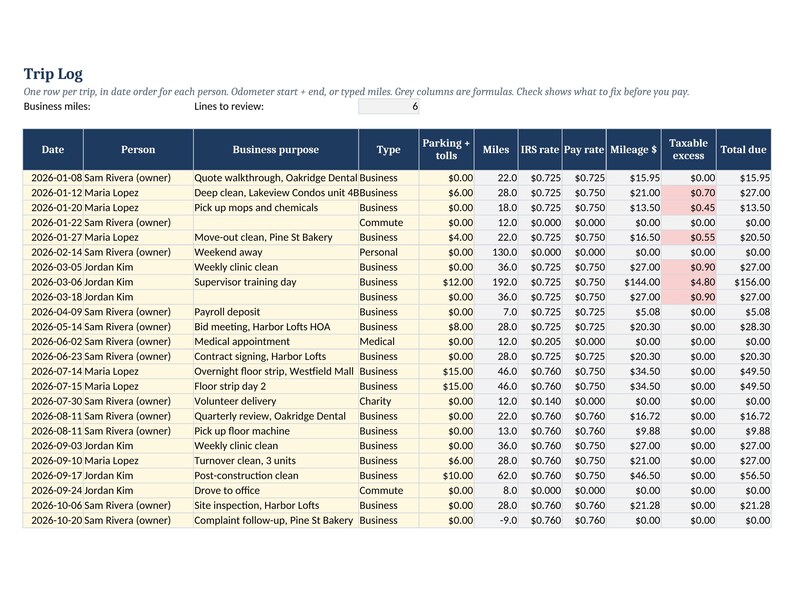
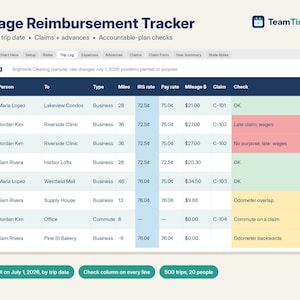
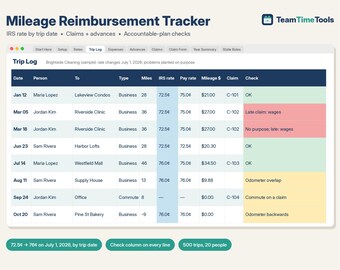
Updated for the IRS mid-year change: trips before July 1, 2026 get 72.5 cents a mile and trips from July 1 get 76 cents, picked automatically by trip date.
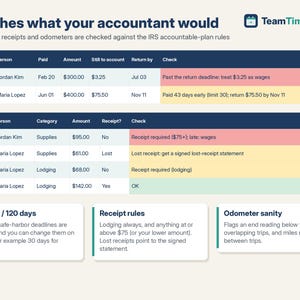
This mileage log and business expense tracker helps you pay employees back correctly. It applies the IRS rate in effect on each trip date. It runs claims, approvals and advances. Each line is checked against IRS accountable-plan rules. You see what is non-taxable and what goes through payroll. A printable claim form and a written reimbursement policy are included. It works in Google Sheets and Excel.
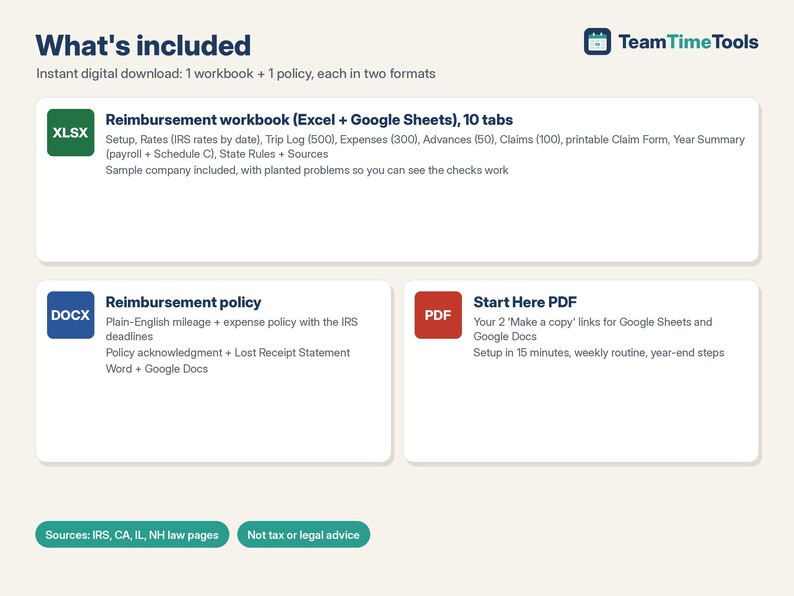
WHAT'S INCLUDED
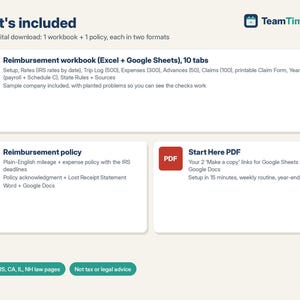
1. Mileage + Expense Reimbursement workbook (Excel + Google Sheets), 10 tabs:
- Setup: IRS rate or your own company rate, your policy deadlines, your receipt amount, and up to 20 people (employees and a self-employed owner).
- Rates: IRS business, medical and charity rates by start date (2024, 2025, and 2026 including the July 1, 2026 change to 76 cents). Add a row when the IRS announces a new rate. Nothing is typed into formulas.
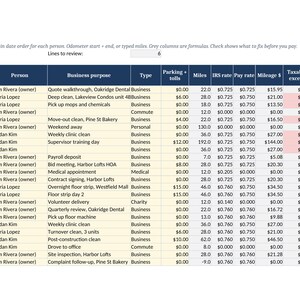
- Trip Log (500 trips): odometer or typed miles, round trips, and Business / Commute / Personal / Medical / Charity. The Check column flags missing purposes, odometers that go backwards or overlap, commutes on a claim, and late claims.
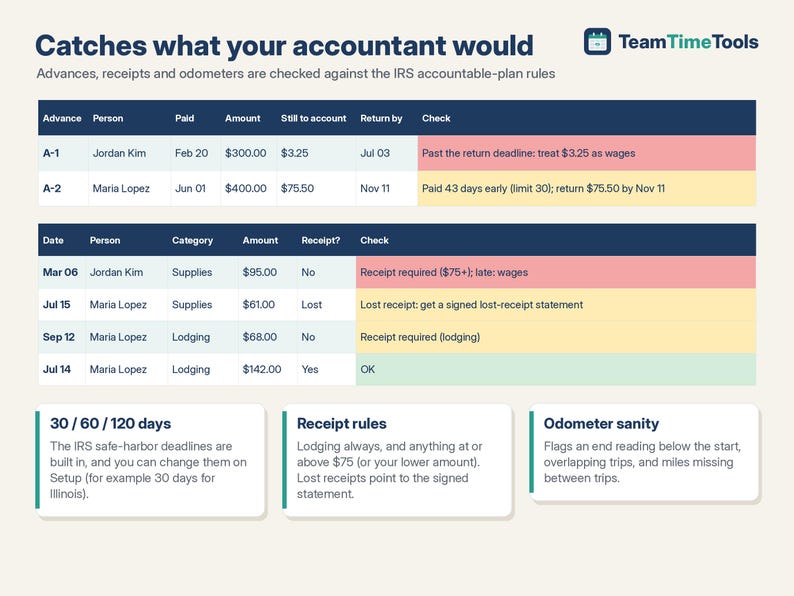
- Expenses (300): receipt rules (lodging always, anything at or above your amount) and lost-receipt flags.
- Advances (50): what's accounted for, what's left, the return-by date, and when the rest becomes wages.
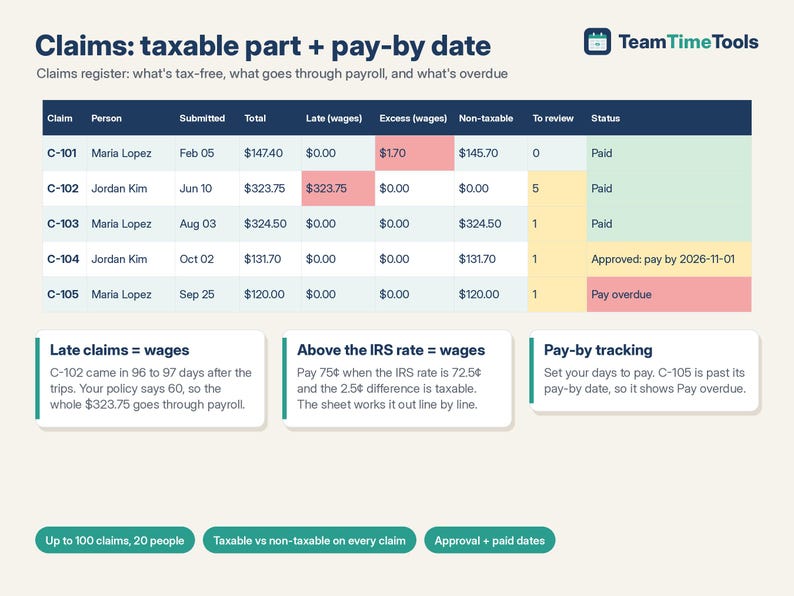
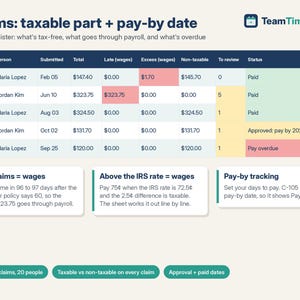
- Claims (100): totals, the taxable vs non-taxable split, lines to review, pay-by date and status (Paid, Approved, Waiting, Pay overdue).
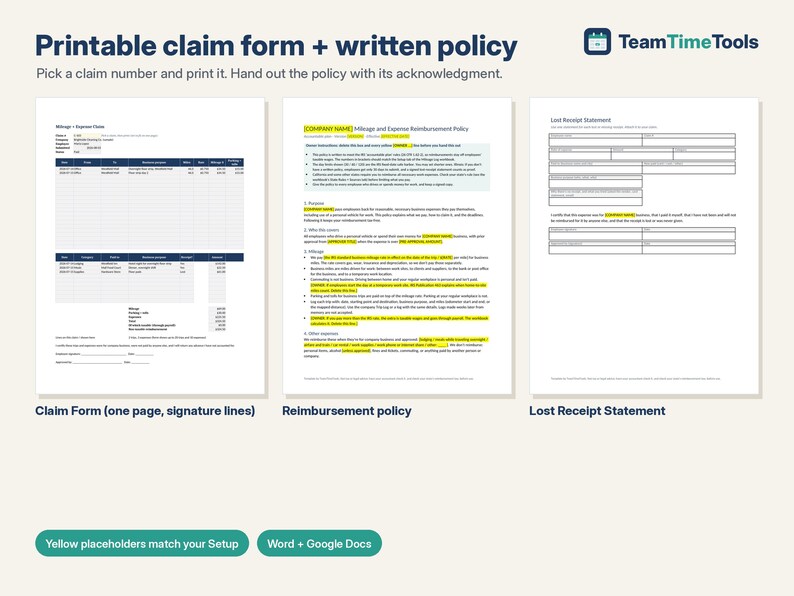
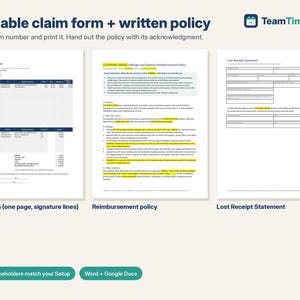
- Claim Form: pick a claim and print one page with signature lines.
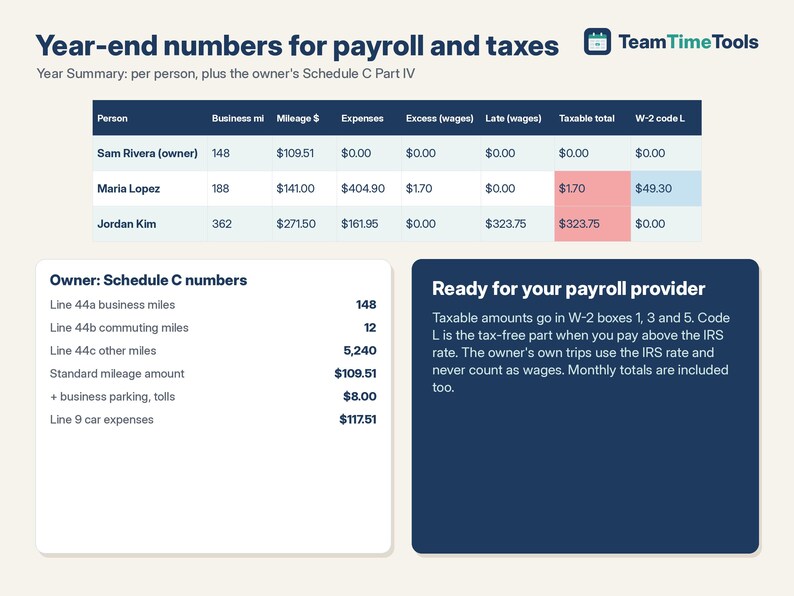
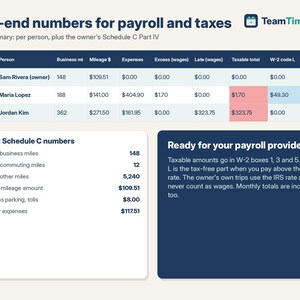
- Year Summary: by person and month, with taxable excess, the W-2 box 12 code L amount, late-claim wages, and Schedule C Part IV / line 9 numbers for the owner.
- State Rules + Sources: the federal rules plus California, Illinois and New Hampshire notes, with links to the official pages.
2. Mileage + Expense Reimbursement Policy (Word + Google Docs): plain-English policy sections, a policy acknowledgment and a Lost Receipt Statement. Yellow [PLACEHOLDERS] match your Setup choices.
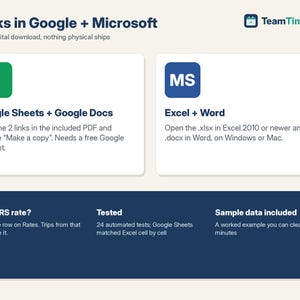
3. Start Here PDF with your 2 Google copy links.
TESTED
24 automated tests check every calculation against an independent model. A boundary test checks 12/31/2025, 1/1/2026, 6/30/2026, 7/1/2026 and 12/31/2026 one by one, plus medical and charity rates and company-rate mode. They include the 2026 mid-year rate change, late claims, advances, an Illinois-style policy, a 2027 rate added later, and a full file of 500 trips and 100 claims. Google Sheets matched the Excel version cell by cell (2,041 cells, 0 differences).
HOW TO GET IT
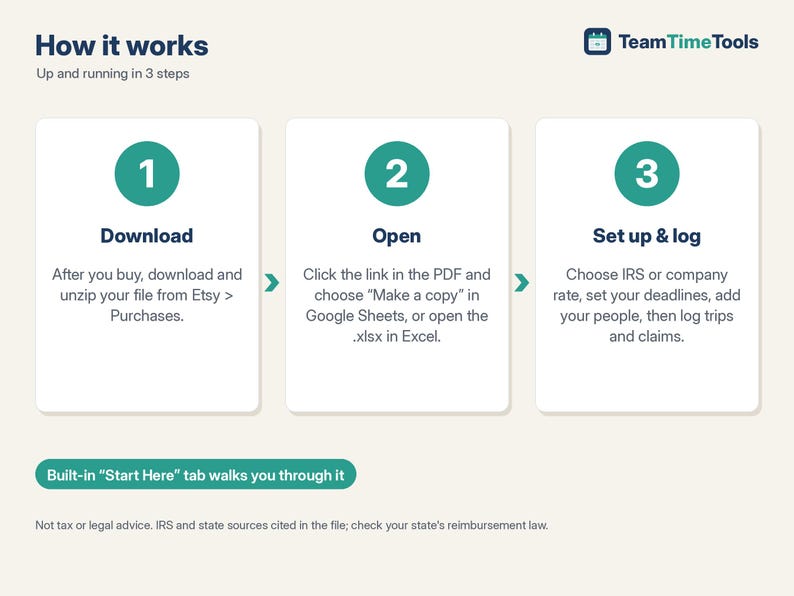
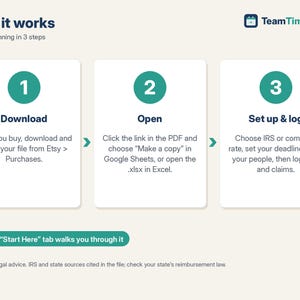
1. After you buy, go to your Etsy account > Purchases and download the zip. Etsy also emails you a link.
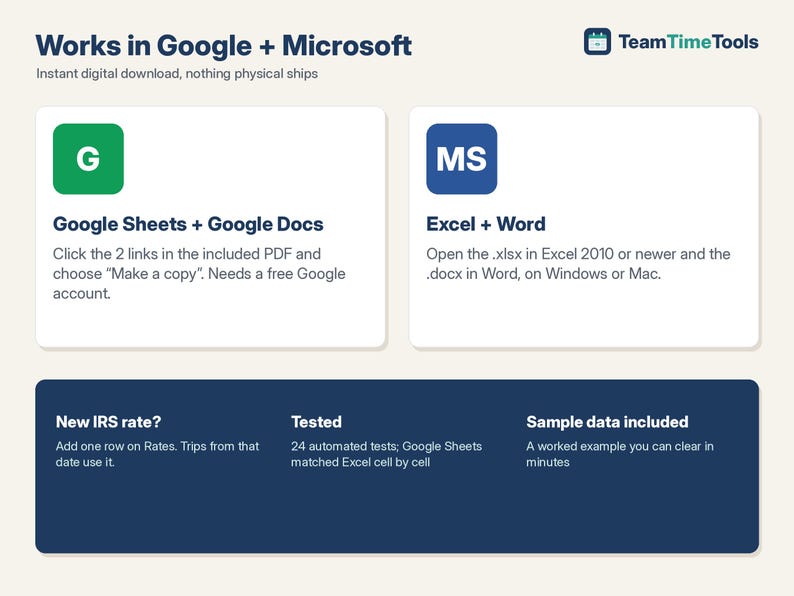
2. Open Mileage-Reimbursement-START-HERE.pdf. Click each link and choose "Make a copy" for Google, or open the files in Excel and Word.
3. Look at the sample, clear it, fill in Setup and start logging.
GOOD TO KNOW, PLEASE READ
- Not tax or legal advice. The rules summarized come from IRS and state pages cited in the file (checked October 2026). Ask your accountant about your reimbursement plan, and check your state's law.
- The workbook works out the payroll amounts but doesn't run payroll or file anything.
- It's a spreadsheet, so there's no GPS auto-tracking. One vehicle per person (for more, list the person twice). It doesn't handle actual car costs (gas, depreciation), per diem rates, kilometres or foreign currency.
- U.S.-focused. Compatible with Google Sheets / Docs (free Google account) and Excel / Word 2010 or newer, on Windows or Mac. Not designed for Apple Numbers.
- This is a digital download. Nothing physical will be shipped. Because it's a digital file, returns aren't accepted. If something isn't working, send me a message and I'll help.
- For your own business use. Please don't resell or share the files or links.
HOW THIS WAS MADE
I designed this tracker with help from AI tools, which assisted with the formulas, layout and first draft of the policy text. I chose the features after comparing the mileage templates already available. I checked the rules against the IRS and state pages cited in the file, and tested every calculation against an independent check (24 tests) before listing.
If something goes wrong with an order, we've got your back for all eligible purchases. View program terms
Price:$13.00
You can only make an offer when buying a single item
Delivery
Instant download
Your files will be available to download once payment is confirmed. Here's how.
Instant download items don't accept returns, exchanges or cancellations. Please contact the seller about any problems with your order.
Seller's description
Specifications
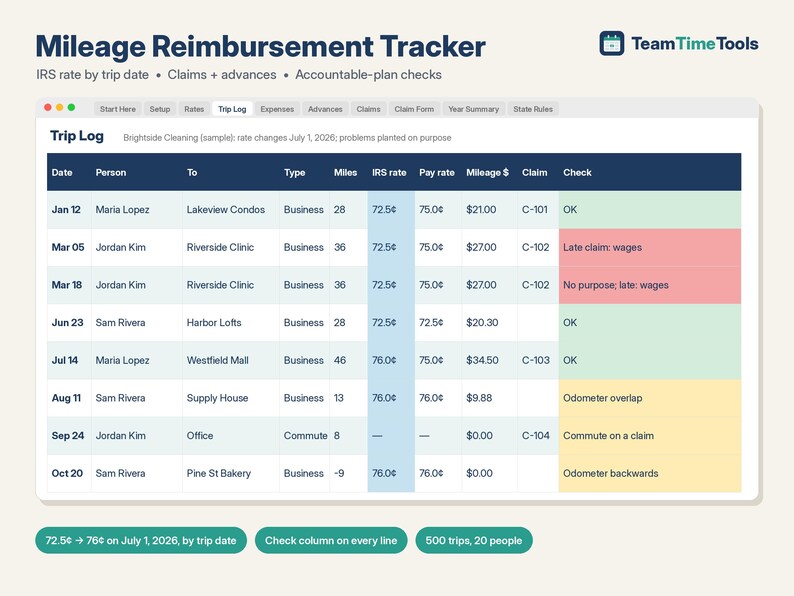
Updated for the IRS mid-year change: trips before July 1, 2026 get 72.5 cents a mile and trips from July 1 get 76 cents, picked automatically by trip date.
This mileage log and business expense tracker helps you pay employees back correctly. It applies the IRS rate in effect on each trip date. It runs claims, approvals and advances. Each line is checked against IRS accountable-plan rules. You see what is non-taxable and what goes through payroll. A printable claim form and a written reimbursement policy are included. It works in Google Sheets and Excel.
WHAT'S INCLUDED
1. Mileage + Expense Reimbursement workbook (Excel + Google Sheets), 10 tabs:
- Setup: IRS rate or your own company rate, your policy deadlines, your receipt amount, and up to 20 people (employees and a self-employed owner).
- Rates: IRS business, medical and charity rates by start date (2024, 2025, and 2026 including the July 1, 2026 change to 76 cents). Add a row when the IRS announces a new rate. Nothing is typed into formulas.
- Trip Log (500 trips): odometer or typed miles, round trips, and Business / Commute / Personal / Medical / Charity. The Check column flags missing purposes, odometers that go backwards or overlap, commutes on a claim, and late claims.
- Expenses (300): receipt rules (lodging always, anything at or above your amount) and lost-receipt flags.
- Advances (50): what's accounted for, what's left, the return-by date, and when the rest becomes wages.
- Claims (100): totals, the taxable vs non-taxable split, lines to review, pay-by date and status (Paid, Approved, Waiting, Pay overdue).
- Claim Form: pick a claim and print one page with signature lines.
- Year Summary: by person and month, with taxable excess, the W-2 box 12 code L amount, late-claim wages, and Schedule C Part IV / line 9 numbers for the owner.
- State Rules + Sources: the federal rules plus California, Illinois and New Hampshire notes, with links to the official pages.
2. Mileage + Expense Reimbursement Policy (Word + Google Docs): plain-English policy sections, a policy acknowledgment and a Lost Receipt Statement. Yellow [PLACEHOLDERS] match your Setup choices.
3. Start Here PDF with your 2 Google copy links.
TESTED
24 automated tests check every calculation against an independent model. A boundary test checks 12/31/2025, 1/1/2026, 6/30/2026, 7/1/2026 and 12/31/2026 one by one, plus medical and charity rates and company-rate mode. They include the 2026 mid-year rate change, late claims, advances, an Illinois-style policy, a 2027 rate added later, and a full file of 500 trips and 100 claims. Google Sheets matched the Excel version cell by cell (2,041 cells, 0 differences).
HOW TO GET IT
1. After you buy, go to your Etsy account > Purchases and download the zip. Etsy also emails you a link.
2. Open Mileage-Reimbursement-START-HERE.pdf. Click each link and choose "Make a copy" for Google, or open the files in Excel and Word.
3. Look at the sample, clear it, fill in Setup and start logging.
GOOD TO KNOW, PLEASE READ
- Not tax or legal advice. The rules summarized come from IRS and state pages cited in the file (checked October 2026). Ask your accountant about your reimbursement plan, and check your state's law.
- The workbook works out the payroll amounts but doesn't run payroll or file anything.
- It's a spreadsheet, so there's no GPS auto-tracking. One vehicle per person (for more, list the person twice). It doesn't handle actual car costs (gas, depreciation), per diem rates, kilometres or foreign currency.
- U.S.-focused. Compatible with Google Sheets / Docs (free Google account) and Excel / Word 2010 or newer, on Windows or Mac. Not designed for Apple Numbers.
- This is a digital download. Nothing physical will be shipped. Because it's a digital file, returns aren't accepted. If something isn't working, send me a message and I'll help.
- For your own business use. Please don't resell or share the files or links.
HOW THIS WAS MADE
I designed this tracker with help from AI tools, which assisted with the formulas, layout and first draft of the policy text. I chose the features after comparing the mileage templates already available. I checked the rules against the IRS and state pages cited in the file, and tested every calculation against an independent check (24 tests) before listing.
-
Designed by
-
Item typeDigital download
-
Digital file type(s)1 ZIP
If something goes wrong with an order, we've got your back on all eligible purchases. View program terms
Meet your seller
More from this shop
-
Digital download
Restaurant Food Cost Calculator & Menu Pricing Spreadsheet, Recipe Costing, Sub Recipes, Menu Engineering, Cafe | Excel Google Sheets
$15.00
-
Digital download
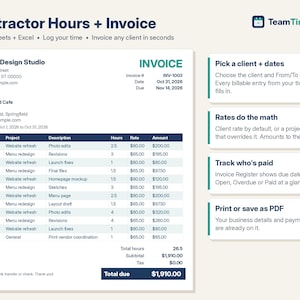
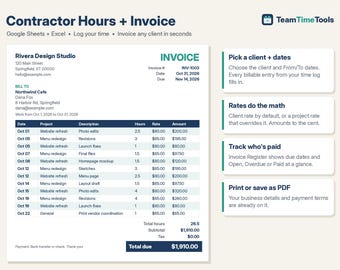
Invoice Template Excel & Google Sheets, Freelance Hours Log, Contractor Billable Time Tracker, Client Payment Register, Consultant
$13.00
-
Digital download
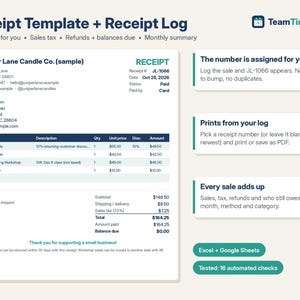
Receipt Template & Receipt Log, Auto Numbered Sales Receipt, Printable Receipt Book, Sales Tax, Refunds | Excel Google Sheets Template
$7.00
-
Digital download
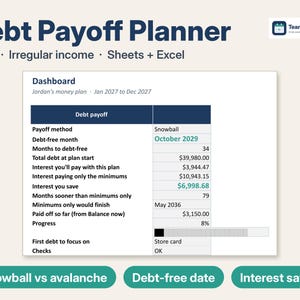
Debt Payoff Tracker Spreadsheet, Debt Snowball Avalanche Calculator for Irregular Income, 2027 Budget & Sinking Funds | Excel Google Sheets
$11.99
-
Digital download
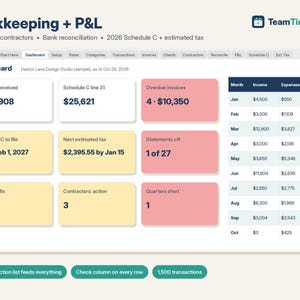
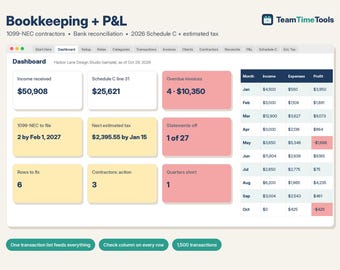
Bookkeeping Spreadsheet Google Sheets & Excel, Small Business Profit and Loss, 1099 Contractor Tracker, 2026 Schedule C, Estimated Tax
$15.00
-
Digital download
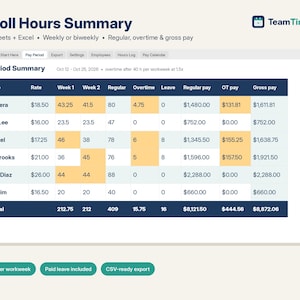
Payroll Spreadsheet Google Sheets & Excel, Weekly, Biweekly Pay Period Hours Summary, Overtime, Gross Earnings Calculator, Small Business
$14.00
 This listing
Mileage Log & Expense Reimbursement Tracker, 2026 IRS Rate by Trip Date, July 76 Cent Update, Employee Claim Form | Google Sheets Excel
Sale Price $11.05
Original Price $13.00
15% off "buy together" offer
Digital Download
-
Digital download
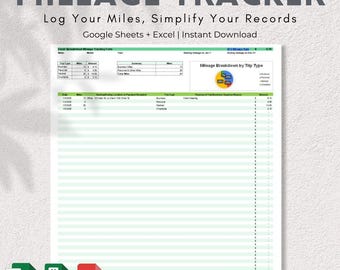
Car mileage log Excel sheet tax IRS compliant mileage calculator tracker for small business owners realtors rideshare drivers Google Sheets
$14.99
-
Digital download
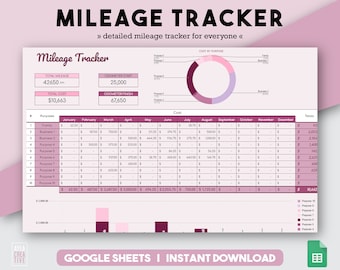
Mileage Tracker, Excel Template, Car Mileage, Personal Finance, Tax Deductibles, Spreadsheet Template, Mileage Spreadsheet, Excel Tracker
$10.00
-
Digital download
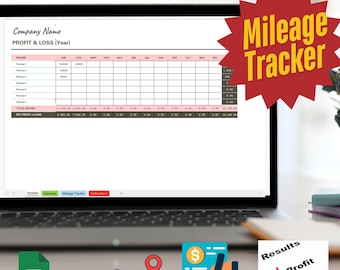
All-In-One Bookkeeping Spreadsheet | Mileage Tracker (Excel, Google Sheets)
$19.99
-

Digital download
Mileage Expense Log Sheet – Track and Calculate Business/Personal Mileage | Excel & Google Sheet Template
Sale Price $5.85
Original Price $11.69
-

Digital download
Stock Transfer Log Template | Excel Inventory Tracker for Small Business
$12.99
-
Digital download
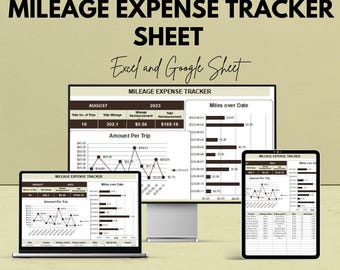
Mileage Expense Tracker Sheet | Google Sheet | Track Travel Mileage & Expenses | Automated Reimbursement Tracker | Mileage Log Template
Sale Price $5.85
Original Price $11.69
-

Digital download
Mileage Tracker | Mileage Excel | Business Spreadsheet | Mileage Log | Mileage Calculator | Mileage Spreadsheet | Business Trip Log Expense
$10.00
-
Digital download
Receipts & Reimbursement Tracker | Digital Download (Excel/Google Sheets) | Instructions included
$11.99
-

Digital download
S-Corp Mileage Reimbursement Tracker Excel IRS Rate Log Auto Reimbursement Calculator for Business Owners Accountable Plan Mileage Tracker
$14.99
-
Digital download
Rental Property Maintenance Tracker Excel Template – Landlord Property Management Spreadsheet for 50 Properties
$11.50
-
Digital download
Car Mileage Log Google Sheets Excel Vehicle Fleet Tracker Fuel Cost Maintenance Schedule Business Trip Spreadsheet Expense Calculator
Sale Price $6.98
Original Price $13.96
-
Digital download
Mileage Reimbursement Tracker | IRS-Ready Log for Business Travel (Google Sheets + Excel)
$5.95
Shoppers with similar taste loved these
-
Digital download
Engagement Post Tax Preparer Facebook Post Canva Template Tax Professional Facebook Page Accountant Facebook Group CPA Social Media Template
Sale Price $10.20
Original Price $12.00
-

Digital download
60 Accounting Bookkeeping Tax Social Media Post Templates | firm office marketing, accountant advisor specialist expert Instagram Facebook
Sale Price $22.05
Original Price $44.10
-

Digital download
Tax Prep Social Media Templates: Editable Instagram & Facebook Posts (Digital Download
$51.62
-

Digital download
Accounting Accountant Bookkeeping Financial advisor and wealth Coaching Instagram Facebook social media posts templates for small business
Sale Price $10.00
Original Price $40.00
-

Digital download
Social Media Templates for Accountants | Financial Tax Advisor | Canva Posts - Editable Designs | Tax Prep Instagram | Accountant Marketing
Sale Price $2.46
Original Price $7.01
-

Digital download
Tax Prep Instagram Posts: Tax Preparer Canva Templates
$9.89
-

Digital download
Small Business Tax Deductions Cheat Sheet Tax Write Offs List Side Hustle Tax Deductions General Tax Tips Deductible Self Employed Expenses
$1.49
-
Digital download
Small Business Tax Prep Kit 2025 Printable Tax Binder & Spreadsheet | Income, Expenses and Deduction Tracker (US)
$6.49
-

Digital download
Small Business Tax Deduction Checklist: Expense Tracker (Digital Download)
$1.49
-

Digital download
The Ultimate Tax Preparer Forms Vault - Compliance & Workflow System (25+ Editable Forms + Emails Templates)
$97.00
-

Digital download
2024-2025 Tax Reference Guide for CPAs, EAs - Instant Download (PDF Printable)
Sale Price $21.33
Original Price $33.33
-

Digital download
Best Selling Professional Simplified OBBBA 2025 Tax Guide: Full Policy Overview & Quick Reference (PDF) Printable References- Tax Checklists
Sale Price $28.44
Original Price $44.44

