


Rental Property Spreadsheet, Landlord Rent Tracker & Schedule E, Rent Roll, Late Fees, Security Deposits | Excel Google Sheets Template
Item highlights
Seller's description
Know who owes you rent, what each property really made, and what goes on Schedule E, without retyping anything at tax time. This TeamTimeTools workbook is for small landlords with 1 to 20 properties. It works out late fees and deposits for you, sorts every bill and repair to its Schedule E line, and splits mortgage payments into interest and principal. Works in Excel and Google Sheets.
WHAT'S INCLUDED
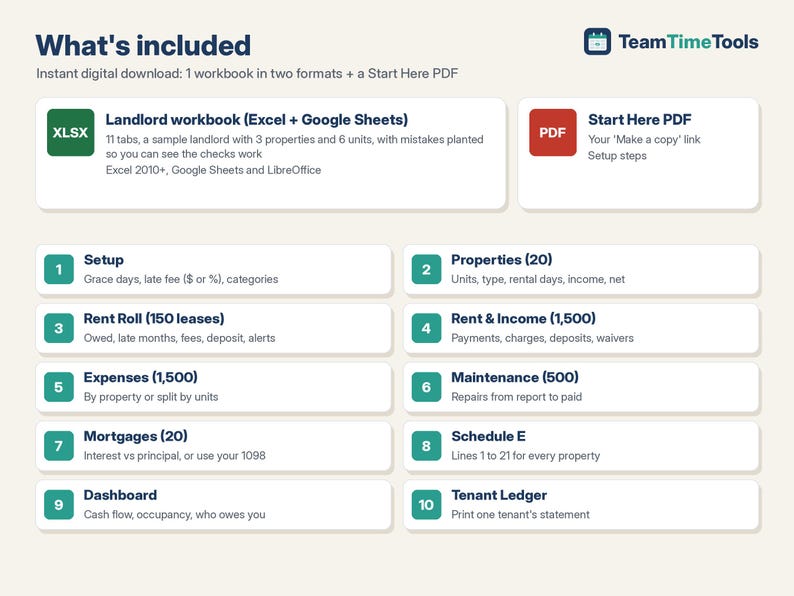
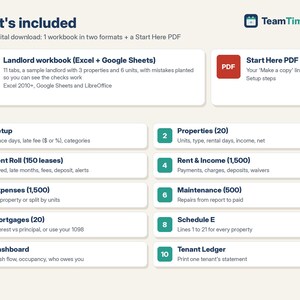
1. Rental Property & Landlord workbook (Excel + Google Sheets), 11 tabs:
- Start Here: setup steps in plain English.
- Setup: tax year, grace period, late fee (flat $ or % of rent), and 22 expense categories already matched to Schedule E lines (room for 40).
- Properties (20): address, type, units, rental and personal days, depreciation, and each property's income, expenses and net.
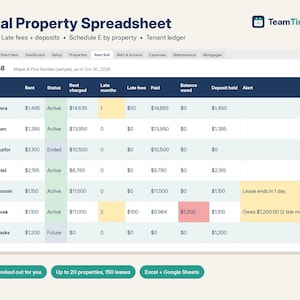
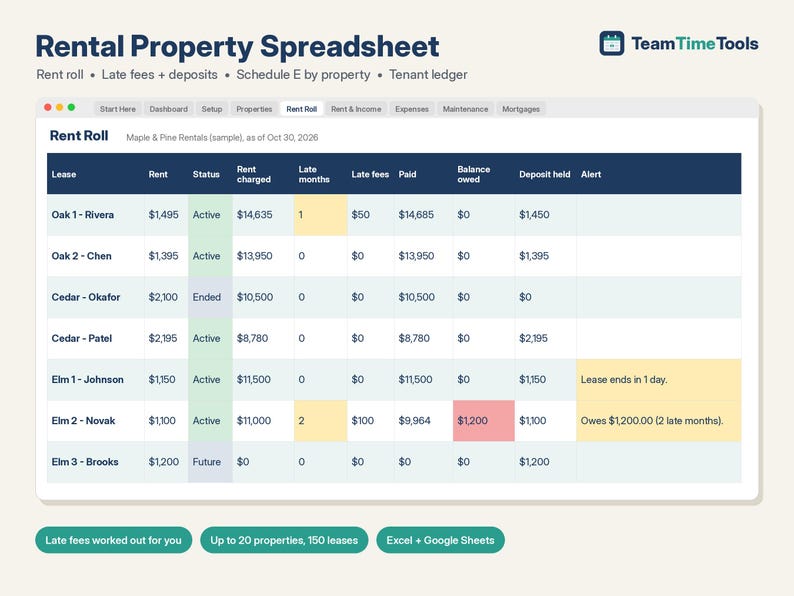
- Rent Roll (150 leases): rent charged so far, late months, late fees, payments, balance owed, deposit held, days to lease end, rent increases, and alerts ("Owes $1,200 (2 late months)", "Lease ends in 30 days").
- Rent & Income (1,500 rows): rent payments, extra charges, deposits received, returned or kept, waived late fees, other income.
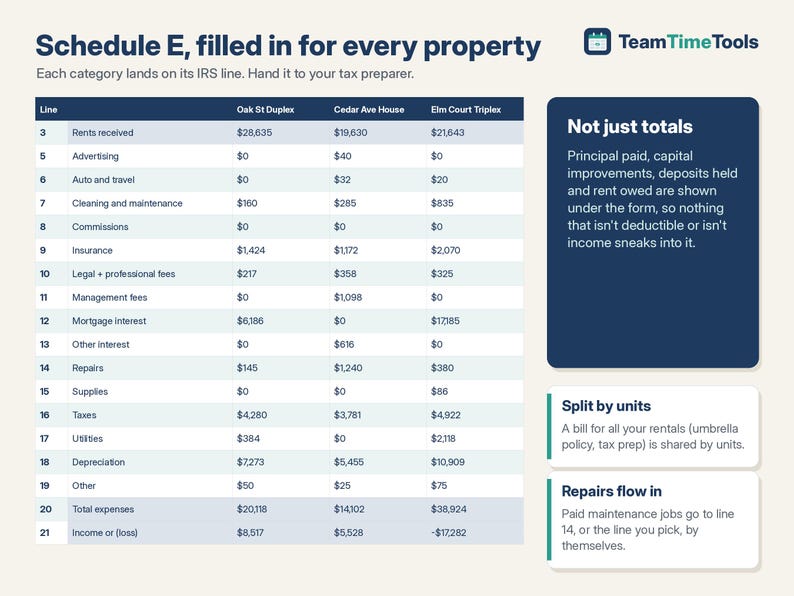
- Expenses (1,500 rows): by property, or "All properties" split by number of units.
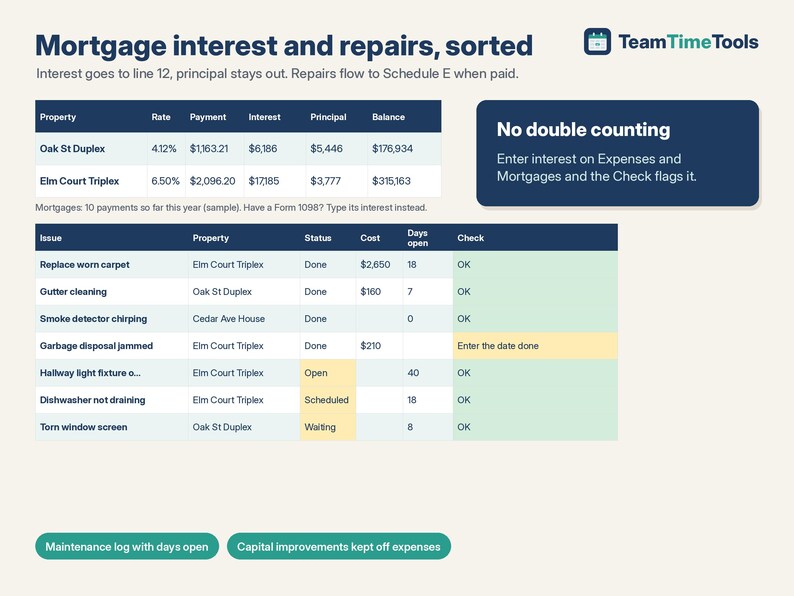
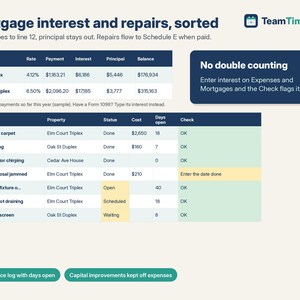
- Maintenance (500 jobs): from reported to done to paid, with days open. Paid repairs flow to Schedule E; capital improvements stay off it.
- Mortgages (20 loans): interest vs principal for this year, or your Form 1098 interest.
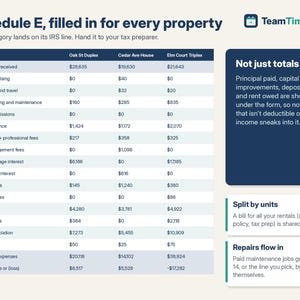
- Schedule E: lines 3 to 21 for every property, plus principal paid, capital improvements, deposits held and rent owed for your records.
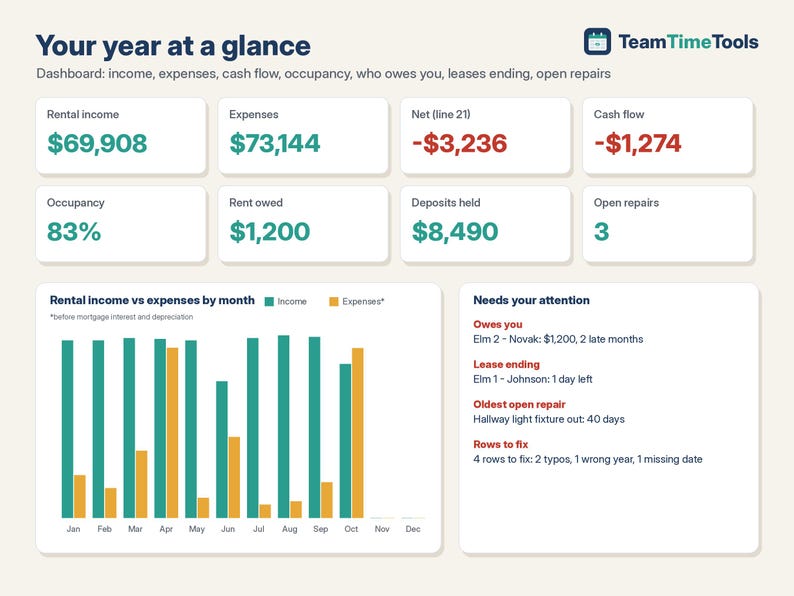
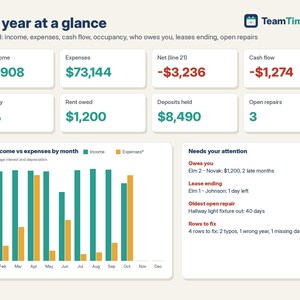
- Dashboard: income, expenses, net, cash flow, occupancy, monthly totals, who owes you, leases ending soon, open repairs.
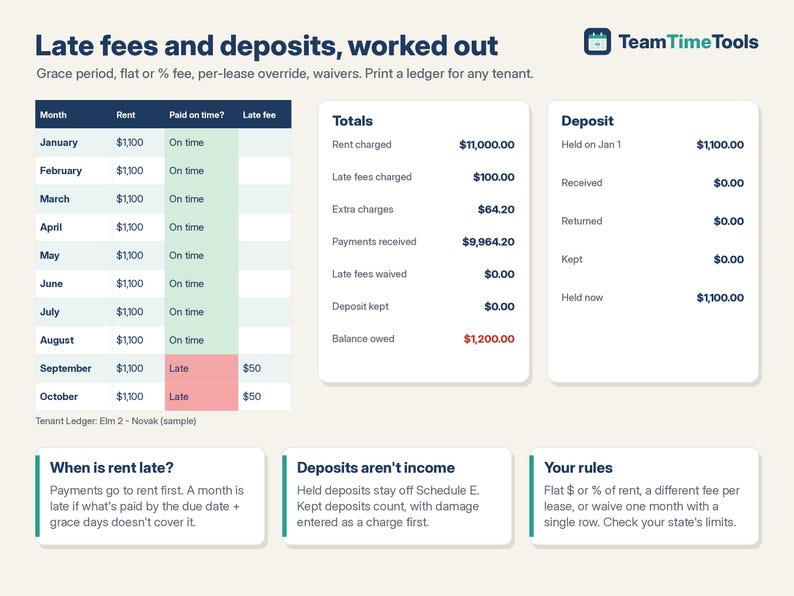
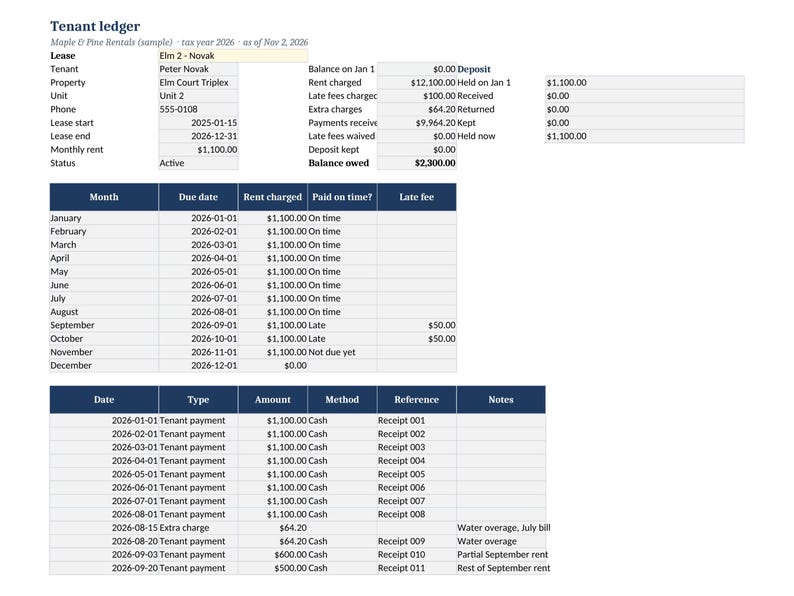
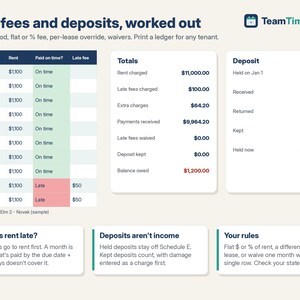
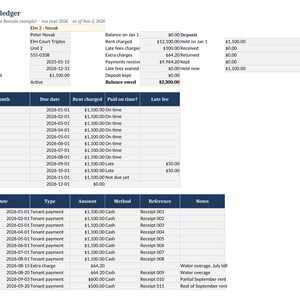
- Tenant Ledger: pick a tenant and print their statement: monthly rent, late months and fees, every payment, and their deposit.
2. Start Here PDF with your Google copy link.
WHY IT'S DIFFERENT
- Late fees done for you: grace period, flat or % fee, a different fee for any lease, and one row to waive a month.
- Security deposits tracked separately, so they never inflate your income (a kept deposit counts, as the IRS says).
- Mortgage interest split from principal, with a check that warns if you also typed the interest on Expenses.
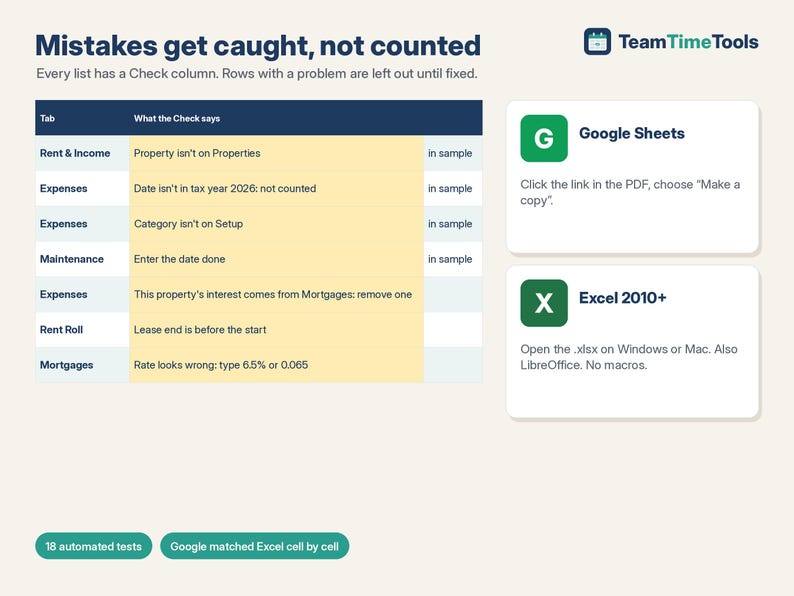
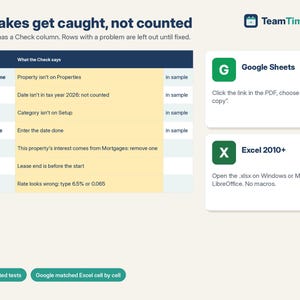
- Every list has a Check column that says exactly what's wrong (a typo in a property name, a date from last year), and the row stays out of the totals until it's fixed.
- Runs in Excel 2010 or newer, Google Sheets and LibreOffice. No Excel 365-only formulas, no macros, nothing locked.
TESTED
18 automated tests check every calculation against an independent model (28,515 cells), including hand-worked late fees, mortgage interest checked month by month, bad input, and a full file of 20 properties and 150 leases. Google Sheets matched the Excel/LibreOffice values cell by cell (11,131 cells, 0 differences).
HOW TO GET IT
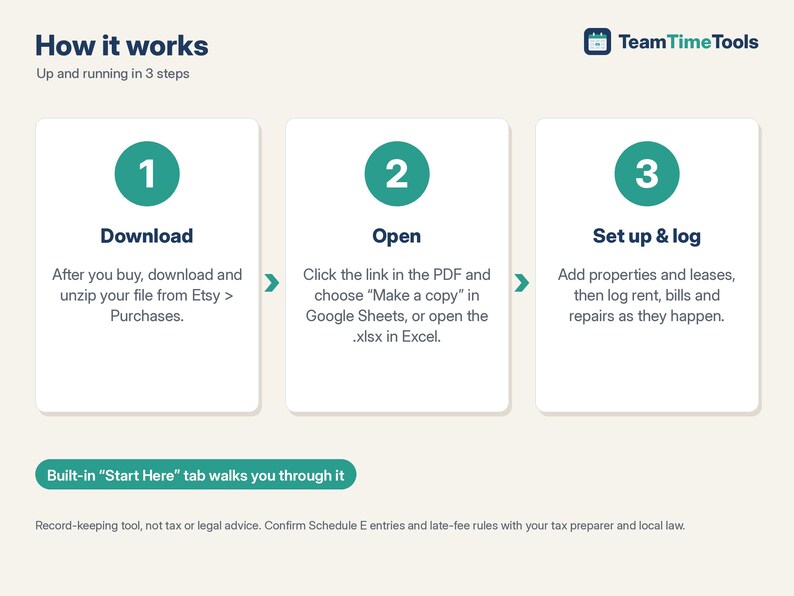
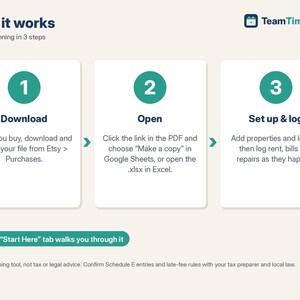
1. After you buy, go to your Etsy account > Purchases and download the zip. Etsy also emails you a link.
2. Open Rental-START-HERE.pdf. Click the link and choose "Make a copy" for Google, or open the .xlsx in Excel.
3. Look at the sample, clear it, and add your properties and leases.
GOOD TO KNOW, PLEASE READ
- Record-keeping tool, not tax or legal advice. Your tax preparer has the final word. Check your state's rules on late fees and deposits.
- Cash basis, one tax year per file. For next year, make a fresh copy and carry over balances and deposits (Start Here shows how).
- Depreciation is typed in per property; the workbook doesn't calculate it. No charts and no bank connection: you type payments and bills.
- US Schedule E lines and dollars.
- Compatible with Google Sheets (free Google account), Excel 2010 or newer on Windows or Mac, and LibreOffice. Not designed for Apple Numbers.
- This is a digital download. Nothing physical will be shipped. Because it's a digital file, returns aren't accepted. If something isn't working, send me a message and I'll help.
- For your own use. Please don't resell or share the files or links.
HOW THIS WAS MADE
I designed this workbook with help from AI tools, which assisted with the formulas, layout and sample data. I chose the features after comparing the landlord spreadsheets already available and reading what landlords say goes wrong with them (missed late rent, deposits mixed into income, formulas that break). I tested every calculation against an independent check (18 tests) before listing.
If something goes wrong with an order, we've got your back for all eligible purchases. View program terms
Price:$16.00
You can only make an offer when buying a single item
Delivery
Instant download
Your files will be available to download once payment is confirmed. Here's how.
Instant download items don't accept returns, exchanges or cancellations. Please contact the seller about any problems with your order.
Seller's description
Specifications
Know who owes you rent, what each property really made, and what goes on Schedule E, without retyping anything at tax time. This TeamTimeTools workbook is for small landlords with 1 to 20 properties. It works out late fees and deposits for you, sorts every bill and repair to its Schedule E line, and splits mortgage payments into interest and principal. Works in Excel and Google Sheets.
WHAT'S INCLUDED
1. Rental Property & Landlord workbook (Excel + Google Sheets), 11 tabs:
- Start Here: setup steps in plain English.
- Setup: tax year, grace period, late fee (flat $ or % of rent), and 22 expense categories already matched to Schedule E lines (room for 40).
- Properties (20): address, type, units, rental and personal days, depreciation, and each property's income, expenses and net.
- Rent Roll (150 leases): rent charged so far, late months, late fees, payments, balance owed, deposit held, days to lease end, rent increases, and alerts ("Owes $1,200 (2 late months)", "Lease ends in 30 days").
- Rent & Income (1,500 rows): rent payments, extra charges, deposits received, returned or kept, waived late fees, other income.
- Expenses (1,500 rows): by property, or "All properties" split by number of units.
- Maintenance (500 jobs): from reported to done to paid, with days open. Paid repairs flow to Schedule E; capital improvements stay off it.
- Mortgages (20 loans): interest vs principal for this year, or your Form 1098 interest.
- Schedule E: lines 3 to 21 for every property, plus principal paid, capital improvements, deposits held and rent owed for your records.
- Dashboard: income, expenses, net, cash flow, occupancy, monthly totals, who owes you, leases ending soon, open repairs.
- Tenant Ledger: pick a tenant and print their statement: monthly rent, late months and fees, every payment, and their deposit.
2. Start Here PDF with your Google copy link.
WHY IT'S DIFFERENT
- Late fees done for you: grace period, flat or % fee, a different fee for any lease, and one row to waive a month.
- Security deposits tracked separately, so they never inflate your income (a kept deposit counts, as the IRS says).
- Mortgage interest split from principal, with a check that warns if you also typed the interest on Expenses.
- Every list has a Check column that says exactly what's wrong (a typo in a property name, a date from last year), and the row stays out of the totals until it's fixed.
- Runs in Excel 2010 or newer, Google Sheets and LibreOffice. No Excel 365-only formulas, no macros, nothing locked.
TESTED
18 automated tests check every calculation against an independent model (28,515 cells), including hand-worked late fees, mortgage interest checked month by month, bad input, and a full file of 20 properties and 150 leases. Google Sheets matched the Excel/LibreOffice values cell by cell (11,131 cells, 0 differences).
HOW TO GET IT
1. After you buy, go to your Etsy account > Purchases and download the zip. Etsy also emails you a link.
2. Open Rental-START-HERE.pdf. Click the link and choose "Make a copy" for Google, or open the .xlsx in Excel.
3. Look at the sample, clear it, and add your properties and leases.
GOOD TO KNOW, PLEASE READ
- Record-keeping tool, not tax or legal advice. Your tax preparer has the final word. Check your state's rules on late fees and deposits.
- Cash basis, one tax year per file. For next year, make a fresh copy and carry over balances and deposits (Start Here shows how).
- Depreciation is typed in per property; the workbook doesn't calculate it. No charts and no bank connection: you type payments and bills.
- US Schedule E lines and dollars.
- Compatible with Google Sheets (free Google account), Excel 2010 or newer on Windows or Mac, and LibreOffice. Not designed for Apple Numbers.
- This is a digital download. Nothing physical will be shipped. Because it's a digital file, returns aren't accepted. If something isn't working, send me a message and I'll help.
- For your own use. Please don't resell or share the files or links.
HOW THIS WAS MADE
I designed this workbook with help from AI tools, which assisted with the formulas, layout and sample data. I chose the features after comparing the landlord spreadsheets already available and reading what landlords say goes wrong with them (missed late rent, deposits mixed into income, formulas that break). I tested every calculation against an independent check (18 tests) before listing.
-
Designed by
-
Item typeDigital download
-
Digital file type(s)1 ZIP
If something goes wrong with an order, we've got your back on all eligible purchases. View program terms
Meet your seller
More from this shop
-
Digital download
Restaurant Food Cost Calculator & Menu Pricing Spreadsheet, Recipe Costing, Sub Recipes, Menu Engineering, Cafe | Excel Google Sheets
$15.00
-
Digital download
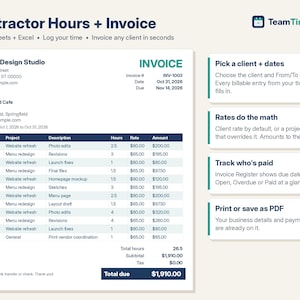
Invoice Template Excel & Google Sheets, Freelance Hours Log, Contractor Billable Time Tracker, Client Payment Register, Consultant
$13.00
-
Digital download
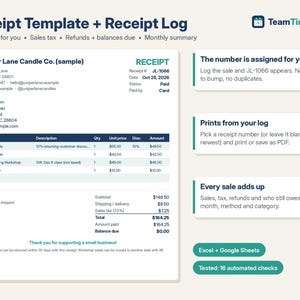
Receipt Template & Receipt Log, Auto Numbered Sales Receipt, Printable Receipt Book, Sales Tax, Refunds | Excel Google Sheets Template
$7.00
-
Digital download
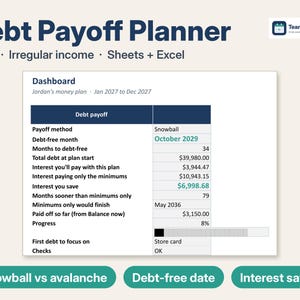
Debt Payoff Tracker Spreadsheet, Debt Snowball Avalanche Calculator for Irregular Income, 2027 Budget & Sinking Funds | Excel Google Sheets
$11.99
-
Digital download
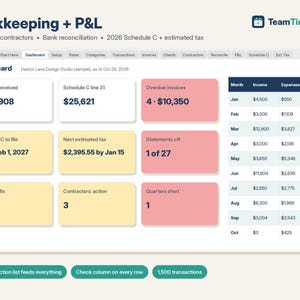
Bookkeeping Spreadsheet Google Sheets & Excel, Small Business Profit and Loss, 1099 Contractor Tracker, 2026 Schedule C, Estimated Tax
$15.00
-
Digital download
Payroll Spreadsheet Google Sheets & Excel, Weekly, Biweekly Pay Period Hours Summary, Overtime, Gross Earnings Calculator, Small Business
$14.00
-
Digital download
Rental Property Spreadsheet: Multi Property Income and Expense Template, Rental Bookkeeping, Tenant Tracker Rent Payment Excel Google Sheets
Sale Price $11.43
Original Price $17.58
-
Digital download
Rental Property Tracker Landlord Spreadsheet Multi Property Income and Expense Excel Google Sheets Rental Bookkeeping Rent Payment Tracker
Sale Price $8.89
Original Price $17.77
-

Digital download
Rental Property Tracker Excel, Rental Income and Expense Tracker, Landlord Spreadsheet, Property Management Tool
Sale Price $5.55
Original Price $15.85
-
Digital download
Rental Property Excel Spreadsheet: Income Tracker (Digital Download)
$10.99
-
Digital download
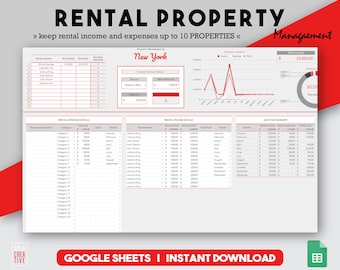
Rental Spreadsheet, Landlord Tracker, Income And Expenses, Excel Template, Excel Budget, Property Management, Real Estate Sheet
$10.00
-

Digital download
Rental Property Income and Expense Tracker Excel Template (10 Properties) – Landlord Cash Flow Spreadsheet
$11.90
-

Digital download
Landlord Spreadsheet Google Sheets | Rental Property Tracker | Property Management Dashboard
Sale Price $13.57
Original Price $18.09
-

Digital download
Rental Property Tracker: Multi-Property Spreadsheet (Google Sheets)
$13.01
-

Digital download
Rental Property Spreadsheet in Google Sheets, Landlord Spreadsheet for up to 6 Properties, Landlord Rent Tracker
Sale Price $3.50
Original Price $10.00
-

Digital download
Rental Property Tracker Google Sheets Landlord Spreadsheet Multi Property Management Tracker Excel Rental Bookkeeping Rent Payment Tracker
Sale Price $8.89
Original Price $17.77
-
Digital download
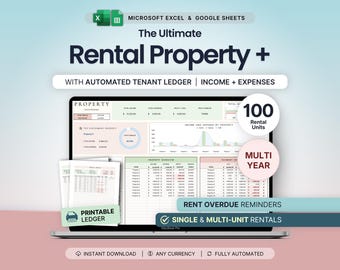
Rental Property Bookkeeping Google Sheets Landlord Spreadsheet Multi Property Income and Expense Tracker Excel Tenant Tracker Rent Payment
Sale Price $8.59
Original Price $17.18
-

Digital download
Rental Property Income and Expense Tracker, Property Management Spreadsheet, Rental Property Spreadsheet, Landlord Spreadsheet
Sale Price $5.55
Original Price $15.85
Shoppers with similar taste loved these
-
Digital download
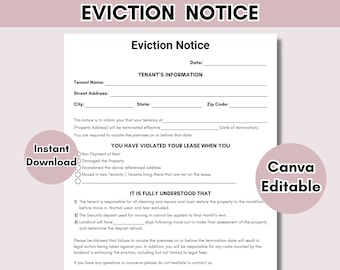
Eviction Notice Template | Printable Notice to Vacate Template | Lease termination form | Editable Landlord Rental Contract | PDF download
Sale Price $2.35
Original Price $4.69
-
Digital download
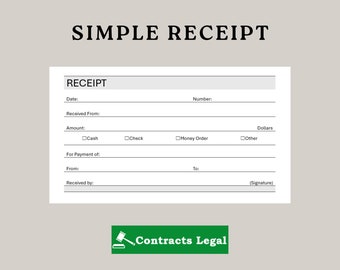
Simple Receipt Template: Printable Cash/Rental Payment (Digital Download, US Letter)
Sale Price $3.96
Original Price $6.00
-
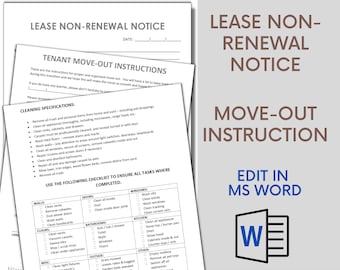
Digital download
Landlord Non-Renewal Notice to Tenant - Move-Out Instruction & Cleaning Checklist
$3.19
-
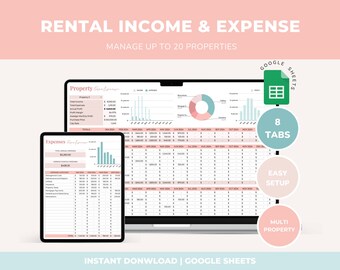
Digital download
Rental Property Management Google Sheets Airbnb Income and Expense Rental Tracker Bookkeeping Spreadsheet Vacation Rental Airbnb Template
$5.80
-
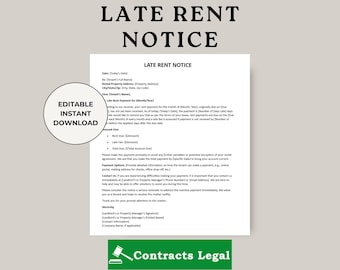
Digital download
Late Rent Notice Template: Landlord Letter (Microsoft Word & PDF) Digital Download
Sale Price $3.96
Original Price $6.00
-

Digital download
Rental Property Bookkeeping Spreadsheet | Multi-Property Google Sheets (Digital Download)
$18.03
-
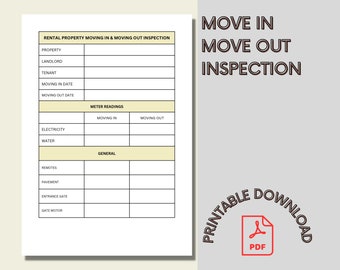
Digital download
Walkthrough Inspection, Tenant Move-In & Move-Out Checklist
$3.19
-
Digital download
Landlord Notice To Clean Property, Landlord Notice To Clean Property Template, Notice To Clean Letter, Word Template, Simple Letter
Sale Price $2.25
Original Price $3.00
-
Digital download
Editable Receipt Template: Excel & Google Sheets (Printable PDF)
Sale Price $4.42
Original Price $5.90
-

Digital download
Editable Rent Receipt Template: Fillable PDF & Word Doc
$1.99
-
Digital download
Rent Payment Tracker | Rental Payment Ledger | Monthly Rent Payment Log | Landlord Rental Spreadsheet | Landlord Rental Payment Log
$1.99
-

Digital download
Editable Landlord or Property Management Lease Violation Notice | Microsoft Word Document
$3.19


