


Receipt Template & Receipt Log, Auto Numbered Sales Receipt, Printable Receipt Book, Sales Tax, Refunds | Excel Google Sheets Template
Item highlights
Seller's description
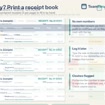
Numbered receipts that fill themselves in, and a sales log that adds itself up. Log a sale once and this TeamTimeTools workbook gives it the next receipt number, works out the sales tax, prints a clean receipt and adds the sale to your monthly totals. For makers, market sellers, tutors, cleaners, salons and any small business that hands out receipts. Works in Excel and Google Sheets.
WHAT'S INCLUDED
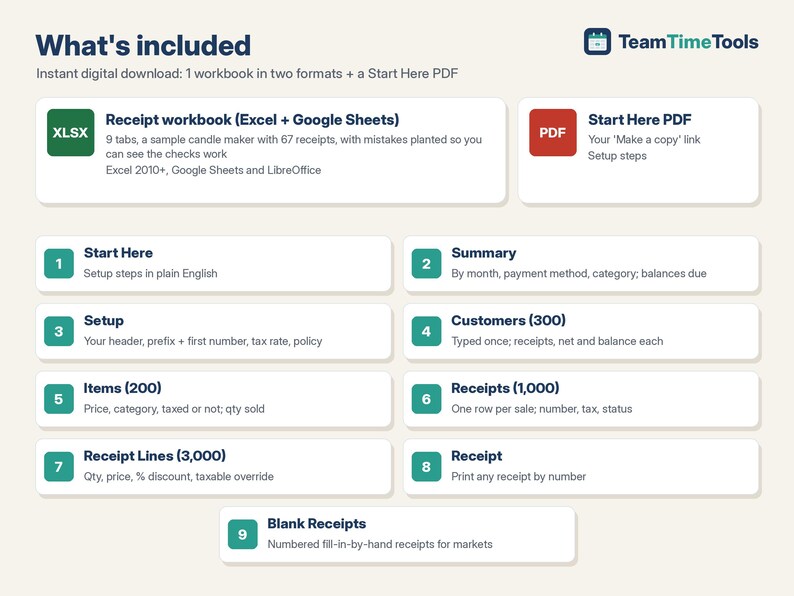
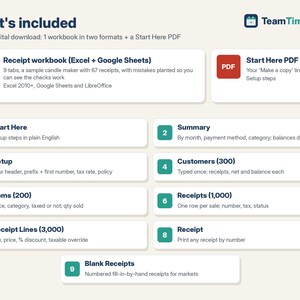
1. Receipt Template + Receipt Log workbook (Excel + Google Sheets), 9 tabs:
- Start Here: setup steps in plain English.
- Setup: business details printed on every receipt, receipt prefix and first number, sales tax rate and label, tax on shipping yes/no, thank-you note, return policy, payment methods and categories.
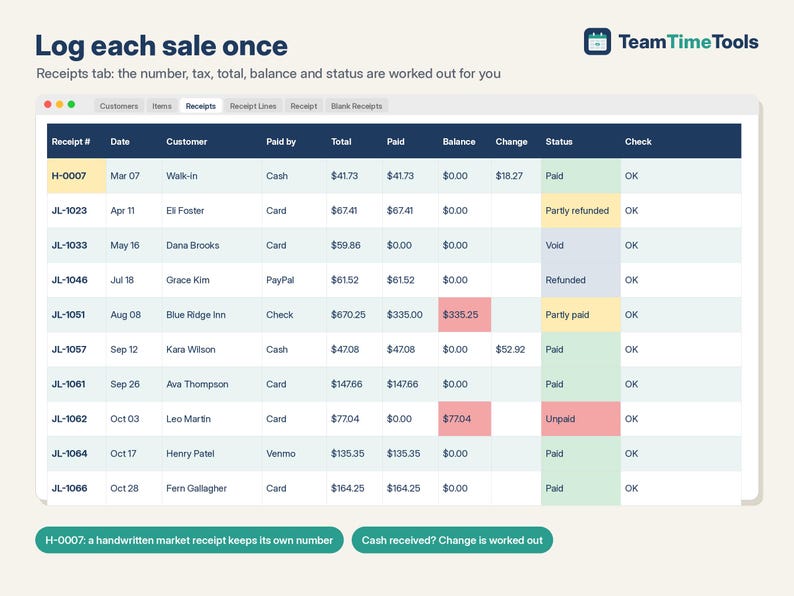
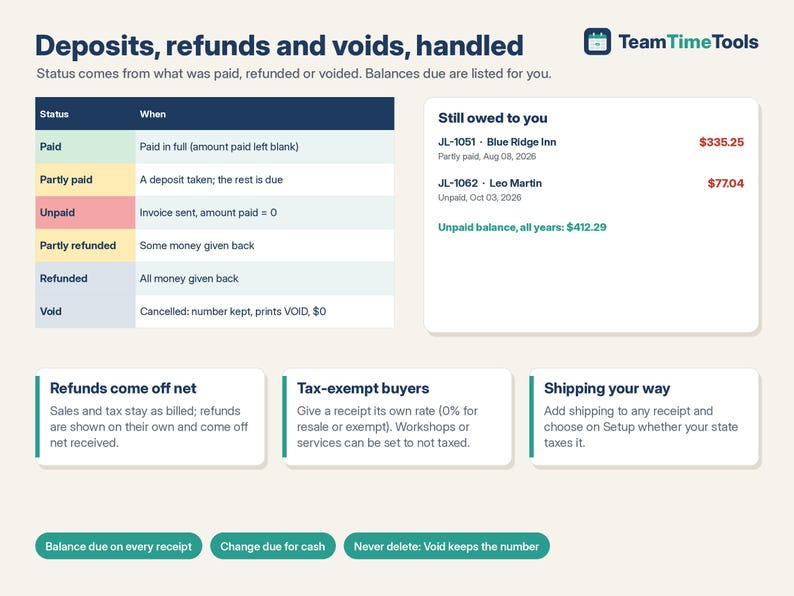
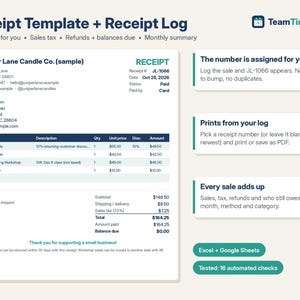
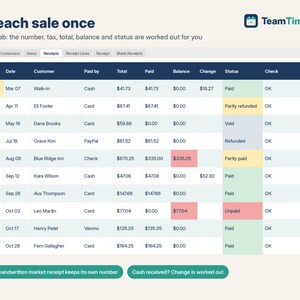
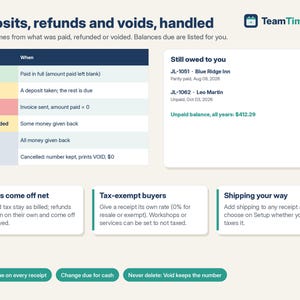
- Receipts (1,000 sales): the receipt number is assigned for you. Optional per sale: its own tax rate (0% for tax-exempt), shipping, amount paid, refund, Void, cash received (change due worked out), a handwritten receipt number. Status shows Paid, Partly paid, Unpaid, Partly refunded, Refunded or Void.
- Receipt Lines (3,000 lines): items with qty, price (filled from Items), % discount and a taxable override.
- Customers (300) and Items (200): typed once, then picked by name. Customers show receipts, net received and balance due; Items show qty sold and sales.
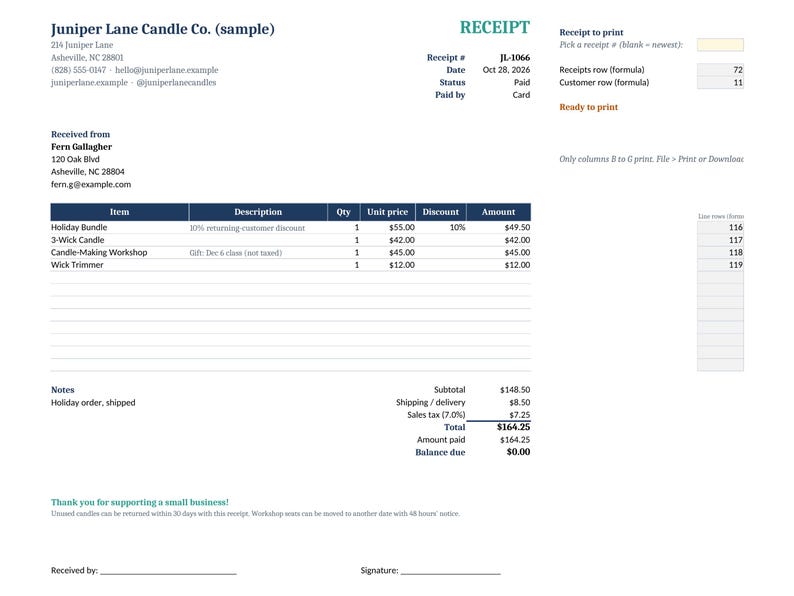
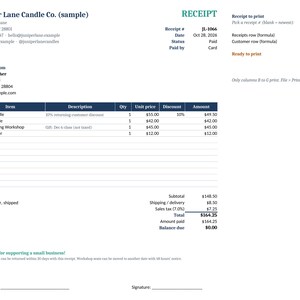
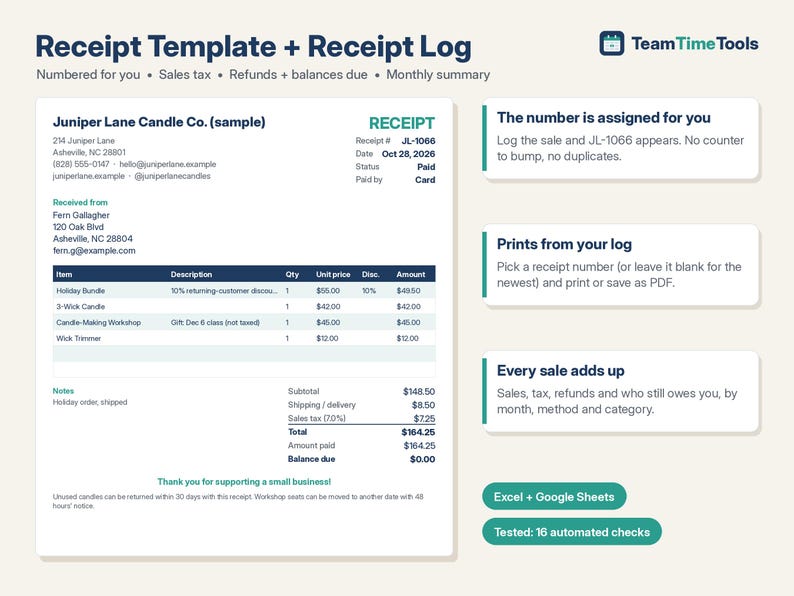
- Receipt: pick a number and print or save as PDF: your header, customer, up to 12 lines, subtotal, shipping, tax, total, paid, balance due, change, notes, thank-you note and policy. Voided receipts print VOID.
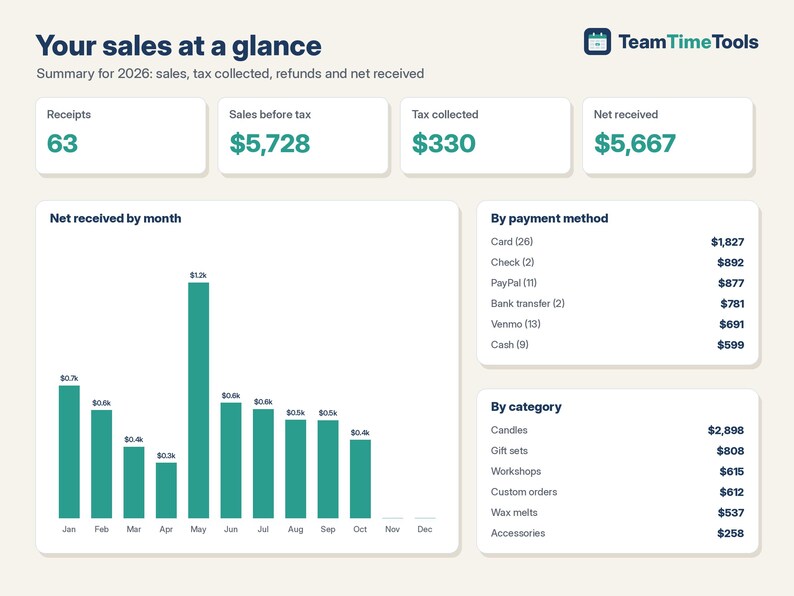
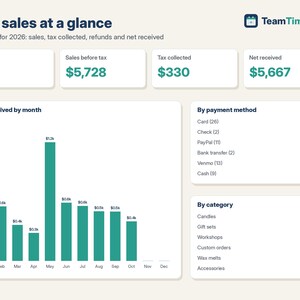
- Summary: sales, shipping, sales tax collected, refunds and net received by month, by payment method and by category, plus a list of every receipt with a balance due.
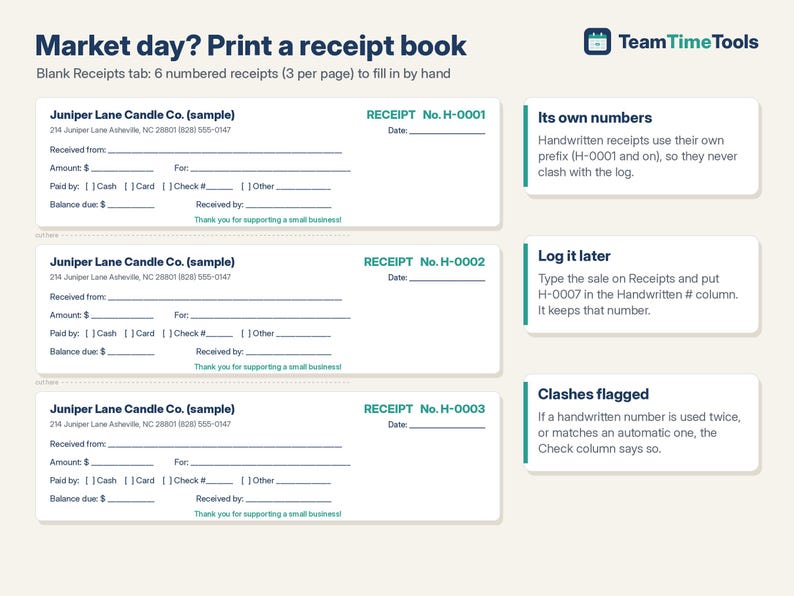
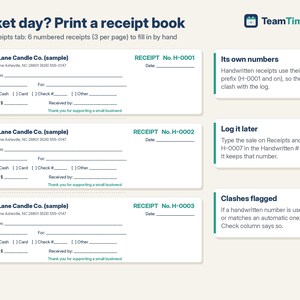
- Blank Receipts: 6 numbered fill-in-by-hand receipts (3 per page) for markets and pop-ups, with their own prefix so they never clash with the log.
2. Start Here PDF with your Google copy link.
WHY IT'S DIFFERENT
- Numbers you never have to manage: no counter to bump after each sale, no duplicate numbers (a clash is flagged).
- Partial payments, deposits, refunds and voids handled, so the balance due and net received are always right.
- Sales tax worked out per receipt, rounded to the cent, with tax-exempt sales and non-taxed items.
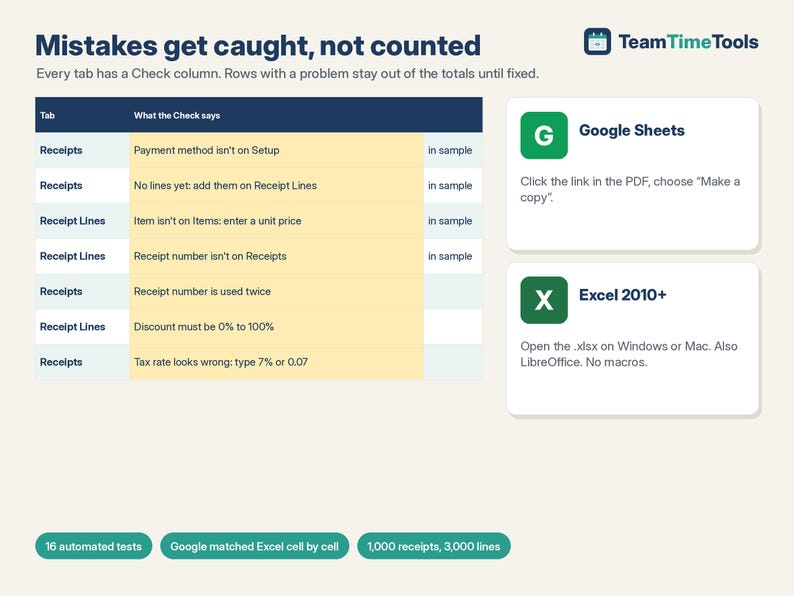
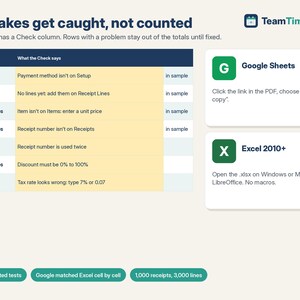
- Every tab has a Check column that says exactly what's wrong (a misspelled item, a receipt number that doesn't exist), and the row stays out of the totals until it's fixed.
- Big fixed ranges: add rows without breaking formulas.
- Runs in Excel 2010 or newer, Google Sheets and LibreOffice. No Excel 365-only formulas, no macros, nothing locked.
TESTED
16 automated tests check every calculation against an independent model (64,221 cells), including a hand-worked receipt, unusual tax rates, bad input, voids, and a full file of 1,000 receipts and 3,000 lines. Google Sheets matched the Excel/LibreOffice values cell by cell (13,528 cells, 0 differences).
HOW TO GET IT
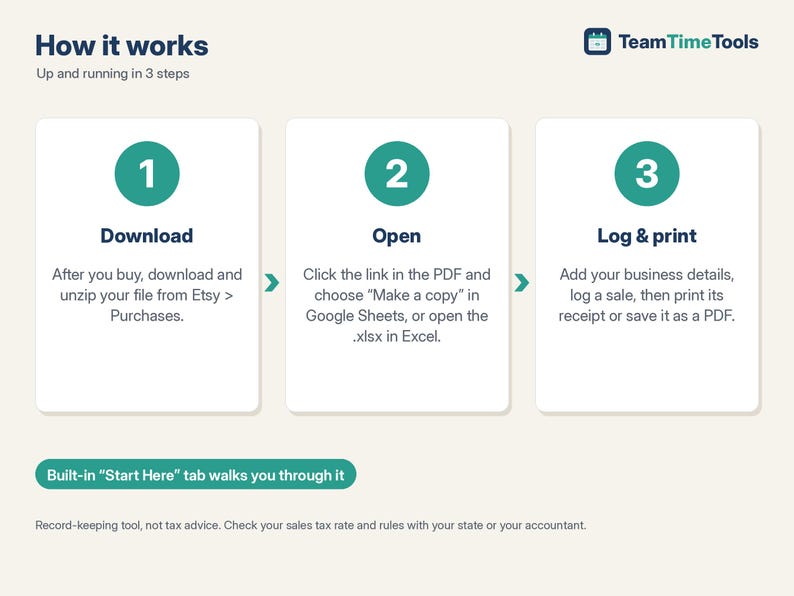
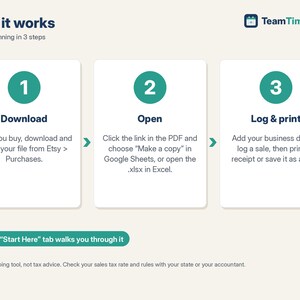
1. After you buy, go to your Etsy account > Purchases and download the zip. Etsy also emails you a link.
2. Open Receipt-START-HERE.pdf. Click the link and choose "Make a copy" for Google, or open the .xlsx in Excel.
3. Look at the sample, clear it, add your business details and log your first sale.
GOOD TO KNOW, PLEASE READ
- Record-keeping tool, not tax advice. It doesn't take payments, email receipts or file sales tax returns.
- One currency and one sales tax rate per receipt. The printable receipt shows 12 lines (a note says if there are more).
- Never delete a receipt row; set Void = Yes instead (receipt numbers follow the row order).
- Compatible with Google Sheets (free Google account), Excel 2010 or newer on Windows or Mac, and LibreOffice. Not designed for Apple Numbers.
- This is a digital download. Nothing physical will be shipped. Because it's a digital file, returns aren't accepted. If something isn't working, send me a message and I'll help.
- For your own use. Please don't resell or share the files or links.
HOW THIS WAS MADE
I designed this workbook with help from AI tools, which assisted with the formulas, layout and sample data. I chose the features after comparing the receipt templates already available and reading what sellers say goes wrong with them (numbers typed by hand, formulas that break when lines are added, no record of who still owes). I tested every calculation against an independent check (16 tests) before listing.
If something goes wrong with an order, we've got your back for all eligible purchases. View program terms
Price:$7.00
You can only make an offer when buying a single item
Delivery
Instant download
Your files will be available to download once payment is confirmed. Here's how.
Instant download items don't accept returns, exchanges or cancellations. Please contact the seller about any problems with your order.
Seller's description
Specifications
Numbered receipts that fill themselves in, and a sales log that adds itself up. Log a sale once and this TeamTimeTools workbook gives it the next receipt number, works out the sales tax, prints a clean receipt and adds the sale to your monthly totals. For makers, market sellers, tutors, cleaners, salons and any small business that hands out receipts. Works in Excel and Google Sheets.
WHAT'S INCLUDED
1. Receipt Template + Receipt Log workbook (Excel + Google Sheets), 9 tabs:
- Start Here: setup steps in plain English.
- Setup: business details printed on every receipt, receipt prefix and first number, sales tax rate and label, tax on shipping yes/no, thank-you note, return policy, payment methods and categories.
- Receipts (1,000 sales): the receipt number is assigned for you. Optional per sale: its own tax rate (0% for tax-exempt), shipping, amount paid, refund, Void, cash received (change due worked out), a handwritten receipt number. Status shows Paid, Partly paid, Unpaid, Partly refunded, Refunded or Void.
- Receipt Lines (3,000 lines): items with qty, price (filled from Items), % discount and a taxable override.
- Customers (300) and Items (200): typed once, then picked by name. Customers show receipts, net received and balance due; Items show qty sold and sales.
- Receipt: pick a number and print or save as PDF: your header, customer, up to 12 lines, subtotal, shipping, tax, total, paid, balance due, change, notes, thank-you note and policy. Voided receipts print VOID.
- Summary: sales, shipping, sales tax collected, refunds and net received by month, by payment method and by category, plus a list of every receipt with a balance due.
- Blank Receipts: 6 numbered fill-in-by-hand receipts (3 per page) for markets and pop-ups, with their own prefix so they never clash with the log.
2. Start Here PDF with your Google copy link.
WHY IT'S DIFFERENT
- Numbers you never have to manage: no counter to bump after each sale, no duplicate numbers (a clash is flagged).
- Partial payments, deposits, refunds and voids handled, so the balance due and net received are always right.
- Sales tax worked out per receipt, rounded to the cent, with tax-exempt sales and non-taxed items.
- Every tab has a Check column that says exactly what's wrong (a misspelled item, a receipt number that doesn't exist), and the row stays out of the totals until it's fixed.
- Big fixed ranges: add rows without breaking formulas.
- Runs in Excel 2010 or newer, Google Sheets and LibreOffice. No Excel 365-only formulas, no macros, nothing locked.
TESTED
16 automated tests check every calculation against an independent model (64,221 cells), including a hand-worked receipt, unusual tax rates, bad input, voids, and a full file of 1,000 receipts and 3,000 lines. Google Sheets matched the Excel/LibreOffice values cell by cell (13,528 cells, 0 differences).
HOW TO GET IT
1. After you buy, go to your Etsy account > Purchases and download the zip. Etsy also emails you a link.
2. Open Receipt-START-HERE.pdf. Click the link and choose "Make a copy" for Google, or open the .xlsx in Excel.
3. Look at the sample, clear it, add your business details and log your first sale.
GOOD TO KNOW, PLEASE READ
- Record-keeping tool, not tax advice. It doesn't take payments, email receipts or file sales tax returns.
- One currency and one sales tax rate per receipt. The printable receipt shows 12 lines (a note says if there are more).
- Never delete a receipt row; set Void = Yes instead (receipt numbers follow the row order).
- Compatible with Google Sheets (free Google account), Excel 2010 or newer on Windows or Mac, and LibreOffice. Not designed for Apple Numbers.
- This is a digital download. Nothing physical will be shipped. Because it's a digital file, returns aren't accepted. If something isn't working, send me a message and I'll help.
- For your own use. Please don't resell or share the files or links.
HOW THIS WAS MADE
I designed this workbook with help from AI tools, which assisted with the formulas, layout and sample data. I chose the features after comparing the receipt templates already available and reading what sellers say goes wrong with them (numbers typed by hand, formulas that break when lines are added, no record of who still owes). I tested every calculation against an independent check (16 tests) before listing.
-
Designed by
-
Item typeDigital download
-
Digital file type(s)1 ZIP
If something goes wrong with an order, we've got your back on all eligible purchases. View program terms
Meet your seller
More from this shop
-
Digital download
Restaurant Food Cost Calculator & Menu Pricing Spreadsheet, Recipe Costing, Sub Recipes, Menu Engineering, Cafe | Excel Google Sheets
$15.00
-
Digital download
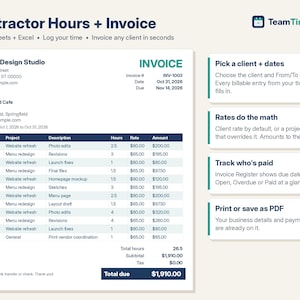
Invoice Template Excel & Google Sheets, Freelance Hours Log, Contractor Billable Time Tracker, Client Payment Register, Consultant
$13.00
-
Digital download
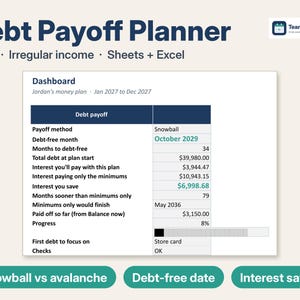
Debt Payoff Tracker Spreadsheet, Debt Snowball Avalanche Calculator for Irregular Income, 2027 Budget & Sinking Funds | Excel Google Sheets
$11.99
-
Digital download
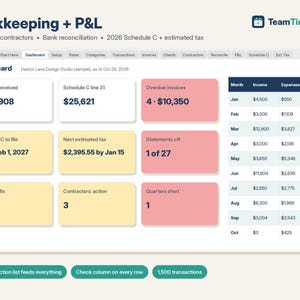
Bookkeeping Spreadsheet Google Sheets & Excel, Small Business Profit and Loss, 1099 Contractor Tracker, 2026 Schedule C, Estimated Tax
$15.00
-
Digital download
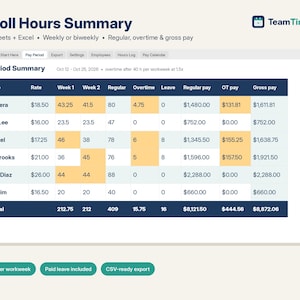
Payroll Spreadsheet Google Sheets & Excel, Weekly, Biweekly Pay Period Hours Summary, Overtime, Gross Earnings Calculator, Small Business
$14.00
-
Digital download
Rental Property Spreadsheet, Landlord Rent Tracker & Schedule E, Rent Roll, Late Fees, Security Deposits | Excel Google Sheets Template
$16.00
-

Digital download
Customizable Receipt Spreadsheet Receipt with Automatic Generation of Amount in Words Editable Receipt Book Template Printable Receipt Excel
$5.92
-

Digital download
Customizable Receipt Spreadsheet in Excel Receipt with Automatic Generation of Amount in Words Editable Receipt Template Printable Receipt
$5.92
-

Digital download
Customizable Receipt Spreadsheet, Automatic Amount in Words Generation, Editable and Printable Receipt, Template Receipt, Receipt Form Excel
$6.66
-

Digital download
Cash Receipt Template, Receipt Template, EXCEL Template, PDF Receipt Editable & Printable, Simple Receipt Form, Rental Payment Receipt
Sale Price $2.93
Original Price $5.87
-

Digital download
Professional Receipt Form Template: Google Sheets, AutoFill (Digital Download)
$6.66
-
Digital download
Sales Receipt Generator for Small Business | Sales Receipt Template with Excel Database | Automated Sales Receipt for Store and Reseller
$8.90
-
Digital download
Editable Receipt Template: Excel & Google Sheets (Printable PDF)
Sale Price $4.42
Original Price $5.90
-

Digital download
Rent Receipt Generator | Apartment Room Rental Receipt Template Excel | Long Term Room Rental Receipt Maker with Database
$7.90
-
Digital download
Advanced Receipt Template: Automated Excel & Google Sheets (Printable PDF)
Sale Price $4.42
Original Price $5.90
-

Digital download
Rental Receipt Template, Excel, Google Sheets, PDF, Receipt Form, For Small Business, Printable, Editable.
Sale Price $4.42
Original Price $5.90
-
Digital download
Simple Printable & Editable Receipt Form, Small Business Receipt, Sales Receipt Template for Business, Customer Receipt, Rent Receipt
Sale Price $2.93
Original Price $5.87
-

Digital download
Customizable Receipt Template: Google Sheets with AutoFill (Digital Download)
$6.66
Shoppers with similar taste loved these
-

Pottery Apron for Ceramics, Split Leg Potter Apron, Handmade in USA
$128.00
-

Handmade Canvas Work Apron: Leather Pocket, Adjustable Split Leg
Sale Price $70.24
Original Price $140.50
-

Personalized Apron High Quality Materials & Workmanship, Leather Strap with Solid Brass Hardware Cotton Canvas With Pockets and Towel Ring
$79.50
-

Japanese Apron with pockets, Vintage Style Cooking Smock for Women, Small to Plus Size
$23.50
-

Garden Apron for Women Men, Gardening Apron with Pockets Adjustable Leather Straps Canvas Kitchen Apron for Cooking Gardener Gift Idea
$86.00
-

Canvas Apron for Men and Women, Personalized Canvas Leather Apron, Apron for Cooking, Woodworking, Barbeque, Gifts for Men, Gift for Him
Sale Price $45.00
Original Price $90.00
-

Portable Coffee Cart & Mobile Bar Counter, Collapsible Flat Pack Checkout Kiosk, Markets, Vendor Booths
$349.00
-

Summit Floor Display Stand – Handmade Wood Rack with Shelves & Pegs, Portable Flat-Pack Organizer for Vendors, Craft Fairs And Retail
$284.99
-

3-Tier Birch Plywood Tabletop Display Stand
Sale Price $101.60
Original Price $127.00
-

Short Regular Collapsible Stand, Booth Display Shelf, Popup Market Seller Display, Portable Market Stall, Farmer Market, Event Shelves
Sale Price $157.32
Original Price $165.60
-

Collapsible Wooden Vendor Kiosk – Baltic Birch Craft Fair Display with Side & Back Shelves – Portable Checkout Stand for Markets And Pop-Ups
$384.99
-

Peg Extension for Summit Standard Tabletop Display – Add-On Hanging Rack for Extra Display Space
$25.00


