


Restaurant Food Cost Calculator & Menu Pricing Spreadsheet, Recipe Costing, Sub Recipes, Menu Engineering, Cafe | Excel Google Sheets
Item highlights
Seller's description
Know what every plate really costs and what to charge for it. This TeamTimeTools workbook costs each ingredient, prep recipe and dish in whatever unit you use, suggests a menu price for your target food cost, and shows which dishes make you money. It also tracks how far your actual food cost is from what your recipes say it should be. For restaurants, cafes, food trucks, caterers and bakeries. Works in Excel and Google Sheets.
WHAT'S INCLUDED
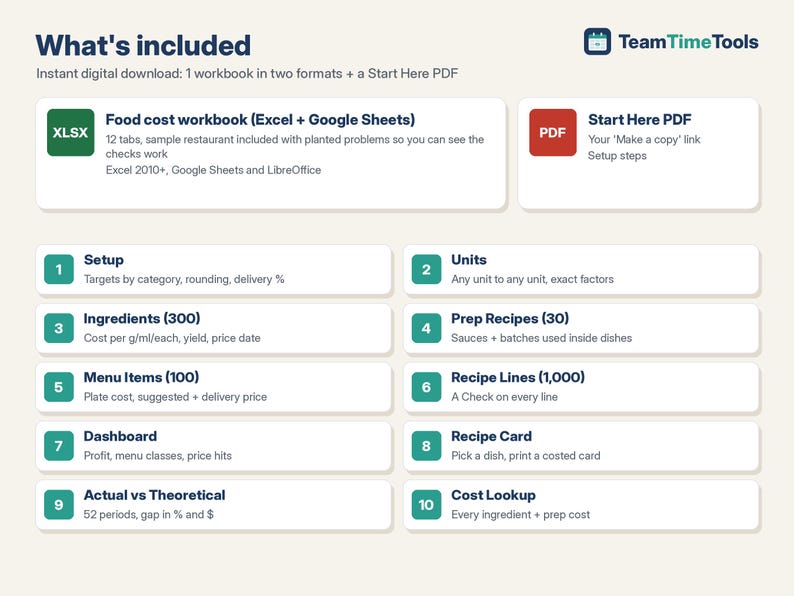
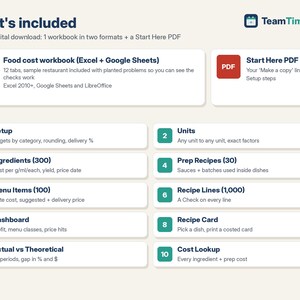
1. Food Cost + Menu Pricing workbook (Excel + Google Sheets), 12 tabs:
- Start Here: setup steps in plain English.
- Setup: extras %, price endings (.99, .49 or round to $0.50 / $1), delivery-app commission, old-price limit, and a target food cost % for up to 20 menu categories.
- Units: g, kg, oz, lb, ml, l, tsp, tbsp, cup, fl oz, qt, gal, each, dozen and more, with exact factors. Add your own.
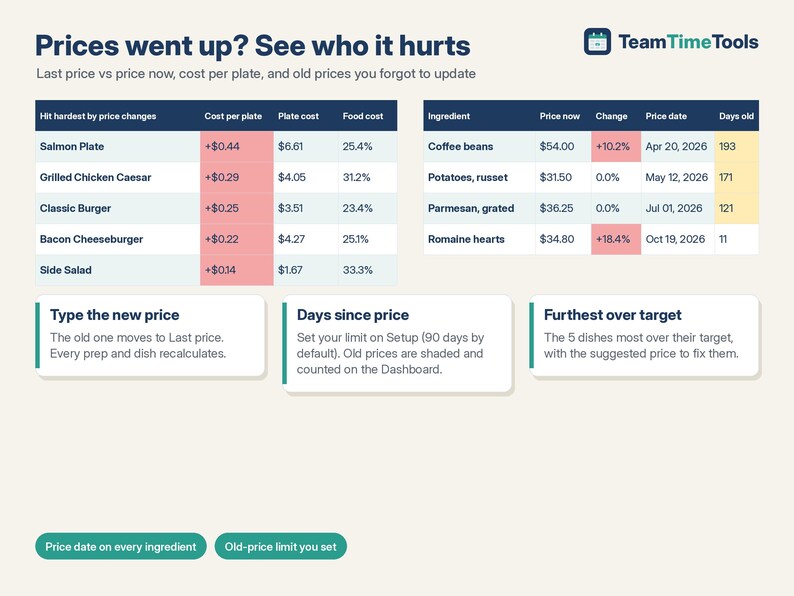
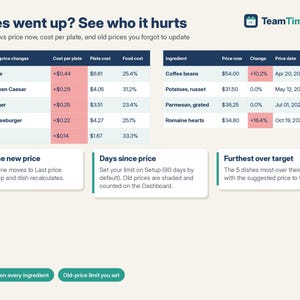
- Ingredients (300): pack size and unit, price now, last price, invoice date, usable yield %. Gives cost per gram, ml or each, price change %, and days since the price (shaded when it's older than your limit).
- Prep Recipes (30) + Prep Lines (300): sauces, dressings and batches, costed per gram, ml or each and used inside dishes (sub-recipes).
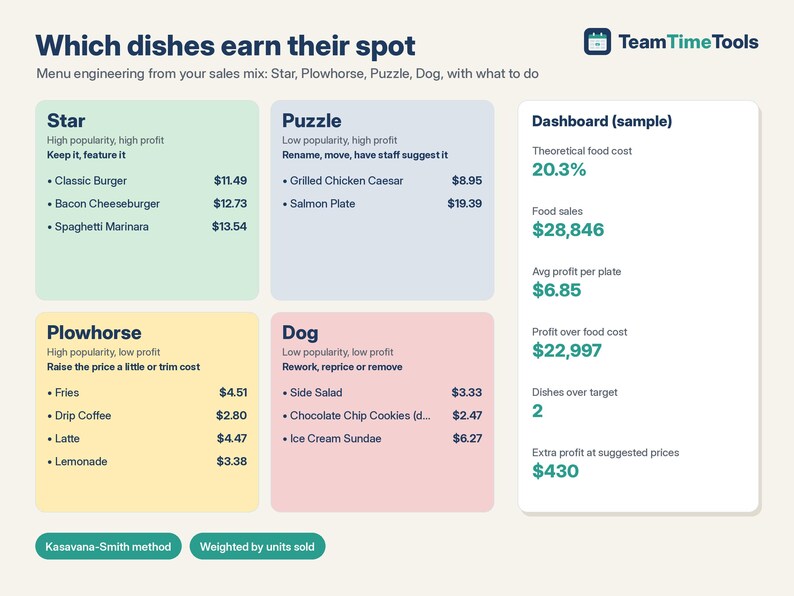
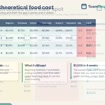
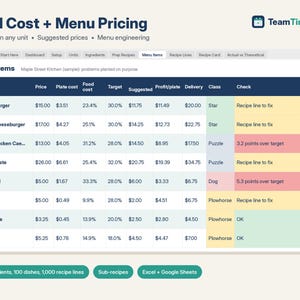
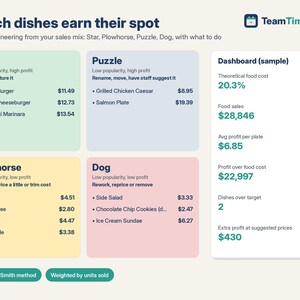
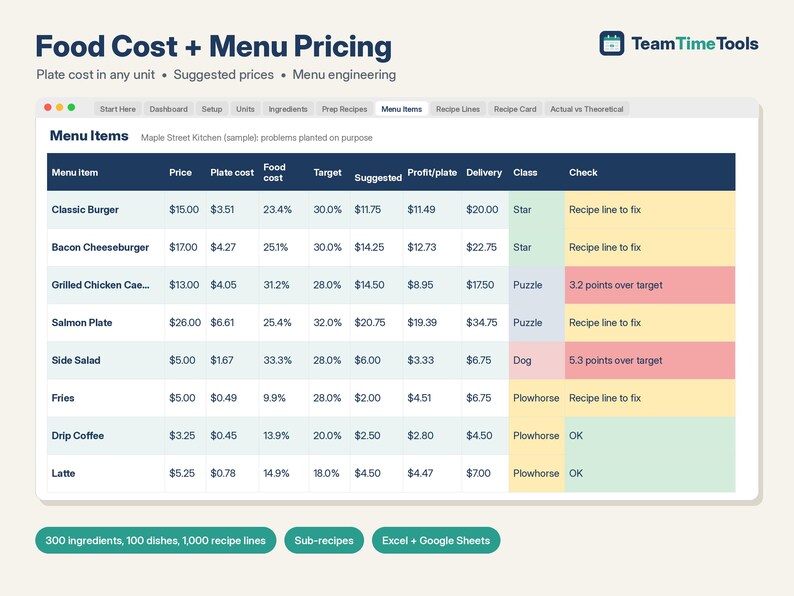
- Menu Items (100) + Recipe Lines (1,000): plate cost, food cost %, suggested price at your target, profit per plate, delivery-app price, and a menu class (Star, Plowhorse, Puzzle, Dog) with what to do about it.
- Dashboard: theoretical food cost % weighted by your sales mix, profit per plate, menu classes, the extra profit if over-target dishes used the suggested price, old prices to update, the 5 dishes hit hardest by price changes, and the 5 furthest over target.
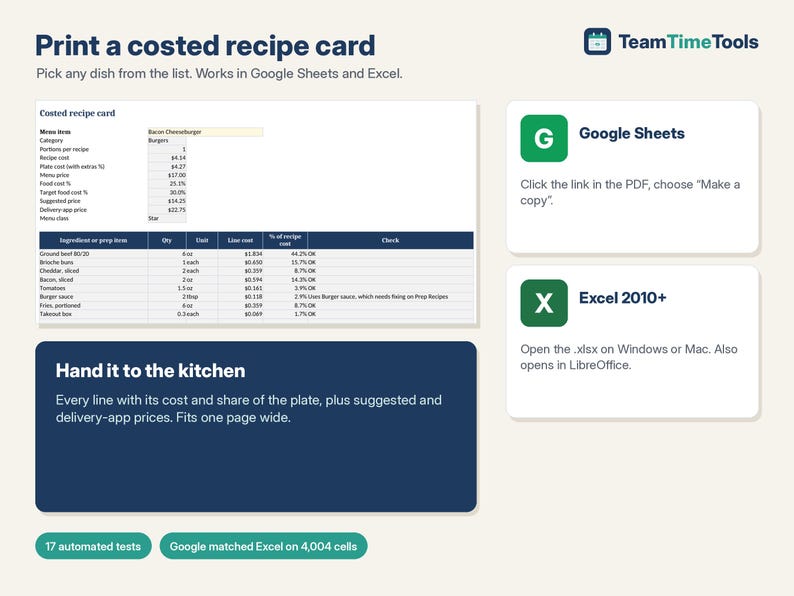
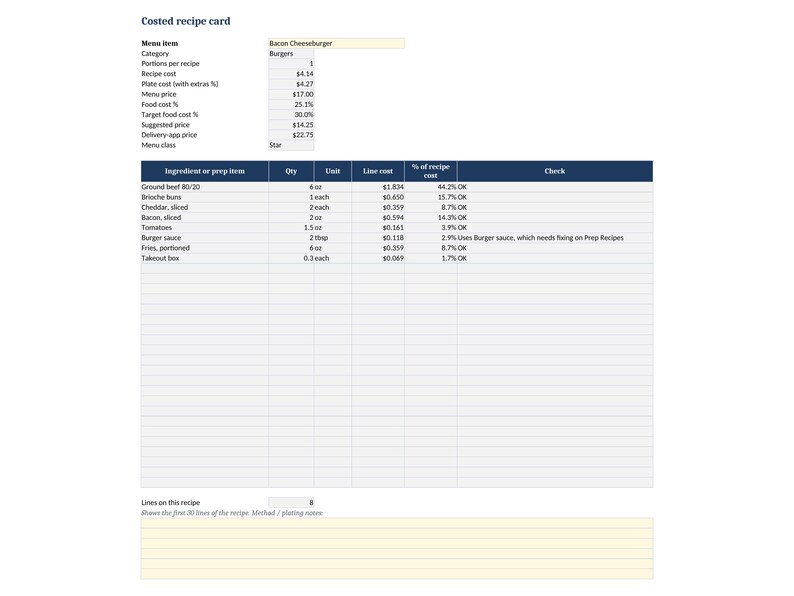
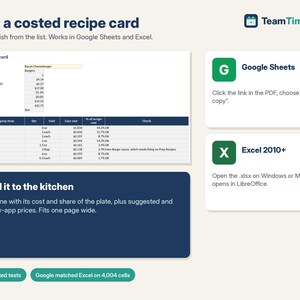
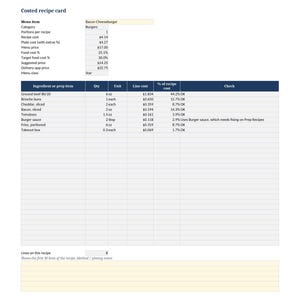
- Recipe Card: pick a dish and print a costed card for the kitchen.
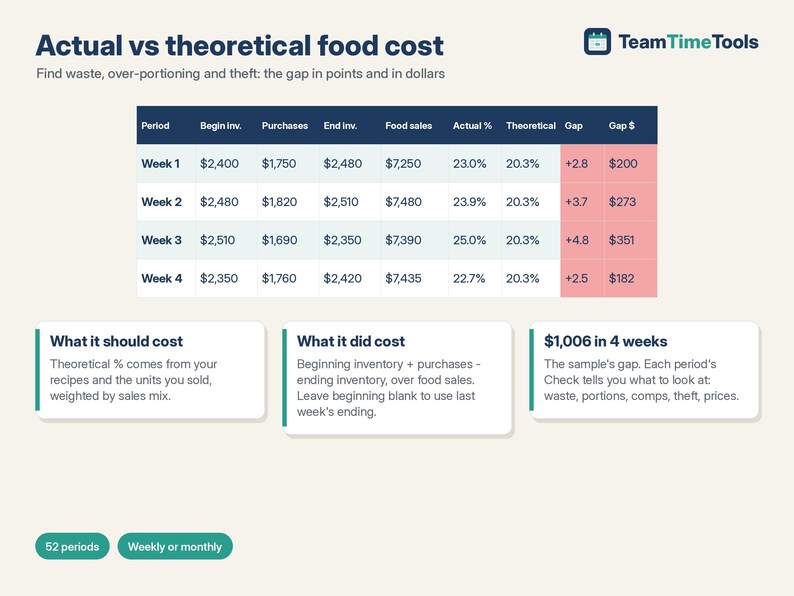
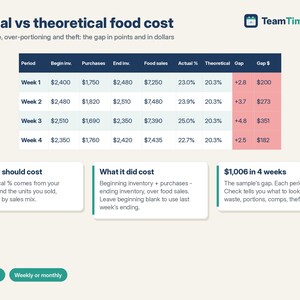
- Actual vs Theoretical (52 periods): beginning and ending inventory, purchases and sales give actual food cost % and the gap in dollars.
- Cost Lookup: a quick table of every ingredient and prep cost.
2. Start Here PDF with your Google copy link.
WHY IT'S DIFFERENT
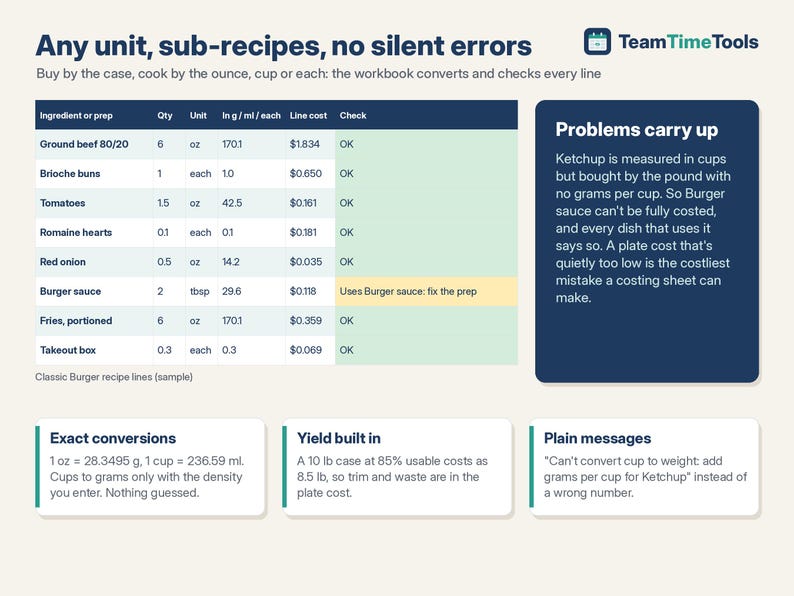
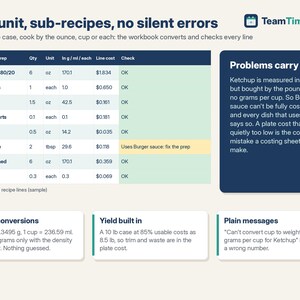
- Sub-recipes that carry their problems up: if a sauce can't be costed, every dish using it says so, so you never trust a plate cost that's too low.
- Any unit to any unit, with a plain message when it can't convert (for example "add grams per cup for Ketchup") instead of a wrong number.
- Actual vs theoretical food cost with the dollar gap, so you can see waste, over-portioning or theft.
- Delivery-app pricing that keeps your margin after the commission.
- Old-price flag and price-change impact, so stale invoices don't hide.
TESTED
17 automated tests check every calculation against an independent model over 6 rounds, including hand-worked conversions, bad input, price changes, and a full file of 300 ingredients and 1,000 recipe lines. Google Sheets matched the Excel/LibreOffice values cell by cell (4,004 cells, 0 differences).
HOW TO GET IT
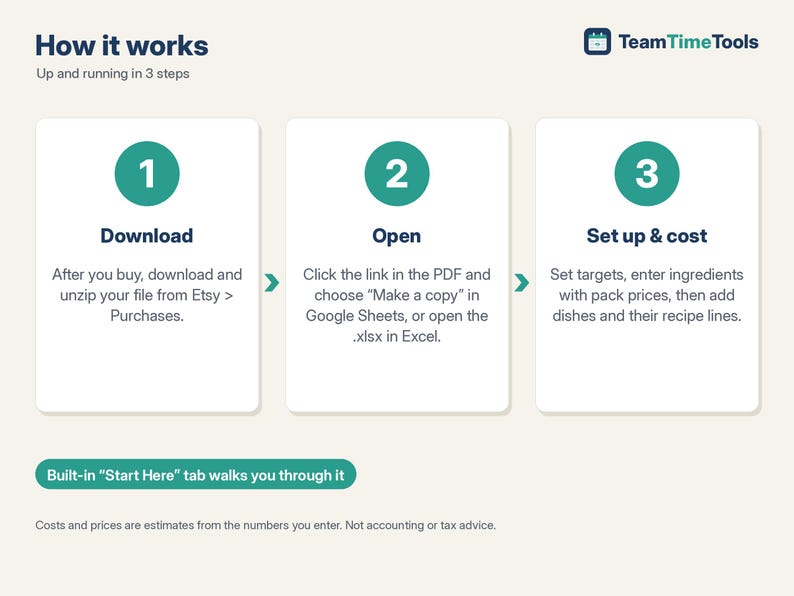
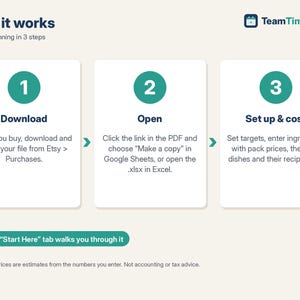
1. After you buy, go to your Etsy account > Purchases and download the zip. Etsy also emails you a link.
2. Open Food-Cost-START-HERE.pdf. Click the link and choose "Make a copy" for Google, or open the .xlsx in Excel.
3. Look at the sample, clear it, and enter your own ingredients and dishes.
GOOD TO KNOW, PLEASE READ
- Costs and prices are estimates from the numbers you enter. Not accounting or tax advice.
- It's a spreadsheet, so it doesn't connect to your POS or suppliers. You type prices and units sold.
- A prep recipe can use ingredients but not another prep recipe (dishes can use both). US units and dollars; metric units work too.
- Compatible with Google Sheets (free Google account), Excel 2010 or newer on Windows or Mac, and LibreOffice. Not designed for Apple Numbers.
- This is a digital download. Nothing physical will be shipped. Because it's a digital file, returns aren't accepted. If something isn't working, send me a message and I'll help.
- For your own business use. Please don't resell or share the files or links.
HOW THIS WAS MADE
I designed this workbook with help from AI tools, which assisted with the formulas, layout and sample data. I chose the features after comparing the food cost templates already available and reading what owners say goes wrong with costing spreadsheets. I tested every calculation against an independent check (17 tests) before listing.
If something goes wrong with an order, we've got your back for all eligible purchases. View program terms
Price:$15.00
You can only make an offer when buying a single item
Delivery
Instant download
Your files will be available to download once payment is confirmed. Here's how.
Instant download items don't accept returns, exchanges or cancellations. Please contact the seller about any problems with your order.
Seller's description
Specifications
Know what every plate really costs and what to charge for it. This TeamTimeTools workbook costs each ingredient, prep recipe and dish in whatever unit you use, suggests a menu price for your target food cost, and shows which dishes make you money. It also tracks how far your actual food cost is from what your recipes say it should be. For restaurants, cafes, food trucks, caterers and bakeries. Works in Excel and Google Sheets.
WHAT'S INCLUDED
1. Food Cost + Menu Pricing workbook (Excel + Google Sheets), 12 tabs:
- Start Here: setup steps in plain English.
- Setup: extras %, price endings (.99, .49 or round to $0.50 / $1), delivery-app commission, old-price limit, and a target food cost % for up to 20 menu categories.
- Units: g, kg, oz, lb, ml, l, tsp, tbsp, cup, fl oz, qt, gal, each, dozen and more, with exact factors. Add your own.
- Ingredients (300): pack size and unit, price now, last price, invoice date, usable yield %. Gives cost per gram, ml or each, price change %, and days since the price (shaded when it's older than your limit).
- Prep Recipes (30) + Prep Lines (300): sauces, dressings and batches, costed per gram, ml or each and used inside dishes (sub-recipes).
- Menu Items (100) + Recipe Lines (1,000): plate cost, food cost %, suggested price at your target, profit per plate, delivery-app price, and a menu class (Star, Plowhorse, Puzzle, Dog) with what to do about it.
- Dashboard: theoretical food cost % weighted by your sales mix, profit per plate, menu classes, the extra profit if over-target dishes used the suggested price, old prices to update, the 5 dishes hit hardest by price changes, and the 5 furthest over target.
- Recipe Card: pick a dish and print a costed card for the kitchen.
- Actual vs Theoretical (52 periods): beginning and ending inventory, purchases and sales give actual food cost % and the gap in dollars.
- Cost Lookup: a quick table of every ingredient and prep cost.
2. Start Here PDF with your Google copy link.
WHY IT'S DIFFERENT
- Sub-recipes that carry their problems up: if a sauce can't be costed, every dish using it says so, so you never trust a plate cost that's too low.
- Any unit to any unit, with a plain message when it can't convert (for example "add grams per cup for Ketchup") instead of a wrong number.
- Actual vs theoretical food cost with the dollar gap, so you can see waste, over-portioning or theft.
- Delivery-app pricing that keeps your margin after the commission.
- Old-price flag and price-change impact, so stale invoices don't hide.
TESTED
17 automated tests check every calculation against an independent model over 6 rounds, including hand-worked conversions, bad input, price changes, and a full file of 300 ingredients and 1,000 recipe lines. Google Sheets matched the Excel/LibreOffice values cell by cell (4,004 cells, 0 differences).
HOW TO GET IT
1. After you buy, go to your Etsy account > Purchases and download the zip. Etsy also emails you a link.
2. Open Food-Cost-START-HERE.pdf. Click the link and choose "Make a copy" for Google, or open the .xlsx in Excel.
3. Look at the sample, clear it, and enter your own ingredients and dishes.
GOOD TO KNOW, PLEASE READ
- Costs and prices are estimates from the numbers you enter. Not accounting or tax advice.
- It's a spreadsheet, so it doesn't connect to your POS or suppliers. You type prices and units sold.
- A prep recipe can use ingredients but not another prep recipe (dishes can use both). US units and dollars; metric units work too.
- Compatible with Google Sheets (free Google account), Excel 2010 or newer on Windows or Mac, and LibreOffice. Not designed for Apple Numbers.
- This is a digital download. Nothing physical will be shipped. Because it's a digital file, returns aren't accepted. If something isn't working, send me a message and I'll help.
- For your own business use. Please don't resell or share the files or links.
HOW THIS WAS MADE
I designed this workbook with help from AI tools, which assisted with the formulas, layout and sample data. I chose the features after comparing the food cost templates already available and reading what owners say goes wrong with costing spreadsheets. I tested every calculation against an independent check (17 tests) before listing.
-
Designed by
-
Item typeDigital download
-
Digital file type(s)1 ZIP
If something goes wrong with an order, we've got your back on all eligible purchases. View program terms
Meet your seller
More from this shop
-
Digital download
Invoice Template Excel & Google Sheets, Freelance Hours Log, Contractor Billable Time Tracker, Client Payment Register, Consultant
$13.00
-
Digital download
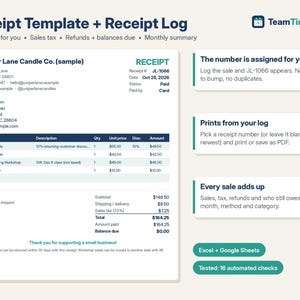
Receipt Template & Receipt Log, Auto Numbered Sales Receipt, Printable Receipt Book, Sales Tax, Refunds | Excel Google Sheets Template
$7.00
-
Digital download
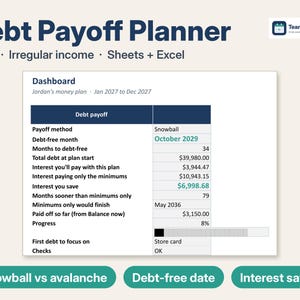
Debt Payoff Tracker Spreadsheet, Debt Snowball Avalanche Calculator for Irregular Income, 2027 Budget & Sinking Funds | Excel Google Sheets
$11.99
-
Digital download
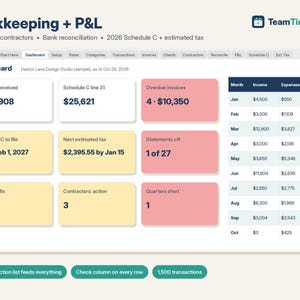
Bookkeeping Spreadsheet Google Sheets & Excel, Small Business Profit and Loss, 1099 Contractor Tracker, 2026 Schedule C, Estimated Tax
$15.00
-
Digital download
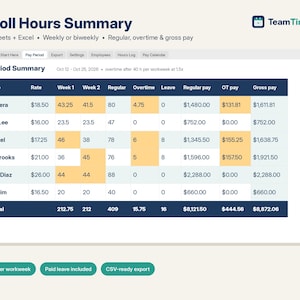
Payroll Spreadsheet Google Sheets & Excel, Weekly, Biweekly Pay Period Hours Summary, Overtime, Gross Earnings Calculator, Small Business
$14.00
-
Digital download
Rental Property Spreadsheet, Landlord Rent Tracker & Schedule E, Rent Roll, Late Fees, Security Deposits | Excel Google Sheets Template
$16.00
-
Digital download
Restaurant Excel Template Food Cost Calculator
$14.00
-

Digital download
Food Cost Excel Template: Restaurant Recipe Calculator
Sale Price $8.97
Original Price $14.95
-

Digital download
Restaurant Food Cost Calculator Spreadsheet, Recipe Cost Card, Menu Costing | Excel Google Sheets
$22.00
-

Digital download
Food Cost Calculator Excel Template | Recipe Costing & Menu Pricing Spreadsheet | Food Expense Tracker
Sale Price $12.30
Original Price $20.50
-

Digital download
Food Cost Calculator Google Sheets Template | Recipe Costing & Menu Pricing Tracker | Restaurant Tool
Sale Price $12.30
Original Price $20.50
-

Digital download
Recipe Cost Calculator for Restaurant & Food | Main and Sub Recipes Costing, Profit Margin | Easy Spreadsheet Template Excel Google Sheets
$14.99
-

Digital download
Recipe Cost Calculator: Restaurant Menu Pricing Tool (Excel Workbook)
$14.07
-

Digital download
Pro Recipe Cost Calculator | Food Business Cost Control Tool | Ingredient Management | Editable Excel Template (Instant Download)
$12.63
-

Digital download
Restaurant Recipe Cost Calculator Spreadsheet | Excel Food Cost & Menu Pricing Template
$12.63
-

Digital download
Restaurant Food Cost Tracker | COGS Calculator, Inventory Management — Excel and Google Sheets Digital Download for F&B Businesses
$13.04
-

Digital download
Recipe Costing Spreadsheet, Weight Conversion, Profit Calculator (Excel, Google Sheets)
$29.99
-

Digital download
Food Cost Calculator: Google Sheets Template
Sale Price $8.97
Original Price $14.95
Shoppers with similar taste loved these
-

Digital download
Restaurant Operations Template Bundle, Food Safety Record Sheets, Prep List, Order Guide, Bartender & Server Checklists, Editable with Canva
$37.02
-

Digital download
FOH Checklist Template Bundle, Restaurant & Bar Serving Checklists, Editable Restaurant Templates, Edit Free with Canva, Instant Download
$9.62
-
Digital download
Printable Supplier Contact List Sheets for Business | Supplier Tracker
$1.63
-

Digital download
Professional Server Checklist Bundle, Easy to Edit Templates, Opening, Closing, Side Duties, 13 Pre-Designed Color Themes, Instant Download
$9.62
-

Digital download
Pink Restaurant Reservation Book, Undated Log, Printable (Digital Download)
$4.69
-

Digital download
PDF Restaurant Order Sheet
$0.99
-

Digital download
Pre-Shift for Restaurants, Editable Pre Shift Template, Restaurant Forms, Instant Download, Edit Free with Canva, Print Only PDF Included
$2.21
-

Countertop Price Sign Bundle | Mini Reusable Signs for Bakeries, Markets & Retail Displays
Sale Price $44.43
Original Price $59.24
-

Custom Metal A-Frame Sidewalk Sign for Cafe Bakery Restaurant, Outdoor Storefront Business Open Sign, Sandwich Board for Retail Salon Shop
Sale Price $239.00
Original Price $281.18
-

Sleek Magnetic Price Tag Display Stand, Tabletop Reusable Label Holder for Pastry Bakery, Cafe and Local Retail Boutiques
Sale Price $4.00
Original Price $10.00
-
Magnetic A-Frame Sandwich Sign for Businesses | Changeable Sidewalk Board, Metal Construction | Add Your Custom Logo and Magnetic Letters
$120.00
-
Dr Pepper Baseball Jersey, Personalized Retro Soda Shirt, Vintage Button Up Jersey, Family Matching Top, Custom Name Gift Idea
Sale Price $10.24
Original Price $20.49


