

Savings Challenge Tracker Google Sheets, Light Mode, 52 Week Challenge, No Spend Tracker, Saving Goals, January Challenge, Any Year
NowPrice:$8.99
Original Price: $17.98
50% off
Sale ends on December 1
Here's what's eligible:
- Your order doesn't match the item description or photos
- Your item arrived damaged
- Your item arrived after the estimated arrival window
- Your item didn't arrive or was lost in the mail
You can only make an offer when buying a single item
Highlights
Pick your savings challenges, tick a box each time you save, and watch the total grow.
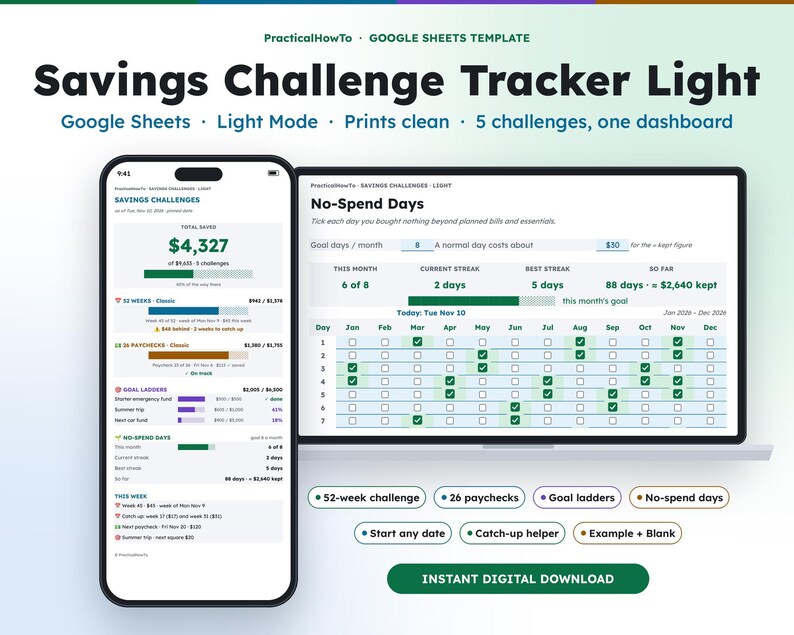
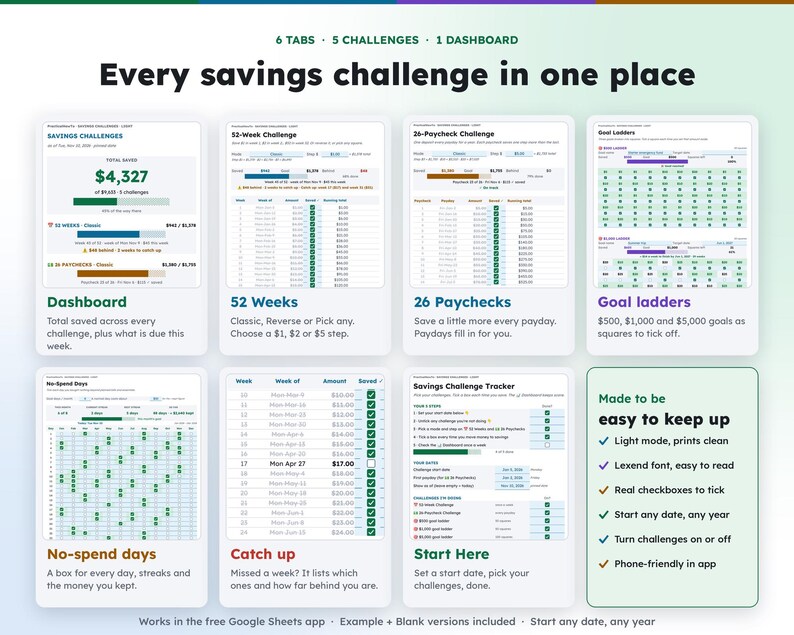
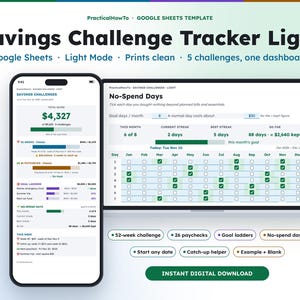
The Savings Challenge Tracker Light is a Google Sheets template that runs 5 savings challenges in one place: the 52-week challenge, a 26-paycheck challenge, three goal ladders ($500, $1,000 and $5,000) and no-spend days. Set a start date and the dates fill in. Each time you move money, tick the box. The Dashboard adds it all up, shows what is due this week, and if you fall behind it tells you exactly how to catch up.
New year, fresh start: set January 1 as your start date for a new-year savings challenge. It is undated, so it works just as well starting any month of any year.
Light mode is bright and easy to read in daylight, and it prints cleanly on plain paper.
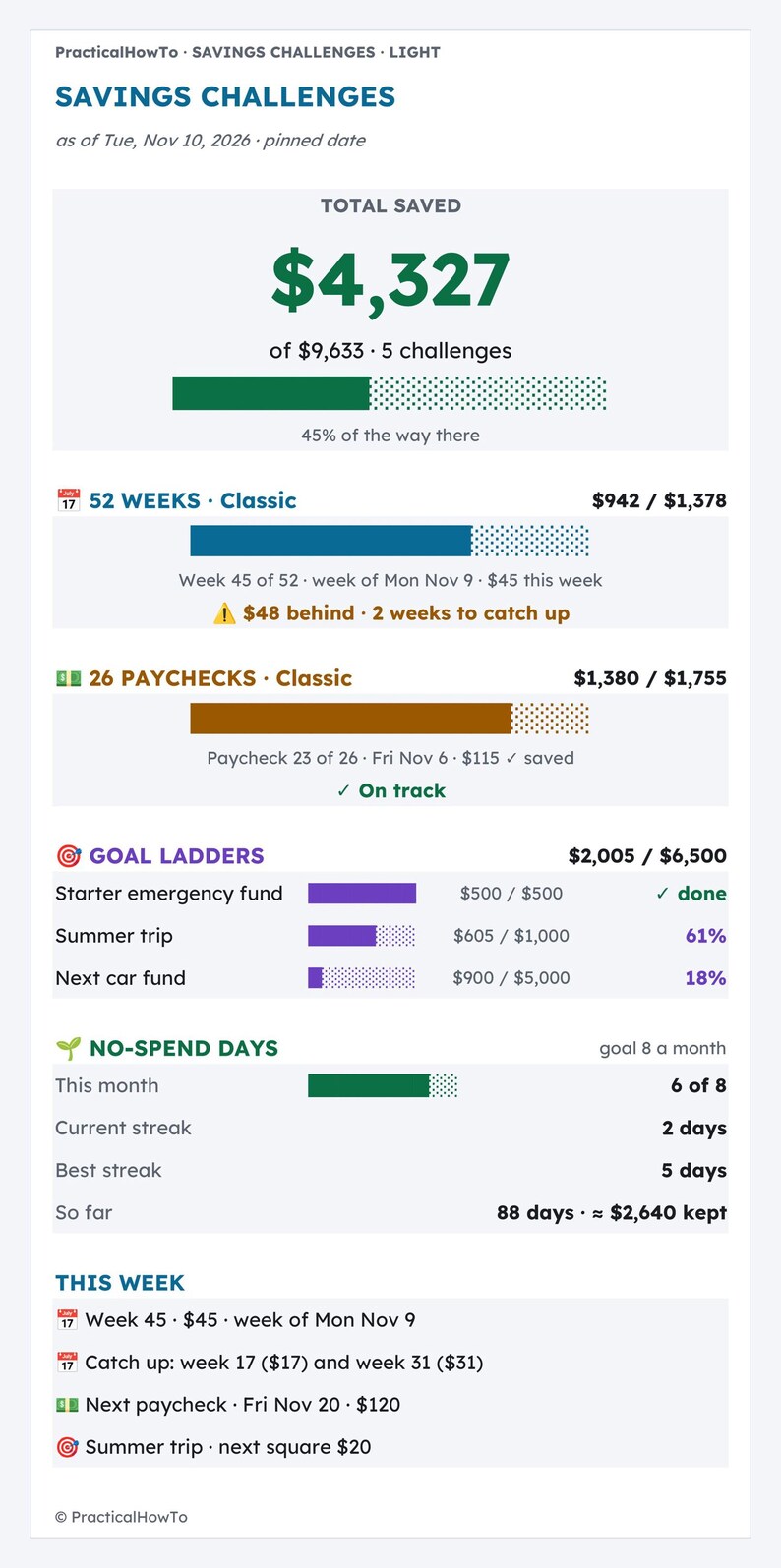
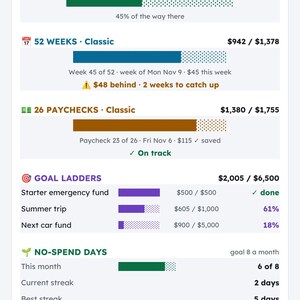
Example: in the filled-in Example version it is Tuesday, November 10, with challenges started Monday, January 5. Total saved is $4,327 of $9,633 across 5 challenges (45%).
• 52 Weeks: $942 of $1,378 (68%), week 45 is $45. It shows "$48 behind · 2 weeks to catch up · Catch up: week 17 ($17) and week 31 ($31)".
• 26 Paychecks: $1,380 of $1,755 (79%). Paycheck 23 on Fri Nov 6 saved $115, next is Fri Nov 20 for $120.
• Goal ladders: $2,005 of $6,500. Starter $500 of $500 done, Summer trip $605 of $1,000 (about $14 a week to finish by Jun 1, 2027), Next car $900 of $5,000.
• No-spend days: 6 of 8 this month, streak 2, best 5, 88 days so far ≈ $2,640 kept.
Prefer dark mode? The Savings Challenge Tracker (dark mode) is also in the shop. Same features, different look.
Want paper charts to color in too? The Savings Challenge Bundle (this tracker in dark + light, plus the 14-page Printable Pack) is in the shop as well.
★ THIS IS A DIGITAL DOWNLOAD ★
No physical item will be shipped. After purchase you'll download a PDF guide with links to make your own copy of the template in Google Sheets. You need a free Google account to use it.
━━━━━━━━━━━━━━
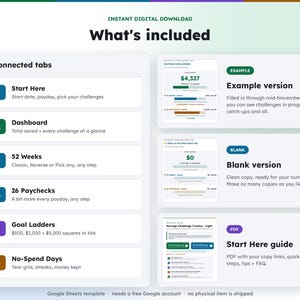
WHAT'S INCLUDED
━━━━━━━━━━━━━━
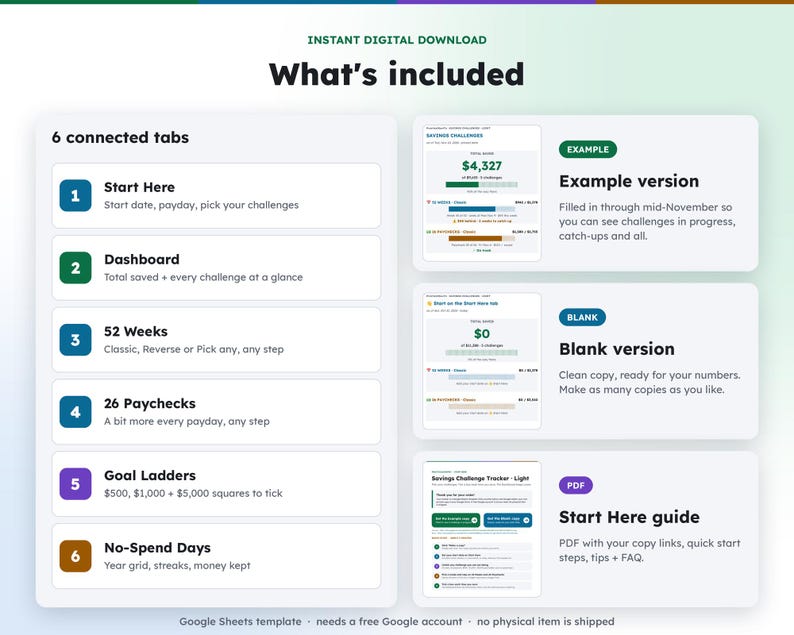
• Start Here guide PDF with your copy links, quick start steps, tips and FAQ
• EXAMPLE version (filled in through mid-November so you can see challenges in progress)
• BLANK version (ready for your start date)
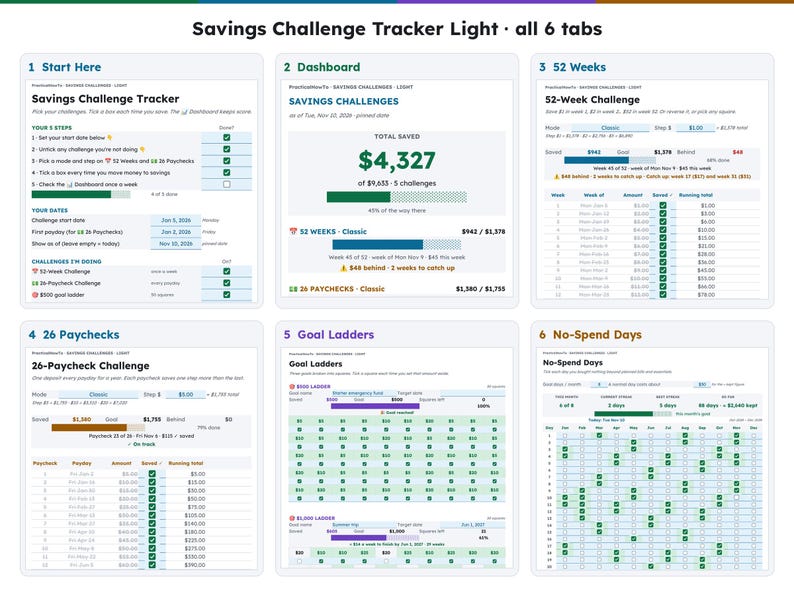
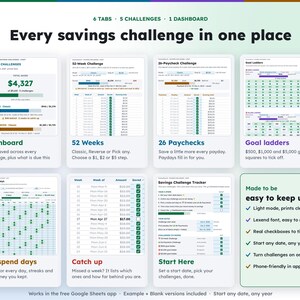
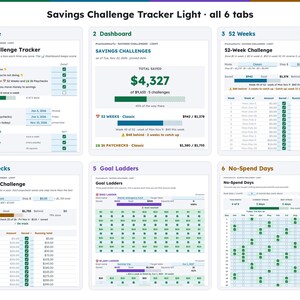
6 connected tabs:
1. Start Here – start date, first payday, pick your challenges
2. Dashboard – total saved plus every challenge at a glance
3. 52 Weeks – the classic 52-week challenge
4. 26 Paychecks – a little more every payday
5. Goal Ladders – $500, $1,000 and $5,000 goals as squares to tick
6. No-Spend Days – a box for every day of the year
━━━━━━━━━━━━━━
FEATURES
━━━━━━━━━━━━━━
52 WEEKS
• Classic ($1, $2, $3…), Reverse (start big, end small) or Pick any (tick any amount in any week)
• Pick your step: a $1 step saves $1,378, a $5 step saves $6,890
• Real dates for every week from your start date
• Behind? It lists exactly which weeks to catch up and what they cost
26 PAYCHECKS
• One step more every payday, paydays fill in from your first payday
• Classic, Reverse or Pick any, any step
GOAL LADDERS
• Three goals with a name and target date: $500 (50 squares), $1,000 (50 squares), $5,000 (100 squares)
• Tells you about how much a week finishes the goal on time
NO-SPEND DAYS
• A checkbox for every day of the year
• Monthly goal, current streak, best streak and an estimate of the money you kept
DASHBOARD
• Total saved across every challenge you turned on
• What is due this week, the next payday amount and catch-ups
MADE TO BE EASY TO KEEP UP
• Real checkboxes: tick a box each time you move money
• Turn any challenge on or off
• Lexend font, designed for easier reading
• Blue cells = type here. Everything else fills in by itself.
• Works on your phone in the free Google Sheets app
• Undated: start January 1 for a new-year challenge, or any day of any year
━━━━━━━━━━━━━━
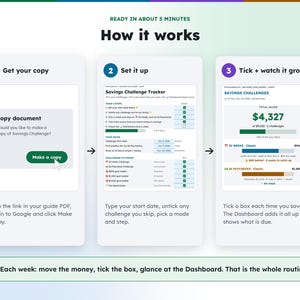
HOW IT WORKS
━━━━━━━━━━━━━━
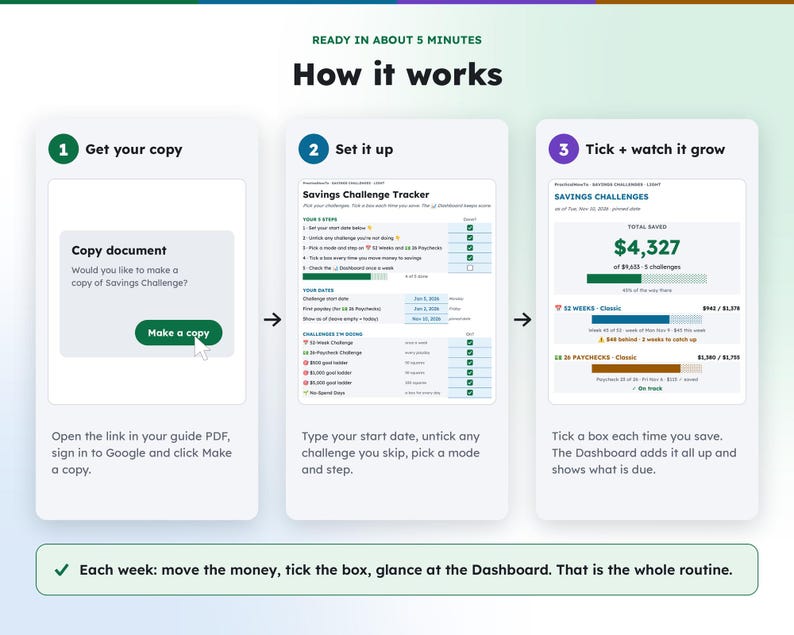
1. Download the PDF guide after purchase
2. Click the link and choose "Make a copy" (sign in to Google first)
3. On Start Here: set your start date, untick any challenge you skip, pick a mode and step (about 5 minutes)
4. Each week: move the money, tick the box, glance at the Dashboard. That is the whole routine.
━━━━━━━━━━━━━━
GOOD TO KNOW
━━━━━━━━━━━━━━
• Google Sheets template. Requires a free Google account.
• Built for Google Sheets, not Excel. You can download it as .xlsx, but some features may look or work differently.
• This is a savings tool, not financial advice. It does not connect to your bank; you tick the boxes yourself.
• Colors may look slightly different on different screens.
• Because this is a digital product, returns and exchanges aren't accepted. If anything isn't working, message me and I'll help.
PERSONAL USE ONLY. Please don't share, resell or redistribute the files or links.
Designed by Travis McGravis of PracticalHowTo with help from digital tools.
Thank you for supporting a small shop!
Instant Download
Your files will be available to download once payment is confirmed. Here's how.
Instant download items don’t accept returns, exchanges or cancellations. Please contact the seller about any problems with your order.
Etsy Purchase Protection
Shop confidently on Etsy knowing if something goes wrong with an order, we've got your back for all eligible purchases —
see program terms

More from this shop
Visit shop-

Digital download
Northern Lights Lake Reflection Print | Aurora Borealis Over a Frozen Lake Cabin, Printable Night Sky Wall Art Download
Sale Price $5.96
Original Price $7.95
-

Digital download
Northern Lights Over Cabin Print | Aurora Borealis Above a Snowy Log Cabin, Printable Winter Night Wall Art Download
Sale Price $5.96
Original Price $7.95
-

Digital download
Northern Lights Wall Art Set of 4 | Aurora Cabin, Lake Reflection, Fox and Milky Way Prints, Printable Night Gallery Set
Sale Price $14.96
Original Price $19.95
-
Digital download
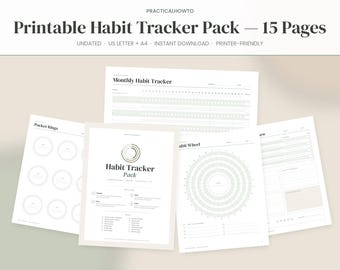
Printable Habit Tracker Pack, 15 Pages, Undated Monthly Weekly Daily Habit Tracker, Habit Wheel, Mood Sleep Water Tracker, US Letter A4 PDF
Sale Price $4.19
Original Price $6.99
Be the first to leave a review
-
Digital download
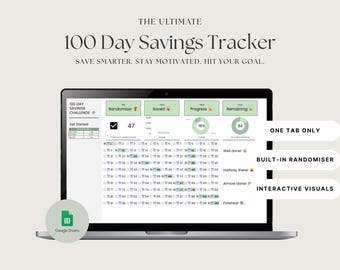
100 Day Savings Challenge Tracker: Google Sheets (Digital Download)
$21.00
-

Digital download
52 Week Savings Challenge Google Sheets Spreadsheet, Saving Money Goal Tracker, Weekly Deposit Planner
$5.99
-
Digital download
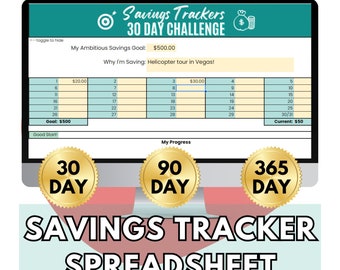
Savings Tracker Spreadsheet with Auto-Updating Progress Bar; 30 Day, 90 Day, and 365 Day/1 Year Challenge Trackers in Google Sheets
$11.00
-

Digital download
10k Savings Challenge Tracker, 10000 Challenge Google Sheet, Saving Goal Money Challenge, Budget and Planning, 52 Week Spreadsheet, 1 Year
$5.57
-

Digital download
Savings Goal Tracker Excel Spreadsheet, Sinking Funds Planner, Monthly Money Challenge Template (20 Goals)
$6.50
-
Digital download
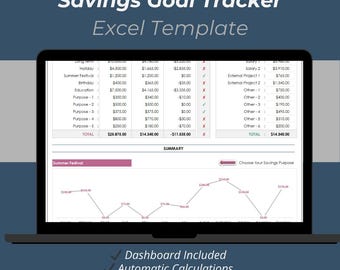
Savings Goal Tracker Excel Template: 12-Month Savings Planner with Automatic Calculations
$10.00
-

Digital download
100K Savings Challenge Book
$14.99
-

Digital download
52 Week Savings Challenge Spreadsheet for Google Sheets & Excel, Blue Money Goal Tracker
$15.00
-

Digital download
100K Savings Challenge Book
$14.99
-

Digital download
Yearly/Monthly Savings Tracker Inserts! | Save 530 Dollars Over A Year! | Monthly Low Income Savings Challenges | Yearly Savings Challenge
$18.00
-
Digital download
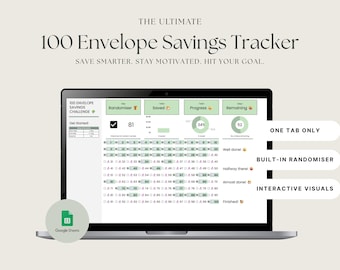
2026 100 Envelope Savings Challenge Tracker: Google Sheets (Digital Download)
$21.00
-

Digital download
100K Savings Challenge Book
$14.99
Disclaimer: Button/coin batteries may cause serious injury and even death if swallowed. Items containing button/coin batteries should not be easily accessible without the use of a tool. Sellers are responsible for complying with all applicable labeling, design, testing, packaging, and other safety requirements. Etsy assumes no responsibility for the accuracy or contents of a seller’s listing. If you have questions about button/coin batteries, contact the seller by sending a Message. See Etsy's Terms of Use for more information.
Shoppers with similar taste loved these
-

Digital download
50/30/20 Budget Spreadsheet for Google Sheets, Monthly Budget Planner Spreadsheet, Paycheck Budget Tracker, Weekly Budget, 70/20/10 Budget
Sale Price $1.75
Original Price $2.91
-
Digital download
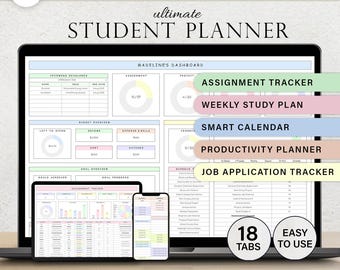
Student Planner Assignment Tracker Academic Study Planner Spreadsheet College University Course School Planner Class Google Sheets Template
Sale Price $2.99
Original Price $5.98
-

Digital download
Wedding Planning Spreadsheet - Google Sheets Template | Budget Tracker, Checklist, Seating Chart, Timeline, Tips | Blue Digital Planner
Sale Price $34.80
Original Price $58.00
-

Digital download
Language Learning Workbook: Vocabulary | Grammar | Writing Practice
Sale Price $2.51
Original Price $5.03
-

Digital download
Content Planner Social Media Calendar Spreadsheet Monthly Content Tracker Social Media Posting Instagram TikTok Google Sheets Excel Template
Sale Price $9.63
Original Price $19.26
-

Digital download
Beauty Planner Spreadsheet Google Sheet Template for Hair Salon Business Bookkeeping Inventory Order Invoice Client Profit Loss Appointments
Sale Price $15.09
Original Price $30.18
-

Digital download
Ultimate Wedding Guest List Template | Google Sheets Wedding Planner | Guest List Manager | Wedding Spreadsheet
$2.99
-

Digital download
2026 Reseller Spreadsheet-PREMIUM: Inventory, Sales, Profit, Expense Tracker and more!
$39.00
-

Digital download
Yearly Budget Spreadsheet | Income & Expense Tracker | Debt Bills Savings Planner | Excel Budget Google Sheets
Sale Price $8.08
Original Price $16.17
-

Digital download
Guest List Excel Template, Invite Tracker, RSVP Tracker Google Sheet, Wedding Guest List, Address List, Party Planning, Invitation Tracker
Sale Price $3.29
Original Price $6.59
-

Digital download
Resource Capacity Planner Spreadsheet, Updated Utilization Dashboard and Capacity & Demand Gantt Chart Template, Project Management Tracker
Sale Price $16.27
Original Price $25.03
-
Digital download
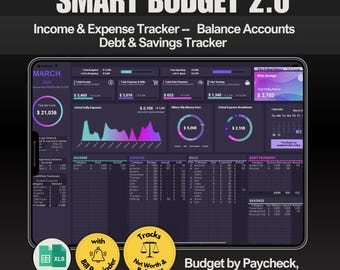
Simple Monthly Budget Spreadsheet | Income Expense Tracker | Bills Savings | Excel & Google Sheets Budget Planner
Sale Price $3.46
Original Price $6.93


