





Inventory Tracker Spreadsheet Small Business, Etsy Seller Stock Sales Profit Tracker Google Sheets, Low Stock Reorder Alert Template
Item highlights
Seller's description
What it is
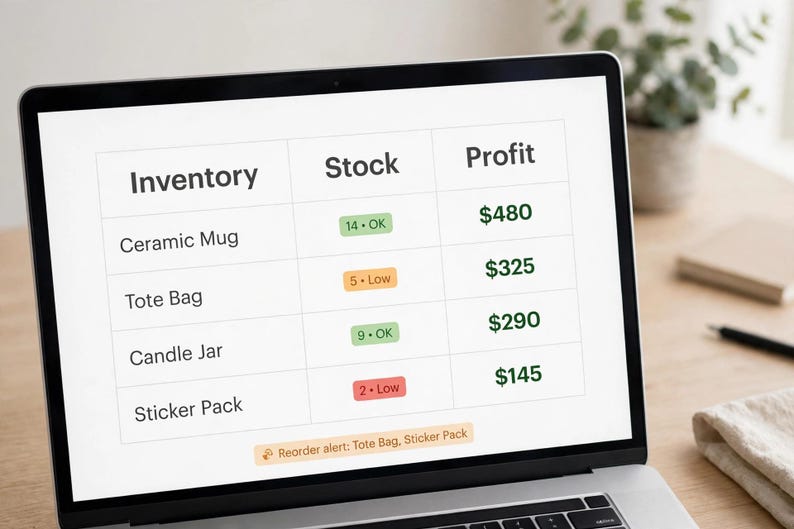
An inventory, sales and profit tracker for small shops: stock in and out, sales, reorder alerts, monthly reports, and top and slow sellers — with profit shown after Etsy fees, not just gross profit.
Who it is for
Etsy sellers, handmade shops, resellers and small retailers who need to know what is in stock, what is selling, and what actually makes money after fees.
Exactly what is included
- Excel (.xlsx) file, importable into Google Sheets — the buyer guide explains the File > Import steps. This version has no live native Google Sheets copy link.
- Excel (.xlsx) file in a ZIP, with a buyer guide
- Item and variant (size/colour) tracking — one row per SKU
- Stock-in, stock-out, sales and transfer logs (sales in the Sales Log reduce stock automatically; do not also add a stock-out row for a sale)
- Other business expenses log (packaging, supplies, stall fees) — reduces overall profit, not assigned to one SKU
- Reorder alerts and cash needed to reorder (low-stock SKUs reordered up to twice their reorder level — a planning assumption stated in the guide)
- Monthly report, top-seller view, and a per-SKU profit table to spot slow sellers (low or zero units sold)
- Etsy-fee-aware profit per SKU (fees use editable inputs in Settings; the $0.20 listing fee is not counted per sale — see the guide)
- Start Here tab and worked example
- Capacity stated honestly in the guide: up to 100 SKUs/variants, 500 inventory rows, 500 sales rows, 200 expense rows
Formats and compatibility
Excel (.xlsx), importable into Google Sheets (free Google account required; the buyer guide explains File > Import). No macros. No Etsy shop sync — you enter sales and stock manually or paste your own records.
How it works after purchase
1. Buy the listing and download instantly from Etsy.
2. Open the included buyer guide first — it tells you which file to open and which cells to type in.
3. Follow the Start Here steps, enter your own information, and use the built-in dashboard or checklist. Calculated cells are marked so you do not overwrite formulas.
4. Save your own copy. Your master download stays unchanged if you need to start again.
What it is NOT
It is not an Etsy shop integration, it does not sync stock automatically, and it does not guarantee sales. Capacity limits in the guide must be respected for large shops. It is not tax or financial advice — verify figures with a qualified professional.
Bundle / upsell suggestion
Bundle with the Etsy-Shop Profit + Fees + Pricing Tracker, and upsell an Etsy-fee-aware profit version.
FAQ
Q: Does it sync with my Etsy shop?
A: No. You enter sales and stock data. That keeps it simple and avoids broken syncs.
Q: Does it show profit after Etsy fees?
A: Yes. That is the key difference from a gross-profit-only sheet — fees are an editable input so profit per SKU is realistic.
Q: Can I track variants?
A: Yes, size and colour variants are included as separate SKUs, but check the capacity limits in the guide for very large catalogues (up to 100 SKUs/variants).
Q: Does this work in Google Sheets and Excel?
A: Yes. You get an Excel (.xlsx) file that also imports into Google Sheets (the guide explains import). This version has no live native Google Sheets copy link.
If something goes wrong with an order, we've got your back for all eligible purchases. View program terms
NowPrice:$10.39
Original Price: $12.99
20% off
Sale ends in 2 days
You can only make an offer when buying a single item
Delivery
Instant download
Your files will be available to download once payment is confirmed. Here's how.
Instant download items don't accept returns, exchanges or cancellations. Please contact the seller about any problems with your order.
Seller's description
Specifications
What it is
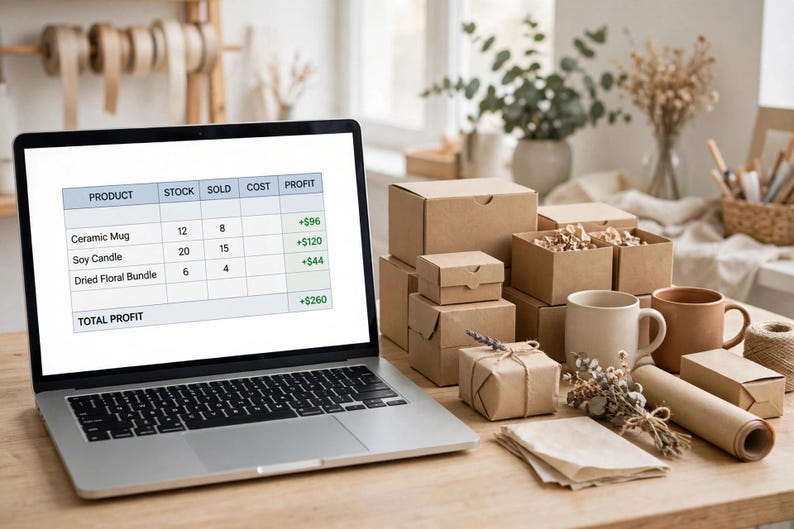
An inventory, sales and profit tracker for small shops: stock in and out, sales, reorder alerts, monthly reports, and top and slow sellers — with profit shown after Etsy fees, not just gross profit.
Who it is for
Etsy sellers, handmade shops, resellers and small retailers who need to know what is in stock, what is selling, and what actually makes money after fees.
Exactly what is included
- Excel (.xlsx) file, importable into Google Sheets — the buyer guide explains the File > Import steps. This version has no live native Google Sheets copy link.
- Excel (.xlsx) file in a ZIP, with a buyer guide
- Item and variant (size/colour) tracking — one row per SKU
- Stock-in, stock-out, sales and transfer logs (sales in the Sales Log reduce stock automatically; do not also add a stock-out row for a sale)
- Other business expenses log (packaging, supplies, stall fees) — reduces overall profit, not assigned to one SKU
- Reorder alerts and cash needed to reorder (low-stock SKUs reordered up to twice their reorder level — a planning assumption stated in the guide)
- Monthly report, top-seller view, and a per-SKU profit table to spot slow sellers (low or zero units sold)
- Etsy-fee-aware profit per SKU (fees use editable inputs in Settings; the $0.20 listing fee is not counted per sale — see the guide)
- Start Here tab and worked example
- Capacity stated honestly in the guide: up to 100 SKUs/variants, 500 inventory rows, 500 sales rows, 200 expense rows
Formats and compatibility
Excel (.xlsx), importable into Google Sheets (free Google account required; the buyer guide explains File > Import). No macros. No Etsy shop sync — you enter sales and stock manually or paste your own records.
How it works after purchase
1. Buy the listing and download instantly from Etsy.
2. Open the included buyer guide first — it tells you which file to open and which cells to type in.
3. Follow the Start Here steps, enter your own information, and use the built-in dashboard or checklist. Calculated cells are marked so you do not overwrite formulas.
4. Save your own copy. Your master download stays unchanged if you need to start again.
What it is NOT
It is not an Etsy shop integration, it does not sync stock automatically, and it does not guarantee sales. Capacity limits in the guide must be respected for large shops. It is not tax or financial advice — verify figures with a qualified professional.
Bundle / upsell suggestion
Bundle with the Etsy-Shop Profit + Fees + Pricing Tracker, and upsell an Etsy-fee-aware profit version.
FAQ
Q: Does it sync with my Etsy shop?
A: No. You enter sales and stock data. That keeps it simple and avoids broken syncs.
Q: Does it show profit after Etsy fees?
A: Yes. That is the key difference from a gross-profit-only sheet — fees are an editable input so profit per SKU is realistic.
Q: Can I track variants?
A: Yes, size and colour variants are included as separate SKUs, but check the capacity limits in the guide for very large catalogues (up to 100 SKUs/variants).
Q: Does this work in Google Sheets and Excel?
A: Yes. You get an Excel (.xlsx) file that also imports into Google Sheets (the guide explains import). This version has no live native Google Sheets copy link.
-
Designed by
-
Item typeDigital download
-
Digital file type(s)1 ZIP
If something goes wrong with an order, we've got your back on all eligible purchases. View program terms
Meet your seller

More from this shop
-

Digital download
Content Creator Income Tracker Spreadsheet, Brand Deal Tracker Google Sheets, YouTube TikTok Influencer Finance, 1099 Tax Tracker
Sale Price $10.39
Original Price $12.99
-
Digital download
1099 Bookkeeping Spreadsheet Google Sheets Excel, Self Employed Income Expense Tracker, Quarterly Tax Estimator, Mileage Log, Profit Loss
Sale Price $10.50
Original Price $13.13
-

Digital download
Rental Property Tracker Spreadsheet, Landlord Income Expense Tracker Google Sheets, Airbnb Vrbo Profit Tracker, Multi Property Spreadsheet
Sale Price $11.99
Original Price $14.99
-

Digital download
Paycheck Budget Spreadsheet, Budget By Paycheck Biweekly Weekly Google Sheets, Bill Calendar Tracker, 50 30 20 Debt Snowball Budget
Sale Price $10.39
Original Price $12.99
-

Digital download
Irregular Income Budget Spreadsheet, Freelancer Budget Planner Google Sheets Excel, Gig Worker Finance Tracker, Income Buffer System
Sale Price $14.39
Original Price $17.99
-

Digital download
Debt Payoff Tracker Spreadsheet, Snowball Avalanche Calculator Google Sheets, Credit Card Loan Payoff Planner, Interest Saved Calculator
Sale Price $11.99
Original Price $14.99
-
Digital download
Small Business Inventory Tracker: Vendors, purchase, sales and profit (Instant Download)
Sale Price $6.82
Original Price $10.49
-

Digital download
Inventory Management & Tracker for Materials and Products Inventory Template | Small Business Spreadsheet Template w/ Order Tracker
Sale Price $6.93
Original Price $13.87
-

Digital download
Inventory Tracker | Inventory Spreadsheet | Etsy Inventory Spreadsheet | Reseller Spreadsheet | Inventory Management | Small Business Sheets
$11.97
-

Digital download
Inventory Tracker Inventory Management Google Sheets Small Business Inventory Spreadsheet Bookkeeping Template Sales Dashboard Order Tracker
Sale Price $3.00
Original Price $12.00
-
Digital download
Inventory Management Spreadsheet: Vendors, purchase, inventory and sales tracking (Digital Download)
Sale Price $6.82
Original Price $10.49
-
Digital download
Inventory Tracker | Inventory Spreadsheet | Etsy Inventory Spreadsheet | Reseller Spreadsheet | Inventory Management | Small Business Sheets
$10.97
-

Digital download
Cloting Inventory Tracker Spreadsheet Small Business, Inventory Template Google Sheets Excel, Inventory Management, Cloth Inventory Template
Sale Price $5.24
Original Price $10.49
-

Digital download
Inventory Tracker, Inventory Management, Inventory Spreadsheet, Small Business Inventory Template, Order Tracker, Google Sheets
Sale Price $7.40
Original Price $14.81
-

Digital download
Inventory Management & Sales Tracker Spreadsheet, Google Sheets Inventory Tracker, Small Business Bookkeeping Tool, Vendor Purchase Orders
$14.99
-
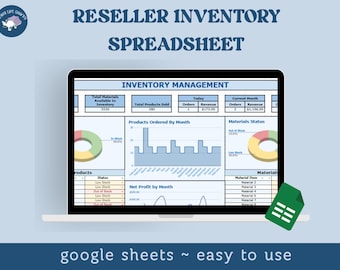
Digital download
Inventory Tracker | Inventory Spreadsheet | Etsy Inventory Spreadsheet | Reseller Spreadsheet, Inventory Management | Small Business Excel
$11.97
-
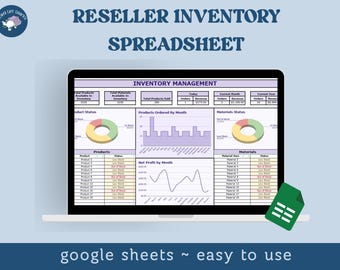
Digital download
Inventory Tracker | Inventory Spreadsheet | Etsy Inventory Spreadsheet | Reseller Spreadsheet, Inventory Management | Small Business Excel
$10.97
-
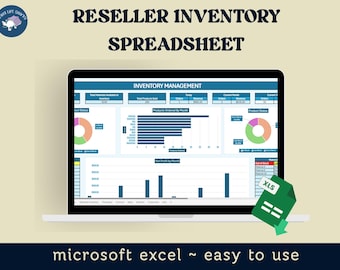
Digital download
Inventory Tracker, Inventory Spreadsheet, Etsy Inventory Spreadsheet, Reseller Spreadsheet, Inventory Management, Excel Etsy Inventory
$10.97
Shoppers with similar taste loved these
-

Wooden 2-Roll Label Holder: Sticker Dispenser Organizer
$19.00
-

Digital download
Editable Vinyl Pricing List // Easy To Read Vinyl Decal Pricing Chart, Perfect For Craft Businesses
$4.89
-

Digital download
Editable Vinyl Price List // Easy To Read Pricing Chart, Perfect For Decal Businesses
$4.89
-

Digital download
Etsy SEO Guide & Checklist: Shop Visibility Tips (PDF Download)
$5.59
-

Digital download
Etsy Banner Template Editable in Canva, Etsy Photo Cover Template, Etsy Shop Graphic, Branding Kit, Modern Graphic Bundle, Etsy store Banner
$6.05
-

Digital download
DIY Ribbon Holder Instructions: Wood Organizer Blueprints (Digital Download)
$10.99
-

Digital download
Oracal 651 color chart |Permanent Vinyl Decal Color Chart, Oracal Permanent Vinyl Decal Stickers Color Options, Oracal 651 Vinyl Chart
$2.25
-

Digital download
Small Business Bookkeeping Spreadsheet Google Sheets & Excel | Income and Expense Tracker, Accounting Template, Finance Planner
Sale Price $12.07
Original Price $24.14
-

Custom 3 Line Address Stamp | Personalized Self Inking Stamp | Choose Your Font | Best Rated Housewarming Gift
Sale Price $22.46
Original Price $37.44
-
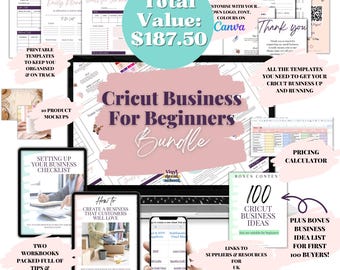
Digital download
Cricut Business Starter Bundle • Pricing Calculator • Supplier List • Business Setup Checklist • Mockups & Planners
$41.82
-

Personal Logo Stamper | Rubber Logo Handstamp | Business Logo Rubber Stamp | Custom Artwork Stamper
Sale Price $6.97
Original Price $11.62
-

Digital download
Oracal 651 Vinyl Color, Basic Oracal 651 Color Template, Cricut Business, DIY Business, Small Business Color Chart
$1.00

