



Split Expenses Tracker, Shared Expenses Spreadsheet, Roommate Bills Splitter, Who Owes Who, Couples and Trip Costs, Google Sheets Excel
Item highlights
Seller's description
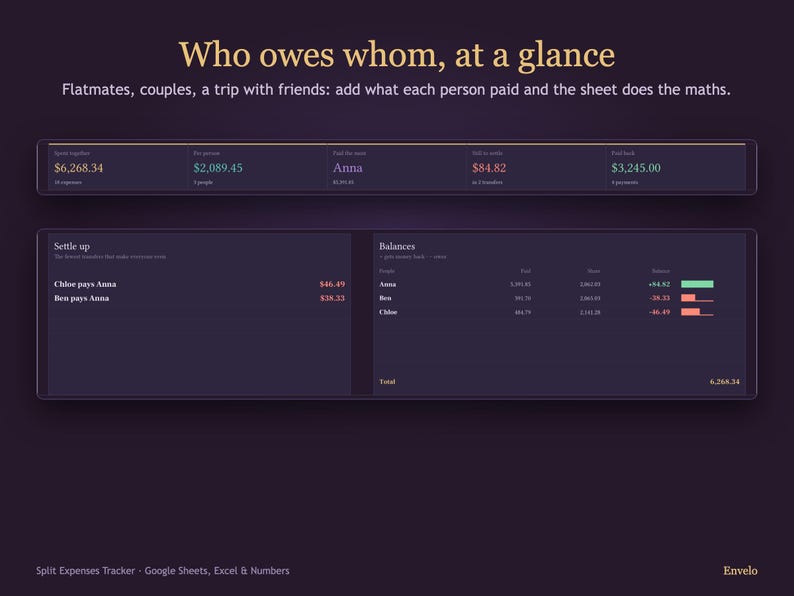
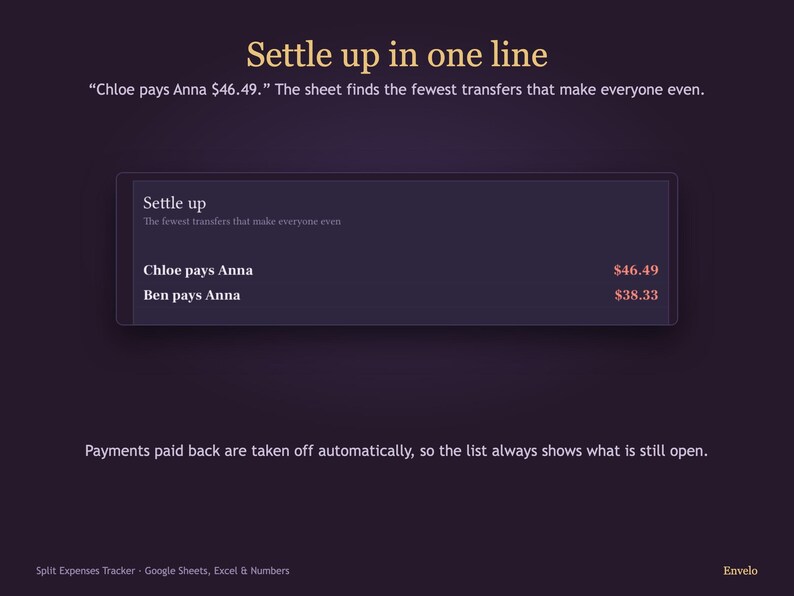
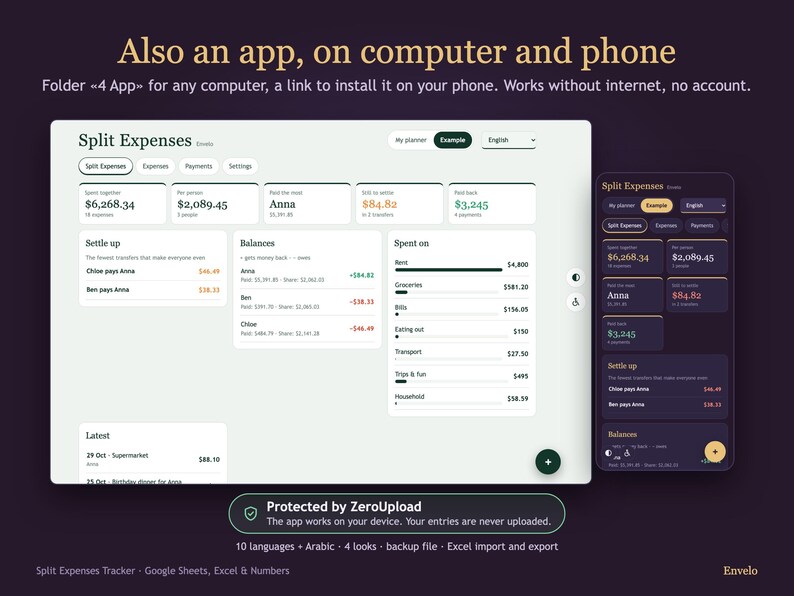
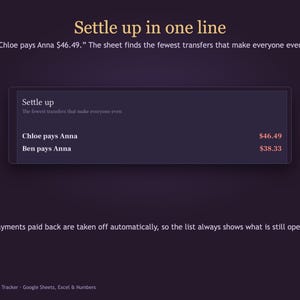
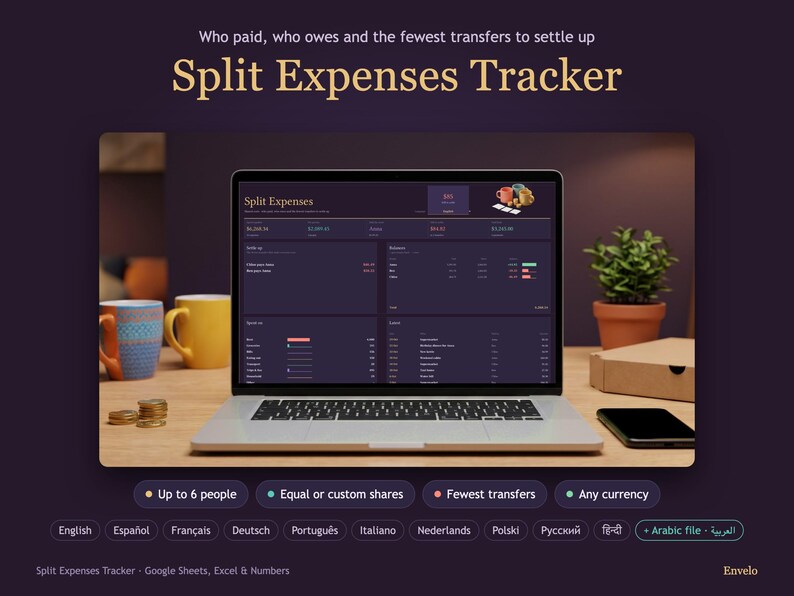
Who paid for the groceries, who covered the rent, and who owes whom now? Add each shared expense once. The dashboard works out everyone's balance and the fewest transfers that make you even: "Chloe pays Anna $46.49".
WHAT YOU SEE ON THE DASHBOARD
• Settle up: the fewest transfers, each in one line with the amount
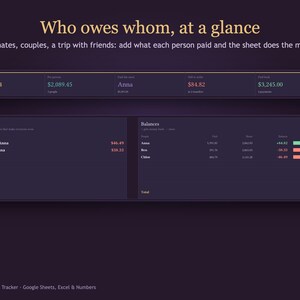
• Balances: what each person paid, their share and what they get back or owe
• Spent together, per person and who paid the most
• What is still open and what was already paid back
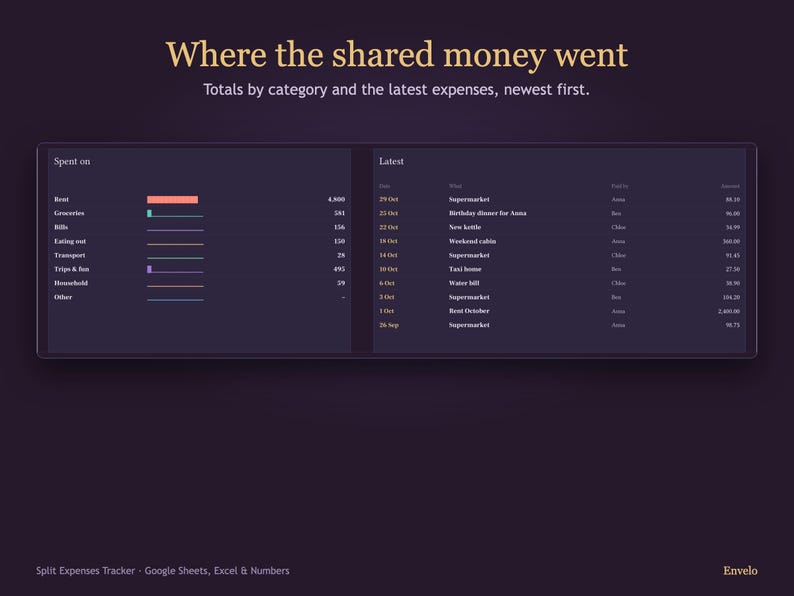
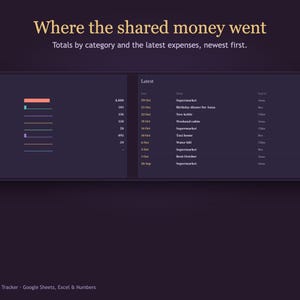
• Spending by category and the latest expenses
FAIR SHARES, YOUR WAY
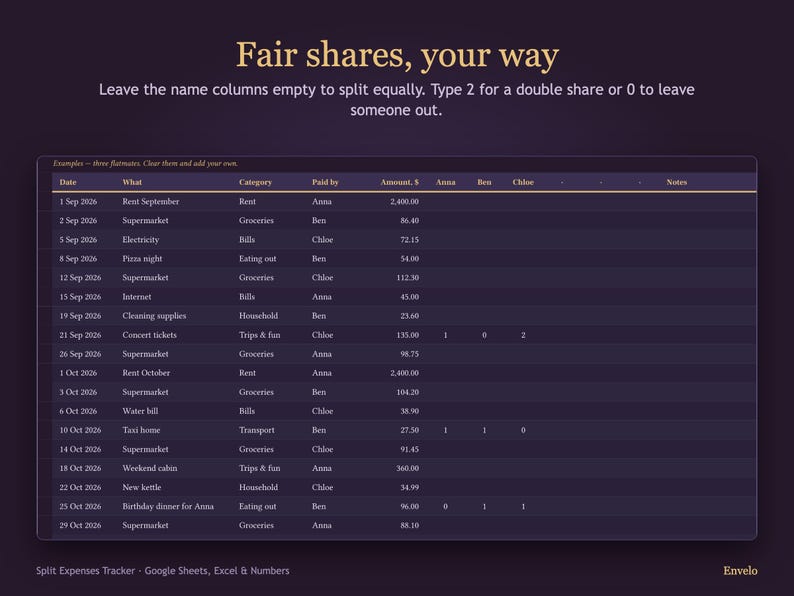
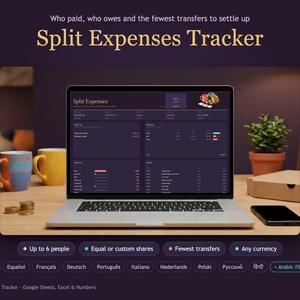
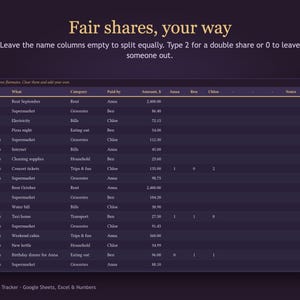
Up to 6 people. Leave the name columns empty to split an expense equally, or type shares: 2 for a double share, 0 to leave someone out (e.g. a birthday dinner the birthday person doesn't pay for).
WHAT'S INSIDE
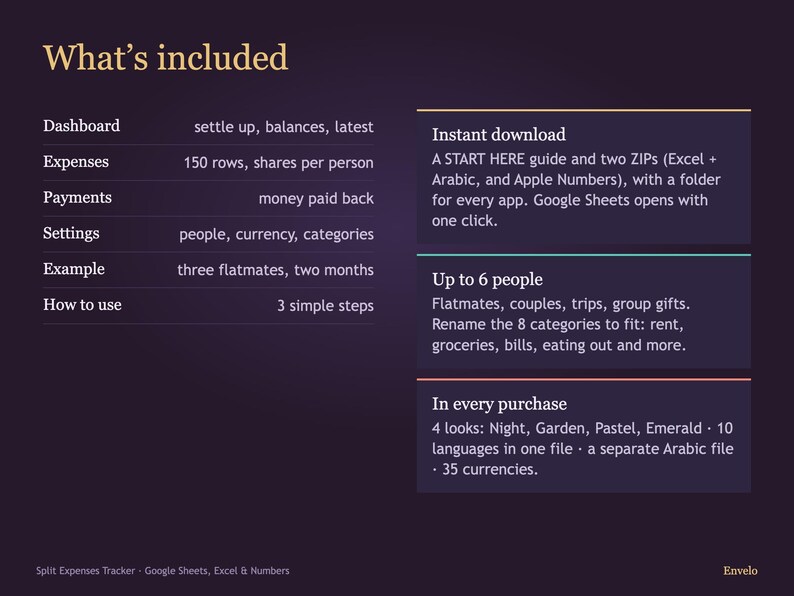
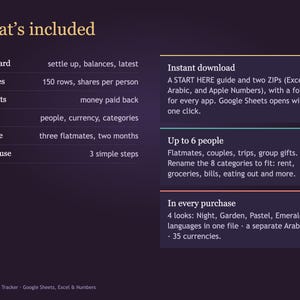
Dashboard · Expenses (150 rows) · Payments (money paid back) · Settings (people, currency, 8 categories you can rename) · How to use
10 LANGUAGES IN ONE FILE
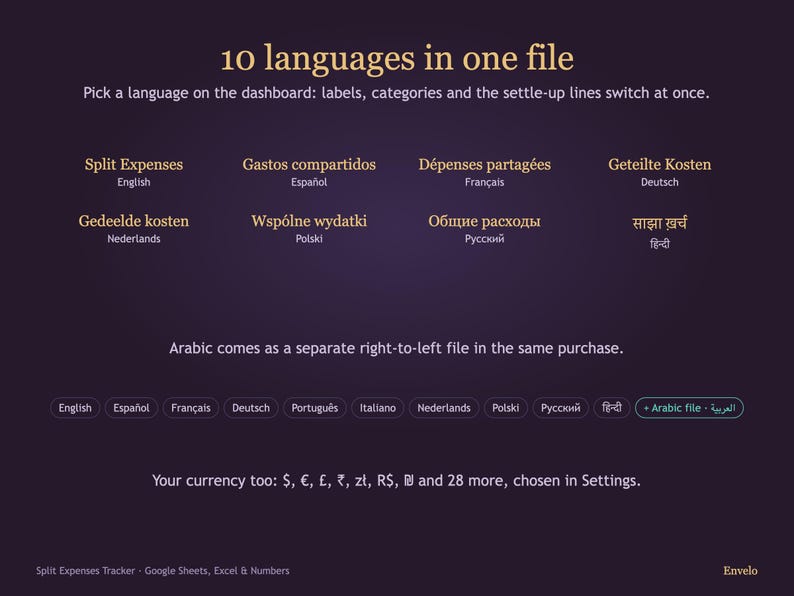
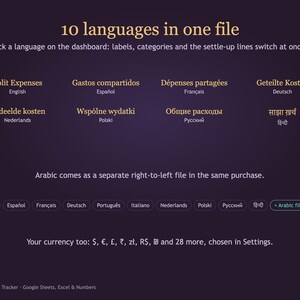
English, Español, Français, Deutsch, Português, Italiano, Nederlands, Polski, Русский, हिन्दी. Pick a language on the dashboard and labels, categories and settle-up lines switch. Arabic comes as a separate right-to-left file.
ANY CURRENCY
Pick yours in Settings: $, €, £, ₹, zł, R$, ₪, ¥ and 27 more.
FOUR LOOKS, ONE PURCHASE
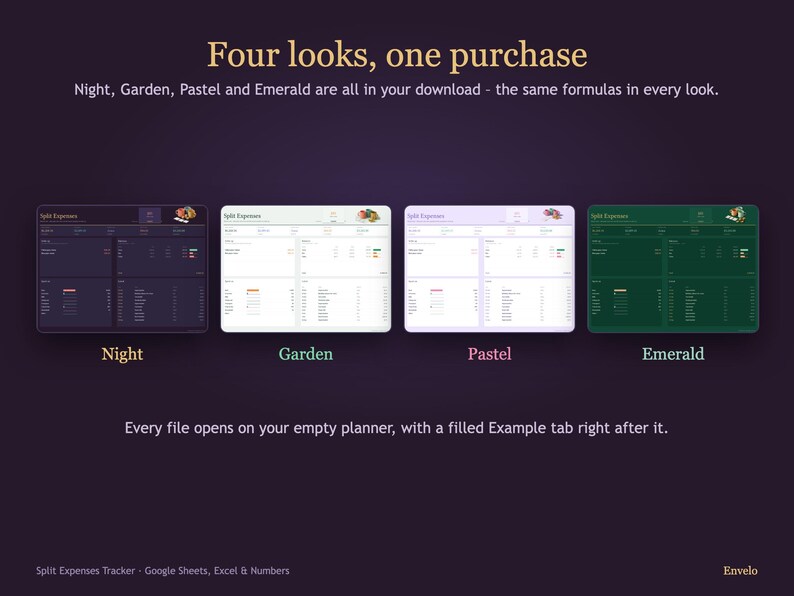
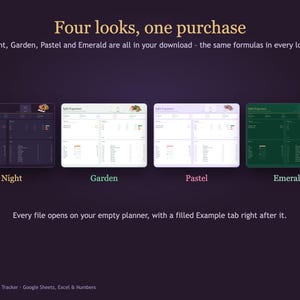
Night (dark), Garden (light), Pastel (soft lavender) and Emerald (deep green): all four are in your download, with the same formulas in every look.
WHAT YOU GET
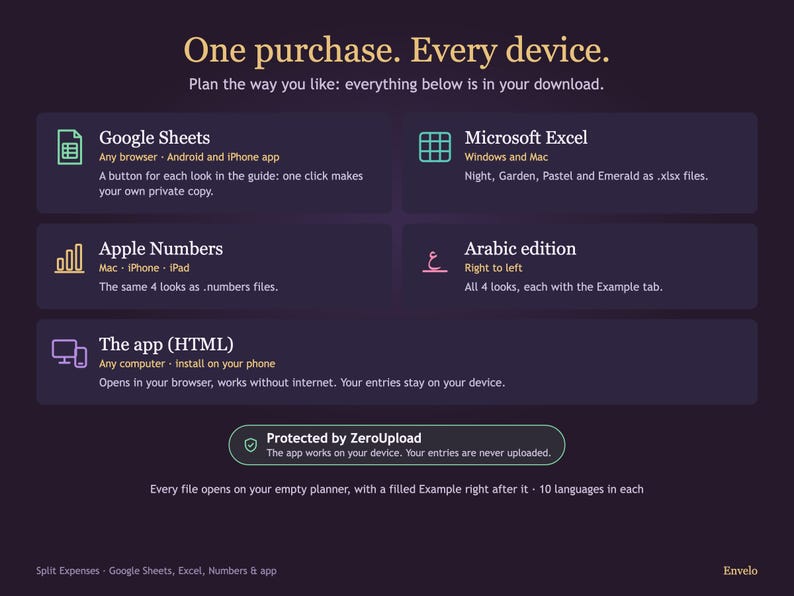
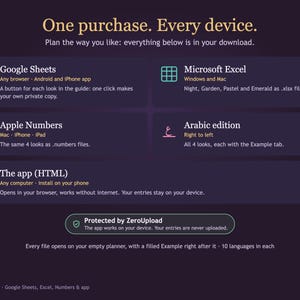
Instant download: a START HERE guide (PDF) and two ZIP archives (Excel + Arabic, and Apple Numbers) with a folder for every app:
1 Excel: Night, Garden, Pastel and Emerald for Microsoft Excel on Windows and Mac. Every file opens on your empty planner, with a filled Example tab right after it
2 Apple Numbers: the same 4 looks, each with the Example, for Numbers on Mac, iPhone and iPad
3 Arabic: right-to-left files (all 4 looks, each with the Example)
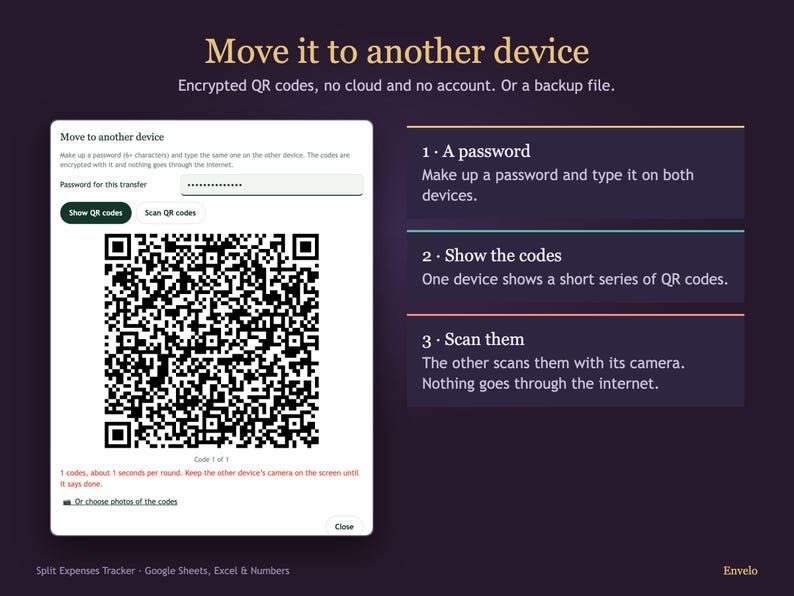
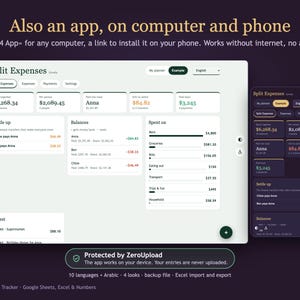
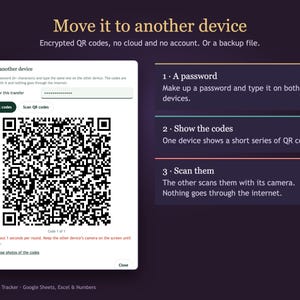
4 App: the same planner as an app for any computer (Chrome, Edge, Safari, Firefox), plus a link to install it on your phone (iPhone, iPad, Android). Works without internet, keeps entries on your device, backup file, transfer to another device with a short series of encrypted QR codes (very large planners use the backup file), and import and export with your Envelo Excel file. Protected by ZeroUpload: the app works on your device, and your entries are never uploaded.
Google Sheets: the START HERE guide has a button for every look. One click makes your own private copy.
WHICH FILE SHOULD I USE?
• Windows PC: the Excel files, or Google Sheets in your browser.
• Mac: Excel for Mac, Apple Numbers, or Google Sheets in Safari or Chrome.
• iPhone, iPad, Android: the Google Sheets app, or Apple Numbers on iPhone and iPad.
In Excel only the cells you type in can be changed. In Google Sheets the formulas are protected: Google warns you before anything changes. In Apple Numbers the Dashboard is locked as a whole.
PLEASE NOTE
• This is a digital download. Nothing will be shipped.
• Decorative illustrations and the laptop backgrounds in the photos were made with AI image tools. Every planner screen you see is the real file.
• It doesn't move money or connect to a bank: you send the transfers yourself.
• Your planner starts empty. The Example tab in the same file (three flatmates over two months) shows how it works.
• For personal use. Please don't resell or share the files.
Questions? Send us a message on Etsy.
If something goes wrong with an order, we've got your back for all eligible purchases. View program terms
NowPrice:$6.29
Original Price: $8.99
30% off
Sale ends on December 1
You can only make an offer when buying a single item
Delivery
Instant download
Your files will be available to download once payment is confirmed. Here's how.
Instant download items don't accept returns, exchanges or cancellations. Please contact the seller about any problems with your order.
Seller's description
Specifications
Who paid for the groceries, who covered the rent, and who owes whom now? Add each shared expense once. The dashboard works out everyone's balance and the fewest transfers that make you even: "Chloe pays Anna $46.49".
WHAT YOU SEE ON THE DASHBOARD
• Settle up: the fewest transfers, each in one line with the amount
• Balances: what each person paid, their share and what they get back or owe
• Spent together, per person and who paid the most
• What is still open and what was already paid back
• Spending by category and the latest expenses
FAIR SHARES, YOUR WAY
Up to 6 people. Leave the name columns empty to split an expense equally, or type shares: 2 for a double share, 0 to leave someone out (e.g. a birthday dinner the birthday person doesn't pay for).
WHAT'S INSIDE
Dashboard · Expenses (150 rows) · Payments (money paid back) · Settings (people, currency, 8 categories you can rename) · How to use
10 LANGUAGES IN ONE FILE
English, Español, Français, Deutsch, Português, Italiano, Nederlands, Polski, Русский, हिन्दी. Pick a language on the dashboard and labels, categories and settle-up lines switch. Arabic comes as a separate right-to-left file.
ANY CURRENCY
Pick yours in Settings: $, €, £, ₹, zł, R$, ₪, ¥ and 27 more.
FOUR LOOKS, ONE PURCHASE
Night (dark), Garden (light), Pastel (soft lavender) and Emerald (deep green): all four are in your download, with the same formulas in every look.
WHAT YOU GET
Instant download: a START HERE guide (PDF) and two ZIP archives (Excel + Arabic, and Apple Numbers) with a folder for every app:
1 Excel: Night, Garden, Pastel and Emerald for Microsoft Excel on Windows and Mac. Every file opens on your empty planner, with a filled Example tab right after it
2 Apple Numbers: the same 4 looks, each with the Example, for Numbers on Mac, iPhone and iPad
3 Arabic: right-to-left files (all 4 looks, each with the Example)
4 App: the same planner as an app for any computer (Chrome, Edge, Safari, Firefox), plus a link to install it on your phone (iPhone, iPad, Android). Works without internet, keeps entries on your device, backup file, transfer to another device with a short series of encrypted QR codes (very large planners use the backup file), and import and export with your Envelo Excel file. Protected by ZeroUpload: the app works on your device, and your entries are never uploaded.
Google Sheets: the START HERE guide has a button for every look. One click makes your own private copy.
WHICH FILE SHOULD I USE?
• Windows PC: the Excel files, or Google Sheets in your browser.
• Mac: Excel for Mac, Apple Numbers, or Google Sheets in Safari or Chrome.
• iPhone, iPad, Android: the Google Sheets app, or Apple Numbers on iPhone and iPad.
In Excel only the cells you type in can be changed. In Google Sheets the formulas are protected: Google warns you before anything changes. In Apple Numbers the Dashboard is locked as a whole.
PLEASE NOTE
• This is a digital download. Nothing will be shipped.
• Decorative illustrations and the laptop backgrounds in the photos were made with AI image tools. Every planner screen you see is the real file.
• It doesn't move money or connect to a bank: you send the transfers yourself.
• Your planner starts empty. The Example tab in the same file (three flatmates over two months) shows how it works.
• For personal use. Please don't resell or share the files.
Questions? Send us a message on Etsy.
-
Item typeDigital download
-
Digital file type(s)2 ZIP, 1 PDF
If something goes wrong with an order, we've got your back on all eligible purchases. View program terms
Meet your seller

More from this shop
-
Digital download
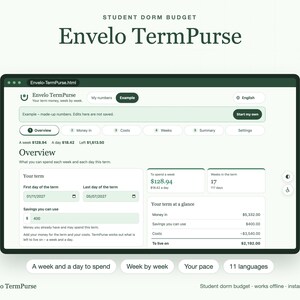
Student Dorm Budget, College Semester Budget Planner, Weekly Spending Tracker, Scholarship and Loan Money for the Term, Offline App, Excel
Sale Price $4.65
Original Price $6.64
-
Digital download
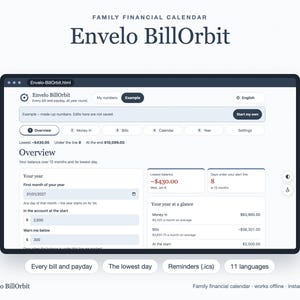
Family Financial Calendar, Bill Calendar and Payday Tracker, 12 Month Bill Due Dates, Low Balance Days, Reminders, Offline App and Excel
Sale Price $3.85
Original Price $5.50
-
Digital download
Shift Worker Paycheck Tracker, Overtime Calculator, Night and Weekend Shift Pay, Nurse Payslip Checker, Offline App and Excel
Sale Price $8.19
Original Price $11.70
-
Digital download
Two Incomes to One Income Budget Planner, Maternity and Parental Leave Budget, Job Loss Savings Calculator, Offline App and Excel
Sale Price $6.45
Original Price $9.21
-
Digital download
Irregular Income Budget Planner, Freelance Budget, Variable Income Steady Pay Calculator, Buffer Fund Tracker, Offline App and Excel
Sale Price $6.45
Original Price $9.21
-
Digital download
First Apartment Budget, Move In Cost Calculator, Moving Out Planner, Rent Affordability and First Month Day by Day, Offline App and Excel
Sale Price $4.49
Original Price $6.41