




Interactive Twitch Chat Overlay & Sub Goal for StreamElements and Kick | Paper Marbling Ink Tray, Art Stream, Raids | Inkbloom
NowPrice:$15.99
Original Price: $19.99
20% off
Sale ends on November 16
You can only make an offer when buying a single item
Highlights
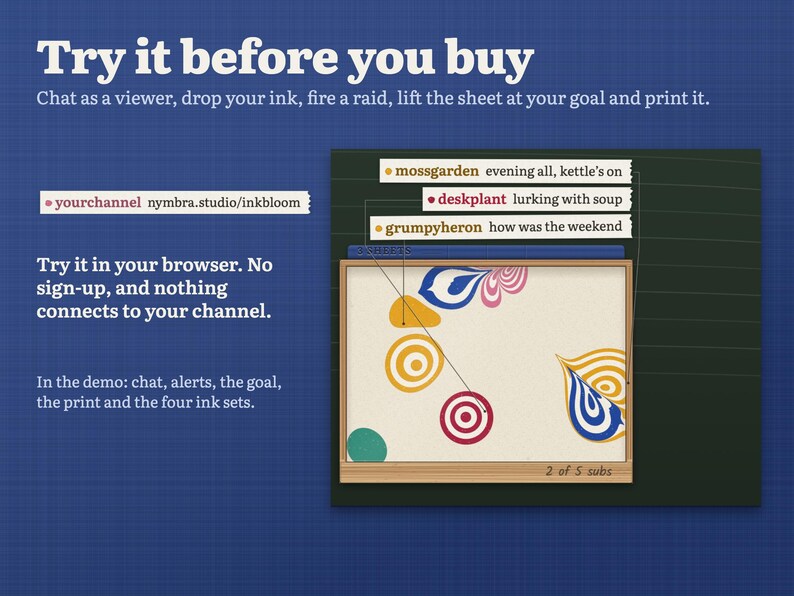
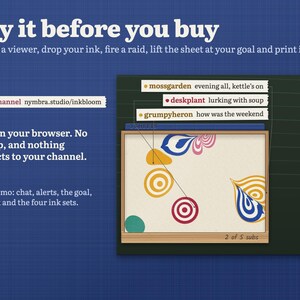
TRY IT FIRST: play with the live demo at nymbra.studio/inkbloom. Chat as a viewer and drop your ink, pull friends' inks together, fire every alert and a raid, lift the sheet at your goal, make a print of it with every name on the margin and try all four ink sets, right in your browser. No sign-up, nothing connects to your channel.
Installs in about 5 minutes with the START HERE guide, no coding. Bought on your phone? Download from your Etsy purchases on a computer; installing needs one.
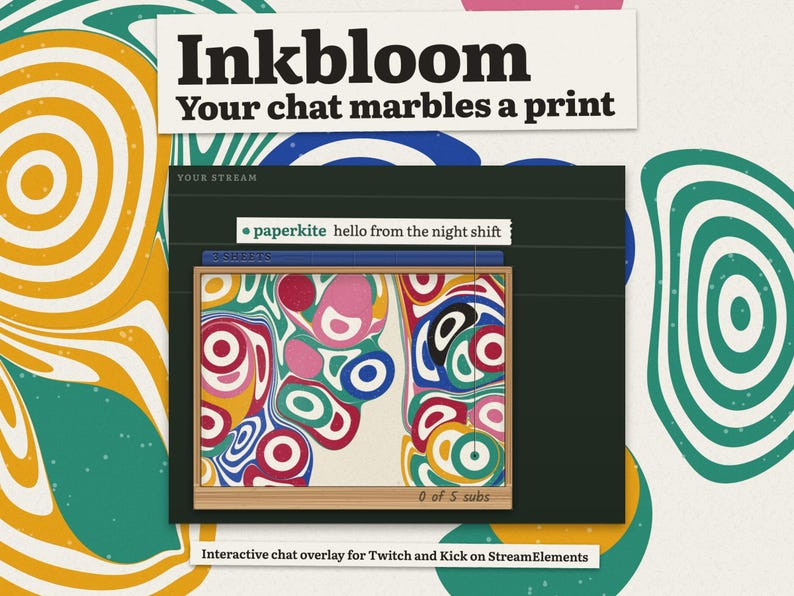
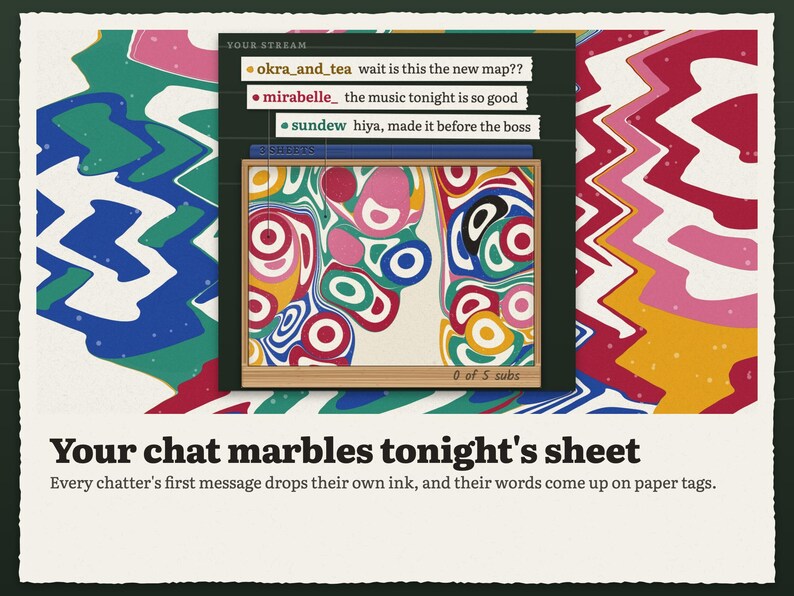
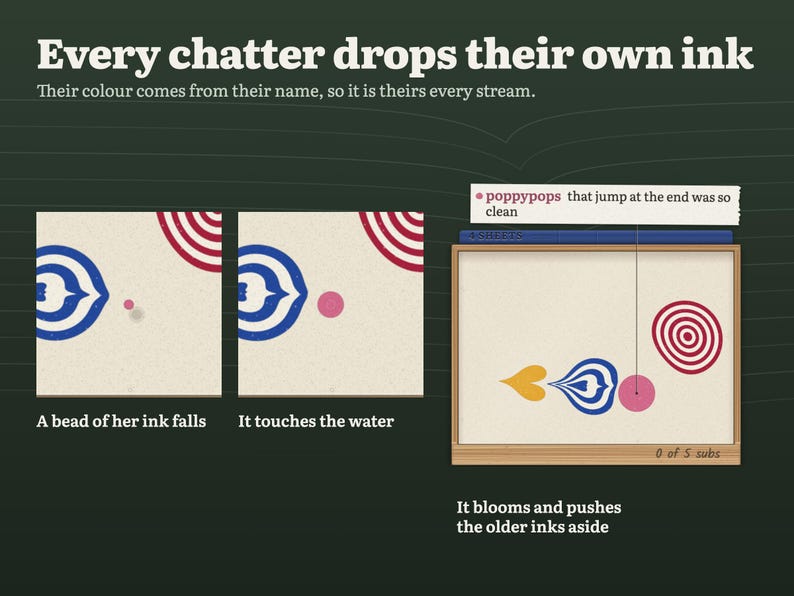
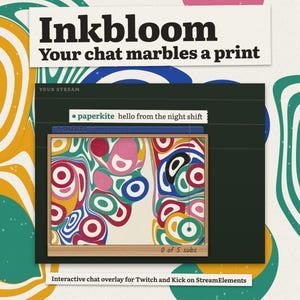
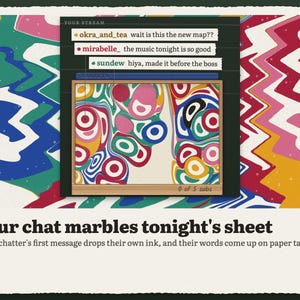
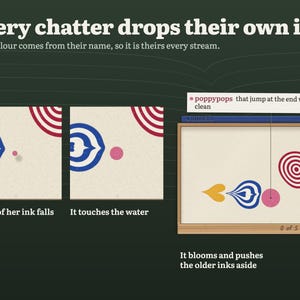
Your chat marbles a sheet of art together, every stream. Inkbloom is a small wooden tray of marbling water in the corner of your stream. The first time someone chats, a bead of their ink falls, ripples the water and blooms, pushing the older inks aside the way real paper marbling does. Their name and message show on a little paper tag above the tray.
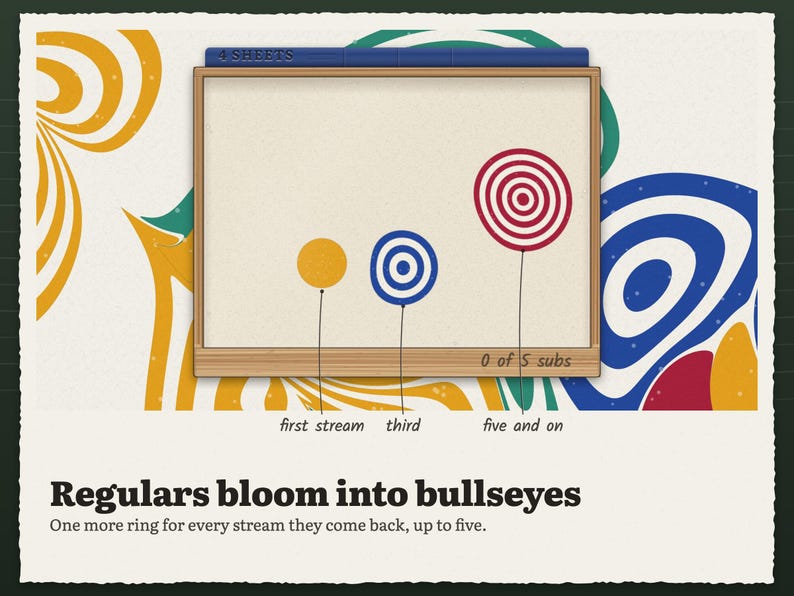
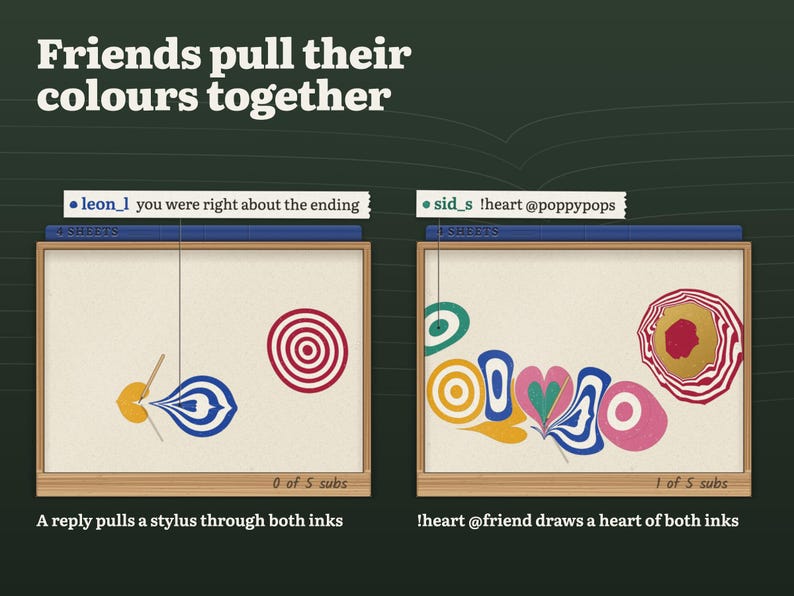
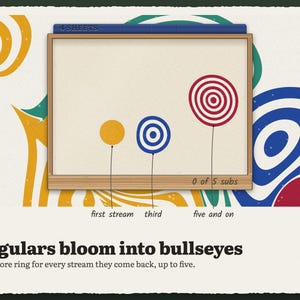
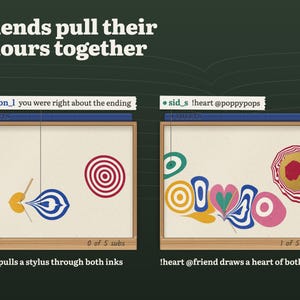
Every stream a chatter comes back, their drop opens one more ring, so a newcomer is a dot and a five-stream regular is a bullseye. Replies pull a stylus through two friends' inks and leave a feathered ribbon between them.
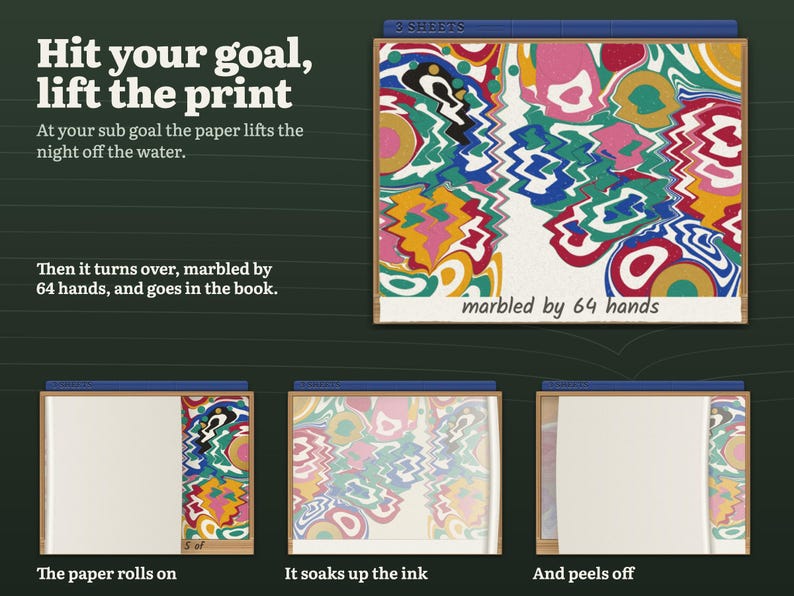
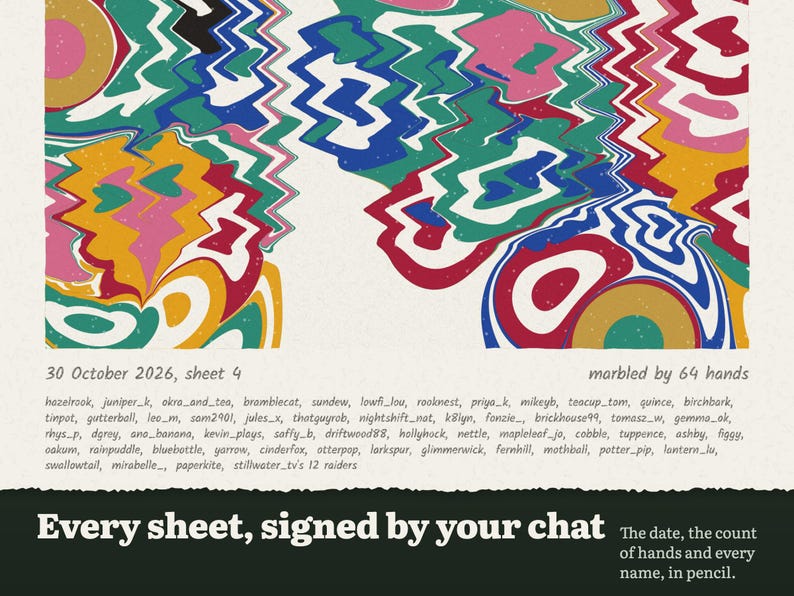
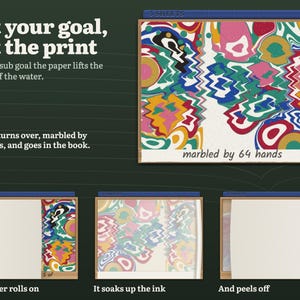
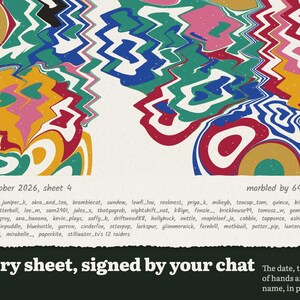
Hit your goal and the paper lifts the whole night off the water: "marbled by 64 hands" is pencilled on its edge and it goes into a little book of past sheets. Every sheet is saved, and you can print any of them later with every chatter's name on the margin.
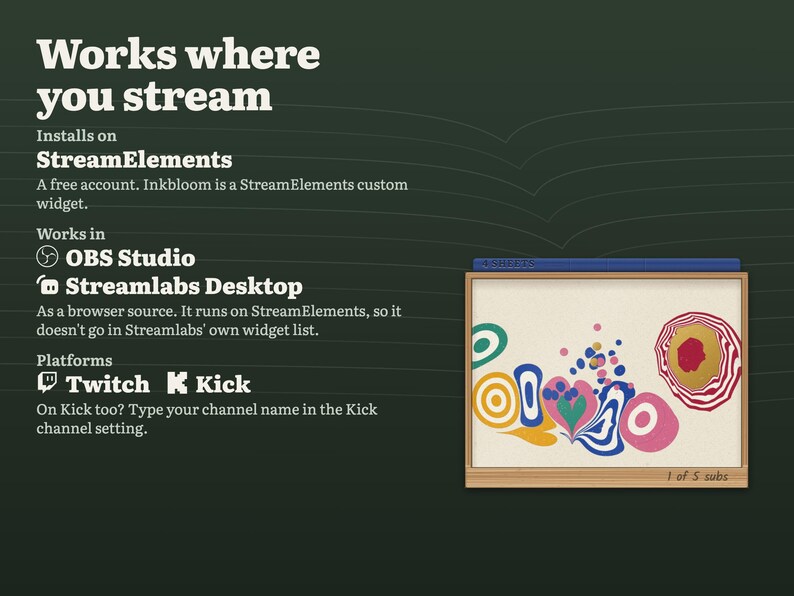
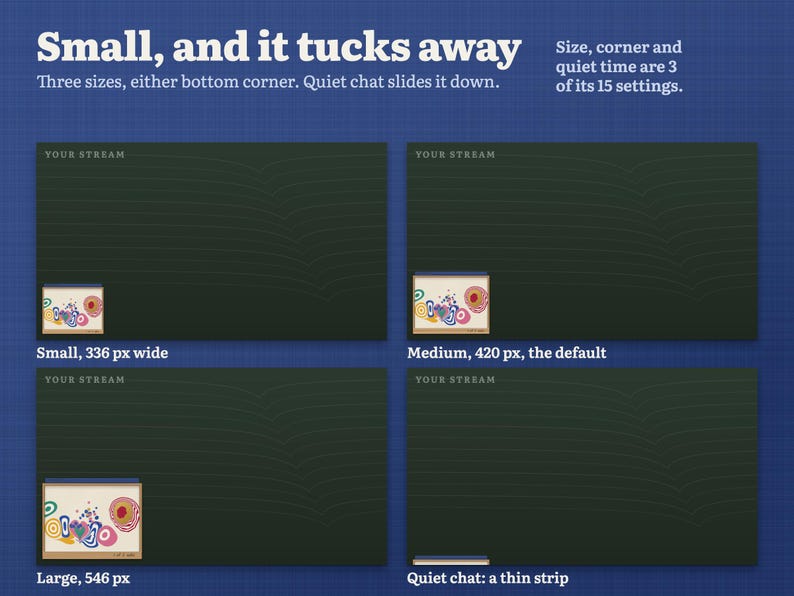
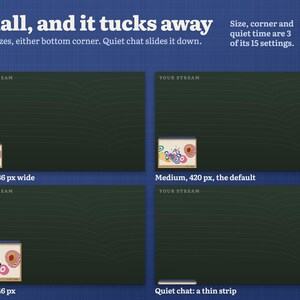
A see-through overlay for StreamElements, shown in OBS or Streamlabs. Twitch and Kick chat drop ink in the same tray. It takes about 7% of a 1080p screen at the default size, and when chat goes quiet it slides down until only a thin strip shows.
WHAT HAPPENS IN THE TRAY
• First message: that chatter's ink drops and blooms. Their colour comes from their name, so they are the same colour every stream.
• Regulars: one ring per stream they have been here, up to a five-ring bullseye.
• Later messages: a soft ripple from their drop and their message on a paper tag.
• Replies and @mentions: a stylus pulls the two inks together into a feathered ribbon.
• A deleted message closes its tag.
• When chat is quiet the tray slides down out of the way, and the next new chatter brings it back up before their ink falls.
ALERTS
• Follow: a small drop of the follower's ink with "followed" on its tag.
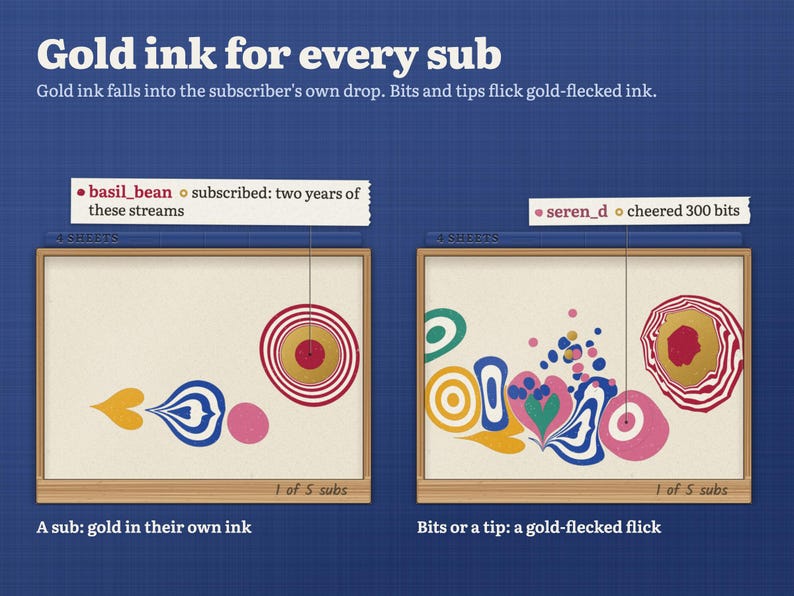
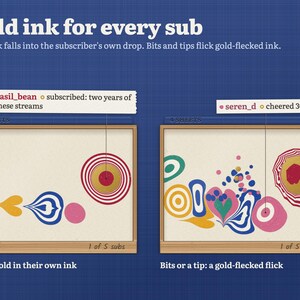
• Sub and resub: gold ink falls into the subscriber's own drop and spreads into a gold band, and the light catches it once.
• Gift subs: gold into the gifter's drop, wider for a bigger gift. A gift bomb counts each gift once.
• Bits and tips: a gold-flecked flick of ink from the sender's drop.
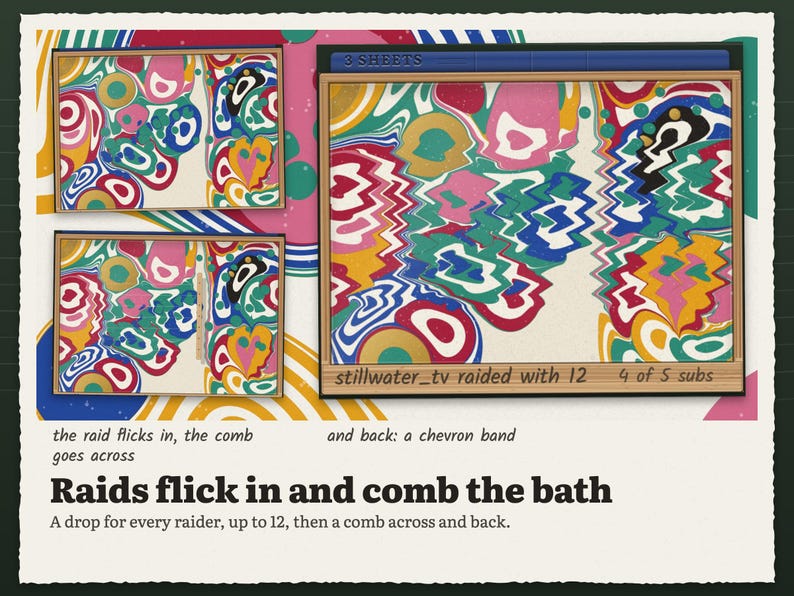
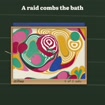
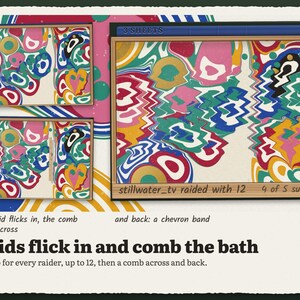
• Raid: the raider's ink is flicked across the tray, one drop per raider (up to 12, your setting), then a comb is drawn across and back, folding everyone's colours into a chevron band. The raid is pencilled on the tray's edge.
THE GOAL
Your goal prints the sheet. It counts subs by default (5), or follows, bits or tips, or no goal at all if you only want to print by command. At the goal the paper rolls onto the water, soaks up the ink, peels off and turns over to show tonight's pattern, then it is filed into the book's spine. A fresh, empty tray is ready for the next drop. If a stream ends before the goal, the water keeps its ink and prints itself when your next stream starts, so no night is lost.
CHAT COMMANDS
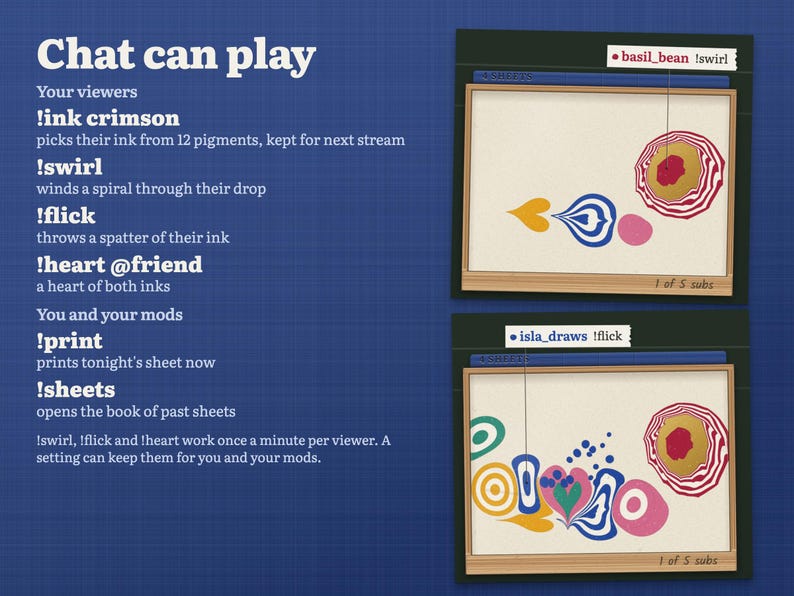
Your viewers:
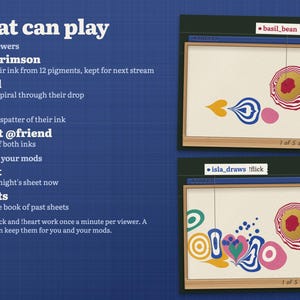
• !ink crimson picks their ink from 12 colours (cobalt, crimson, saffron, verdigris, rose, violet, emerald, marigold, turquoise, plum, lamp black, sepia). It is saved for next stream.
• !swirl winds a spiral through their drop.
• !flick throws a spatter of their ink across the tray.
• !heart @friend draws a heart from their ink and their friend's.
!swirl, !flick and !heart work once a minute per person, and a setting can keep them for you and your mods.
You and your mods:
• !print prints tonight's sheet now.
• !sheets opens the book and turns through the last six sheets.
PRINTS
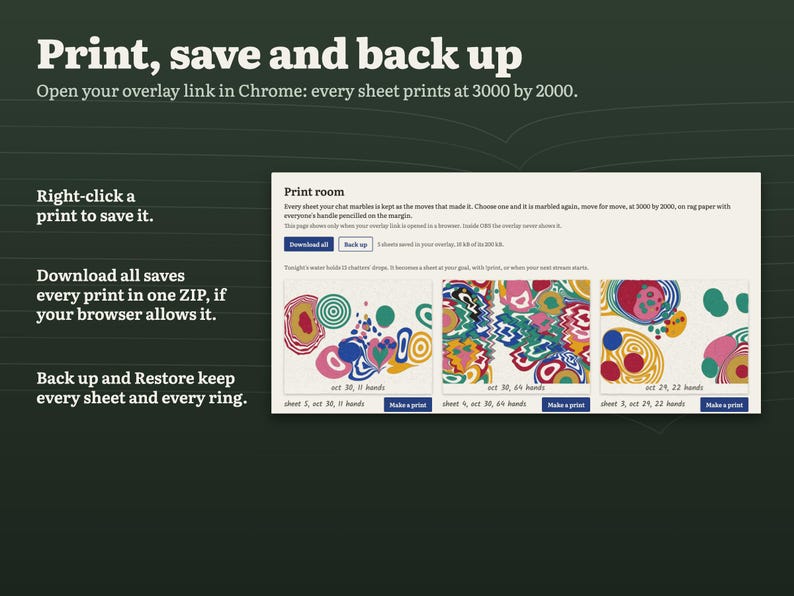
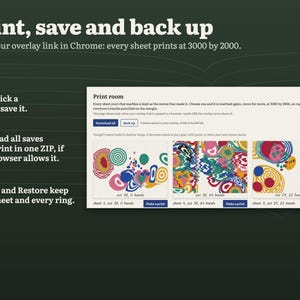
Every sheet is saved in your StreamElements account as the moves that made it. Open your overlay link in Chrome (not in OBS) and Inkbloom shows its print room: every saved sheet, each one marbled again move for move as a 3000 × 2000 print on rag paper, with the date, "marbled by 64 hands" and every chatter's name pencilled along the bottom. Right-click a print to save it, then share it with your community. If your browser allows it, Download all saves every print in one ZIP, Back up saves a small file with every sheet and every chatter's rings, and Restore brings a backup back.
MAKE IT YOURS
15 settings in the widget's settings panel, in plain words:
• Preview a raid and Preview the goal print, to see the big moments before you go live
• Tray size: small, medium or large
• Corner: bottom left or bottom right
• Slide the tray down when chat is quiet: after 20, 45 or 90 seconds, or never
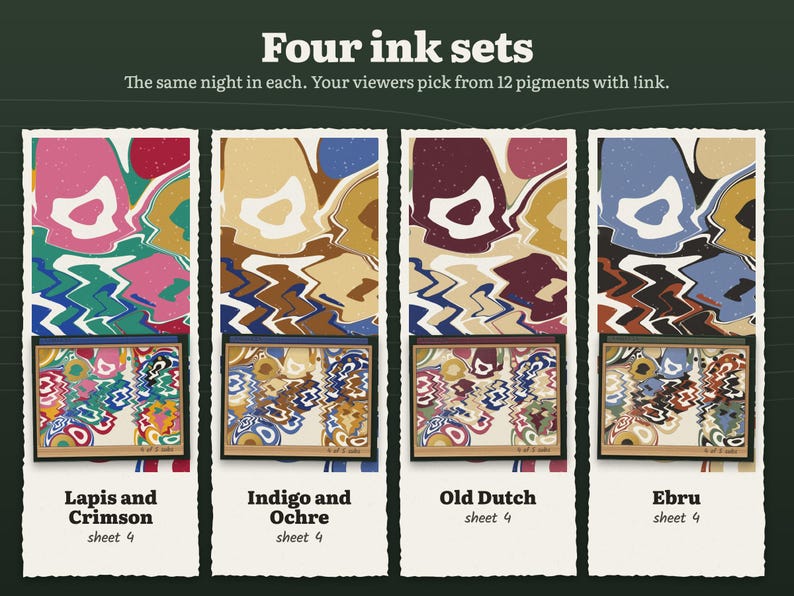
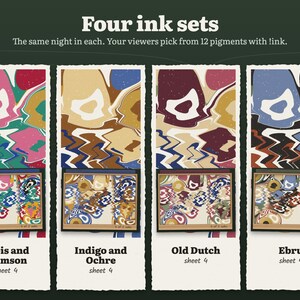
• Ink set: Lapis and Crimson (bright), Indigo and Ochre (calm), Old Dutch, or Ebru (earthy)
• Chat tags: every message, first messages and alerts only, or off
• Graphics: Full, or Light for slower PCs
• Goal: subs, follows, bits, tips or no goal, and the target
• Viewer commands on or off
• Most raid drops
• Ignored bots
• Print room on or off
• Kick channel
WHAT YOU GET
One instant-download ZIP:
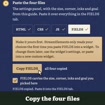
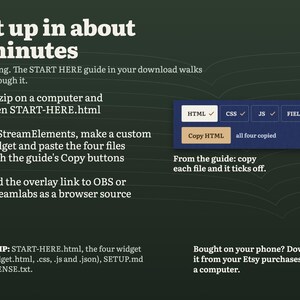
• START-HERE.html: open it in your browser to play with a practice stream that runs the real widget, try your settings, and copy each file with one click
• widget.html, widget.css, widget.js and widget.json: the four files for StreamElements
• SETUP.md: the same steps as plain text
• LICENSE.txt
One-time purchase, no subscription, free updates.
SETUP
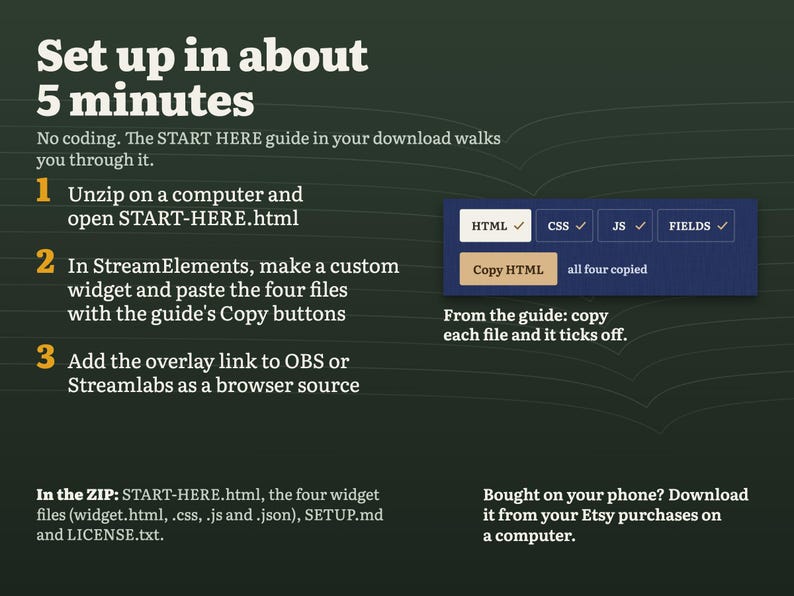
Unzip the download on your computer and open START-HERE.html. Use its copy buttons to paste HTML, CSS, JS and FIELDS into a custom widget in StreamElements, stretch it over a 1920 × 1080 overlay and add the overlay link to OBS or Streamlabs as a browser source. About 5 minutes in all, and no coding needed.
WHAT YOU NEED
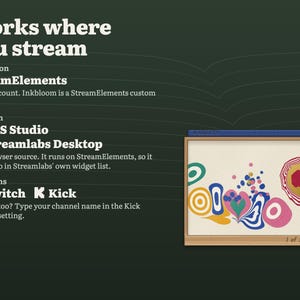
A free StreamElements account and OBS Studio, Streamlabs Desktop or any streaming software with browser sources. A 1920 × 1080 overlay: the tray sits in a bottom corner and the rest stays see-through.
• On Twitch it works as soon as the files are pasted.
• On Kick, type your channel name in the Kick channel setting, or leave it blank if you signed in to StreamElements with Kick.
GOOD TO KNOW
• Each chatter's rings, their !ink colour, tonight's water and your sheets are saved in your StreamElements account, so they carry over between streams and after OBS restarts.
• Your overlay keeps its newest sheets, about 30 streams' worth. Back up from the print room to keep older ones.
• A new stream starts when the overlay has had no chat or alerts for 3 hours.
• Ink drops as people chat; silent viewers get a drop once they type something.
• It counts chat and alerts that arrive while your overlay is running. It doesn't import past followers, subs or chatters.
• Colours look a little different on every screen.
• No sound. Inkbloom is silent, so it never talks over your game or music.
Questions or trouble installing? Message me on Etsy and I usually answer within a day.
Instant Download
Your files will be available to download once payment is confirmed. Here's how.
Instant download items don’t accept returns, exchanges or cancellations. Please contact the seller about any problems with your order.
Etsy Purchase Protection
Shop confidently on Etsy knowing if something goes wrong with an order, we've got your back for all eligible purchases —
see program terms

Be the first to review this item

More from this shop
Visit shop-
Digital download
Interactive Star Chat Overlay and Moon Goal Widget for Twitch, Kick and YouTube | StreamElements | Starlings (Digital Download)
Sale Price $15.99
Original Price $19.99
-
Digital download
Cozy Winter Ice Skating Chat Overlay & Snowman Sub Goal Widget for Twitch, Kick, YouTube | StreamElements | Streamlabs (Digital Download)
Sale Price $16.59
Original Price $20.73
-
Digital download
Interactive Fish Tank Chat Overlay for Twitch & Kick | Aquarium Stream Widget with Sub Goal, Alerts and BRB Scene | OBS StreamElements
Sale Price $14.81
Original Price $18.51
-
Digital download
Boss Fight Overlay for Twitch | Interactive Chat Game Stream Widget with Alerts, Subathon Timer and Health Bar | StreamElements OBS
Sale Price $17.77
Original Price $22.22
Shoppers with similar taste loved these
-
Digital download
Orange Retro Lofi Twitch YouTube Weekly Stream Schedule | Social Media | Editable Canva Template | Orange Aesthetic, Cozy Lofi Windows
$6.00
-
Digital download
Blue Retro Lofi Twitch YouTube Weekly Stream Schedule | Social Media | Editable Canva Template | Aesthetic Blue Color, Kawaii, Cozy Windows
$6.00
-

Digital download
Dark Retro Lofi Twitch YouTube Weekly Stream Schedule | Social Media | Editable Canva Template | Black & White Aesthetic, Cozy Lofi Windows
$6.00
-
Digital download
Pink Starry Sky Twitch YouTube Weekly Stream Schedule | Social Media | Editable Canva Template | Clouds, Stars, Pink, Kawaii Cute, Aesthetic
$6.00
-
Digital download
Aesthetic Bullet Journal Theme - Twitch YouTube Weekly Stream Schedule | Social Media | Editable Canva Template | Beige, Kawaii, Chill, Cozy
$6.00
-

Digital download
Cozy Lofi Desk Twitch YouTube Weekly Stream Schedule | Social Media | Canva Twitch Schedule | Coffee Theme, Warm Comfy Kawaii Lofi Desk
$6.00
-
Digital download
Winter Wonderland Twitch YouTube Stream Schedule Canva Template Snowflake Christmas Holiday Stream Overlay Design
$6.00
-
Digital download
Twitch Schedule Red - Red Retro Lofi Twitch YouTube Weekly Stream Schedule | Social Media | Editable Canva Template | Aesthetic Red Stream
$6.00
-
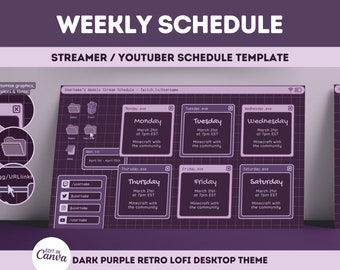
Digital download
Dark Purple Retro Lofi Twitch YouTube Weekly Stream Schedule | Social Media | Editable Canva Template | Purple Aesthetic, Cozy Lofi Windows
$6.00
-
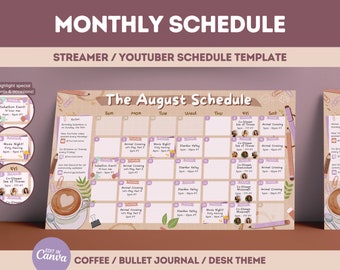
Digital download
Cozy Lofi Desk Twitch YouTube Monthly Stream Schedule | Social Media | Canva Twitch Schedule | Cafe Coffee Theme, Warm Comfy Kawaii Cute
$6.00
-

Digital download
Cozy Plants Lofi Desk Twitch YouTube Monthly Stream Schedule | Social Media | Canva Twitch Schedule | Greenhouse, Cute Green Leaves Leaf
$6.00
-
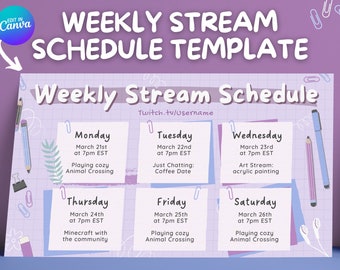
Digital download
Lofi Desk Twitch YouTube Weekly Stream Schedule | Social Media | Editable Canva Template | Pastel Purple Theme, Cute Cozy Kawaii Lofi Desk
$6.00