


2027 Digital Planner for Tablet, Hyperlinked Year Month Week Day Pages, GoodNotes PDF
Item highlights
Seller's description
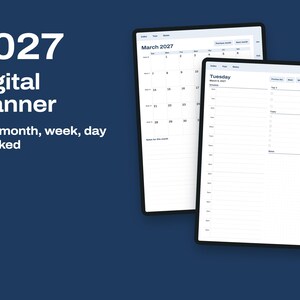
A general 2027 planner for a tablet, for handwriting in a PDF note app. It has no subject or study pages.
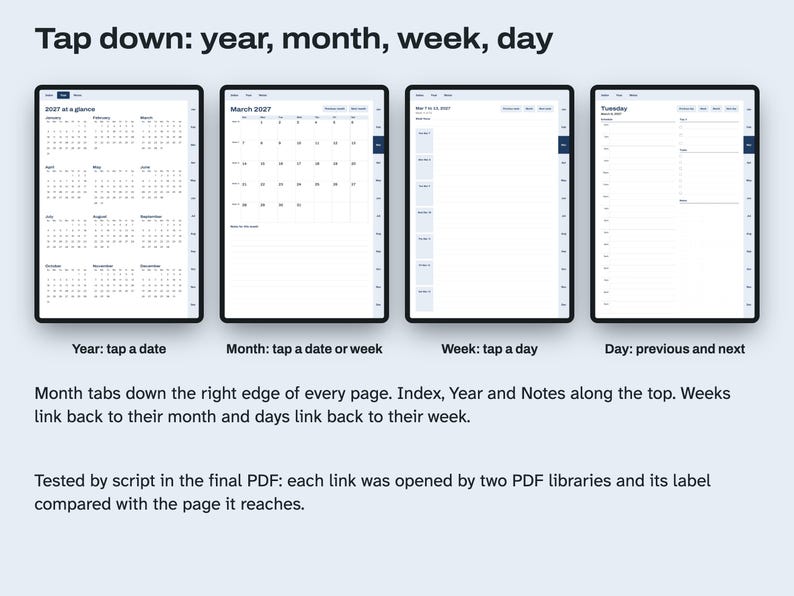
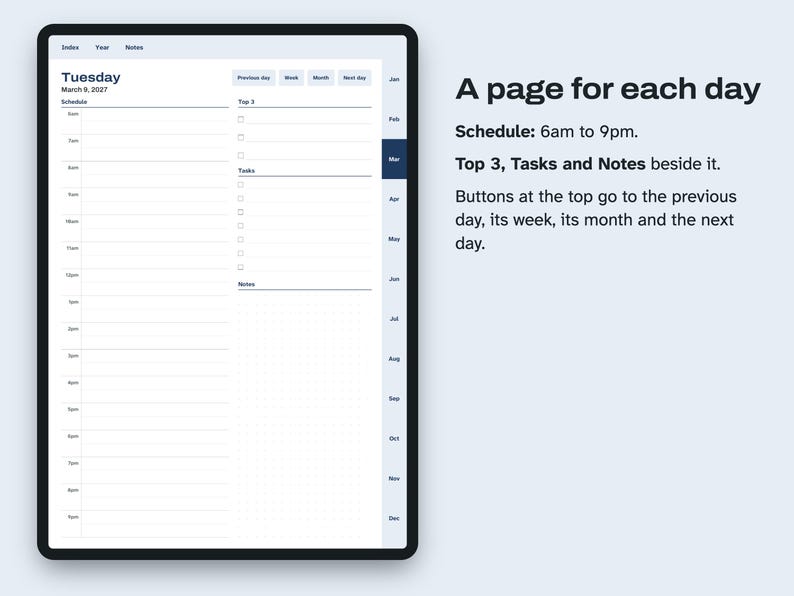
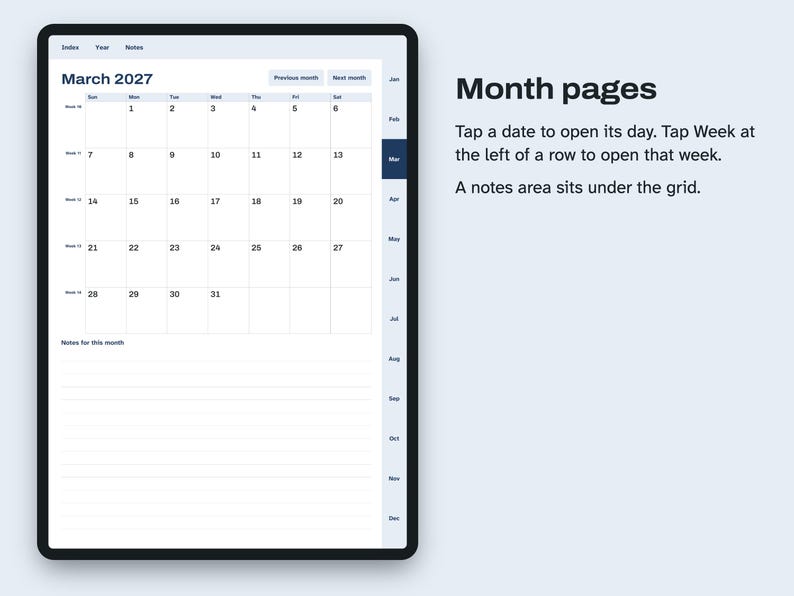
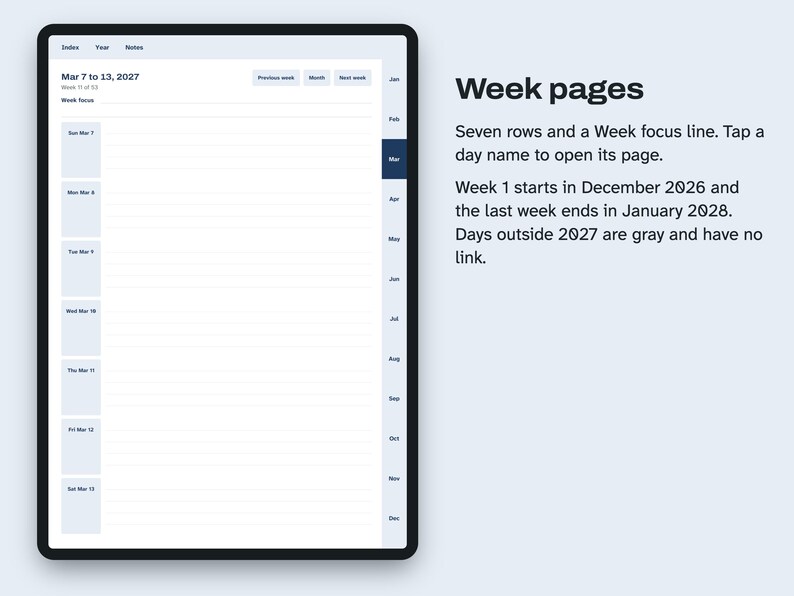
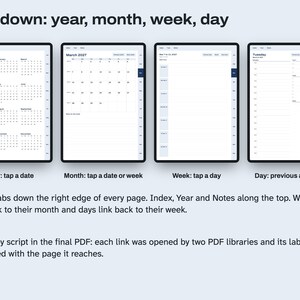
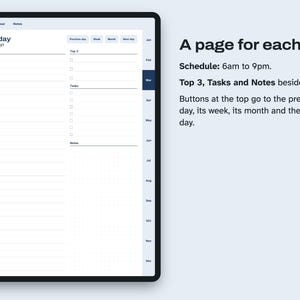
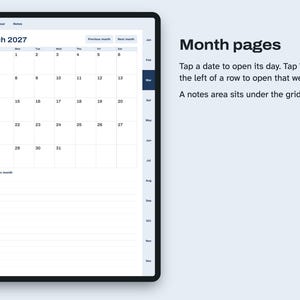
Every date links down through the year. On the year page, tap a date for its day or a month name for its month. On a month page, tap a date for its day or the Week label at the left of a row for that week. On a week page, tap a day name to open it. Day pages have buttons for the previous day, its week, its month and the next day.
Month tabs run down the right edge of every page after the cover. Index, Year and Notes run along the top.
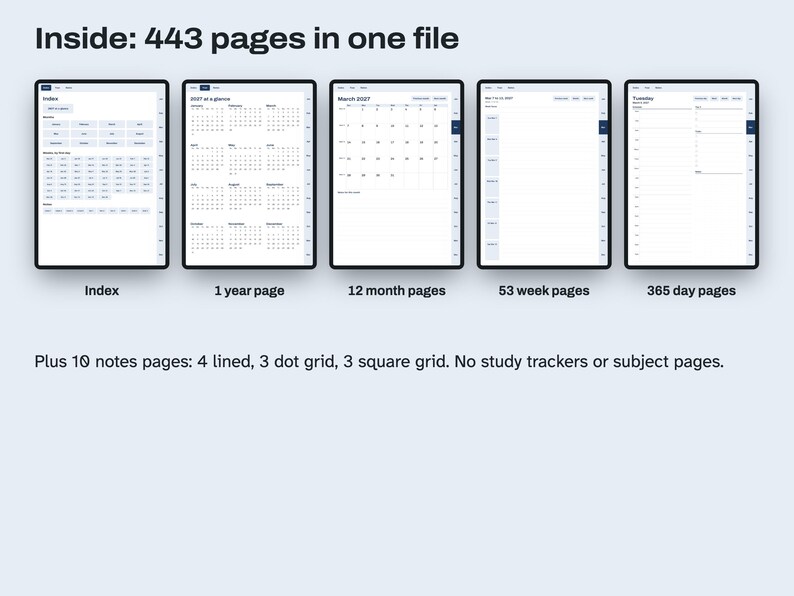
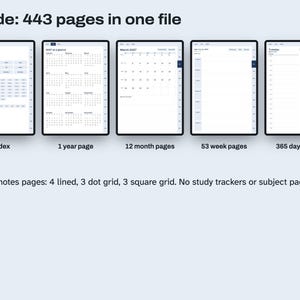
Inside the 443 pages: an index, 1 year page, 12 month pages with a notes area, 53 week pages with a Week focus line and seven ruled rows, 365 day pages with a Schedule from 6am to 9pm, Top 3, Tasks and Notes, and 10 notes pages (4 lined, 3 dot grid, 3 square grid).
Weeks at the ends of the year show days of December 2026 and January 2028 in gray, without links, because the file has day pages only for 2027.
HOW THIS WAS MADE
AI helped write the listing text, the how-to text and the code that builds this file. Scripts tested: every date and weekday against a calendar library, all 9,500 or so links (each link's label compared with the page it opens, in two PDF libraries), that every page can be reached from page 1 and text overflow. No person is claimed to have checked it unless stated here.
License: for your personal use only. No resale or sharing of this file.
WHAT'S INCLUDED
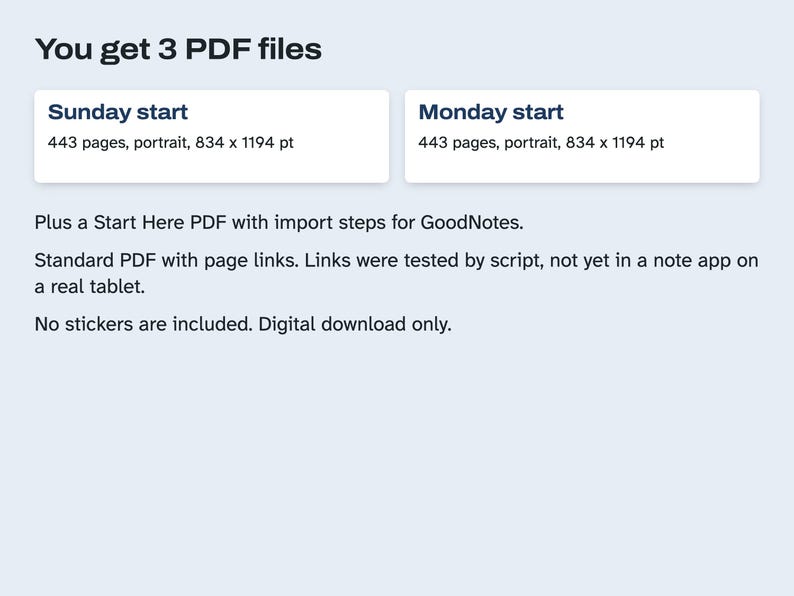
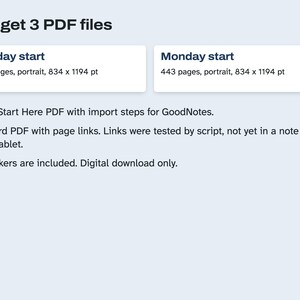
- 2027-Digital-Planner-Tablet-Sunday-Start.pdf, 443 pages
- 2027-Digital-Planner-Tablet-Monday-Start.pdf, 443 pages, same pages with the week starting on Monday
- Start-Here-Digital-Planner.pdf, which file to use and import steps
Use one file; you do not need both. Digital download. Stickers are not included.
File sizes:
2027-Digital-Planner-Tablet-Monday-Start.pdf: 750,528 bytes
2027-Digital-Planner-Tablet-Sunday-Start.pdf: 750,784 bytes
Start-Here-Digital-Planner.pdf: 32,834 bytes
COMPATIBILITY
Tablet PDF with explicit page links, made for PDF note apps such as GoodNotes. Page size 834 x 1194, portrait pt. A script opened every link in the final PDF with two PDF libraries (pikepdf and PDFium). Opening this file in GoodNotes or another note app on a real tablet has not been recorded yet. Other note apps can open the same PDF, but links behave differently from app to app.
QUESTIONS AND HOW-TO
Can I print it? It is shaped for a tablet, so it prints scaled down with white margins. The printable planners in this shop are made for paper.
Does it have pages for school or for science subjects? No. This one has calendar, planning and notes pages only.
Why two files? One starts each week on Sunday and the other on Monday. Pick the one you want and import only that.
Can I add more notes pages? That depends on your note app. The file itself has 10 notes pages.
Importing this PDF into GoodNotes
Save the PDF to the Files app on your iPad first. If the Etsy app won't download it, use Etsy in the Safari browser.
In GoodNotes, open the Documents tab, tap the + button and choose Import.
Find the PDF in Files and tap it. It opens as a new notebook.
Tap a tab or a date to follow its link. If your pen writes on the page instead, turn on Read Only mode from the pen icon at the top, tap the link, then turn it off.
Other note apps can open the same PDF, but links behave differently from app to app.
HOW AI WAS USED
AI helped write the listing text, the how-to text and the code that builds this file. Scripts tested: every date and weekday against a calendar library, all 9,500 or so links (each link's label compared with the page it opens, in two PDF libraries), that every page can be reached from page 1 and text overflow. No person is claimed to have checked it unless stated here.
PLEASE NOTE
Written for handwriting in a PDF note app. The app and the tablet are not included. App names are for compatibility only. Digital files cannot be returned once downloaded; if a file does not open or a link is broken, send a message through Etsy. License: for your personal use only. No resale or sharing of this file.
If something goes wrong with an order, we've got your back for all eligible purchases. View program terms
NowPrice:$2.99
Original Price: $3.99
25% off
Sale ends on November 16
You can only make an offer when buying a single item
Delivery
Instant download
Your files will be available to download once payment is confirmed. Here's how.
Instant download items don't accept returns, exchanges or cancellations. Please contact the seller about any problems with your order.
Seller's description
Specifications
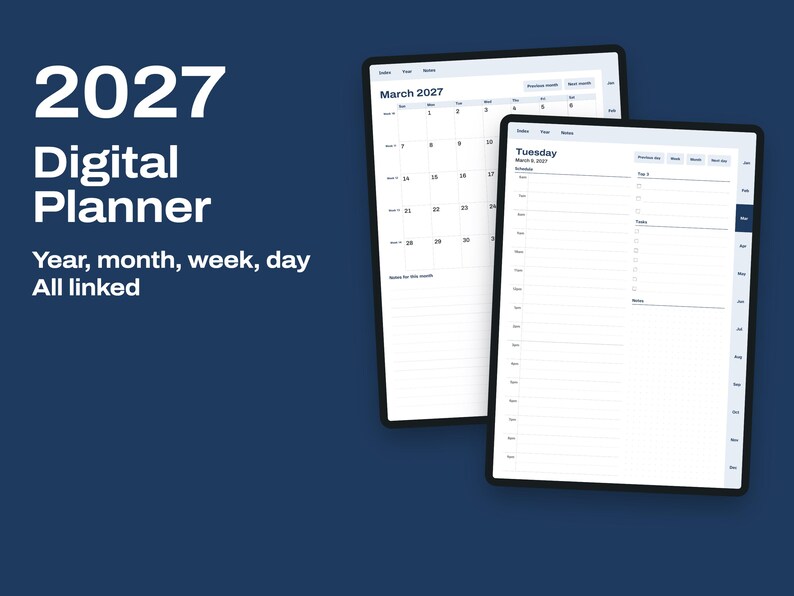
A general 2027 planner for a tablet, for handwriting in a PDF note app. It has no subject or study pages.
Every date links down through the year. On the year page, tap a date for its day or a month name for its month. On a month page, tap a date for its day or the Week label at the left of a row for that week. On a week page, tap a day name to open it. Day pages have buttons for the previous day, its week, its month and the next day.
Month tabs run down the right edge of every page after the cover. Index, Year and Notes run along the top.
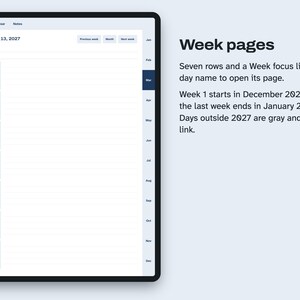
Inside the 443 pages: an index, 1 year page, 12 month pages with a notes area, 53 week pages with a Week focus line and seven ruled rows, 365 day pages with a Schedule from 6am to 9pm, Top 3, Tasks and Notes, and 10 notes pages (4 lined, 3 dot grid, 3 square grid).
Weeks at the ends of the year show days of December 2026 and January 2028 in gray, without links, because the file has day pages only for 2027.
HOW THIS WAS MADE
AI helped write the listing text, the how-to text and the code that builds this file. Scripts tested: every date and weekday against a calendar library, all 9,500 or so links (each link's label compared with the page it opens, in two PDF libraries), that every page can be reached from page 1 and text overflow. No person is claimed to have checked it unless stated here.
License: for your personal use only. No resale or sharing of this file.
WHAT'S INCLUDED
- 2027-Digital-Planner-Tablet-Sunday-Start.pdf, 443 pages
- 2027-Digital-Planner-Tablet-Monday-Start.pdf, 443 pages, same pages with the week starting on Monday
- Start-Here-Digital-Planner.pdf, which file to use and import steps
Use one file; you do not need both. Digital download. Stickers are not included.
File sizes:
2027-Digital-Planner-Tablet-Monday-Start.pdf: 750,528 bytes
2027-Digital-Planner-Tablet-Sunday-Start.pdf: 750,784 bytes
Start-Here-Digital-Planner.pdf: 32,834 bytes
COMPATIBILITY
Tablet PDF with explicit page links, made for PDF note apps such as GoodNotes. Page size 834 x 1194, portrait pt. A script opened every link in the final PDF with two PDF libraries (pikepdf and PDFium). Opening this file in GoodNotes or another note app on a real tablet has not been recorded yet. Other note apps can open the same PDF, but links behave differently from app to app.
QUESTIONS AND HOW-TO
Can I print it? It is shaped for a tablet, so it prints scaled down with white margins. The printable planners in this shop are made for paper.
Does it have pages for school or for science subjects? No. This one has calendar, planning and notes pages only.
Why two files? One starts each week on Sunday and the other on Monday. Pick the one you want and import only that.
Can I add more notes pages? That depends on your note app. The file itself has 10 notes pages.
Importing this PDF into GoodNotes
Save the PDF to the Files app on your iPad first. If the Etsy app won't download it, use Etsy in the Safari browser.
In GoodNotes, open the Documents tab, tap the + button and choose Import.
Find the PDF in Files and tap it. It opens as a new notebook.
Tap a tab or a date to follow its link. If your pen writes on the page instead, turn on Read Only mode from the pen icon at the top, tap the link, then turn it off.
Other note apps can open the same PDF, but links behave differently from app to app.
HOW AI WAS USED
AI helped write the listing text, the how-to text and the code that builds this file. Scripts tested: every date and weekday against a calendar library, all 9,500 or so links (each link's label compared with the page it opens, in two PDF libraries), that every page can be reached from page 1 and text overflow. No person is claimed to have checked it unless stated here.
PLEASE NOTE
Written for handwriting in a PDF note app. The app and the tablet are not included. App names are for compatibility only. Digital files cannot be returned once downloaded; if a file does not open or a link is broken, send a message through Etsy. License: for your personal use only. No resale or sharing of this file.
-
Item typeDigital download
-
Digital file type(s)3 PDF
If something goes wrong with an order, we've got your back on all eligible purchases. View program terms
Meet your seller
More from this shop
-
Digital download
Cash Flow Spreadsheet, 12 Month Forecast vs Actual, Balance Warning, Excel
Sale Price $4.49
Original Price $5.99
-
Digital download
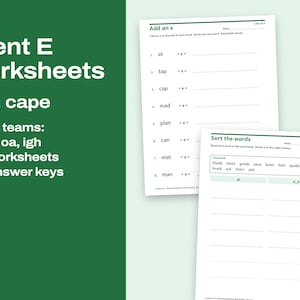
Silent E Worksheets Printable, Long Vowel Words and Vowel Teams, Phonics Practice With Keys
Sale Price $2.99
Original Price $3.99
-
Digital download
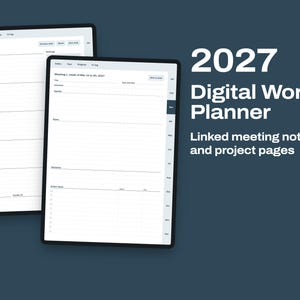
2027 Digital Work Planner, Linked Meeting Notes, Project Pages and Weekly Agenda for iPad
Sale Price $2.99
Original Price $3.99
-
Digital download
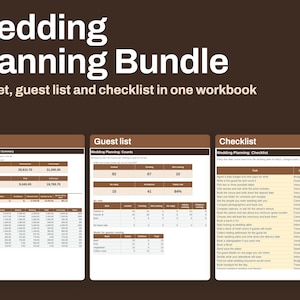
Wedding Planning Bundle, Budget by Guest Count, Guest List and Dated Checklist, Excel
Sale Price $7.49
Original Price $9.99
-
Digital download
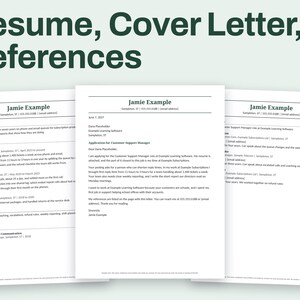
Resume and Cover Letter Set for Word, Matching Headers, References Page
Sale Price $4.49
Original Price $5.99
-
Digital download
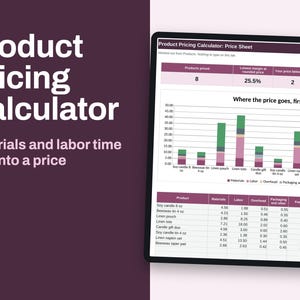
Product Pricing Calculator Spreadsheet, Materials, Labor Time and Margin for Makers, Excel
Sale Price $4.49
Original Price $5.99