


Engineering Resume Template for Word, Technical Skills, Projects and Certifications Sections
Item highlights
If something goes wrong with an order, we've got your back for all eligible purchases. View program terms
NowPrice:$2.62
Original Price: $3.49
25% off
Sale ends on November 16
You can only make an offer when buying a single item
Delivery
Instant download
Your files will be available to download once payment is confirmed. Here's how.
Instant download items don't accept returns, exchanges or cancellations. Please contact the seller about any problems with your order.
Seller's description
Specifications
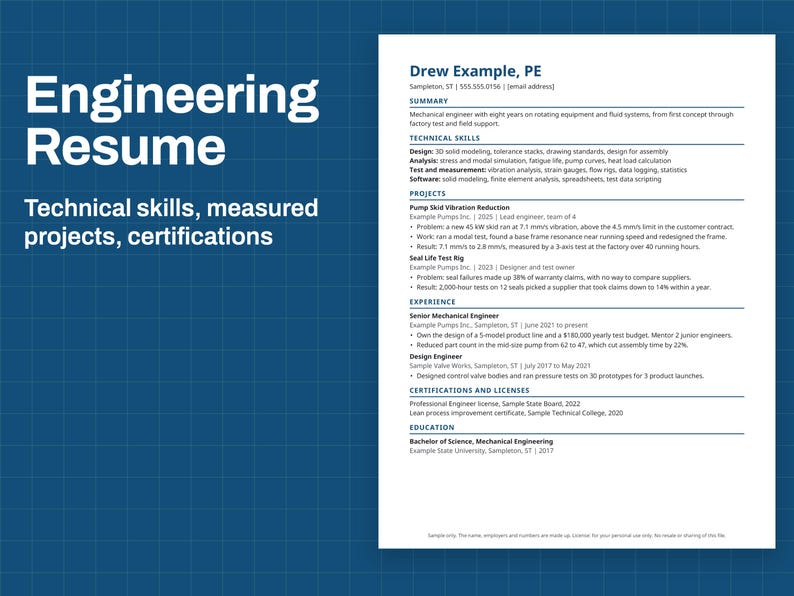
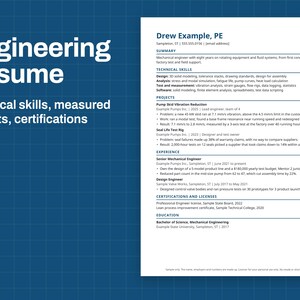
A one-page resume for engineers, with the sections engineering postings tend to ask about: technical skills, projects with measured results, and certifications.
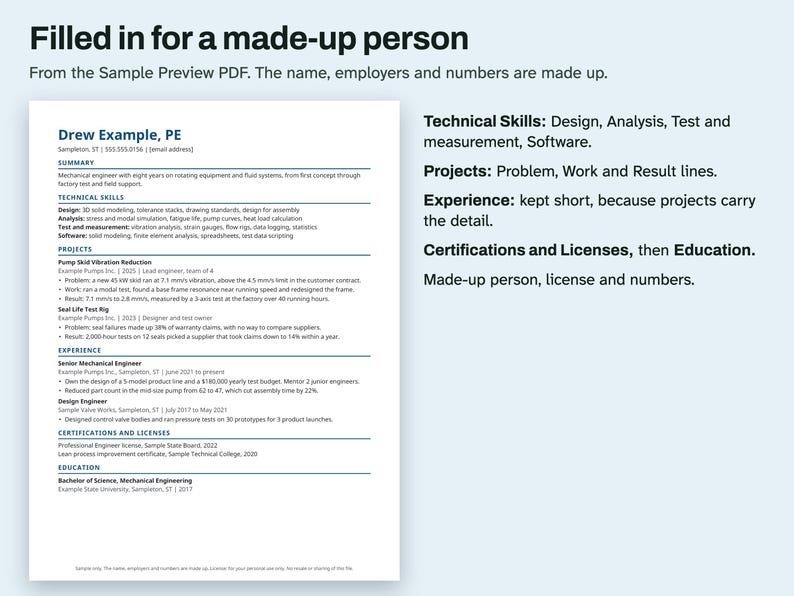
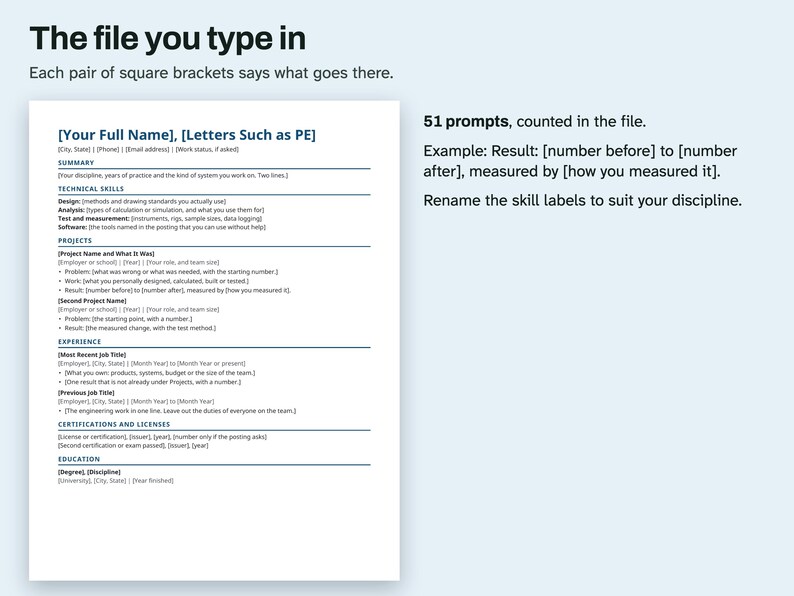
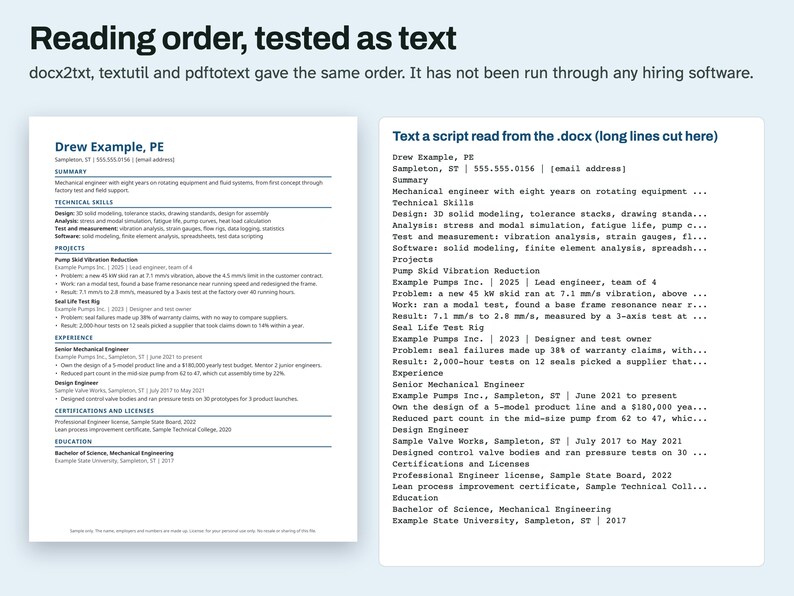
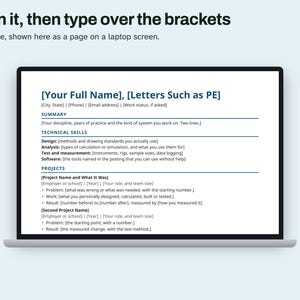
The sections, top to bottom: name with letters such as PE, contact line, Summary, Technical Skills, Projects, Experience, Certifications and Licenses, and Education.
Technical Skills has four labeled lines: Design, Analysis, Test and measurement, and Software. You can rename them to suit your discipline.
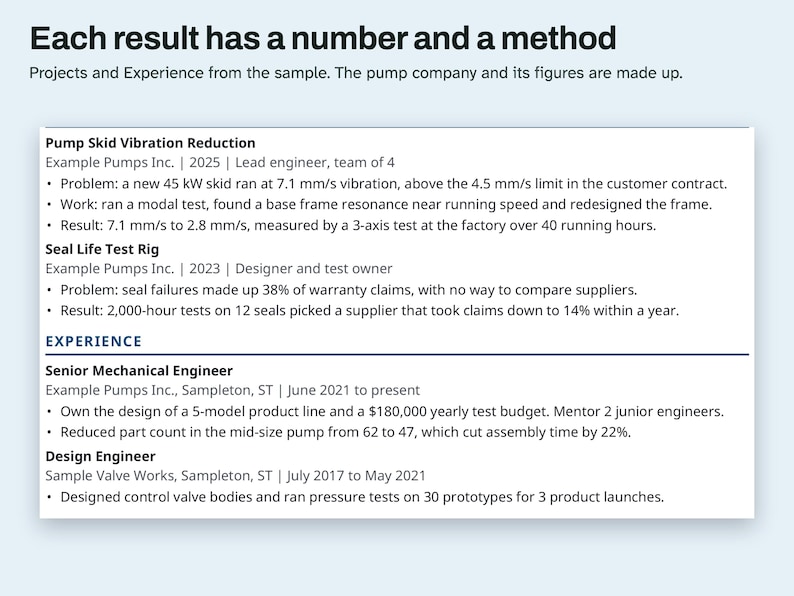
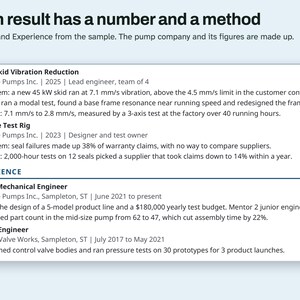
Projects are written as Problem, Work and Result. The Result line asks for the number before, the number after and how you measured it.
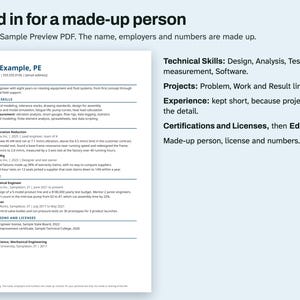
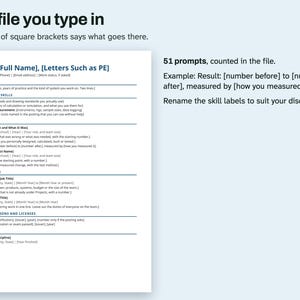
The 51 prompts in square brackets say what goes on each line. The Sample Preview PDF shows the page filled in with made-up entries for a mechanical engineer at a made-up pump company.
WHAT'S INCLUDED
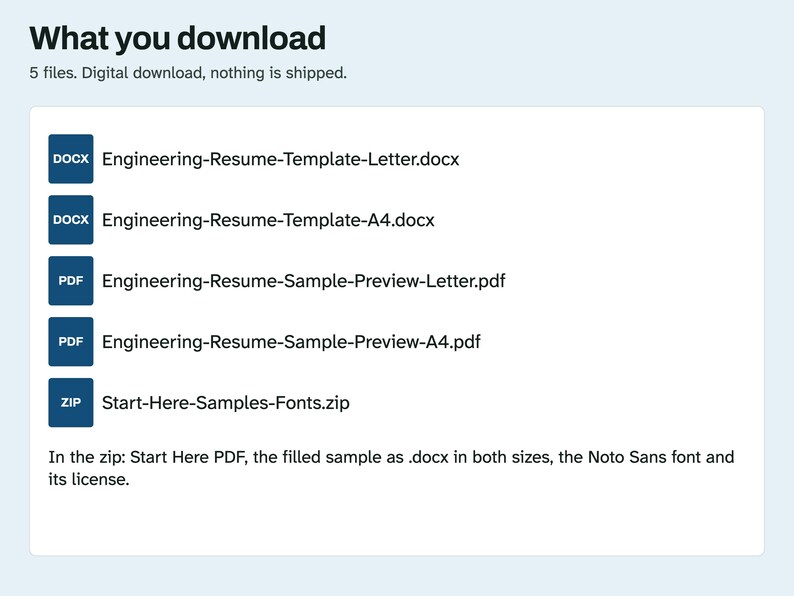
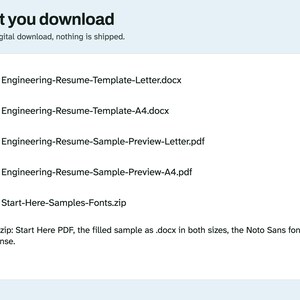
- Engineering-Resume-Template-Letter.docx and Engineering-Resume-Template-A4.docx, the files you type in
- Engineering-Resume-Sample-Preview-Letter.pdf and Engineering-Resume-Sample-Preview-A4.pdf, the filled-in page with made-up entries
- Start-Here-Samples-Fonts.zip: Start Here PDF, the filled sample as .docx in both sizes, the Noto Sans font files and their license
Each document is 1 page. Digital download. Nothing is shipped.
COMPATIBILITY
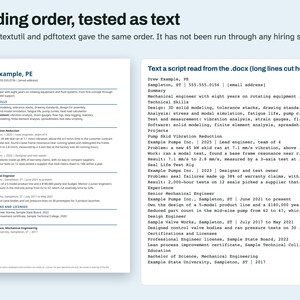
A .docx file with ordinary text, heading styles and one column. No tables, text boxes, macros or add-ins. Scripts opened it in LibreOffice 26.8 and read the text with docx2txt, macOS textutil and, after a PDF export, pdftotext. With its font swapped for Liberation Sans or Liberation Serif in LibreOffice, each document stayed on one page. A script also opened this file in Microsoft Word for Mac 16.114.3 and exported a PDF: it stayed on one page and the words came out in the same order as the file. Word used Calibri, Arial or Noto depending on the file and what it could fetch, and no fonts were installed for the test. That test did not type longer text. Google Docs and Pages have not been tried, no ATS was tested, and the menu steps below have not been tried in Word, Google Docs or Pages.
QUESTIONS AND HOW-TO
Is it only for mechanical engineers? No. The sample is mechanical, and the template's prompts name no discipline. Rename the Technical Skills labels to suit yours.
What if my project results are confidential? Give the percentage change, or leave the project out. Check your employer's rules first.
Are the sample's numbers and license real? No. The person, the employers, the license and every number are made up.
Will it get through an applicant tracking system? No one can promise that, and this file has not been run through one. What was tested is the reading order as text: three text readers gave the words in the same order as the page.
Why does the sample still show [email address]? So the sample holds no real address. Everything else on it is made up.
Editing this file in Word or Google Docs
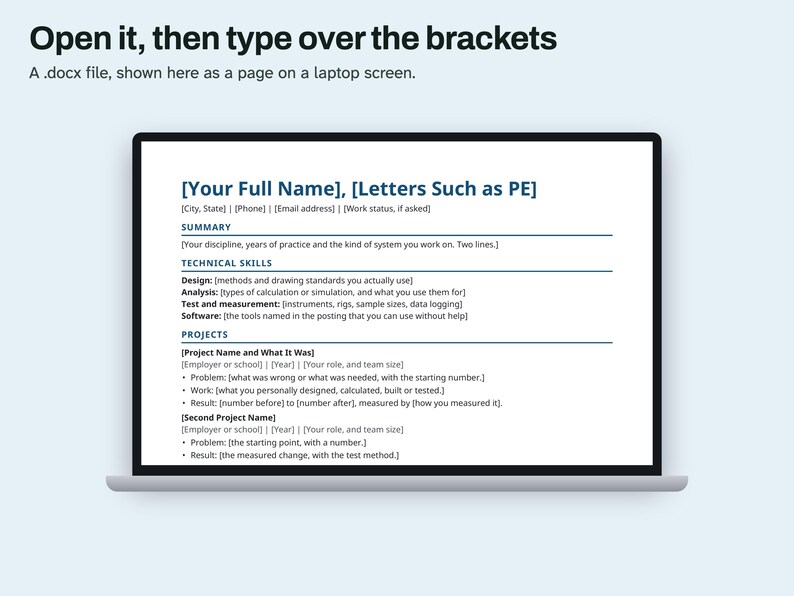
In Word: open the .docx file. If a yellow bar says Protected View, click Enable Editing. Select the text in [square brackets], brackets included, then type over it.
In Google Docs: open Google Drive, click New > File upload and pick the .docx file. Right-click it in Drive and choose Open with > Google Docs.
To get a file back out of Docs, use File > Download and choose Microsoft Word or PDF.
Line breaks can move between the two apps. Check the page count before you save a final copy.
If a font looks different, the app has swapped in another one. The layout still works.
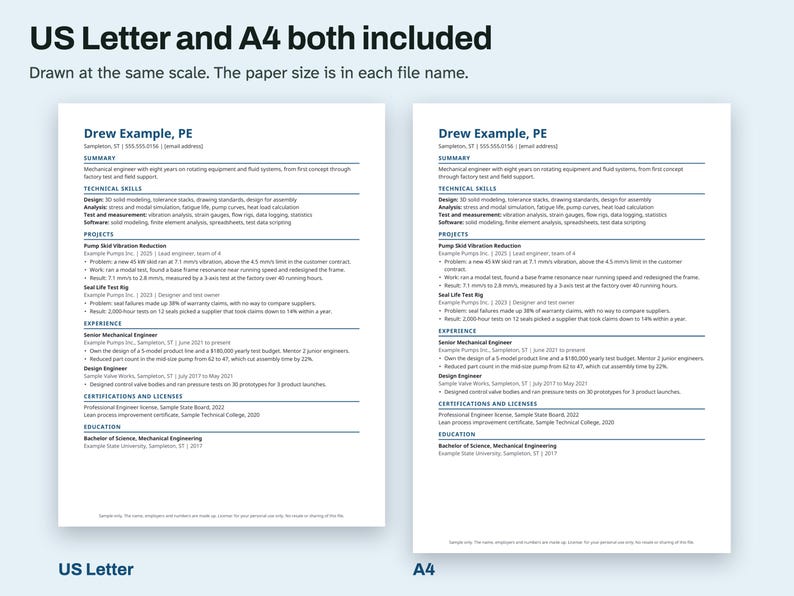
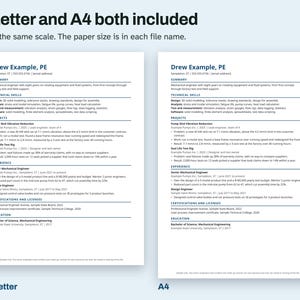
A4 or US Letter
US Letter is 8.5 x 11 inches (216 x 279 mm). It is the usual paper in the United States and Canada.
A4 is 210 x 297 mm (8.3 x 11.7 inches). It is the usual paper in most other countries.
The paper size is in each file name. Print the one that matches the paper in your printer.
If you only have the other size, use Fit or Scale to Fit in the print window. The page will come out slightly smaller, with wider margins.
HOW AI WAS USED
AI helped write the listing text, the how-to text, the prompts, the made-up sample entries and the code that builds this file. Scripts tested: the file structure (one column, no tables or text boxes, real heading styles), the reading order as text through docx2txt, textutil and pdftotext, the page count in LibreOffice, the page count with the font swapped, and the metadata. No person is claimed to have checked it unless stated here.
PLEASE NOTE
This is a layout with writing prompts. It gives no career or engineering advice and cannot promise an interview or a job. The sample person, employers, license and numbers are made up. License: for your personal use only. No resale or sharing of this file.
-
Item typeDigital download
-
Digital file type(s)2 PDF, 1 ZIP, 2 other files
If something goes wrong with an order, we've got your back on all eligible purchases. View program terms
Meet your seller
More from this shop
-
Digital download
Lorenz Attractor Wall Art Printable, Chaos Theory Line Drawing, Minimal Science Poster
Sale Price $2.99
Original Price $3.99
-
Digital download
Chladni Figures Wall Art Printable, Vibrating Plate Patterns, Physics Poster Set of 4
Sale Price $3.74
Original Price $4.99
-
Digital download
Phase Portrait Wall Art Printable, Pendulum Flow Field Drawn From the Equation, Five Ratios
Sale Price $2.99
Original Price $3.99
-
Digital download
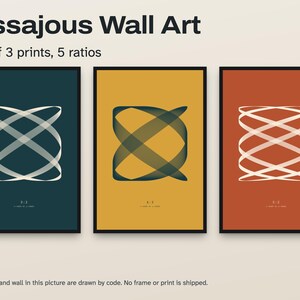
Lissajous Wall Art Printable Set of 3, Math Curves From Real Equations, Five Ratios
Sale Price $3.74
Original Price $4.99
-
Digital download
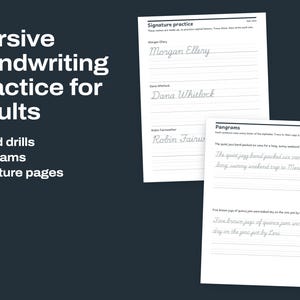
Cursive Handwriting Practice for Adults, Printable Drills, Pangrams and Signature Pages
Sale Price $2.24
Original Price $2.99
-
Digital download
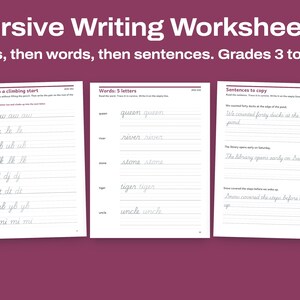
Cursive Writing Worksheets, Joining Letters, Words and Original Sentences, Grades 3 to 5
Sale Price $2.24
Original Price $2.99