


Wedding Budget Spreadsheet by Guest Count, Per Head Costs Update, Excel
NowPrice:$4.87
Original Price: $6.49
25% off
Sale ends on November 16
Here's what's eligible:
- Your order doesn't match the item description or photos
- Your item arrived damaged
- Your item arrived after the estimated arrival window
- Your item didn't arrive or was lost in the mail
You can only make an offer when buying a single item
Highlights
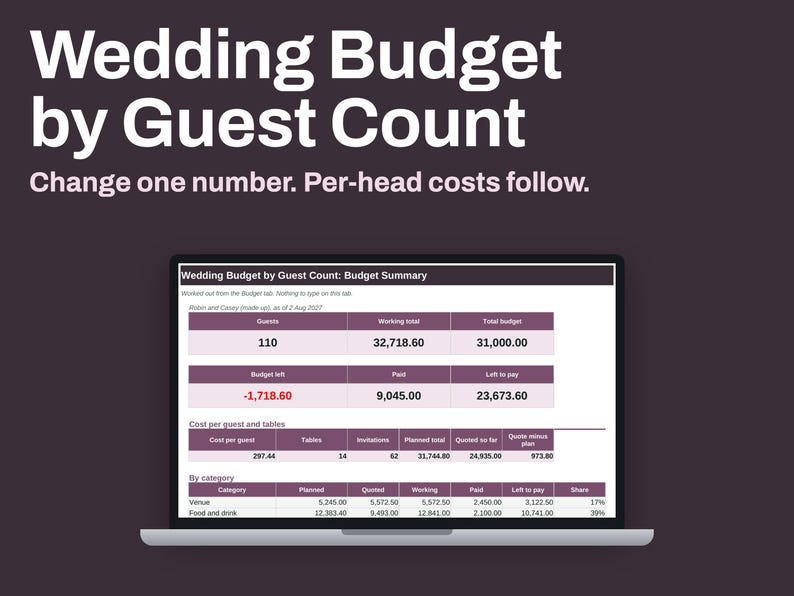
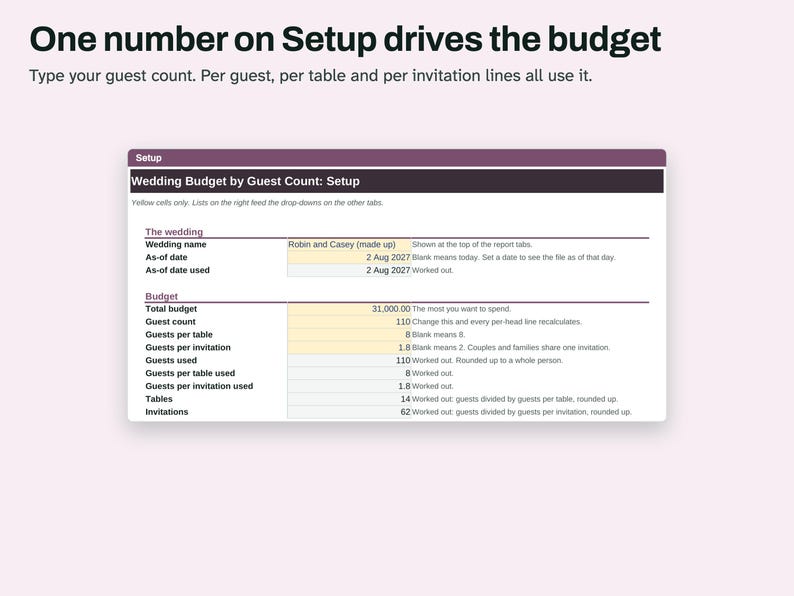
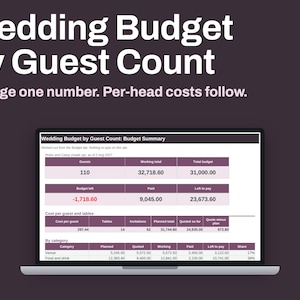
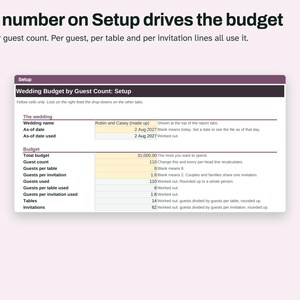
A wedding budget built around one number: your guest count. Change it on the Setup tab, and every per-guest, per-table and per-invitation line recalculates, along with the total.
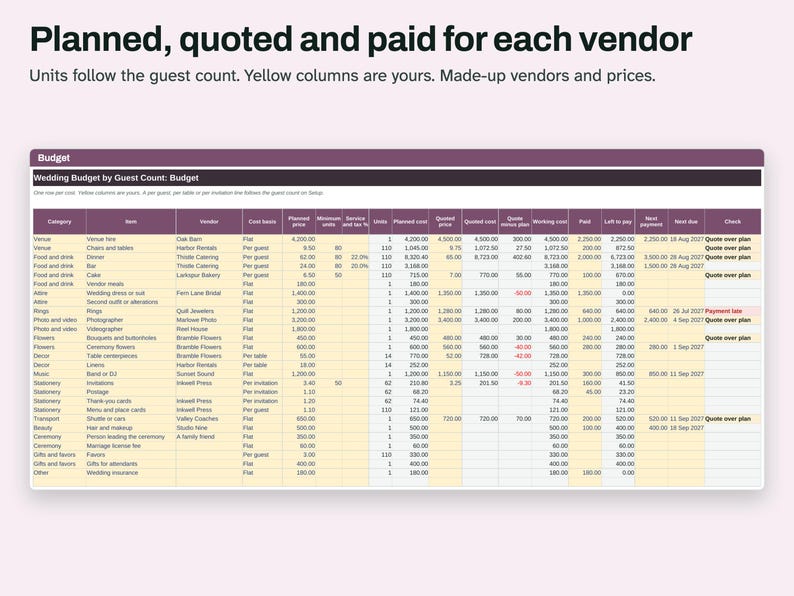
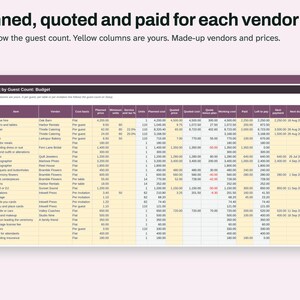
Budget tab: 27 starter lines, such as Dinner, Bar, Linens and Invitations, and room for 60. Each line has a cost basis: Flat, Per guest, Per table or Per invitation. Type a planned price, a quoted price and what you have paid. The sheet shows units, planned cost, quoted cost, working cost and what is left to pay. A Minimum units column handles a caterer with an 80-guest minimum. A Service and tax % column adds those to the line.
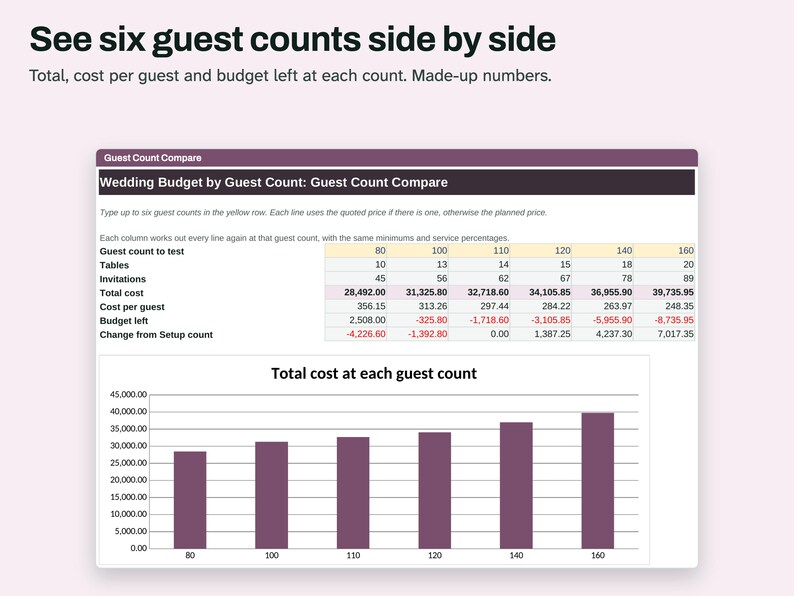
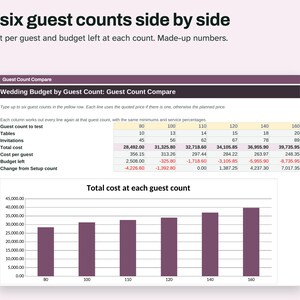
Guest Count Compare tab: type six guest counts, such as 80, 100 and 120, and see every line, the total and the cost per guest at each one.
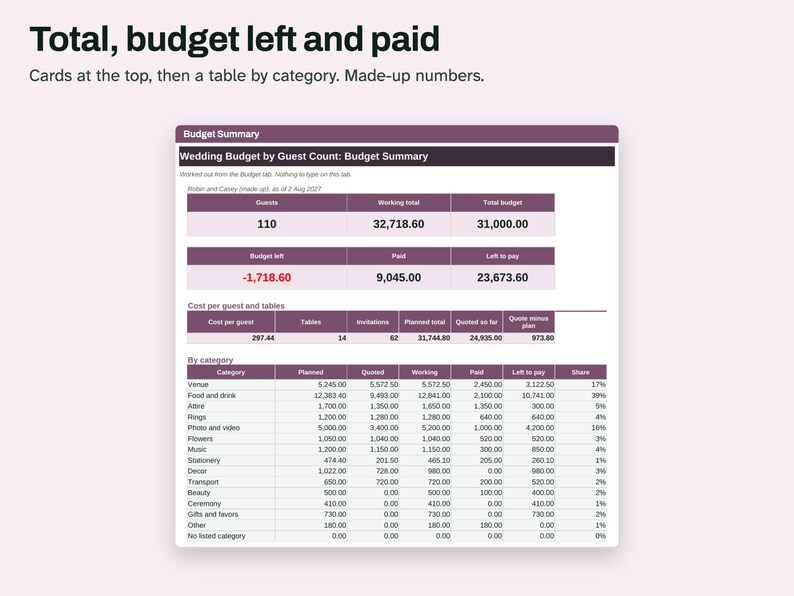
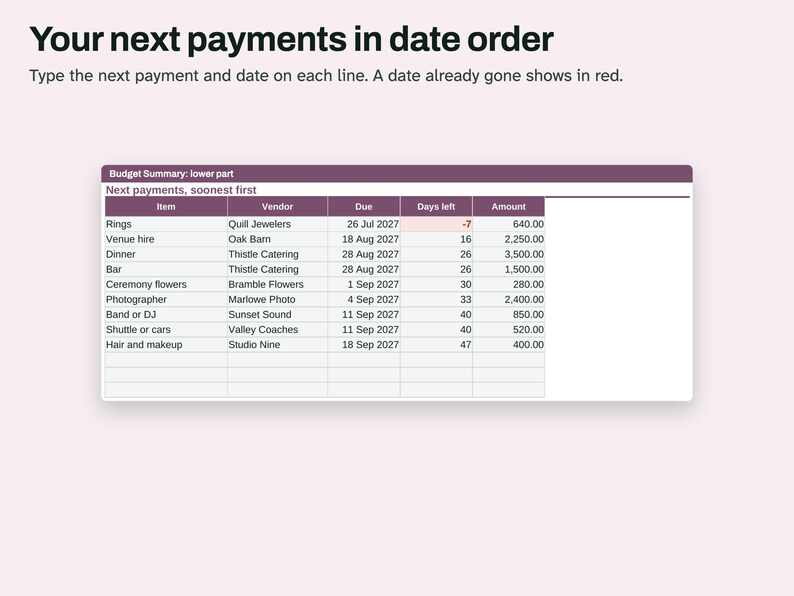
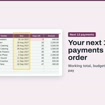
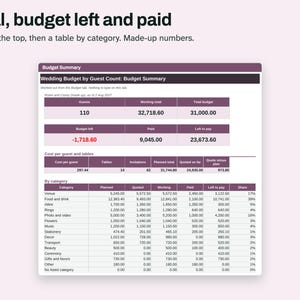
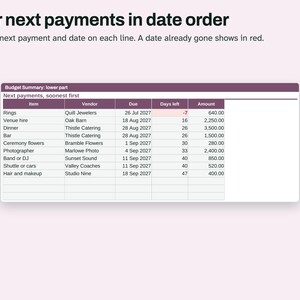
Budget Summary tab: working total, budget left, paid, left to pay, a table by category, a chart, and your next 12 payments in date order.
The Check column on Budget names what needs a look, such as Quote over plan, Payment late or Overpaid.
The Example file has made-up vendors and prices, and they are not a guide to what anything costs. The Blank file has the starter lines and no prices.
WHAT'S INCLUDED
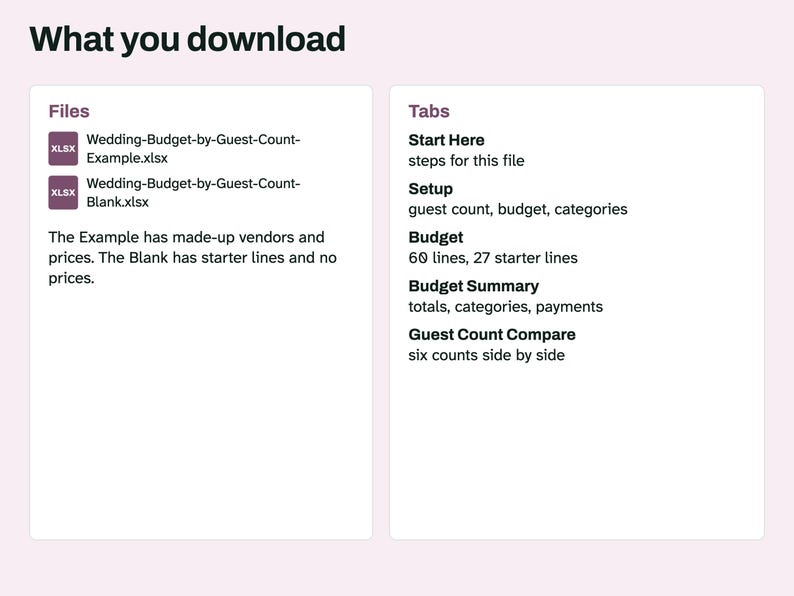
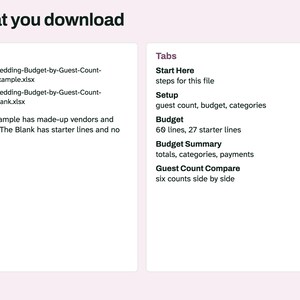
- Wedding-Budget-by-Guest-Count-Example.xlsx, filled in with made-up vendors and prices
- Wedding-Budget-by-Guest-Count-Blank.xlsx, with starter lines and no prices
Tabs in each: Start Here, Setup, Budget Summary, Budget, Guest Count Compare. Digital download. Nothing is shipped.
COMPATIBILITY
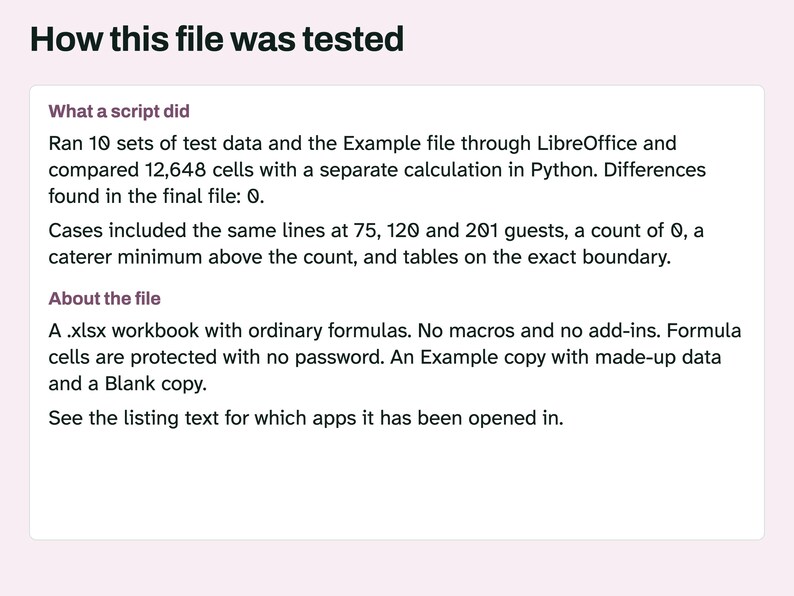
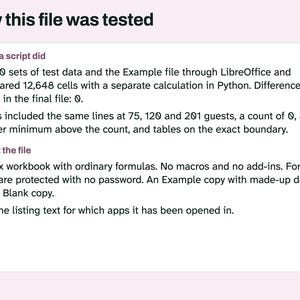
An .xlsx workbook with ordinary formulas. No macros and no add-ins. A script recalculated it in LibreOffice 26.8 and compared the results with a separate Python calculation. Another script confirmed it uses no LAMBDA, LET, XLOOKUP or spill formulas. A script also opened this file in Microsoft Excel for Mac 16.114.3 and ran a full recalculation: every cell matched the values stored in the file, with no error cells. That test did not type new data into Excel or look at the screen. Excel for Windows and Google Sheets have not been tried, and the menu steps below have not been tried in Excel or Google Sheets.
QUESTIONS AND HOW-TO
How does it know what follows the guest count?
Each line has a Cost basis. Flat stays the same. Per guest uses the guest count. Per table uses guests divided by guests per table, rounded up. Per invitation uses guests divided by guests per invitation, rounded up.
A vendor gave me one total, not a price per guest. What do I do?
Set that line to Flat and type the total in Quoted price. It will then stay the same when the guest count changes.
Does a quote replace my planned price?
In Working cost, yes. Planned cost stays on the row, and Quote minus plan shows the difference.
What about a caterer's minimum?
Type it in Minimum units. If your count is 60 and the minimum is 80, the line charges for 80.
Which currency does it use?
It shows plain numbers with no currency sign, so you can use any one.
Using this file in Excel
Open the .xlsx file. If a yellow bar says Protected View, click Enable Editing.
Type only in the colored input cells. The other cells hold formulas and are locked so they don't get overwritten by accident.
The Example file has made-up entries so you can see how it fills in. Start your own work in the Blank file.
Before you type anything, use File > Save As and give the Blank file a new name. That keeps a clean copy for next time.
To change a locked cell, go to Review > Unprotect Sheet. There is no password. If you edit a formula, the totals may stop being right.
Copying this file to Google Sheets
Open Google Sheets in a browser and start a blank spreadsheet.
Go to File > Import, choose the Upload tab and select the .xlsx file.
Under Import location choose Replace spreadsheet, then click Import data.
Your copy now lives in your own Google Drive. Name it with File > Rename.
Sheets may not keep the locks from the Excel file, so type only in the colored input cells.
HOW AI WAS USED
AI helped write the listing text, the how-to text, the task lists and the code that builds these files. Scripts tested units, planned cost, quoted cost, working cost, left to pay, the Check column, the category table, the payment list and the Guest Count Compare tab, on 10 sets of test data including the guest count changed on the same lines, a count of 0, tables on the exact boundary, a minimum above the count, a free quote and a full 60 lines. No person is claimed to have checked it unless stated here.
PLEASE NOTE
This file adds up what you type. Prices in the Example are made up and are not a guide to real costs. It gives no financial advice. License: for your personal use only. No resale or sharing of this file.
Instant Download
Your files will be available to download once payment is confirmed. Here's how.
Instant download items don’t accept returns, exchanges or cancellations. Please contact the seller about any problems with your order.
Etsy Purchase Protection
Shop confidently on Etsy knowing if something goes wrong with an order, we've got your back for all eligible purchases —
see program terms

More from this shop
Visit shop-
Digital download
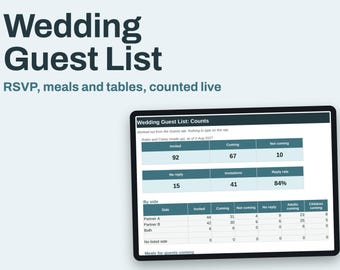
Wedding Guest List Spreadsheet, RSVP Counts, Meal Choices and Table Numbers, Excel
Sale Price $4.87
Original Price $6.49
-
Digital download
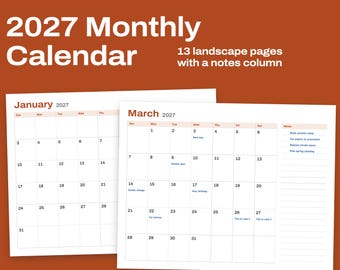
2027 Monthly Calendar Printable, 12 Landscape Pages With Notes Column, Letter and A4
Sale Price $2.24
Original Price $2.99
-
Digital download
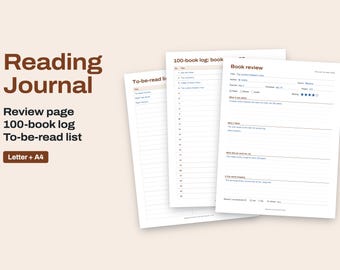
Reading Journal Printable, Book Review Pages, Reading Log and TBR List, Letter and A4
Sale Price $2.24
Original Price $2.99
-
Digital download
Academic Planner 2026 2027 for Engineering Students, 18 Month Digital, Lab Reports, Engineering Paper
Sale Price $3.14
Original Price $4.19
Be the first to leave a review
Shoppers with similar taste loved these
-

Digital download
Animated 10th Anniversary Party Invitation: Editable Canva Template (Digital Download)
Sale Price $3.15
Original Price $10.50
-

Digital download
10th Anniversary Party Invitation, Text Invitation Anniversary,Surprise anniversary Dinner Invite,Digital Invitation,Wedding Anniversary diy
Sale Price $5.59
Original Price $6.99
-

Digital download
Animated Wedding Invitation Template: DIY Video RSVP (Digital)
$8.00
-

Digital download
Animated Wedding Invitation Video Custom Wedding Digital Invitation Editable Digital Canva Template Electronic Wedding Video Invitation
Sale Price $3.81
Original Price $7.63
-

Digital download
Animated Save The Date Video Invitation, DIY Canva Template Design, Celebration Invite, Wedding Date Evite, Getting Married Digital Invite
Sale Price $3.50
Original Price $7.00
-
Digital download
Vow Renewal Invitation, Still the One, 10th Wedding Anniversary Invitation, Anniversary Photo Invitation Template, Editable, with Photo
Sale Price $4.56
Original Price $7.60
-
Digital download
Anniversary Party Invitation, Elegant Wedding or Vow Renewal Invite, 20th 40th 50th Anniversary, Editable Digital Save the Date
Sale Price $5.40
Original Price $9.00
-

Digital download
Vow Renewal Invitation, Editable Anniversary Invitation Template, Wedding Renewal Evite, Elegant Digital Invitation, Canva Download
Sale Price $11.09
Original Price $18.49
-

Digital download
10th Anniversary invitation, Greenery, Gold, Elegant, Foliage, Eucalyptus, Wedding Anniversary Invitation with Photo, Editable, Digital
Sale Price $6.17
Original Price $12.35
-
Digital download
Modern Digital Wedding Invitation with RSVP – Canva Template
Sale Price $15.74
Original Price $26.24
-
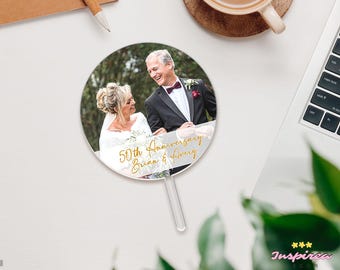
50th Anniversary Cake Topper, Gold Wedding Anniversary Cake Topper, Custom Photo Acrylic Cake Topper, Wedding Gift, Anniversary Party Decor
Sale Price $14.49
Original Price $28.98
-

Custom Acrylic Monogram Cake Topper: Personalized Wedding Charm for Wedding Cake
Sale Price $6.00
Original Price $12.00



 Bridesmaid gifts
 Groomsmen gifts
 Wedding gifts
 Engagement gifts