

UK CIS Tax Spreadsheet for Subcontractors 2026/27 | Trades CIS Deduction & Tax Estimator
NowPrice:$20.77
Original Price: $25.97
20% off
Sale ends on December 20
Here's what's eligible:
- Your order doesn't match the item description or photos
- Your item arrived damaged
- Your item arrived after the estimated arrival window
- Your item didn't arrive or was lost in the mail
You can only make an offer when buying a single item
Highlights
A 2026/27 record-keeping workbook for UK sole-trader subcontractors paid under the Construction Industry Scheme (CIS).
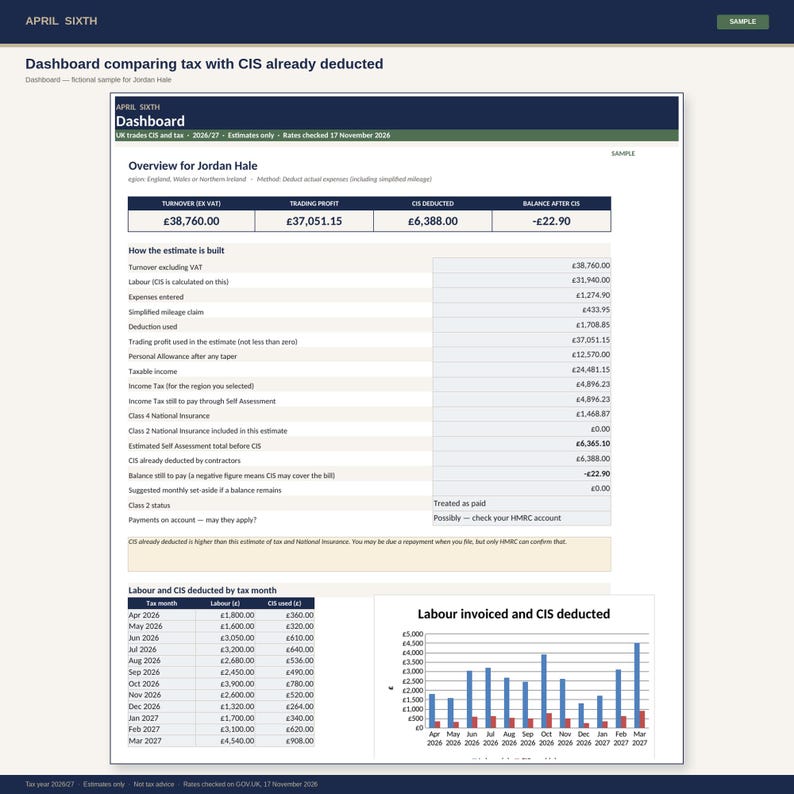
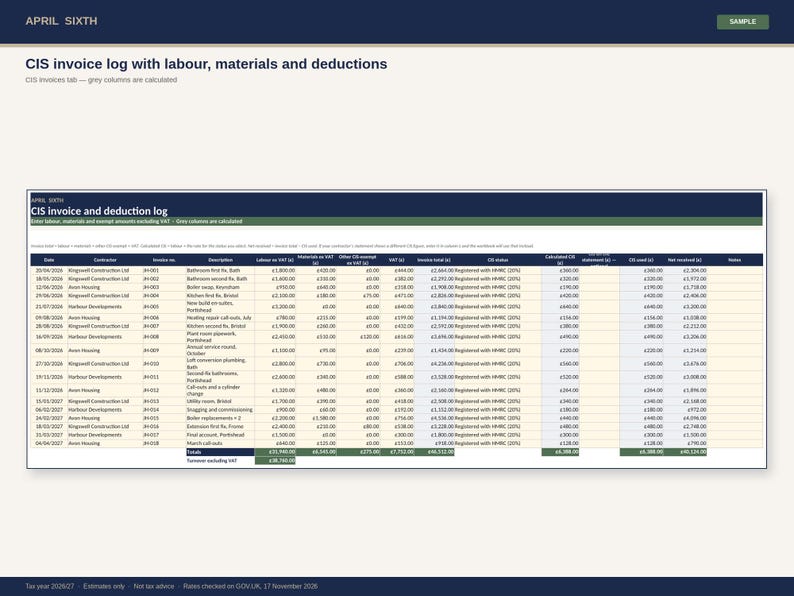
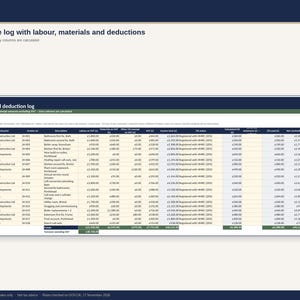
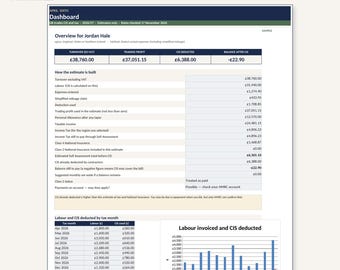
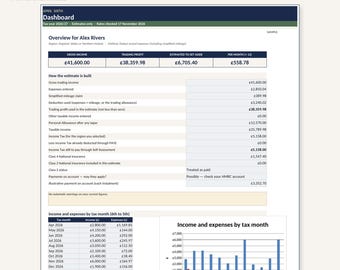
Log each invoice, split labour from materials and other CIS-exempt amounts (for example plant hire), and the file calculates the CIS deduction at 20% (registered), 30% (not registered or unmatched) or 0% (gross payment status). CIS is treated as a payment towards your tax — not as a business expense. The dashboard then estimates Income Tax and Class 4 National Insurance and compares that estimate with CIS already deducted, so you can see whether a balance may still be due or whether deductions may cover the bill.
What you get
• A SAMPLE workbook with fictional invoices for a plumbing subcontractor (CIS at 20%)
• A BLANK workbook for your own 2026/27 records
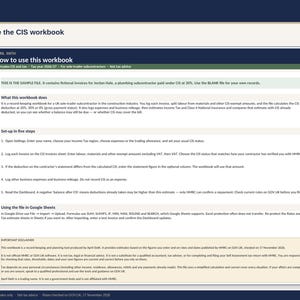
• Instructions, Dashboard, Settings, CIS invoices, Expenses, Mileage, Tax estimate, Rates and dropdown lists
• Working formulas, drop-down CIS statuses and expense categories, date and number checks, locked formula cells (Excel protection has no password)
• An optional column for the CIS figure on your contractor’s payment and deduction statement, used if it differs from the calculated amount
• Official 2026/27 tax, National Insurance, mileage and CIS rates from GOV.UK, with source links, checked on 17 November 2026
How to use it
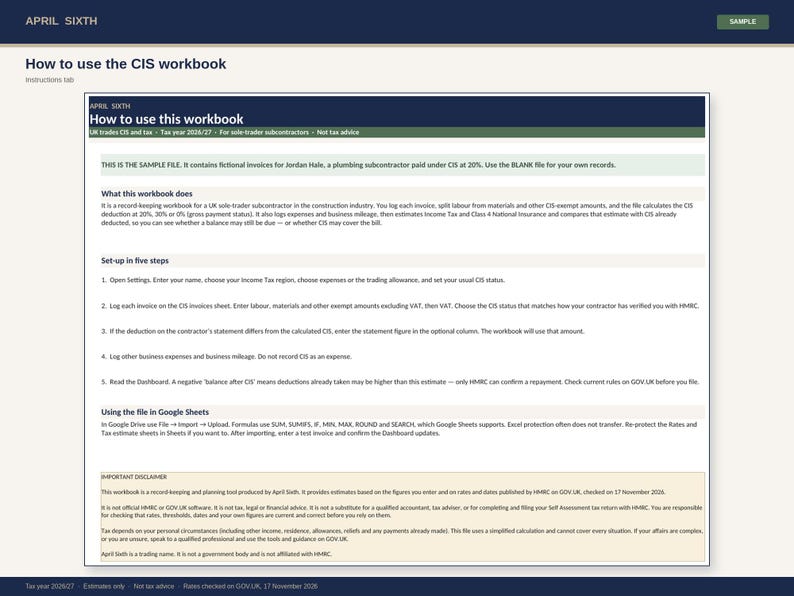
1. Open the BLANK file. On Settings, enter your name, tax region, profit method and usual CIS status.
2. Enter each invoice excluding VAT, with labour, materials and other exempt amounts in separate columns, then VAT.
3. Log other business expenses and business mileage. Do not record CIS deductions as an expense.
4. Read the Dashboard. A negative ‘balance after CIS’ means deductions already taken are higher than this estimate — only HMRC can confirm a repayment.
This workbook is written for a subcontractor. It is not a contractor payroll or CIS return (CIS300) tool.
Google Sheets: use File → Import → Upload. After importing, enter a test invoice and confirm the Dashboard updates. Re-apply protection in Sheets if you want it there.
Disclaimer: This is a record-keeping and planning tool. Figures are estimates based on the amounts you enter and on HMRC rates published on GOV.UK as at 17 November 2026. It is not official HMRC or GOV.UK software, not tax, legal or financial advice, and not a substitute for a qualified accountant or for filing your Self Assessment return with HMRC. You are responsible for checking that rates, thresholds, dates and your own figures are current and correct. April Sixth is a trading name, not a government body.
Sources (checked 17 November 2026): https://www.gov.uk/what-you-must-do-as-a-cis-contractor/make-deductions-and-pay-subcontractors · https://www.gov.uk/income-tax-rates · https://www.gov.uk/self-employed-national-insurance-rates · https://www.gov.uk/simpler-income-tax-simplified-expenses/vehicles
AI-assistance disclosure: This listing text and the spreadsheet were produced with assistance from AI tools, then reviewed, edited and tested by a person. Official rates and dates were checked against GOV.UK (17 November 2026) and the formulas were recalculated independently. This is not official HMRC software and is not tax advice.
File format: Microsoft Excel .xlsx (two files — SAMPLE and BLANK). Instant digital download. No physical item will be sent.
Instant Download
Your files will be available to download once payment is confirmed. Here's how.
Instant download items don’t accept returns, exchanges or cancellations. Please contact the seller about any problems with your order.
Etsy Purchase Protection
Shop confidently on Etsy knowing if something goes wrong with an order, we've got your back for all eligible purchases —
see program terms

More from this shop
Visit shop-
Digital download
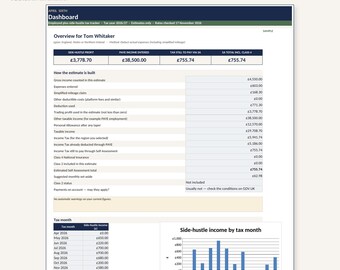
UK Employed Plus Side Hustle Tax Tracker Spreadsheet 2026/27 | Self Assessment
Sale Price $16.40
Original Price $20.50
-
Digital download
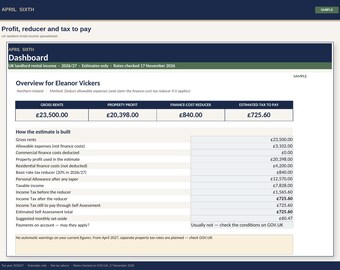
UK Landlord Rental Income Spreadsheet 2026/27 | Finance-Cost Tax Reducer
Sale Price $20.77
Original Price $25.97
-
Digital download
UK Tradesperson Job and Tax Bundle 2026/27 | CIS, Mileage and Invoice Log
Sale Price $27.34
Original Price $34.17
-
Digital download
UK Sole Trader Starter Bundle 2026/27 | Self Assessment Spreadsheet and Mileage Log
Sale Price $32.81
Original Price $41.01