


Small Business Bookkeeping Spreadsheet Excel Google Sheets Income Expense Tracker Profit and Loss Tax Planner Freelancer Template
NowPrice:$7.64
Original Price: $14.99
49% off
Sale ends on December 21
Here's what's eligible:
- Your order doesn't match the item description or photos
- Your item arrived damaged
- Your item arrived after the estimated arrival window
- Your item didn't arrive or was lost in the mail
You can only make an offer when buying a single item
Highlights
One bookkeeping core for a small business — set up once for the way you actually work.
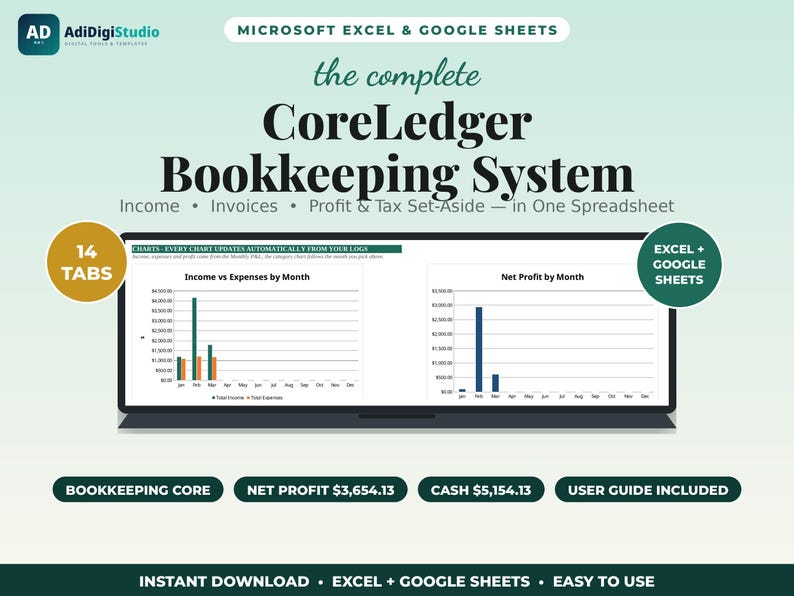
Log income and expenses once — see your real profit, tax set-aside and who still owes you, month by month and ready for tax time, in Excel or Google Sheets
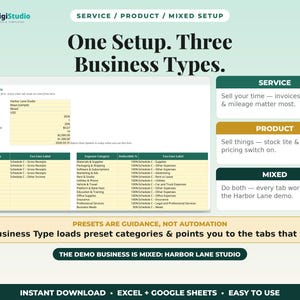
CoreLedger is a single bookkeeping system with an honest setup choice — Service, Product or Mixed — so one core works for the way your business earns, without pretending one sheet is a different tool for every trade. You log income and expenses in plain logs, raise invoices, track clients, mileage and bills, and the Dashboard, Monthly P&L and Annual & Tax Summary are calculated for you by formula. Type into the input cells; the formula cells do the maths. No macros, nothing to install, no bank connection to set up.
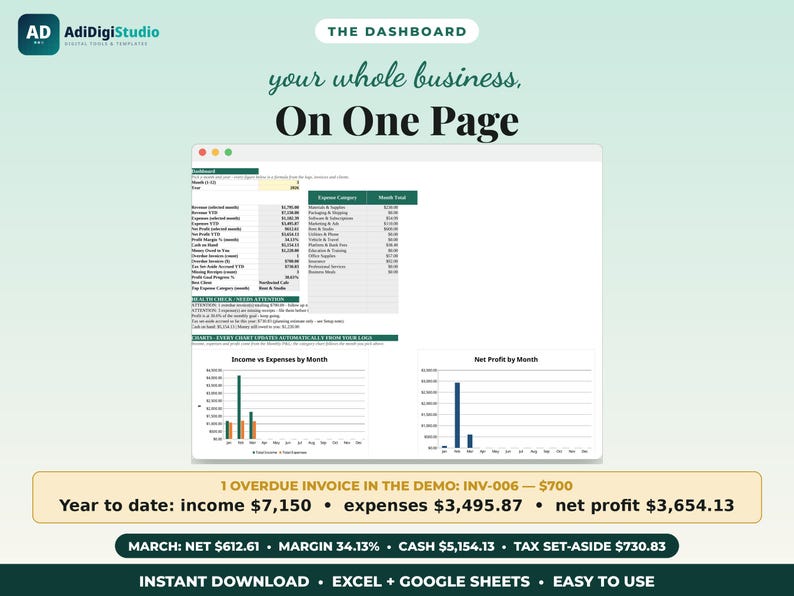
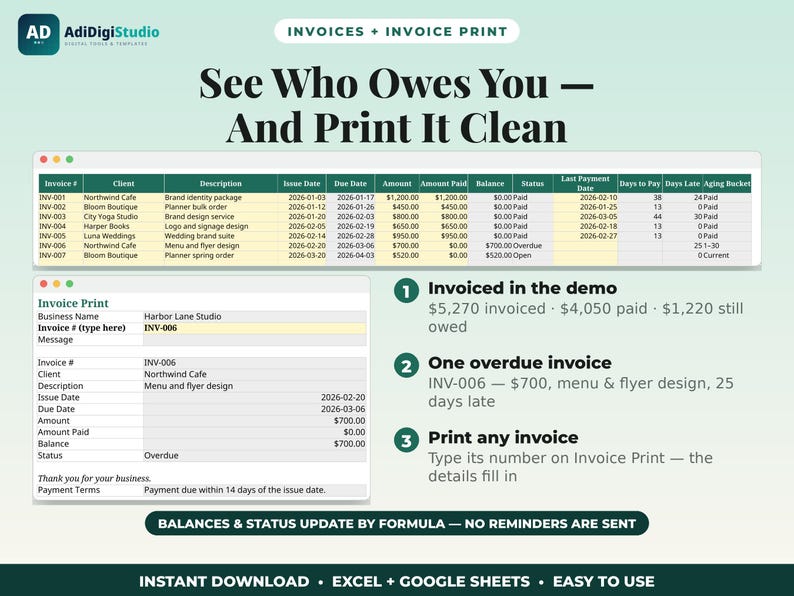
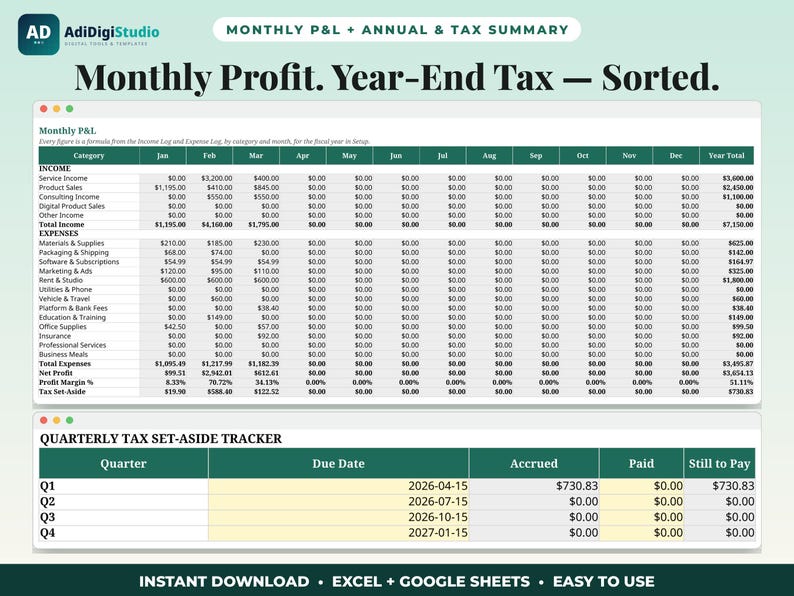
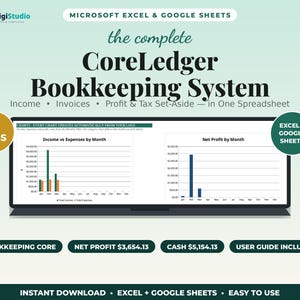
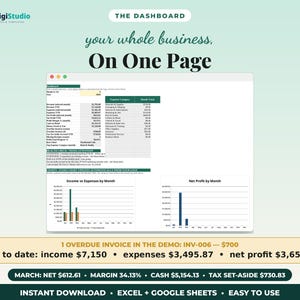
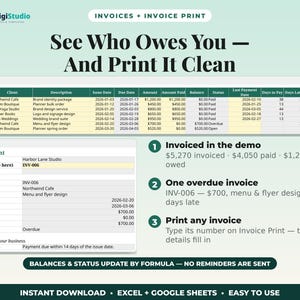
In the included Sample, Harbor Lane Studio (January–March) shows how it reads in practice: income of $7,150 and net profit of $3,654.13 across the quarter, with one overdue invoice of $700 tracked automatically by formula — so you can see exactly what the system surfaces before you enter your own numbers. All sample data is fictional and is there to teach the system, not to promise results.
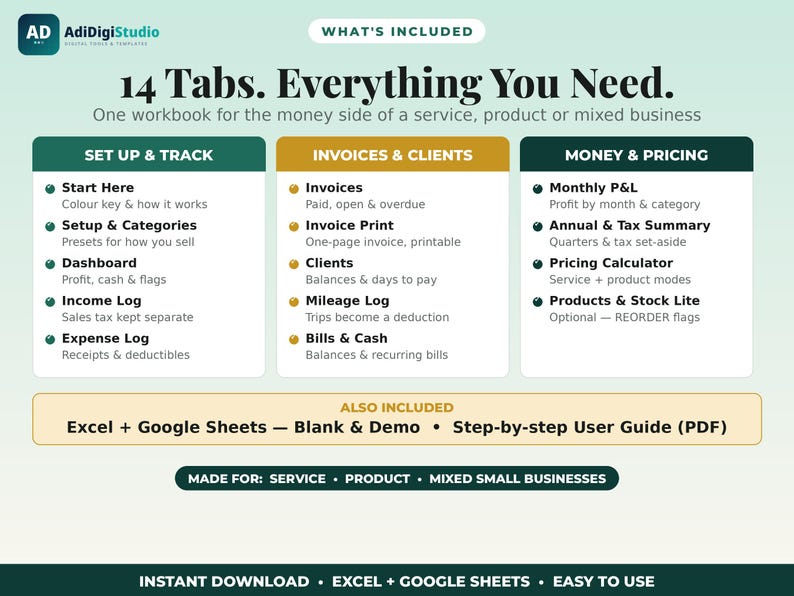
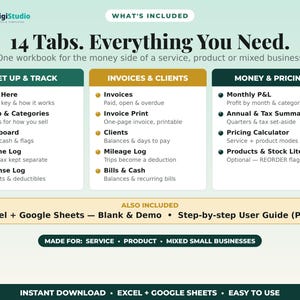
★ WHAT'S INCLUDED — 14 TABS
• START HERE — the quick start: what this system is, the one setup choice to make first, and the order to work through the tabs
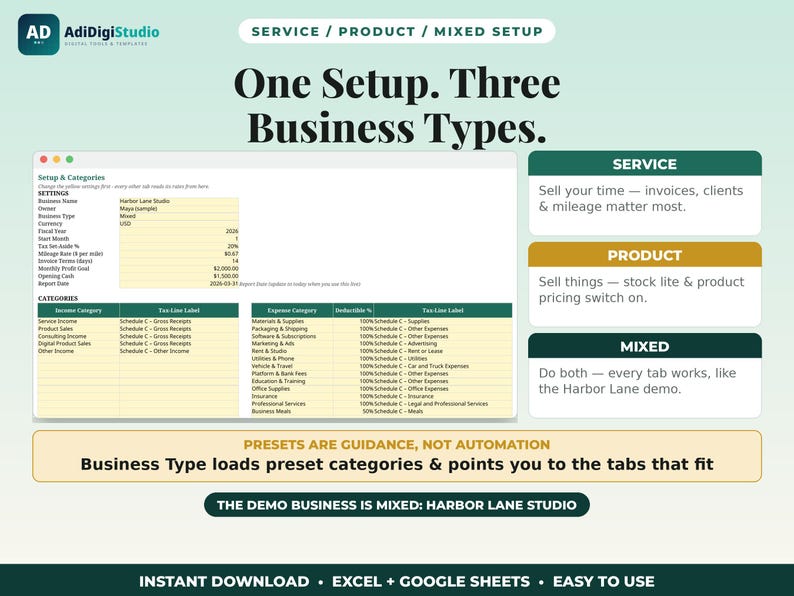
• SETUP & CATEGORIES — your business details, Service / Product / Mixed setup, income and expense categories, accounts and your tax set-aside rate in one place
• DASHBOARD — the whole business on one screen: income, expenses, net profit, cash position, tax set-aside, invoice balances and what is overdue — plus three auto-updating charts: income vs expenses by month, net profit by month, and expenses by category for the month you pick
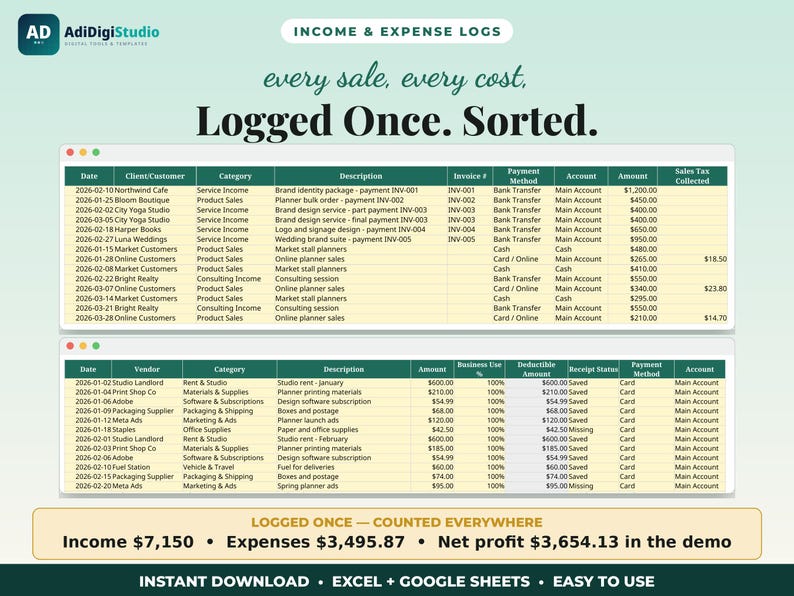
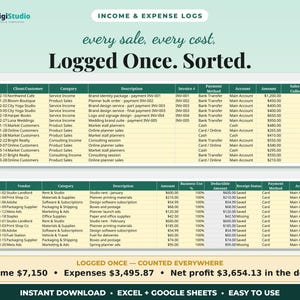
• INCOME LOG — every payment in, logged once by date, client, category and account, with monthly totals calculated for you
• EXPENSE LOG — every business cost logged by category, with a missing-receipt flag so gaps show up before tax time, not after
• INVOICES — every invoice with amount invoiced, amount paid, balance still owed and status — overdue invoices are flagged automatically by formula
• INVOICE PRINT — a clean, customer-ready invoice that fills itself in from the Invoices tab; print it or save it as a PDF
• CLIENTS — every client in one list, with invoiced, paid and balance-owed totals calculated for you
• MILEAGE LOG — business trips logged by date and purpose, with miles and the deductible value calculated for you
• BILLS & CASH — recurring bills and account balances in one place, so upcoming bills and your current cash position are visible together
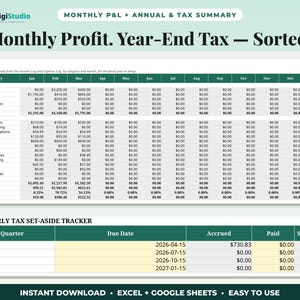
• MONTHLY P&L — twelve months side by side: income, expenses and net profit, month by month
• ANNUAL & TAX SUMMARY — the year in one view: totals by quarter, your tax set-aside and what is still to pay, ready for tax time
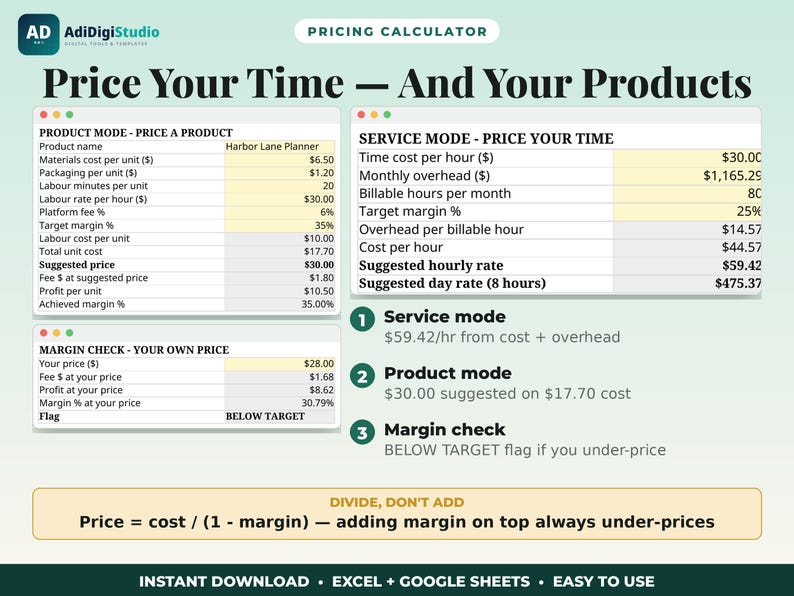
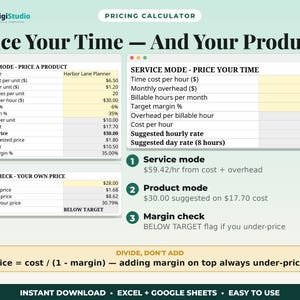
• PRICING CALCULATOR — build a service rate or a product price from your real costs and target margin, with a check that flags a price that falls below target
• PRODUCTS & STOCK LITE — a simple product and stock list with quantities on hand and a reorder flag — a lite tracker, not a full inventory system
★ WHO IT'S FOR
• A solo owner or a 1–5 person small business
• A Service business, a Product business, or a Mixed business that does both — you choose your setup once in Setup & Categories
• Freelancers, self-employed owners and makers who want their books in one spreadsheet they own, in Excel or Google Sheets, instead of a monthly subscription
★ WHAT YOU GET (instant download)
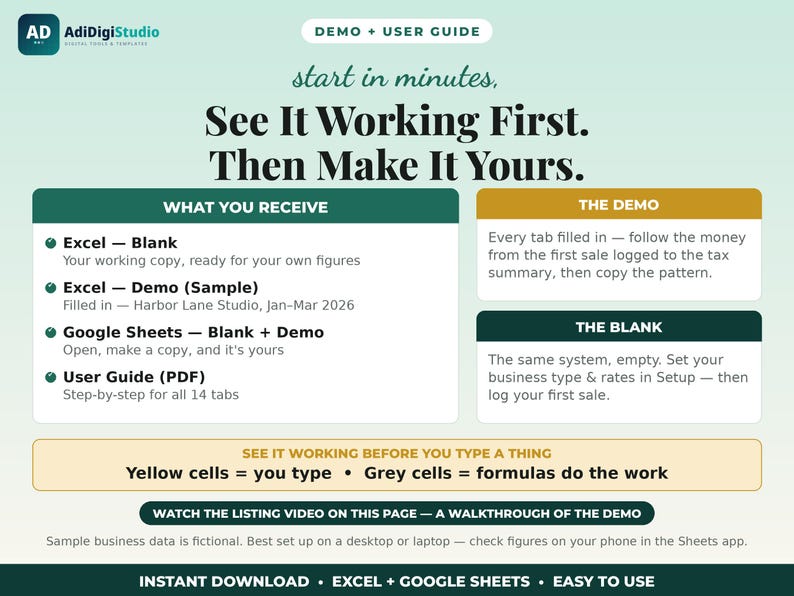
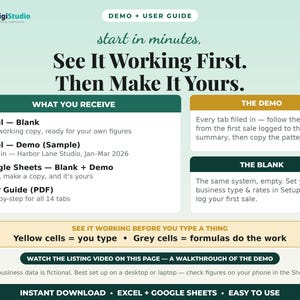
• Excel file — SAMPLE: the full system filled with the Harbor Lane Studio example data, so you can see exactly how it works before you start
• Excel file — BLANK: your working copy, ready to fill in
• Google Sheets — SAMPLE and BLANK: open the access link in your delivery files, choose File > Make a copy, and it is yours
• User Guide (PDF) — a quick start, a guide to every tab, and a simple weekly and monthly money routine
• Thank-You Card (PDF) — your access links and first steps on one page
★ HOW IT WORKS
1. Start on Start Here, then set your business type (Service, Product or Mixed), categories and tax set-aside rate once on Setup & Categories
2. Log income on the Income Log and costs on the Expense Log as you go; raise invoices on the Invoices tab and print from Invoice Print
3. Check the Dashboard for profit, cash, tax set-aside and overdue balances — the Monthly P&L and Annual & Tax Summary build themselves from your logs
4. At tax time, work from the Annual & Tax Summary: the year, the quarters and the set-aside are already totalled
★ PLEASE READ — WHAT THIS SYSTEM DOES NOT DO
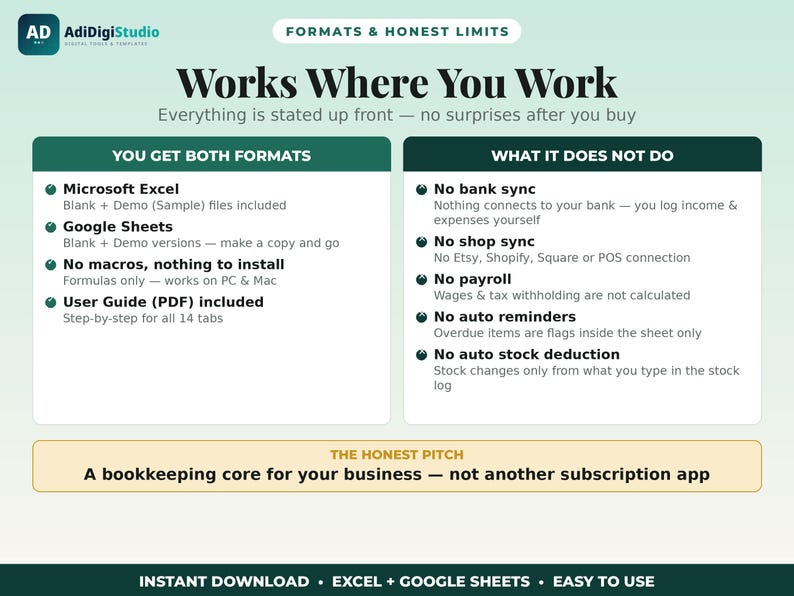
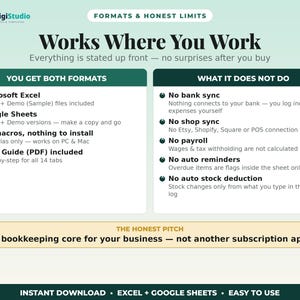
• It does NOT sync with or import from your bank. There is no bank sync or bank import — you type income and expenses into the logs, and every summary is calculated for you from what you entered
• It does NOT sync with Etsy, Shopify or any POS system. Sales from those platforms are logged by you in the Income Log, like any other income
• It does NOT do payroll. If you pay yourself or a helper, log the payment as an expense
• It does NOT send automatic reminders. Overdue invoices and upcoming bills are flagged inside the sheet, on the Dashboard and Invoices tabs — chasing a payment is still done by you, in your usual way
• It does NOT deduct stock automatically. Products & Stock Lite is updated by typing quantities in and out — a one-minute job in the weekly routine in the guide
• It does NOT calculate your exact tax or give filing advice. The tax set-aside is a planning estimate based on the rate you enter in Setup — it helps you put money aside month by month, but it is not a tax calculation, not a return, and not tax advice. Confirm your actual tax with your accountant or tax authority
• It is built for a single business in a single currency. One purchase covers one business; it is not a multi-business or multi-currency system
★ LOOKING FOR A TRADE-SPECIFIC EDITION?
This is the universal bookkeeping core. If your trade needs its own calculators on top of bookkeeping, one of the niche editions in this shop may fit better:
Run a cleaning business? The Cleaning edition adds a cleaning quote calculator.
Run a handyman business? The Handyman edition adds job costing and a quote calculator.
Run a home bakery? The Bakery edition adds recipe costing and a cake pricing calculator.
★ GOOD TO KNOW
• You need Microsoft Excel (a current version) or a free Google account for Google Sheets. It does NOT work in Apple Numbers — Numbers does not support all of the formulas and formatting this system uses, so please use Excel or Google Sheets
• A phone works fine for quick updates (logging an expense, checking the Dashboard); do the first setup on a computer, where the wider tabs are easiest
• The tax set-aside figure is an organisation tool and an estimate, not tax advice — confirm your rate with your accountant
• All sample data in the Sample files is fictional — Harbor Lane Studio, its clients and its figures are a worked example, not a real business
• This is a digital download — no physical item will be shipped
★ FAQ
Q: Do I get both Excel and Google Sheets?
A: Yes — Excel Sample + Blank files, and Google Sheets Sample + Blank via the access link in your delivery files. Both versions work the same way; use whichever you already like.
Q: How do I get my Google Sheets copy?
A: Open the access link in your delivery files, then choose File > Make a copy. That saves your own copy to your Google Drive — always use Make a copy rather than requesting edit access, because the link is view-only so the master file stays clean for every buyer.
Q: What is the difference between the Excel and Google Sheets versions?
A: Nothing in how they work — same 14 tabs, same formulas, same sample data. The Excel files are downloaded and opened on your computer; the Google Sheets version opens in your browser (free with a Google account) once you choose File > Make a copy from the access link. Pick based on where you prefer to work.
Q: Will it work on a Mac, or in Apple Numbers?
A: Yes on a Mac in Excel or in Google Sheets in your browser. It does NOT work in Apple Numbers — please use Excel or Google Sheets instead, as described above.
Q: What if I type over a formula by mistake?
A: Start from the Sample file to see how each tab should look, and keep an untouched copy of your Blank file saved somewhere safe. If a total stops calculating in a cell you typed over, re-copy from that untouched Blank — the User Guide explains which cells are inputs and which are formulas, so you know where it is safe to type.
Q: Is there a subscription or monthly fee?
A: No. This is a one-time purchase and the files are yours to keep.
Q: Will it connect to my bank, Etsy shop, Shopify or my POS?
A: No — it does not sync with any of them, and that is deliberate. You log income and expenses in the sheet, and every summary is calculated for you inside it. There is no connection to set up and nothing that can break.
Q: Does it work out my exact tax?
A: No. The tax set-aside is a planning estimate from the rate you enter — it shows you how much to put aside as you earn. It is not an exact tax calculation and it is not filing advice; confirm your real tax position with your accountant.
Q: How many businesses can I use it for?
A: One purchase covers one business — you may use it for your own business. Please do not share, resell or redistribute the files.
Q: Can I get a refund?
A: This is a digital item, so it cannot be returned the way a physical item can — please read the "What this system does not do" section above carefully before buying, and start with the Sample description and photos to be sure it fits. If something in your files does not work as described, message the shop on Etsy and we will help you put it right.
Thank you for supporting a small shop. Good luck — and may your books always tell you the truth before tax time does!
Instant Download
Your files will be available to download once payment is confirmed. Here's how.
Instant download items don’t accept returns, exchanges or cancellations. Please contact the seller about any problems with your order.
Etsy Purchase Protection
Shop confidently on Etsy knowing if something goes wrong with an order, we've got your back for all eligible purchases —
see program terms


More from this shop
Visit shop-
Digital download
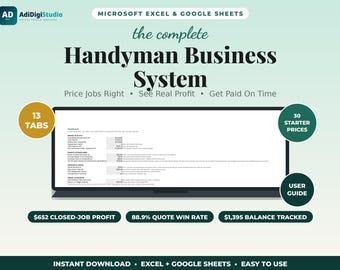
Handyman Business Spreadsheet, Job Pricing Calculator, Contractor Job Costing, Bookkeeping, Estimate & Invoice, Google Sheets and Excel
Sale Price $9.29
Original Price $14.99
-
Digital download
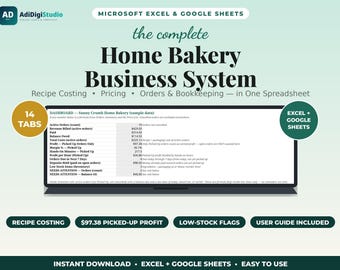
Home Bakery Business Spreadsheet, Recipe Cost Calculator, Order Tracker, Bookkeeping Spreadsheet, Cake Pricing, Excel & Google Sheets
Sale Price $8.67
Original Price $13.99
-
Digital download
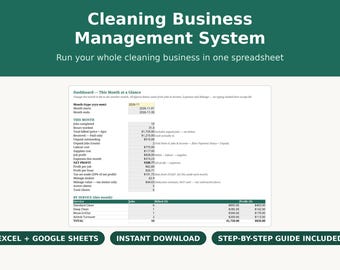
Cleaning Business Quote Calculator, Bookkeeping Spreadsheet, House Cleaning Income Expense Tracker, Profit Per Job, Excel & Google Sheets
Sale Price $8.05
Original Price $12.99
-
Digital download
Entry Level Resume Template, ATS Friendly Resume, Entry Level CV Template, First Job Resume, Graduate Resume, Editable Word Resume
Sale Price $5.57
Original Price $8.99
Be the first to leave a review
-
Digital download
Small Business Bookkeeping Template Excel Bookkeeping Spreadsheet Sales Tracker Accounting Template Income Expense Tracker Self Employed
Sale Price $9.12
Original Price $22.80
-
Digital download
Small Business Bookkeeping Template Excel Bookkeeping Spreadsheet Sales Tracker Accounting Template Income Expense Tracker Self Employed
Sale Price $17.32
Original Price $43.30
-
Digital download
Small Business Bookkeeping Spreadsheet: Income & Expense Template for Google Sheets (Digital Download)
Sale Price $14.40
Original Price $24.00
-
Digital download
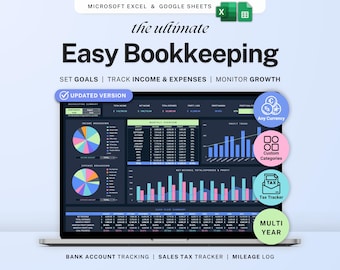
Small business bookkeeping Google Sheets Dark Mode Income Expense Tracker Freelancer Tax Planner Profit Loss Spreadsheet 1099 Mileage Log
Sale Price $6.99
Original Price $13.98
-
Digital download
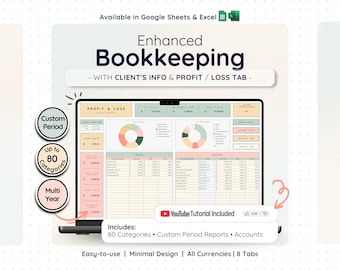
Profit Loss Bookkeeping Spreadsheet Google Sheets Excel Small Business Budget Template Client Tracker Tax Planner Income Expense Accounting
Sale Price $11.42
Original Price $28.54
-
Digital download
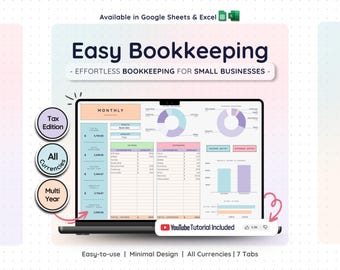
Bookkeeping Template for Small Business Easy Income Tracker | Expense Tracker | Accounting Spreadsheet for Google Sheets
Sale Price $8.67
Original Price $21.67
-
Digital download
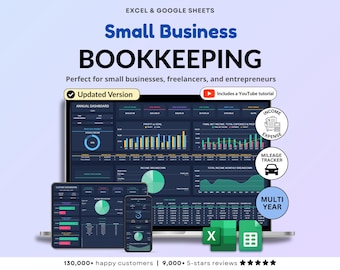
Small Business Bookkeeping Spreadsheet Dark Mode Income Expense Tracker Tax Tracker Dark Accounting Template Business Planner Profit & Loss
Sale Price $9.56
Original Price $19.11
-
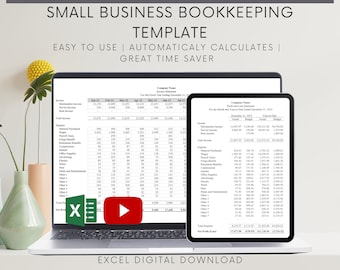
Digital download
Small Business Bookkeeping Excel Template: Profit and Loss Tracker (Digital Download)
$20.00
-
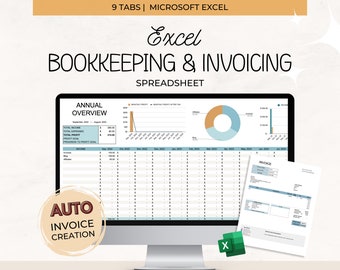
Digital download
Excel Bookkeeping and Invoice Spreadsheet, Small Business Bookkeeping Spreadsheet, Blue Business Expense Tracker and Invoice Template
$27.76
-
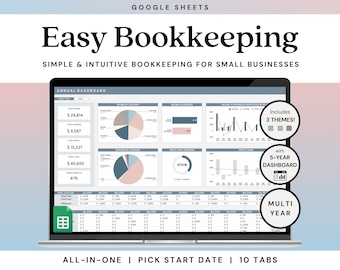
Digital download
Small Business Bookkeeping Spreadsheet | Income Expense Tracker | Tax Tracker | Profit and Loss Template | Google Sheets Accounting Ledger
$20.00
-
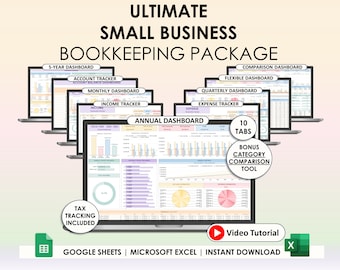
Digital download
Small Business Easy Bookkeeping Spreadsheet Profit And Loss Excel Google Sheets Sales Tax Tracker Accounting Template Profit Tracker Invoice
Sale Price $8.31
Original Price $20.77
-
Digital download
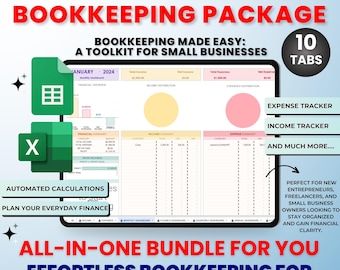
Small Business Bookkeeping Spreadsheet: Profit & Loss Tracker (Digital Download)
Sale Price $14.47
Original Price $28.95
Shoppers with similar taste loved these
-

Digital download
Woven Blanket Mockup With Black and White Fringe, Print on Demand Woven Throw Blanket Mock Up, Photoshop Smart Object PSD, Canva Drag & Drop
Sale Price $3.00
Original Price $4.00
-
Digital download
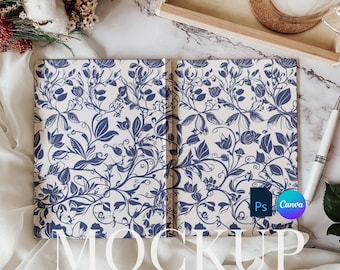
Hardcover journal front and back mockup drag and drop planner canva template elegant book PSD smart object diary digital mockup sketchbook
Sale Price $2.84
Original Price $8.10
-

Digital download
Woven Blanket Mockup Bundle, Baby Nursery Mock up, Printify Throw Blanket PNG Canva Template Drag & Drop, Photoshop PSD Photopea Mockups
Sale Price $12.00
Original Price $16.00
-

Digital download
Hardcover Journal Mockup, Printify Ruled Line Journal Matte, Full wraparound print Journal Mock up, Canva Drag and Drop PNG PSD Smart Object
Sale Price $1.87
Original Price $3.75
-
Digital download
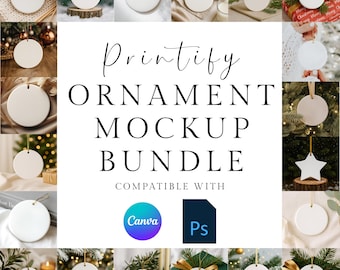
Christmas Ornament Mockup Bundle, Round Ceramic Ornament Mock Up, Print on Demand Ornament with Gold String, Whole Shop Bundle PSD Canva PNG
$24.27
-

Digital download
10+ Hardcover Journal Matte Mockup Bundle Minimalist Ruled Line Journale Canva Template Pack Notebook Hardcover Journal Matte Drag&Drop
Sale Price $7.49
Original Price $9.99
-

Digital download
Hardcover journal book full cover mockup drag and drop white planner canva template boho style book PSD smart object diary digital mockup
Sale Price $2.84
Original Price $8.10
-

Digital download
book cover mockup | diary mockup | hard cover mockup | instant download | modern boho | photoshop & jpg file | for content creators | author
$7.64
-

Digital download
Hardcover Journal Mockup Printify Ruled Line Journal Matte Boho Minimalist Notebook Mockup Canva Hardcover Journal Matte Drag&Drop PSD File
Sale Price $2.99
Original Price $3.99
-

Digital download
Woven Blanket Mockup Bundle, Printify Fringed Blanket PNG Canva Template Drag & Drop Photoshop PSD Woven Throw Blanket Mockup for Etsy Shop
Sale Price $12.00
Original Price $16.00
-

Digital download
Realistic Woven Blanket Mockup Printify Woven Throw Blanket Mock Print on Demand POD Canva Template Mini Bundle Tapestry Blanket Mockup
$2.99
-

Digital download
Hardcover Journal Mockup, Printify Ruled Line Journal Matte, Full wraparound print Journal Mock up, Canva Drag and Drop PNG PSD Smart Object
Sale Price $1.87
Original Price $3.75


