

Christmas Gift Planner: Budget, Parties, Games, Prizes and Secret Santa Draw, Digital Download
Price:$8.99
Here's what's eligible:
- Your order doesn't match the item description or photos
- Your item arrived damaged
- Your item arrived after the estimated arrival window
- Your item didn't arrive or was lost in the mail
You can only make an offer when buying a single item
Highlights
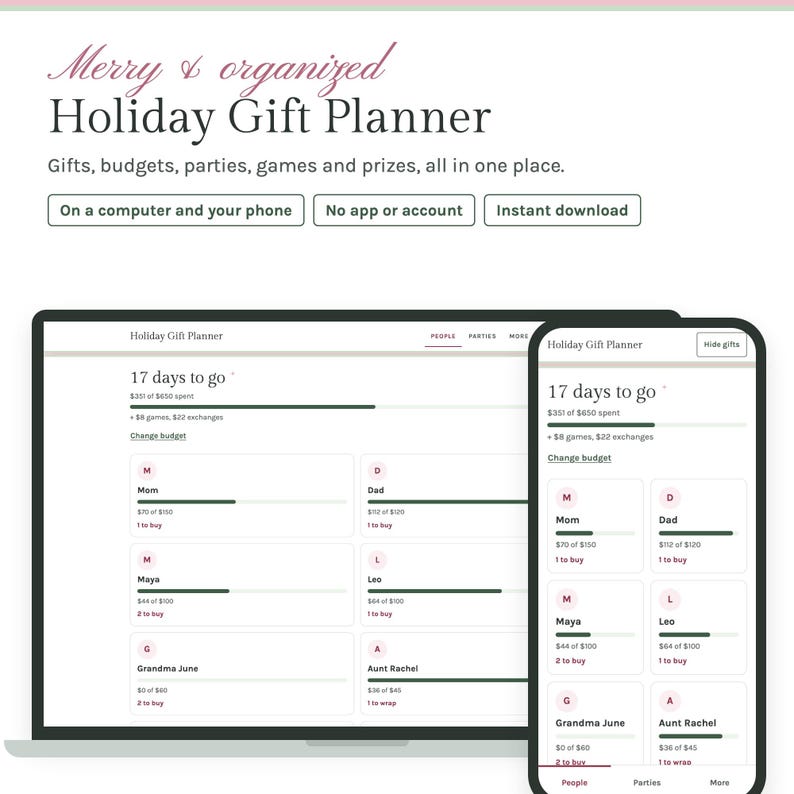
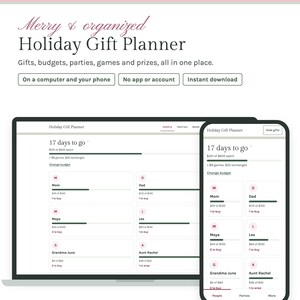
Plan every gift, stay on budget, and keep every party, game and gift exchange in one place. This is an interactive planner you use on a computer and on your phone. You type in your people and gifts, and it keeps track of what's bought, what's wrapped and what's left.
WHAT IT DOES
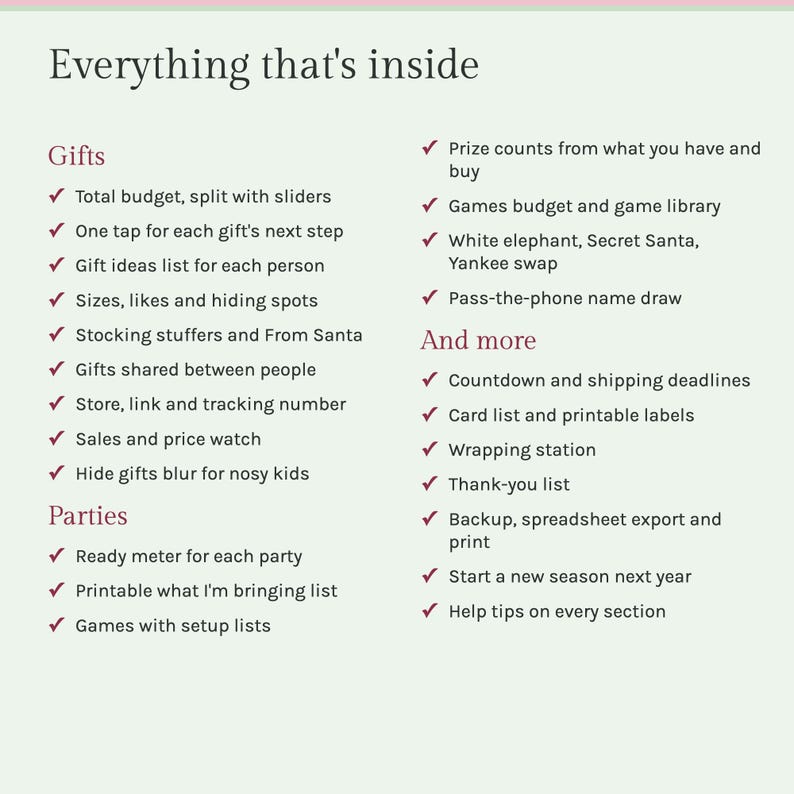
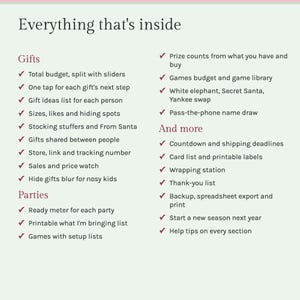
Gifts
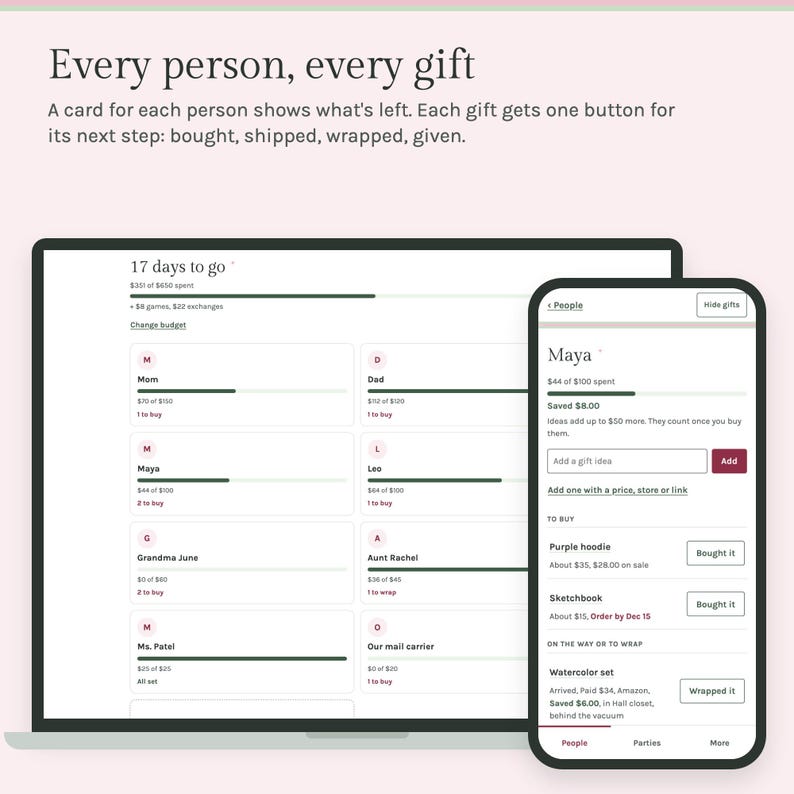
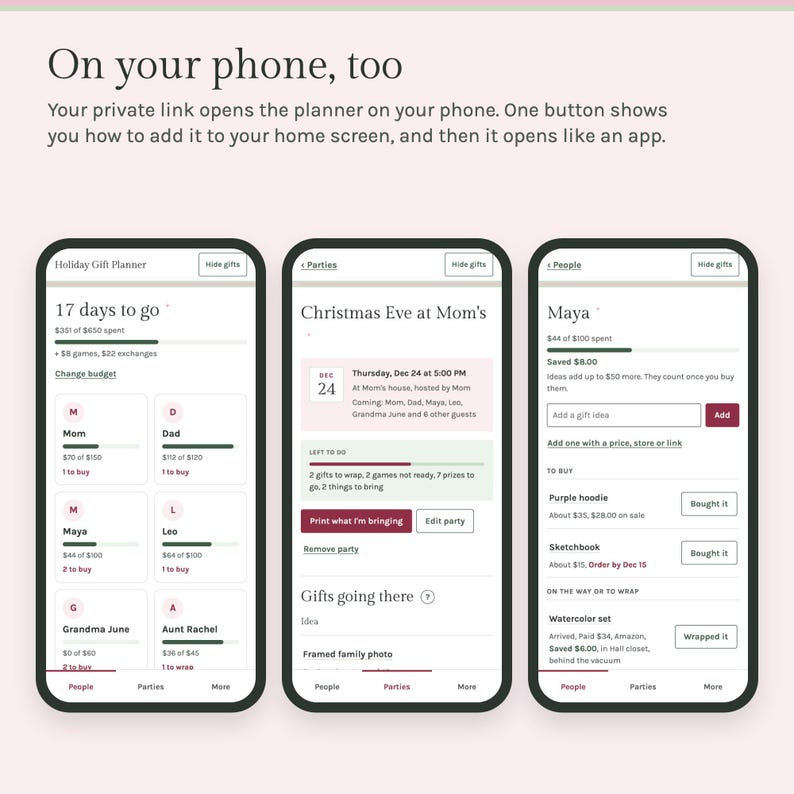
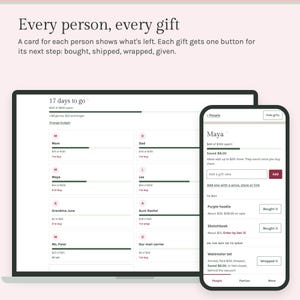
- A card for each person that shows what's still to buy, what's on the way and what's done
- One button for each gift's next step: Bought it, It shipped, It arrived, Wrapped it, Gave it
- Set one total budget and split it between your people with sliders
- Keep a gift ideas list for each person, plus sizes, likes and hiding spots
- Mark stocking stuffers and gifts From Santa
- Share a gift between people and split the cost
- Save the store, link and tracking number
- Add sales you've seen and watch a gift's price
- Hide gifts button blurs gift names and prices when someone walks by
Parties
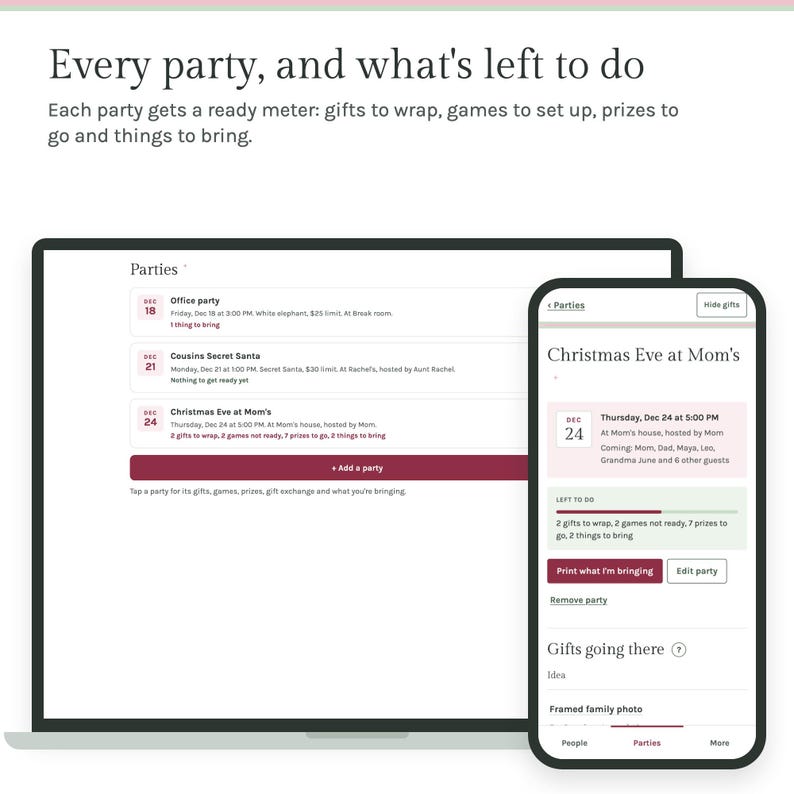
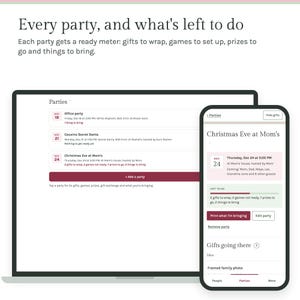
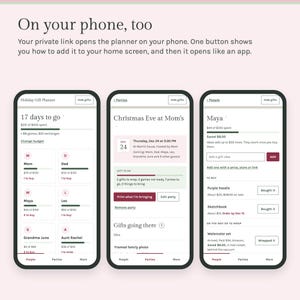
- A page for each party with a ready meter: gifts to wrap, games not ready, prizes to go, things to bring
- A printable checklist of everything you're bringing to each party: gifts, games, prizes, your exchange gift and the rest
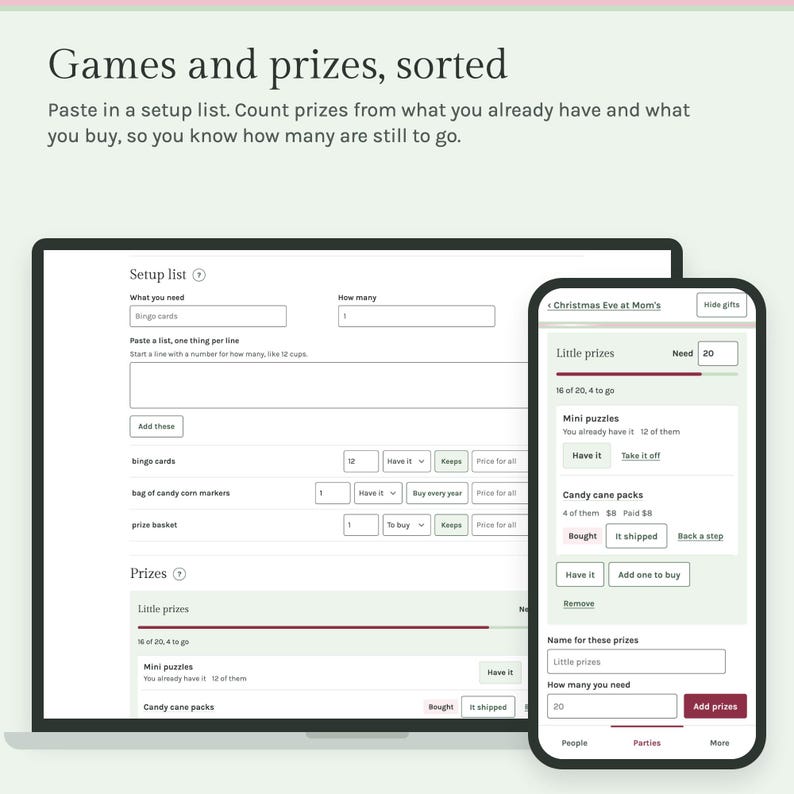
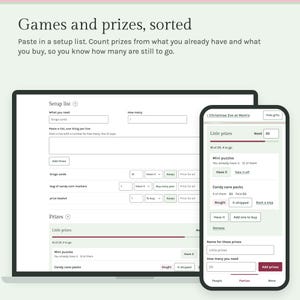
- Games with a setup list you can paste in
- Prize counts from what you already have and what you buy
- A games budget on top of your gift budget, and a game library for next year
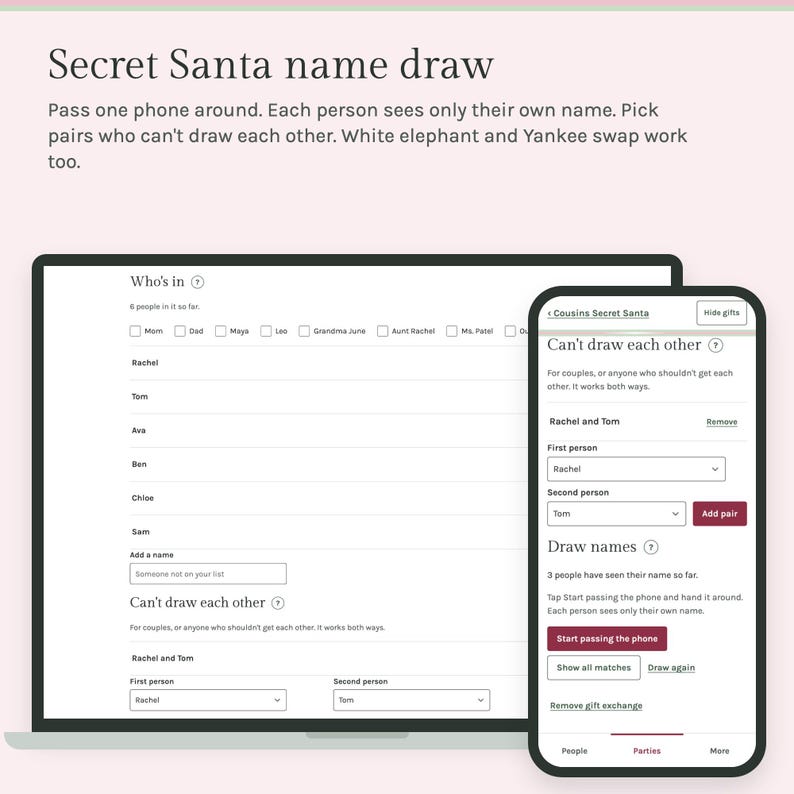
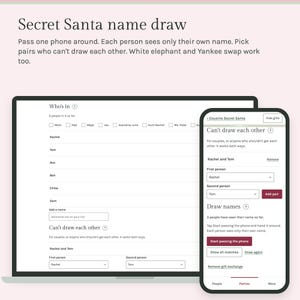
- Gift exchanges: White elephant, Secret Santa and Yankee swap, with a spend limit
- Secret Santa name draw: pass one phone around and each person sees only their own name
And more
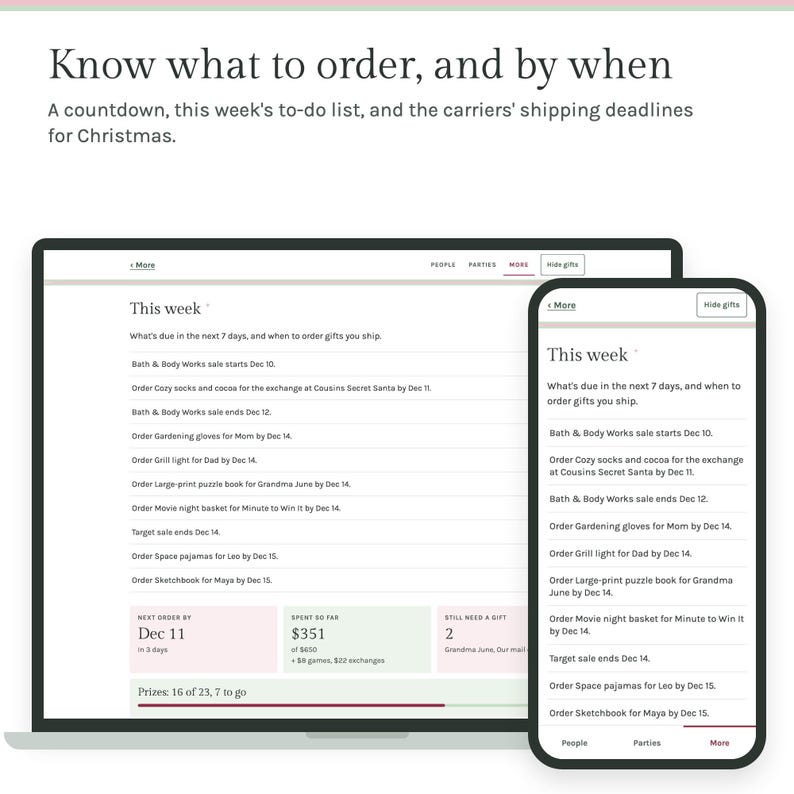
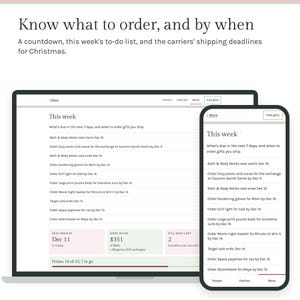
- Countdown to the big day, a this week list, and the carriers' Christmas shipping deadlines
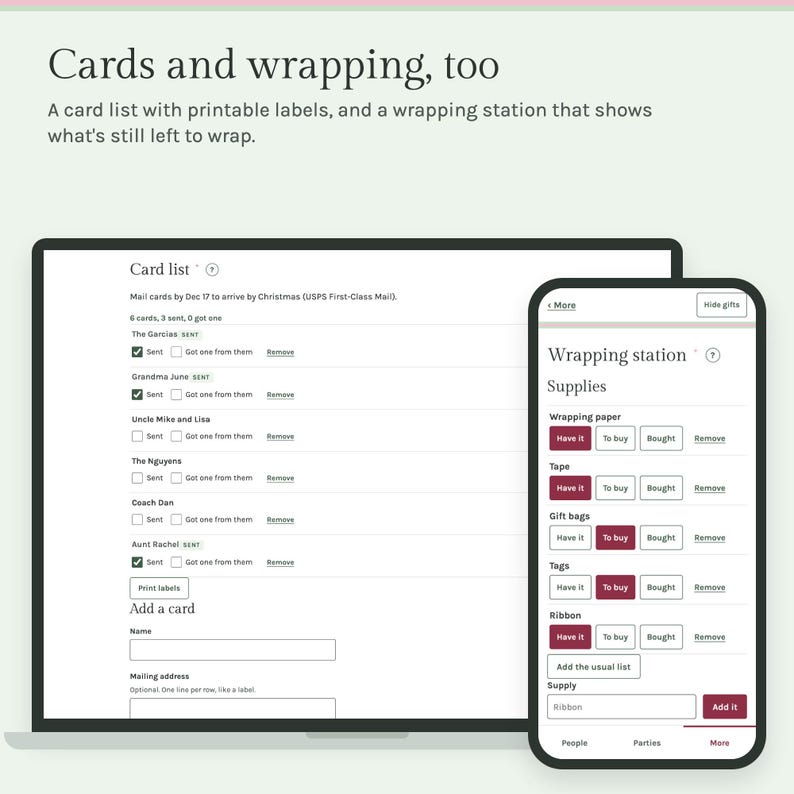
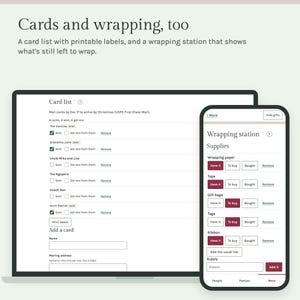
- Card list with printable labels
- Wrapping station
- Thank-you list
- Save a backup, export to a spreadsheet, or print a summary
- Start a new season next year and see last year's list
- A little ? on every section that explains it in plain words
HOW YOU'LL GET IT
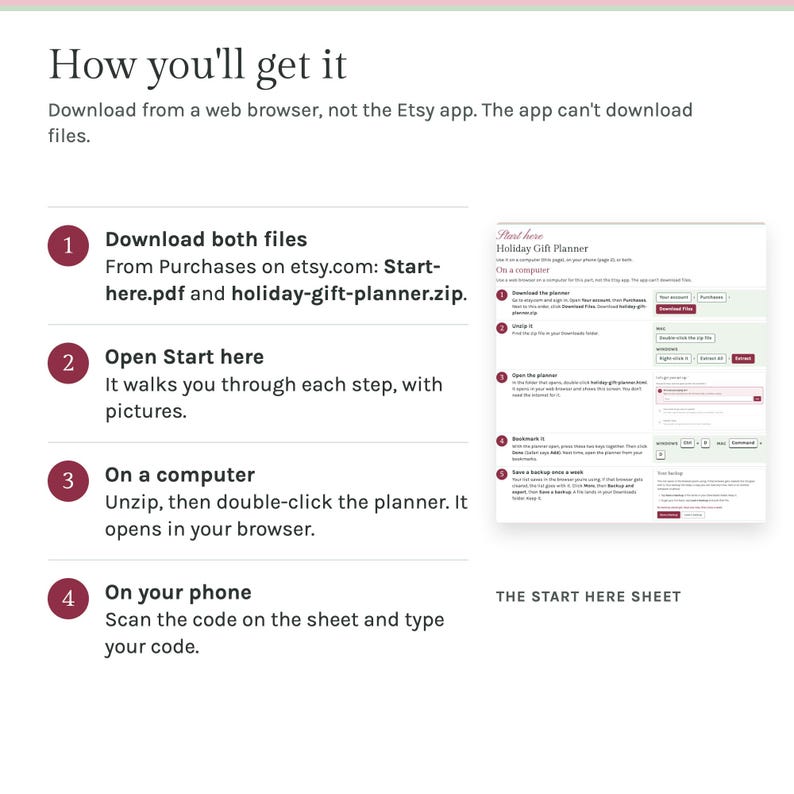
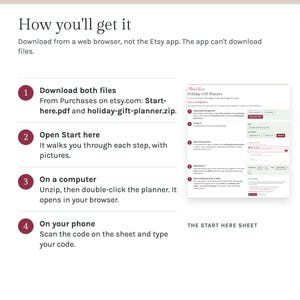
1. After you buy, go to etsy.com in a web browser, not the Etsy app. The app can't download files.
2. Open Your account, then Purchases. Next to this order, click Download Files.
3. Download both files: Start-here.pdf and holiday-gift-planner.zip.
4. Open Start here. It walks you through every step with pictures.
5. On a computer: unzip the file, then double-click the planner. It opens in your web browser.
6. On your phone: scan the code on the Start here sheet, type your code, then tap Add to Home Screen. It shows you each tap.
GOOD TO KNOW
- This is a digital download. Nothing ships to you.
- Works in a web browser: Chrome, Safari, Edge or Firefox.
- Your list saves on your own computer or phone. It isn't uploaded anywhere.
- Your computer and your phone each keep their own list. A backup file moves your list from one to the other.
- Save a backup every so often. If your browser's data gets cleared, your backup brings your list back.
- The sample family and parties in the photos are made up, so you can see how it looks once it's filled in.
TERMS OF USE
- This planner is for your own personal use. Please don't share, resell or post the planner or its files.
- Buying it gives you the right to use it. The design and code stay mine.
- It's a digital download, so all sales are final and I don't offer refunds. If something won't open or isn't working, send me a message and I'll help you get it running.
I designed this planner and built it with help from AI coding tools.
Questions? Send me a message on Etsy.
Instant Download
Your files will be available to download once payment is confirmed. Here's how.
Instant download items don’t accept returns, exchanges or cancellations. Please contact the seller about any problems with your order.
Etsy Purchase Protection
Shop confidently on Etsy knowing if something goes wrong with an order, we've got your back for all eligible purchases —
see program terms


