


Garage Door Business Spreadsheet, Repair vs Replace Calculator, Job Tracker, Excel and Google Sheets, Profit and Tax Tracker
NowPrice:$8.39
Original Price: $13.99
40% off
Sale ends on December 25
Here's what's eligible:
- Your order doesn't match the item description or photos
- Your item arrived damaged
- Your item arrived after the estimated arrival window
- Your item didn't arrive or was lost in the mail
You can only make an offer when buying a single item
Highlights
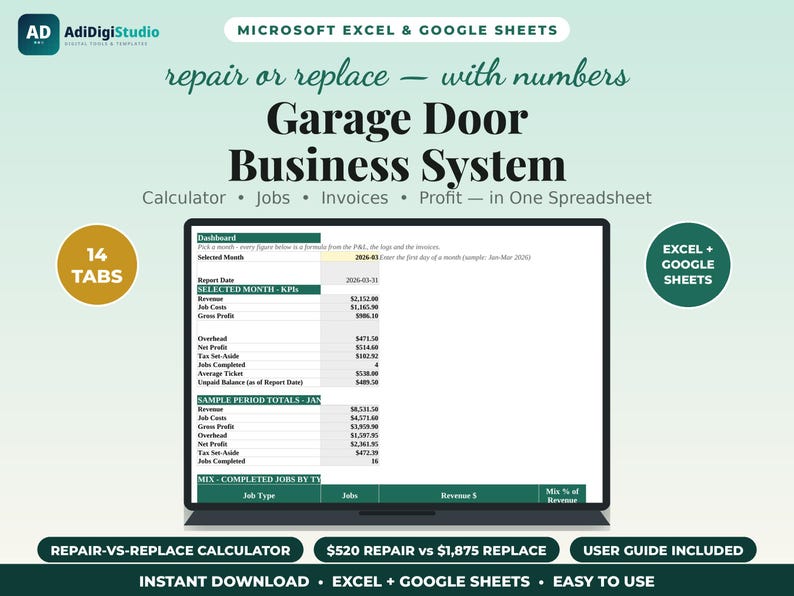
"Should we repair it, or is it time for a new door?" — this system answers that question with numbers, from your own price book, and shows your customer exactly why.
Price every job both ways — repair vs full replacement, side by side — and see the true profit on every repair and install, with invoices, parts stock, warranties and a monthly P&L kept straight, in Excel or Google Sheets.
The Garage Door Business System is a complete business system for a garage door owner-operator or small crew. You keep a Price Book of your parts, doors and openers, log jobs, invoices, overhead and miles in plain logs, and the signature Repair-vs-Replace Calculator, the Dashboard and the P&L are worked out for you by formula. For every scenario the Calculator prices the repair (parts from your Price Book, labour, service call) against a full replacement (new door + opener + install) and returns both quotes, both margins, the repair as a % of replacement, the cost per expected year of each option, and a REPAIR / CLOSE CALL / REPLACE verdict against thresholds you set. Type into the yellow cells; the grey formula cells do the maths. No macros, nothing to install, no software subscription to keep paying.
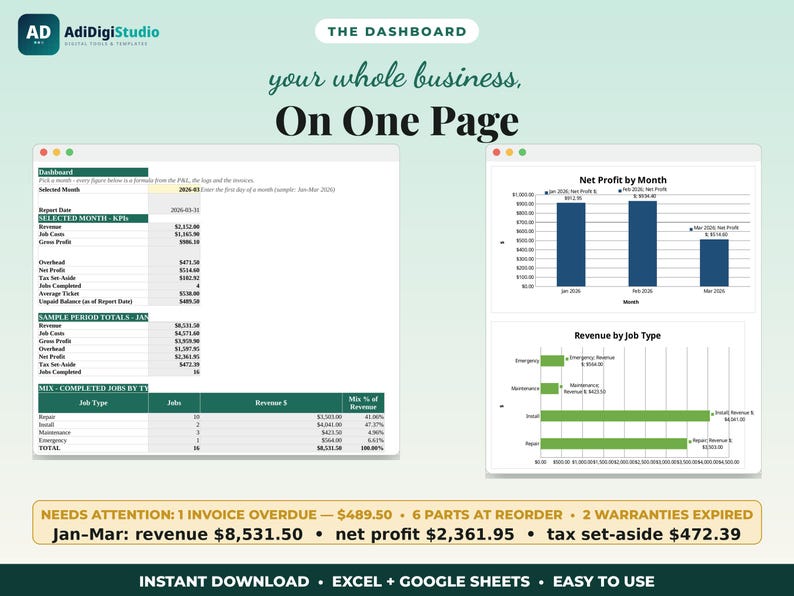
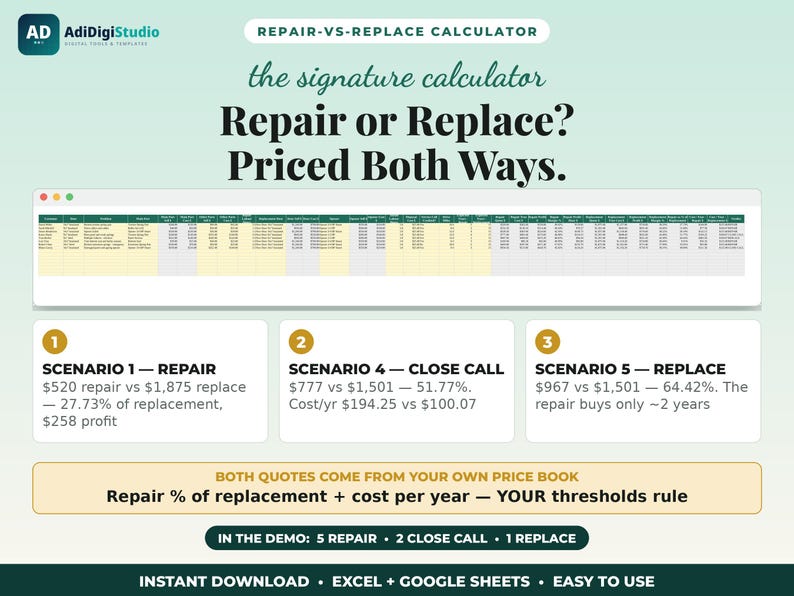
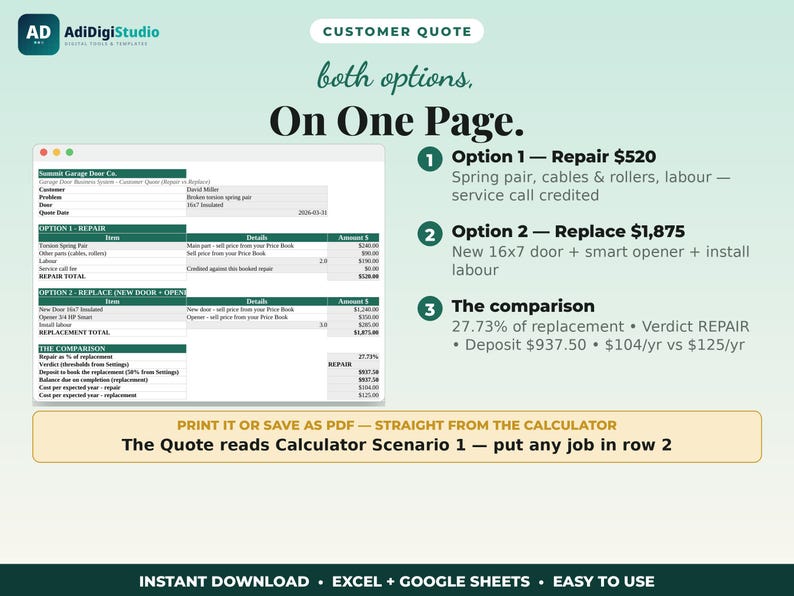
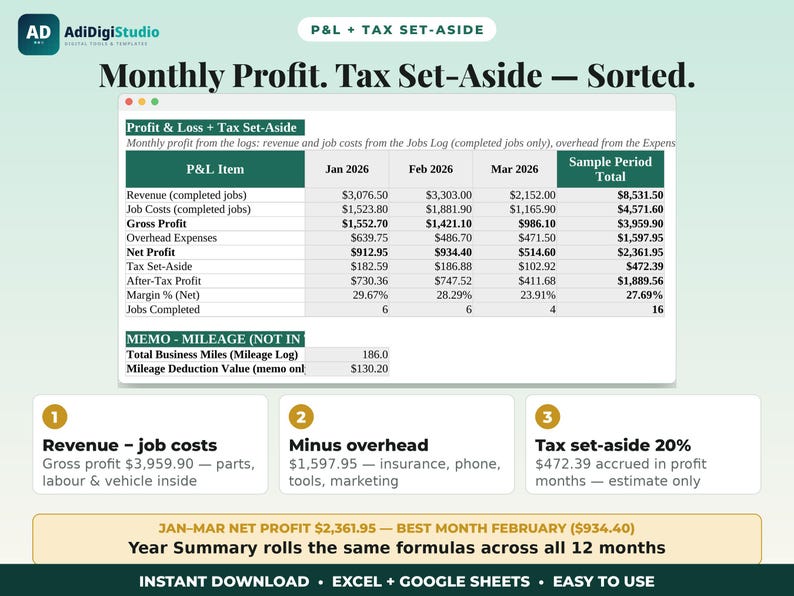
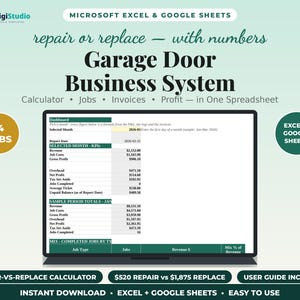
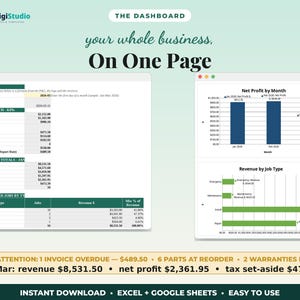
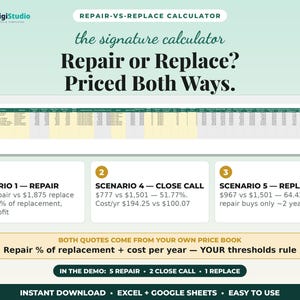
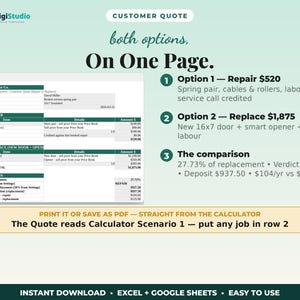
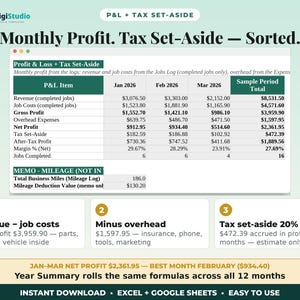
In the included Sample, Summit Garage Door Co. of Dallas (January–March) shows how it reads in practice: a broken torsion spring pair priced at $520 to repair against $1,875 to replace — 27.73%, verdict REPAIR, with $258 of profit in the repair — while an old door with multiple failures prices at $967 against $1,501 (64.42%, verdict REPLACE), and one bent-panel job lands at 51.77%, a genuine CLOSE CALL. Across the quarter the sample business turns $8,531.50 of completed work into $2,361.95 of net profit after overhead. All sample data is fictional and is there to teach the system, not to promise results.
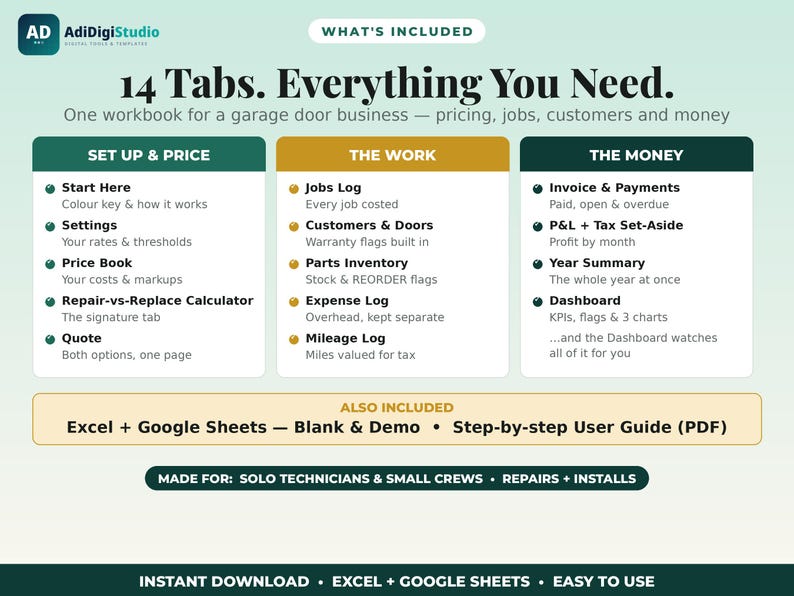
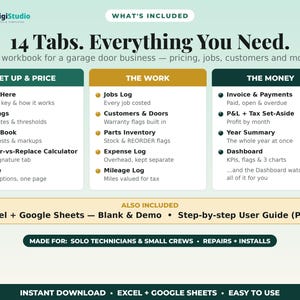
★ WHAT'S INCLUDED — 14 TABS
• START HERE — the quick start: how the system works, the order to work through the tabs, and an honest list of what it does not do
• SETTINGS — your business details, labour charge and cost rates, service call fee, after-hours multiplier, tax set-aside %, mileage rate, the calculator's verdict thresholds, deposit %, payment terms and all dropdown lists in one place
• DASHBOARD — the whole business on one screen: pick a month for revenue, job costs, gross and net profit, tax set-aside, jobs completed, average ticket and the unpaid balance, plus the repair/install mix, calculator verdict counts and a needs-attention list — with three auto-updating charts: revenue vs overhead by month, net profit by month, and revenue by job type
• REPAIR-VS-REPLACE CALCULATOR — the signature tab: repair and replacement priced side by side from your Price Book, with both quotes, both margins, repair % of replacement, cost per expected year, and a REPAIR / CLOSE CALL / REPLACE verdict
• PRICE BOOK — every part, door and opener once: your unit cost and markup %, with the sell price worked out by formula — the Calculator and Parts Inventory pull from here
• QUOTE — a printable customer quote showing BOTH options side by side, with the repair %, the verdict, the deposit and the balance
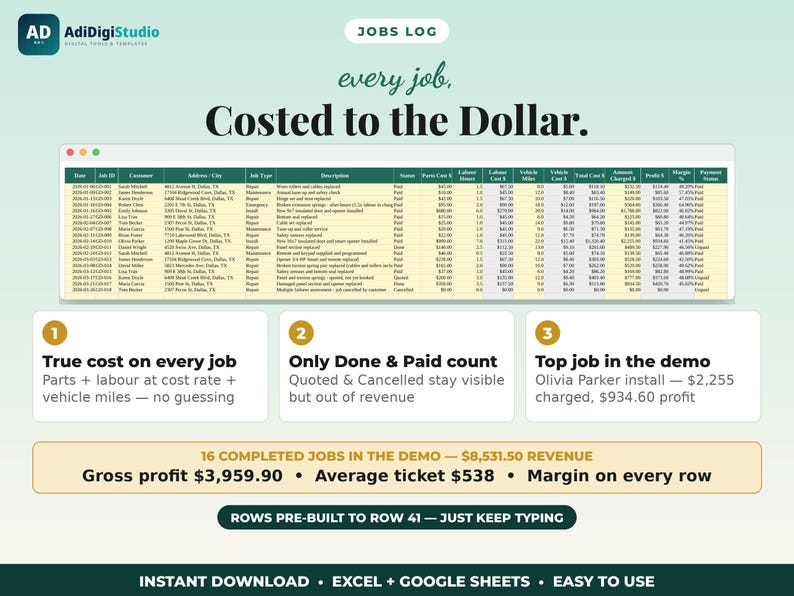
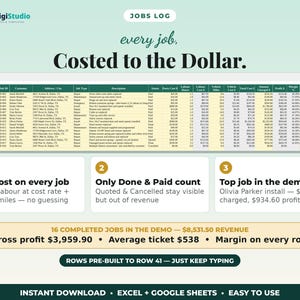
• JOBS LOG — every job logged with parts cost, labour hours and miles, with labour cost, vehicle cost, total cost, profit and margin calculated for you
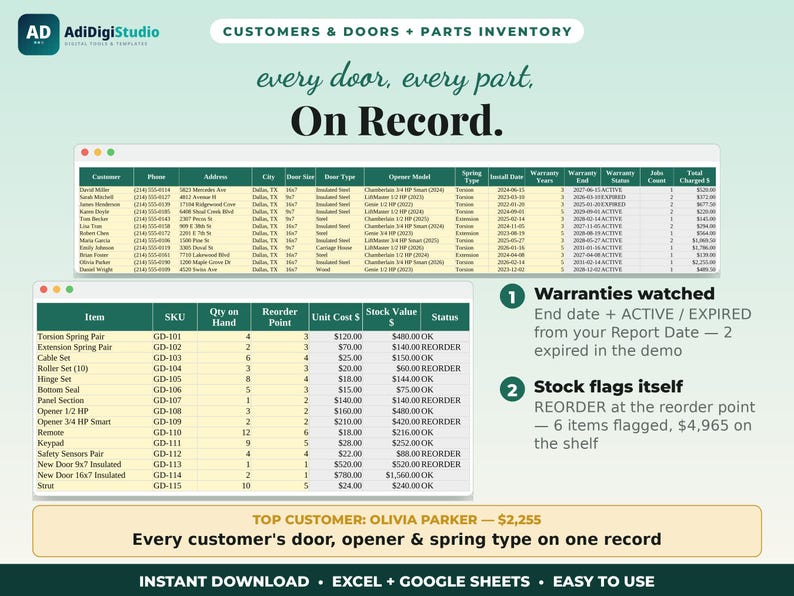
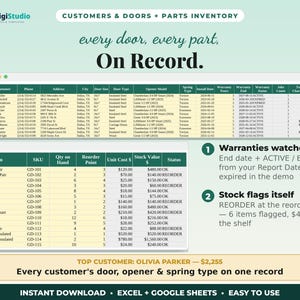
• CUSTOMERS & DOORS — every customer and their door: size, type, opener, spring type, install date, warranty end and ACTIVE / EXPIRED status, with job counts and totals rolled up from the Jobs Log
• PARTS INVENTORY — stock on hand per Price Book item, unit cost pulled in automatically, stock value, and a REORDER flag when stock runs low
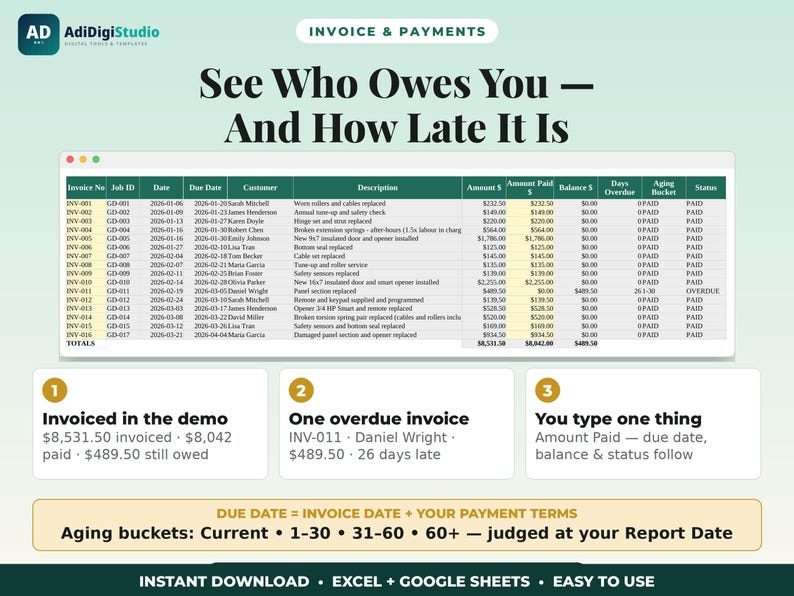
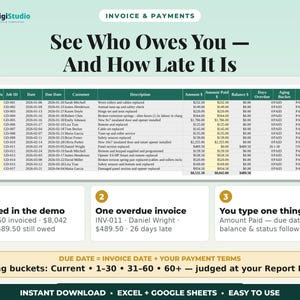
• INVOICE & PAYMENTS — one invoice per completed job, with due date, balance, days overdue, aging bucket (Current / 1–30 / 31–60 / 60+) and status (PAID / OPEN / OVERDUE) by formula
• EXPENSE LOG — overhead only (insurance, phone, tools, marketing…), so job costs are never counted twice
• MILEAGE LOG — business miles valued at your per-mile rate, as a tax memo
• P&L + TAX SET-ASIDE — monthly profit & loss: revenue and job costs from the Jobs Log, overhead from the Expense Log, net profit, and a tax set-aside that accrues your % in profit months
• YEAR SUMMARY — the whole year month by month with the same live formulas, annual totals, best month, repair vs install revenue and your top customer
★ THE SIGNATURE CALCULATOR
Most garage door spreadsheets track jobs. This one settles the repair-or-replace argument. Enter the repair (main part from your Price Book, other parts, labour hours, service call credited or not, drive miles) and the replacement (new door and opener from your Price Book, install hours, disposal), plus your own estimate of the years each option buys — and it returns both quotes, both true costs, both profits and margins, repair as % of replacement, cost per expected year for each option, and a verdict:
• REPAIR — the repair is at or below your first threshold (40% of replacement in the Sample's settings)
• CLOSE CALL — between your thresholds (up to 60% in the Sample): the honest talk-it-through zone, where cost per year usually decides it
• REPLACE — above your second threshold: the repair costs too much of a new door to recommend
The prices come only from your own Price Book — the Calculator never invents a price.
★ WHO IT'S FOR
• A solo garage door technician or a small crew (1–5 people) doing repairs and installs
• Owners who quote the repair-or-replace call by feel and want the numbers — and a quote that shows the customer why
• Anyone who wants their pricing, jobs, customers, parts, invoices and profit in one spreadsheet they own, in Excel or Google Sheets, instead of another monthly subscription
★ WHAT YOU GET (instant download)
• Excel file — SAMPLE: the full system filled with the Summit Garage Door Co. example data, so you can see exactly how it works before you start
• Excel file — BLANK: your working copy, ready to fill in
• Google Sheets — SAMPLE: https://docs.google.com/spreadsheets/d/1V2e7L96ArDovz9xDfd-rYTsn036l_XXnxeprZ_zIruo/edit
• Google Sheets — BLANK: https://docs.google.com/spreadsheets/d/1rKzesa70EbF_c3zCSNSfy5eK7dPOn2A8oFI0Sx3nZfs/edit
(open a link, choose File > Make a copy, and it is yours)
• User Guide (PDF) — a quick start, a guide to every tab, and the calculator explained with the Sample's REPAIR, CLOSE CALL and REPLACE examples
• Thank-You Card (PDF) — your Google Sheets access links and first steps on one page
★ HOW IT WORKS
1. Start on Start Here, then set your rates and verdict thresholds once on Settings
2. Build your Price Book, add your customers, and price the job on the Repair-vs-Replace Calculator
3. Send the Quote, log the job on the Jobs Log, and its invoice on Invoice & Payments as money moves
4. Log overhead and miles as you go — the Dashboard, P&L and Year Summary build themselves from your logs
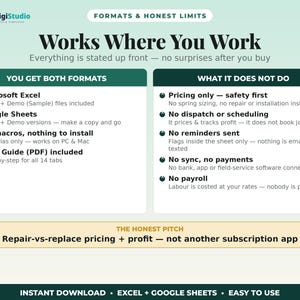
★ PLEASE READ — WHAT THIS SYSTEM DOES NOT DO
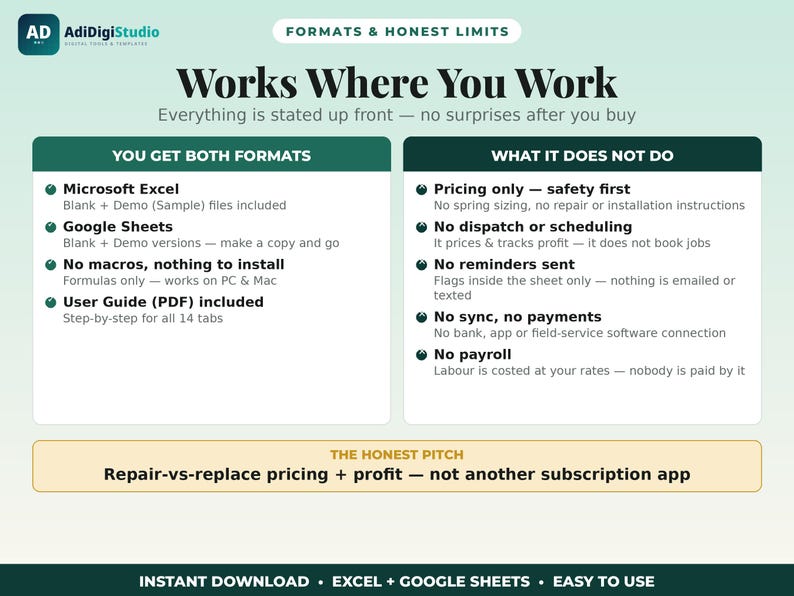
• SAFETY FIRST: this system prices jobs only, from your own price book. It does NOT size torsion springs and gives NO repair or installation instructions of any kind. Garage door springs are under extreme tension and are dangerous — spring and cable work should only ever be done by trained technicians
• It does NOT dispatch or schedule. It does not book jobs, route technicians or optimise a day's calls — it prices jobs and tracks profit, and works alongside whatever you schedule with
• It does NOT send reminders. Warranty expiries, reorder points and overdue invoices are flags inside the sheet — nothing is emailed, texted or sent to you or your customers
• It does NOT sync with field-service software (Jobber, ServiceTitan, Housecall Pro), your bank or any app. You type jobs, payments and costs into the logs, and every summary is calculated for you from what you entered
• It does NOT process payments and does NOT send invoices. The Quote and invoices are documents you print or save as PDF and send however you normally would
• It does NOT do payroll. Labour is costed at the rates you set in Settings for profit maths only
• It does NOT calculate your exact tax or give tax, legal or safety advice. The tax set-aside is a planning estimate at your own %, and the mileage value is a memo — confirm your actual figures with your tax professional
• It is built for a single business in a single currency (US dollars in the Sample; the maths is currency-neutral). One purchase covers one business; figures are only as good as the numbers you log
★ GOOD TO KNOW
• You need Microsoft Excel 365 or 2021 or newer, or a free Google account for Google Sheets. It does NOT work in Apple Numbers — Numbers does not support all of the formulas and formatting this system uses, so please use Excel or Google Sheets
• A phone works fine for quick updates (logging a job, checking the Dashboard); do the first setup on a computer, where the wider tabs — especially the Calculator — are easiest
• Warranty status, invoice aging and overdue flags are judged against the Report Date in Settings — the User Guide explains it in one page; update it to today when you work live
• All sample data in the Sample files is fictional — Summit Garage Door Co., its customers and its figures are a worked example, not a real business
• This is a digital download — no physical item will be shipped
★ FAQ
Q: Do I get both Excel and Google Sheets?
A: Yes — Excel Sample + Blank files, and Google Sheets Sample + Blank via the links in your delivery files. Both versions work the same way; use whichever you already like.
Q: How do I get my Google Sheets copy?
A: Open the link in your delivery files, then choose File > Make a copy. That saves your own copy to your Google Drive — always use Make a copy rather than requesting edit access, because the link is view-only so the master file stays clean for every buyer.
Q: What is the difference between the Excel and Google Sheets versions?
A: Nothing in how they work — same 14 tabs, same formulas, same sample data. The Excel files are downloaded and opened on your computer; the Google Sheets version opens in your browser (free with a Google account) once you choose File > Make a copy from the link. Pick based on where you prefer to work.
Q: Will it work on a Mac, or in Apple Numbers?
A: Yes on a Mac in Excel or in Google Sheets in your browser. It does NOT work in Apple Numbers — please use Excel or Google Sheets instead, as described above.
Q: Does the Calculator tell me what spring to fit?
A: No — never. It prices work from your own Price Book only. It does not size springs and gives no repair or installation instructions. Spring work is dangerous and belongs to trained technicians.
Q: Can I change the verdict thresholds?
A: Yes — the REPAIR and CLOSE CALL cut-offs are settings (40% and 60% in the Sample). Change them in Settings and every verdict in the workbook updates.
Q: Does it remind me about warranties or overdue invoices?
A: It flags them inside the sheet — warranty status on Customers & Doors, aging on Invoice & Payments, and a needs-attention list on the Dashboard. It sends nothing to anyone; checking the Dashboard is the routine.
Q: What if I type over a formula by mistake?
A: In Excel the formula cells are locked (no password — you can unprotect from the Review tab), and in Google Sheets they warn before editing. Keep an untouched copy of your Blank file saved somewhere safe; if a total stops calculating, re-copy from that untouched Blank. The User Guide explains which cells are inputs and which are formulas.
Q: Is there a subscription or monthly fee?
A: No. This is a one-time purchase and the files are yours to keep.
Q: How many businesses can I use it for?
A: One purchase covers one business — you may use it for your own business. Please do not share, resell or redistribute the files.
Q: Can I get a refund?
A: This is a digital item, so it cannot be returned the way a physical item can — please read the "What this system does not do" section above carefully before buying, and start with the Sample description and photos to be sure it fits. If something in your files does not work as described, message the shop on Etsy and we will help you put it right.
Thank you for supporting a small shop. Good luck — and may every door you price pay what it should.
Instant Download
Your files will be available to download once payment is confirmed. Here's how.
Instant download items don’t accept returns, exchanges or cancellations. Please contact the seller about any problems with your order.
Etsy Purchase Protection
Shop confidently on Etsy knowing if something goes wrong with an order, we've got your back for all eligible purchases —
see program terms


More from this shop
Visit shop-
Digital download
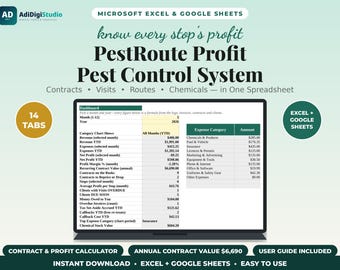
Pest Control Business Spreadsheet, Exterminator Tracker, Recurring Contract & Route Profit Calculator, Excel Google Sheets
Sale Price $7.55
Original Price $13.99
-
Digital download
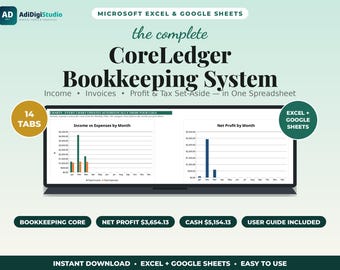
Small Business Bookkeeping Spreadsheet Excel Google Sheets Income Expense Tracker Profit and Loss Tax Planner Freelancer Template
Sale Price $7.64
Original Price $14.99
-
Digital download
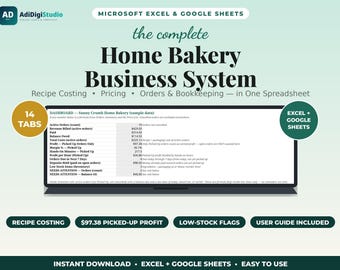
Home Bakery Business Spreadsheet, Recipe Cost Calculator, Order Tracker, Bookkeeping Spreadsheet, Cake Pricing, Excel & Google Sheets
Sale Price $8.67
Original Price $13.99
-

Digital download
Handyman Business Spreadsheet, Job Pricing Calculator, Contractor Job Costing, Bookkeeping, Estimate & Invoice, Google Sheets and Excel
Sale Price $9.29
Original Price $14.99