


Subscription Tracker Spreadsheet, Paste Bank CSV, Renewal and Cancel By Dates, Excel Google Sheets
Price:$5.99
Here's what's eligible:
- Your order doesn't match the item description or photos
- Your item arrived damaged
- Your item arrived after the estimated arrival window
- Your item didn't arrive or was lost in the mail
You can only make an offer when buying a single item
Highlights
A subscription tracker you fill by pasting your bank's transactions: see which charges look like they repeat, list what each subscription costs per month and per year, and mark each one Keep or Cancel with the date to cancel by.
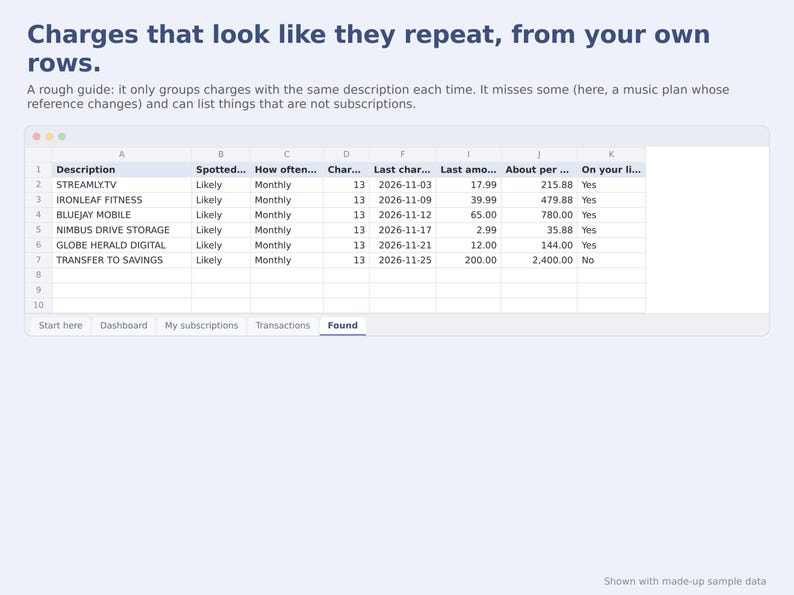
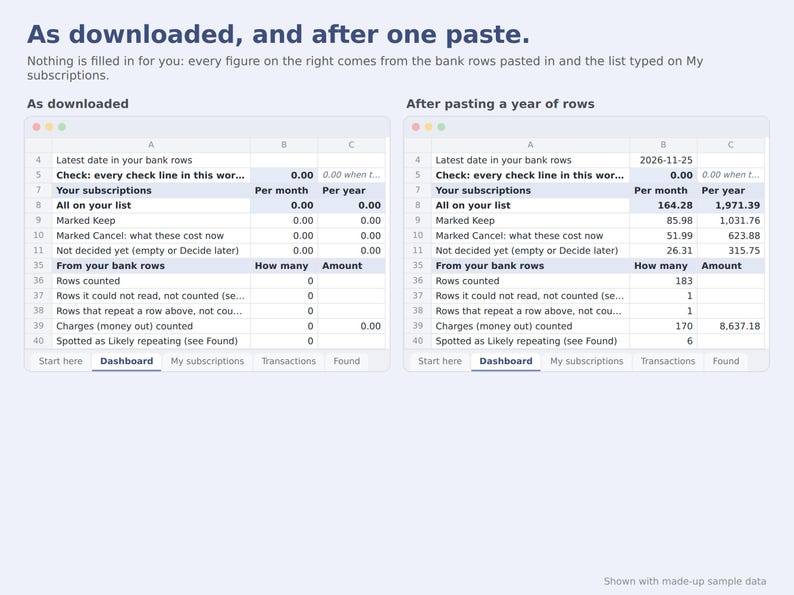
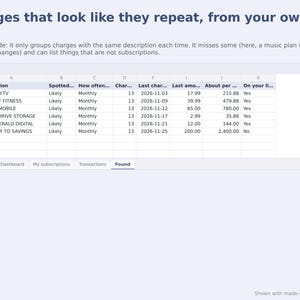
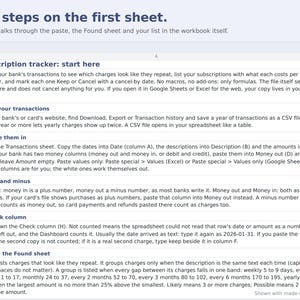
Download your transactions as a CSV file and paste the dates, descriptions and amounts. The Found sheet lists charges that look like they repeat. It is a rough guide, not a full list: it only groups charges whose description is the same each time, so it misses some, and it can list things that are not subscriptions. Then type your own list, decide on each one, and read the totals.
HOW IT WORKS
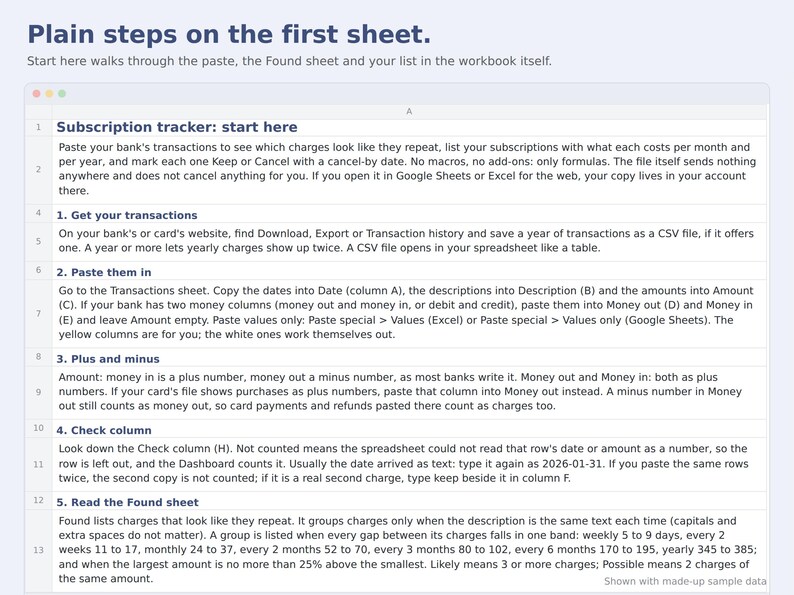
1. Download a year of transactions from your bank's website (Download, Export or Transaction history, as a CSV file, if your bank offers it).
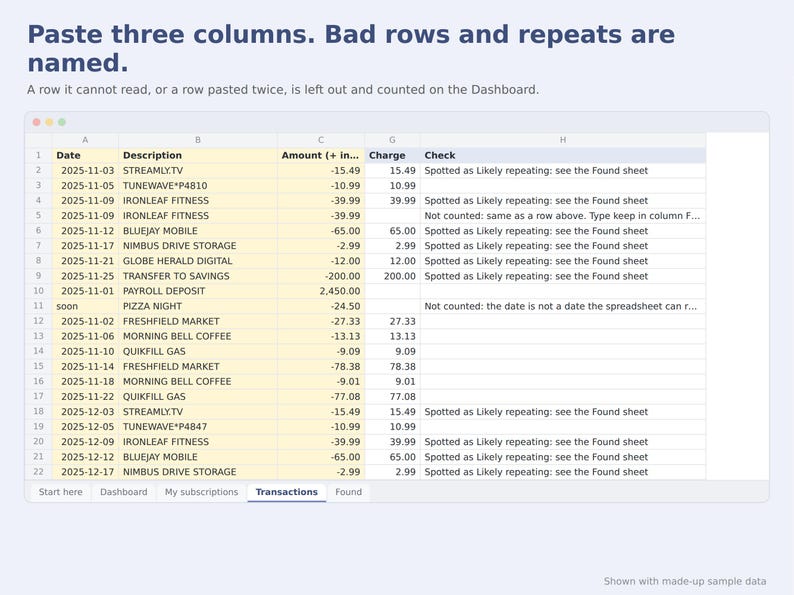
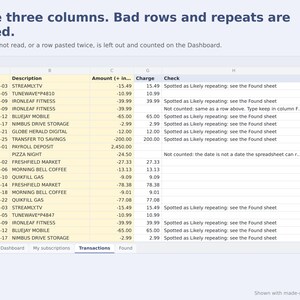
2. Paste the dates, descriptions and amounts into the yellow columns. Banks that split money out and money in into two columns are covered too.
3. Read the Found sheet: how often each charge seems to repeat, how many times it was charged, the last amount and a rough cost per year.
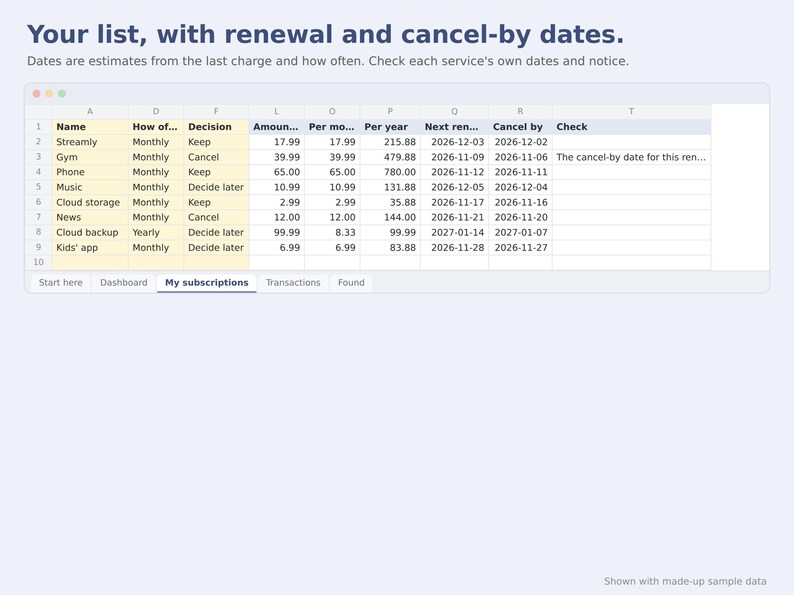
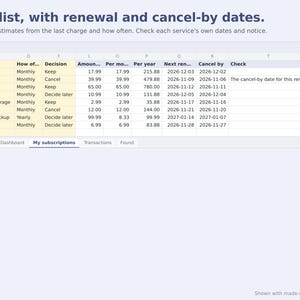
4. On My subscriptions, type a name and how often. Type the amount and last charge date, or a word from the bank description and the sheet looks them up in your rows.
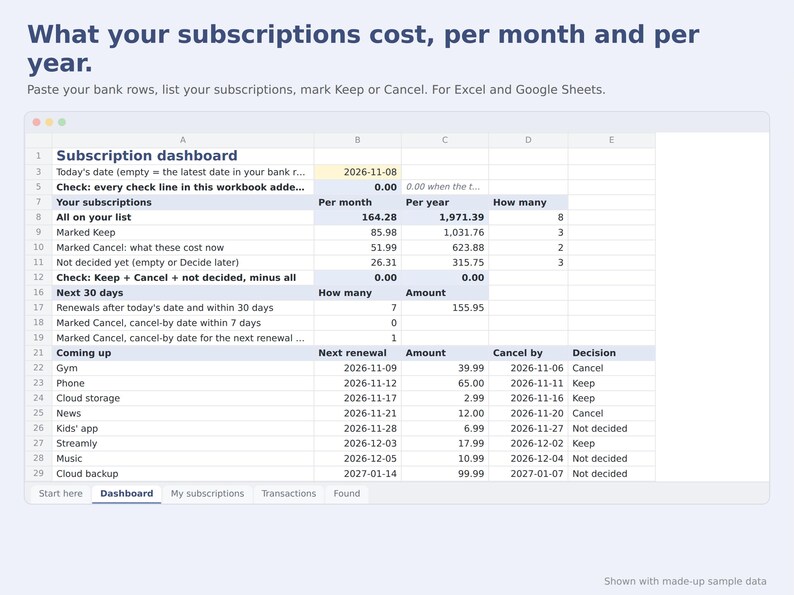
5. Mark each one Keep, Cancel or Decide later, type today's date on the Dashboard, and read the totals and the dates.
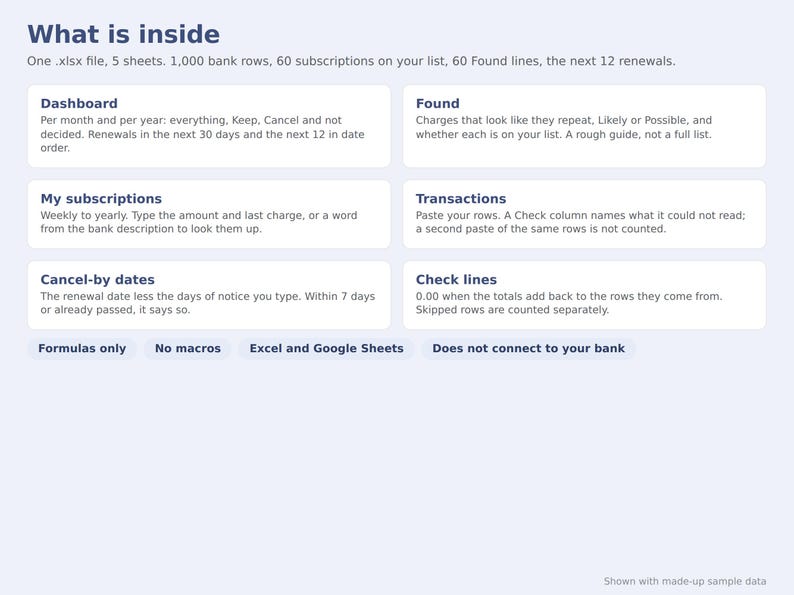
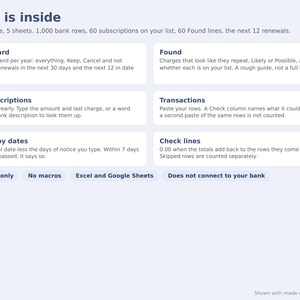
WHAT IS INSIDE (5 sheets)
- Start here: plain-language steps, including exactly what the Found sheet looks for.
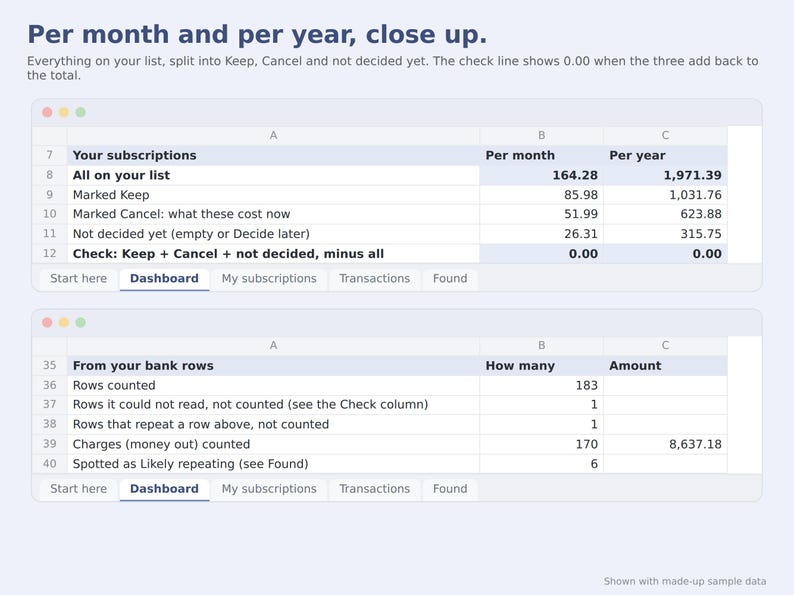
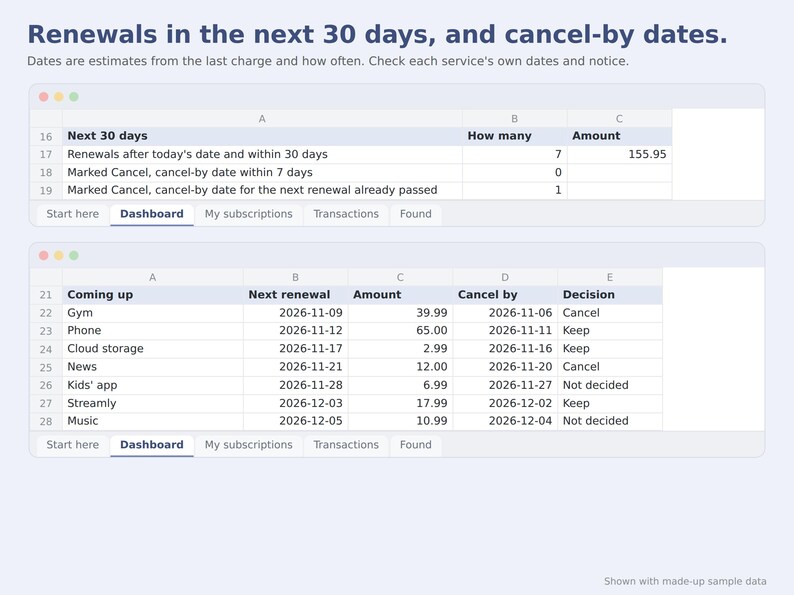
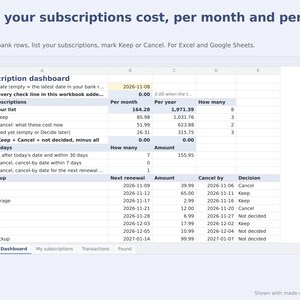
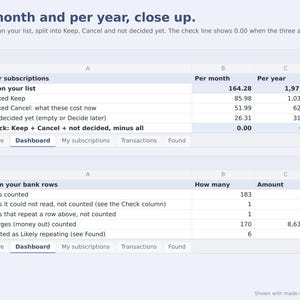
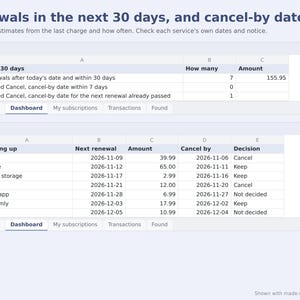
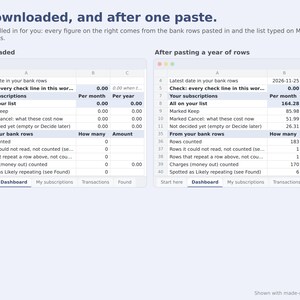
- Dashboard: per month and per year for everything on your list, for the ones marked Keep, the ones marked Cancel (what they cost now) and the ones not decided yet. Renewals in the next 30 days, the next 12 renewals in date order, and cancel-by dates within 7 days or already passed. Check lines show 0.00 when the totals add back to the rows they come from.
- My subscriptions: room for 60. Weekly, every 2 weeks, monthly, every 2, 3 or 6 months, or yearly. A next renewal date, and a cancel-by date from the days of notice you type (empty means 1 day before).
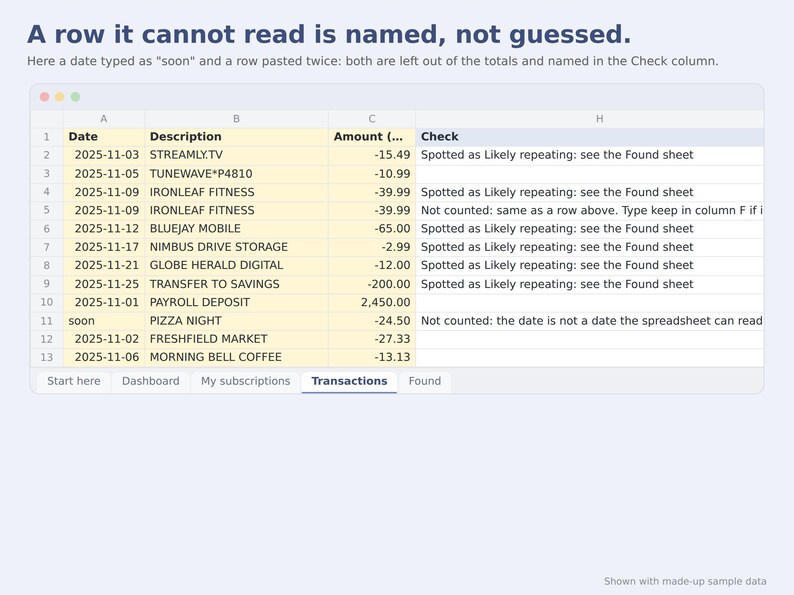
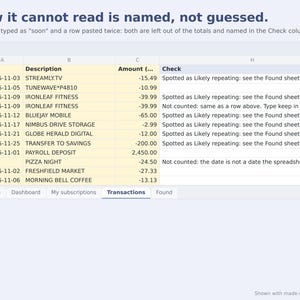
- Transactions: room for 1,000 rows. A Check column names any row the spreadsheet could not read and leaves it out until you fix it. Paste the same rows twice and the second copy is not counted; type keep beside a row if it is a real second charge.
- Found: up to 60 charges that look like they repeat, marked Likely (3 or more charges) or Possible (2 charges of the same amount), and whether each one is already on your list.
GOOD TO KNOW
- The Found sheet is a rough guide. It groups charges only when the description is the same text each time. A description with a changing reference number, a bill whose amount changes a lot, a skipped month and a yearly charge seen once are not listed, and a regular transfer or loan payment can be. Look through your statements too and add what it missed.
- Renewal and cancel-by dates are estimates from the last charge and how often. Check the dates and the notice each service gives you.
- It does not cancel anything, does not send reminders and does not connect to your bank. You paste your own downloaded transactions, open the file to see the dates, and cancel through each service yourself.
- Type today's date on the Dashboard when you come back to it; the file does not change the date by itself.
- Formulas only: no macros, no add-ons, no scripts. The file itself sends nothing anywhere. If you open it in Google Sheets or Excel for the web, your copy lives in your account there, under that provider's terms.
- Checked in Google Sheets and Excel for the web. Desktop Excel uses the same formulas; if it opens the file in Protected View, click Enable Editing. Not checked in Apple Numbers.
- In Excel the formula columns are locked so a paste cannot overwrite them (Unprotect sheet, no password, if you want to change them). Google Sheets may treat that lock differently, so paste only into the yellow columns there.
- Rows it could not read are left out and counted separately, so a check line of 0.00 covers the rows it counted.
- The figures are sums of your own rows and entries. Nothing in the workbook is a recommendation.
- Images show the template filled with made-up sample data.
- Made with AI tools: this shop designed the template and built it with the help of AI tools.
DIGITAL DOWNLOAD
This is a digital file; nothing is shipped. After you buy, Etsy gives you the download link. Because it is an instant download you keep, we do not take returns for a change of mind. If the file does not open or does not work as described here and we cannot fix it, message us through Etsy within 30 days of purchase and we will refund you in full. This does not limit any right you have under the law where you live, or any refund Etsy grants under its own policies.
LICENCE
- For your own household, on as many of your own devices as you like.
- Please do not resell, share or give away the file, sell copies or edited versions of it, or use it to prepare other people's records as a paid service.
- The figures are sums of the rows you paste and the amounts you type. Check them before you rely on them. The template is provided as is, to the extent the law allows.
Instant Download
Your files will be available to download once payment is confirmed. Here's how.
Instant download items don’t accept returns, exchanges or cancellations. Please contact the seller about any problems with your order.
Etsy Purchase Protection
Shop confidently on Etsy knowing if something goes wrong with an order, we've got your back for all eligible purchases —
see program terms


More from this shop
Visit shop-
Digital download
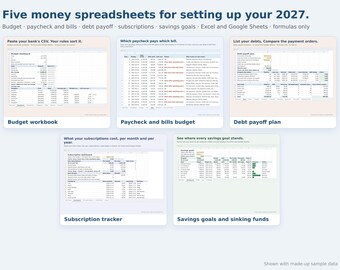
2027 Money Reset Spreadsheet Bundle, Paycheck Budget, Debt Payoff, Sinking Funds, Excel Google Sheets
$19.99
-
Digital download
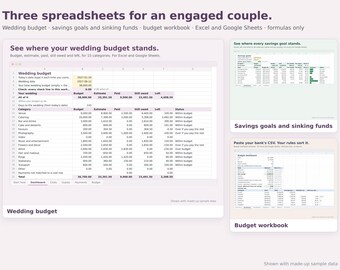
Wedding Budget Spreadsheet Bundle for Engaged Couples, Savings Goals, Budget Workbook, Excel Google Sheets
$17.99
-
Digital download
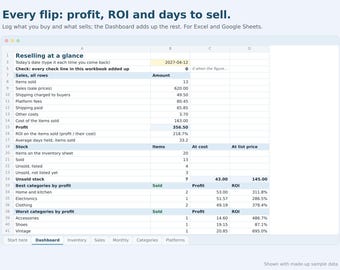
Reseller Inventory Spreadsheet, Profit and ROI Tracker, Flipping Sales Log, Excel Google Sheets
$7.99
-
Digital download
Paycheck Budget Spreadsheet, Bill Tracker by Paycheck, Biweekly Budget Planner, Excel Google Sheets
$7.99