

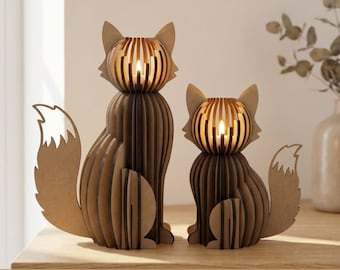


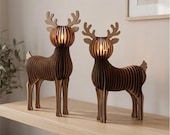
Welcome to Colorful Walk!
Featured items
All items
Announcement
Last updated on Jun 1, 2026
Reviews
4.9
(426)
Average item review
We calculate this number using a recency-weighted average of all ratings, with a rating's value decreasing by half each year to best reflect the current experience.
Loading
-

Christian on Sep 14, 2026
5 out of 5 starsAs always, everything was perfect, would gladly come again.
-

Abigail on Sep 13, 2026
5 out of 5 starsI’m a newbie at laser cutting, and these files are easy to use, fit together perfectly and produce wonderful pieces. I liked them so much I’ve come back purchased several more.
-

-
Abigail on Sep 12, 2026
5 out of 5 starsAwesome file! Everything cut perfectly, zero waste, and the end result is a true stunner. I liked it so much that I went back and bought some more from this seller!
-
-
-
Tanja on Sep 9, 2026
5 out of 5 starsGreat file. Everything fits perfectly. The result is fantastic!
-
Panradls on Sep 4, 2026
5 out of 5 starsExcellent as always 😍 I've already bought several files and I'm always thrilled.
-
Magdalena on Aug 20, 2026
5 out of 5 starsGreat. I recommend it. Easy and quick to assemble. Looks beautiful.
-
About ColorfulWalk
Sales
6,577
On Etsy since 2025

Shop policies
Last updated on
Accepted payment methods
Accepts Etsy Gift Cards and Etsy Credits
Returns & exchanges
See item details for return and exchange eligibility.
More information
Last updated on
Jun 1, 2026
Frequently asked questions
I haven`t received my order
I am offering only DIGITAL DOWNLOAD items. No physical item will be shipped.
Where can I access my digital download purchase?
Your digital download can be found on your Etsy order page. Just go to "Purchases and Reviews" and click the "Download Files" button.
If you can’t find your purchase or see an error message, don’t worry! Just send me a message with your order number, and we’ll help you out.
IMPORTANT: digital files can only be viewed and downloaded on a laptop or desktop computer, so they won’t show up on mobile devices.
What are the red lines and black areas for? /Question for category LASER CUT FILES/
If the file contains both, the red lines are for cutting, and the black areas are for engraving.
The individual pieces do not fit together. The part sizes do not match the slots, so they cannot be connected. What should I do? /Question for category LASER CUT FILES/
If you face this issue, please follow these steps:
1) Check material: Ensure your actual material thickness matches the file description.
2) Check file scale: Verify that the file opens at the correct size. Sometimes (especially in LightBurn), files shrink during import. The slots must exactly match your material thickness.
3) Fix the settings: If the size is incorrect, check your import settings and make sure "72 DPI - Illustrator" is selected.
4) Manual resize: You can also manually scale the entire design up or down until the connection slots match the material thickness stated in the file name.
This should solve the problem!
What sizes can I print my purchase? /Question for category WALL ART PRINTS/
There are several printing sizes included for each artwork- see the details in listing pictures or description. If you need a specific size that isn't included in your download, please reach out to me before making your purchase to make sure it is possible with exact artwork. I can accommodate one custom resize request per listing, free of charge! Just keep in mind that resizing may take a couple of days. Alternatively, many online printing services can also resize artwork file if you choose to use them for printing.
What are the size for book covers? /Question for category BOOK COVER PRINTS/
In a PDF file you will receive for printing all covers will have the same size. You can print them at any size you need, or even mix different sizes if you're planning to use books of very different sizes. Even when printed all in one size, the covers can be slightly adjusted to fit different book sizes—simply trim the free of text side where needed to match your books. If you print these designs on Tabloid paper (11x17 inches), they will fit most popular book sizes, including 6x9 inches and even 7x10 inches if the books are not very thick. Please note that the printable area for Tabloid paper on most printers is at least 10x16 inches, so ensuring your printer settings are optimized can help maximize the printable space.
What type of paper should I print on, and where should I print? /Question for categories BOOK COVER PRINTS and WALL ART PRINTS/
You have the freedom to choose your paper! I suggest to use white paper. Just keep in mind that if you use colored paper instead of bright white, the results may vary. Factors like ink type, printer quality, and settings can also affect the final look. While you can print at home, I recommend using professional printing services for the best quality! You can use your local print shop to print larger sizes. Many of these stores offer online printing services, allowing you to simply upload your files, and they will handle the printing and shipping for you.
Can you customize my order?
Please contact me and share your ideas! In most cases, I can make minor adjustments, such as changing text on book cover designs or adjusting laser files for a different material thickness. However, my availability for custom requests largely depends on my current workload. Send me a message with your specific needs, and I will let you know what is possible right now!
!!! IMPORTANT NOTE !!! I am out of the country until July 13, 2026. Because of this, I am unfortunately unable to accept or fulfill any custom orders during this time.