





















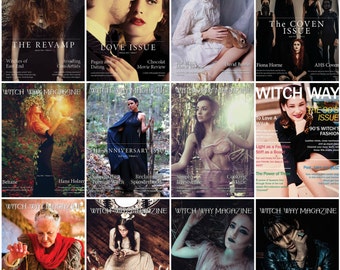






















Witches Have Lifestyle's Too!
Featured items
All items
Announcement
Last updated on Oct 7, 2016
Reviews
5.0
(854)
Average item review
We calculate this number using a recency-weighted average of all ratings, with a rating's value decreasing by half each year to best reflect the current experience.
Loading
-

-
-

Chris on Sep 28, 2025
5 out of 5 starsThis is an introductory edition. Not a lot of content but the quality looks good.
-

-
Etsy buyer on Jul 23, 2024
5 out of 5 starsEnjoyed reading articles Hard trouble getting the download to work....
-

-
Juliane on May 10, 2023
5 out of 5 starsGreat magazine :-) I absolutely love it and will buy more.Thank you very much.
-

-

-

About WitchWayMagazine
Sales
4,520
On Etsy since 2015
-
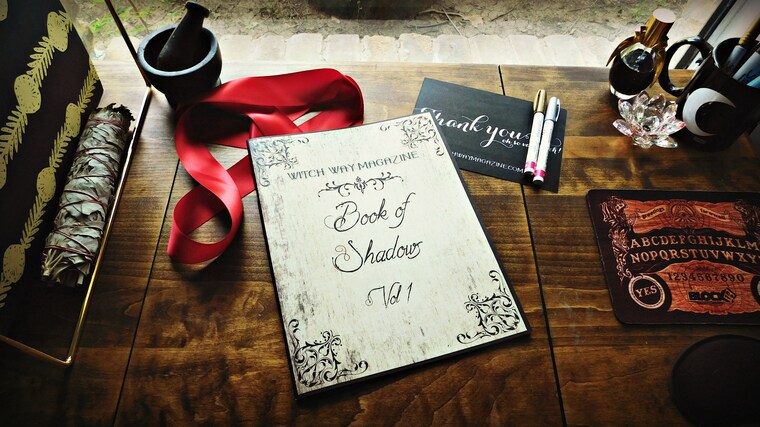 Our Book of Shadows Vol 1
 -
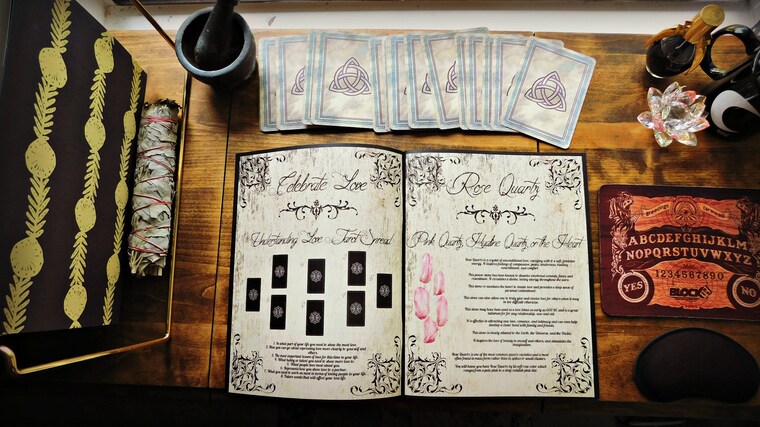 Our Book of Shadows Vol 1
Shop members
-

Tonya Brown
Owner, Creator, Designer
Creator of Witch Way Magazines, decides themes, articles, tone, and the overall creation of the magazine. Social media, marketing, emailing, answering emails, IT help - Tonya handles almost everything that goes on with this little publication.
-

Daina Renton
Photographer
When we have special projects Daina is our photographer! She is an artistic whirlwind of eclectic awesomeness.
-

Kiki Dombrowski
Divination Expert
Kiki is our go-to divination expert and aids in making sure our readers have a good understanding of different types of divination.
Production partners
-
Gooten
New York, NY
Gooten helps print our designs on high quality products.
Shop policies
Last updated on Mar 16, 2016
Shipping
See item details for estimated arrival times.
Customs and import taxes
Buyers are responsible for any customs and import taxes that may apply. I'm not responsible for delays due to customs.
Digital downloads
Instant downloads
Your files will be available to download once payment is confirmed. Here's how.
Payment options
Secure options
Accepts Etsy Gift Cards and Etsy Credits
Etsy keeps your payment information secure. Etsy shops never receive your credit card information.
Returns & exchanges
See item details for return and exchange eligibility.
Cancellations
Cancellations: not accepted
Please contact the seller if you have any problems with your order.
More information
Last updated on
Dec 17, 2025
Frequently asked questions
How do I download my issue once I purchase?
"After purchasing a digital file, you’ll see a View your files link which goes to the Downloads page. Here, you can download all the files associated with your order.
Downloads are available once your payment is confirmed. If you paid with PayPal or a credit card on Etsy, confirmation might take a few minutes.
We’ll also send you a download notification email separate from any transaction notification emails you receive from Etsy and/or PayPal." Etsy.com
How does the Yearly Subscription work?
You will receive the current issue as an instant download with your purchase. The remaining issues will be emailed to you once a month for a year to the email attached to your Etsy account.
If you want to change the email that your issues go to please contact me and I will make that change for you.
How can I download my Issue onto my iPhone?
Here is one way: (for iPhones)
1. Make sure your have the iBooks app on your iPhone
2. Download the issue onto your desktop on the computer where your iTunes is downloaded.
3. Open iTunes library and click "Books"
4. Drag your issue into the "Books" folder.
5. Next time you sync your data it will appear in the iBooks app.
Too complicated? It really is, so here is another way:
1. Open up your email on your phone.
2. Follow the link Etsy sends you after purchase.
3. Download issue straight onto your phone.
Want a third way?
1. Download the issue onto your computer.
2. Email yourself with the issue attached to the email.
3. Open your email and save the PDF attachment onto your phone.
How can I download my issue onto my Kindle?
1. Download your issue onto your computer.
2. To find your Send-to-Kindle e-mail address, (visit the Manage your Devices page at Manage Your Kindle.)
3. Send an email to your Send-to-Kindle email with the issue as an attachment.
4. Next time your kindle syncs up the issue should be on your device.
We offer you two versions of the magazine, a "spread" version and a "single page" version. The "Single Page" version will work best with Kindles.
How can I download my issue onto my Nook?
1. Download the issue onto your desktop.
2. Connect your Nook to your computer using the USB cable.
3. Locate the My Documents folder within the Nook.
4. Drag and drop the PDF file from the original location to the Nook's My Documents folder.
5. Once you sync up your Nook, the issue should be on there.
We offer you two versions of the magazine, a "spread" version and a "single page" version. The "Single Page" version will work best with Nooks.
How to I Download onto my Android?
1. Download and install Adobe Reader on your phone. You can find it by
opening up Google Play / Market on your phone and searching for "Adobe Reader". There are lots of other pdf readers out there too, btw.
2. Either download the PDFs from Etsy using your browser (the built in
browser is fine), or download them from the email Etsy sends.
3. You should then be able to open and read any PDF file in your phone