



Executor Spreadsheet, Estate Executor Checklist for Excel & Google Sheets, Probate Organizer, After Death Planner, Estate Settlement Tracker
NowPrice:$30.42
Original Price: $40.56
25% off
Sale ends on November 22
You can only make an offer when buying a single item
Highlights
Being named executor is a job nobody trains you for, usually at the hardest time. Steward turns it into one calm, connected file: what to do next, what the estate owns, what it owes, what you spent, and what each person still gets.
It is the organiser I would want if this landed on me: 50 executor steps already in order with real due dates, every bill checked against the creditor deadline, and a final account that builds itself from your own records.
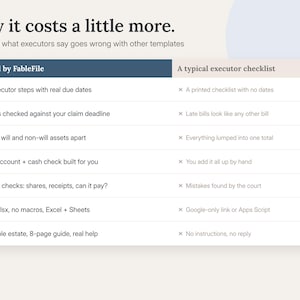
WHY IT COSTS MORE THAN OTHER EXECUTOR TEMPLATES
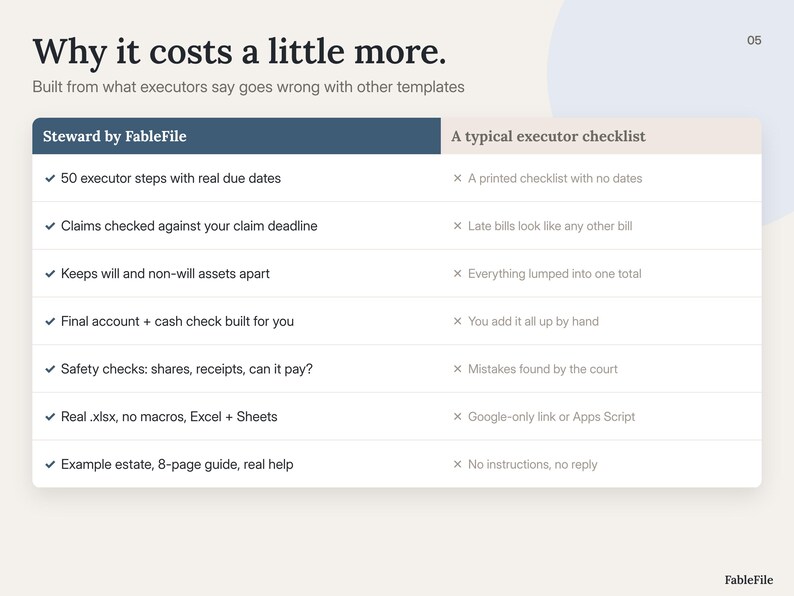
Most executor templates are a checklist plus an asset list. The expensive mistakes happen between those lists: paying a beneficiary before the claim deadline, missing a late bill, counting a life insurance payout as part of the will, losing a receipt, or getting the shares wrong. Any one of those can cost weeks, money or a family argument. Steward checks for each of them.
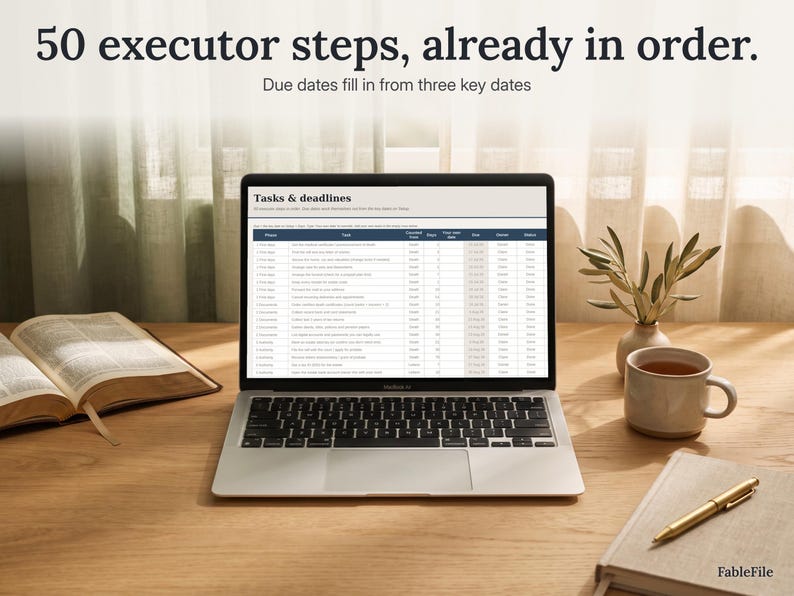
✦ 50 executor steps in 9 phases, each counted from the date of death, the letters date or the notice date, so every step gets a due date
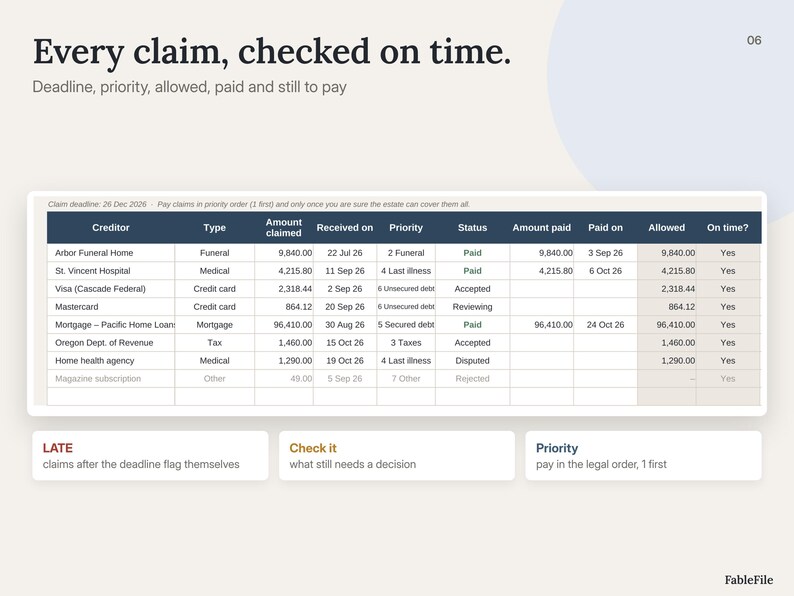
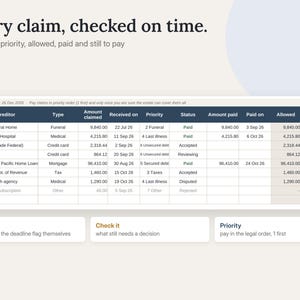
✦ Claim deadline worked out for you; late claims, claims to check and claims still to pay light up
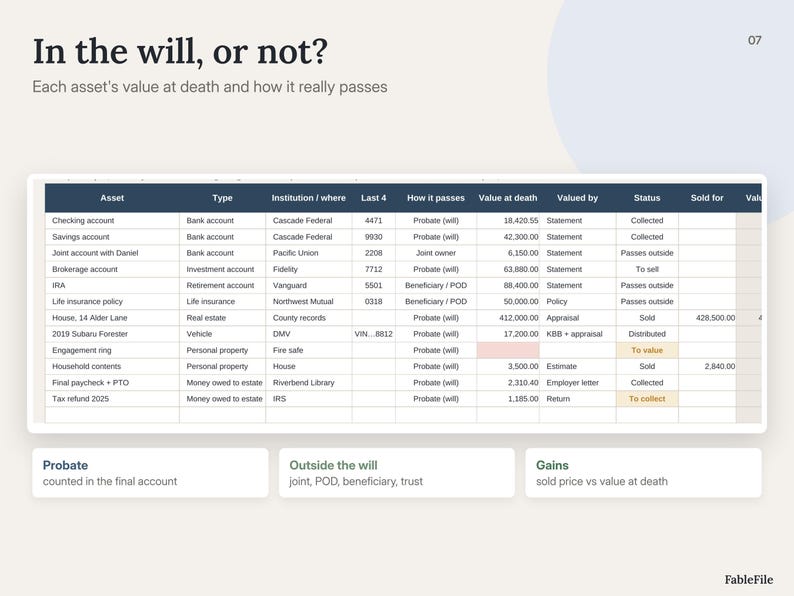
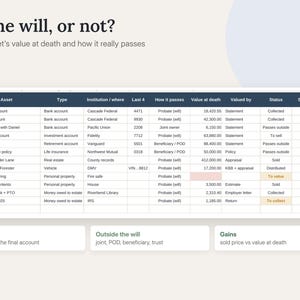
✦ Assets split into "through the will" and "outside the will" (joint, beneficiary/POD, trust), with value at death, sale price and gain
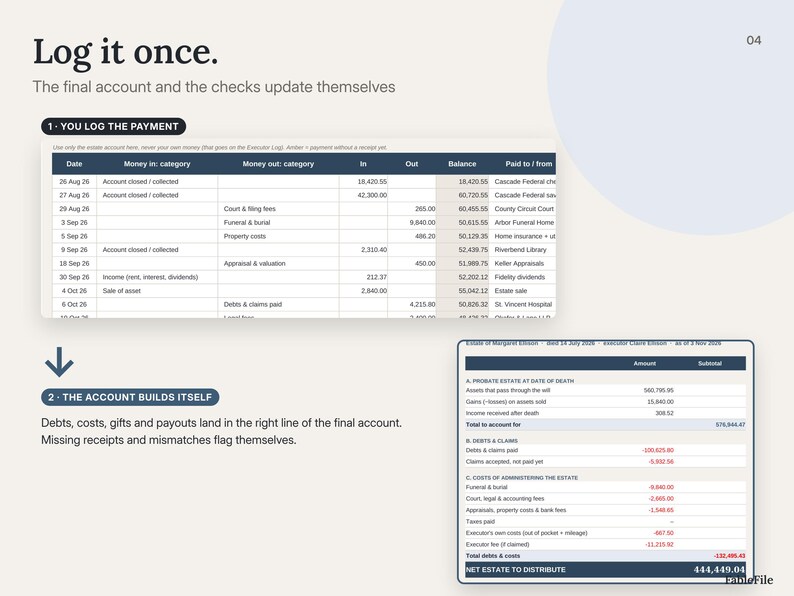
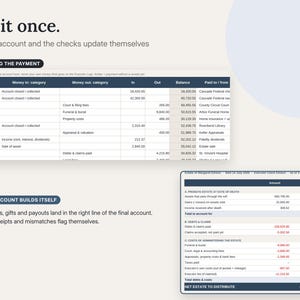
✦ Estate account ledger with a running balance, categories and a "no receipt yet" flag
✦ Executor log: your hours, miles and out-of-pocket costs, what the estate owes you back, and an optional executor fee
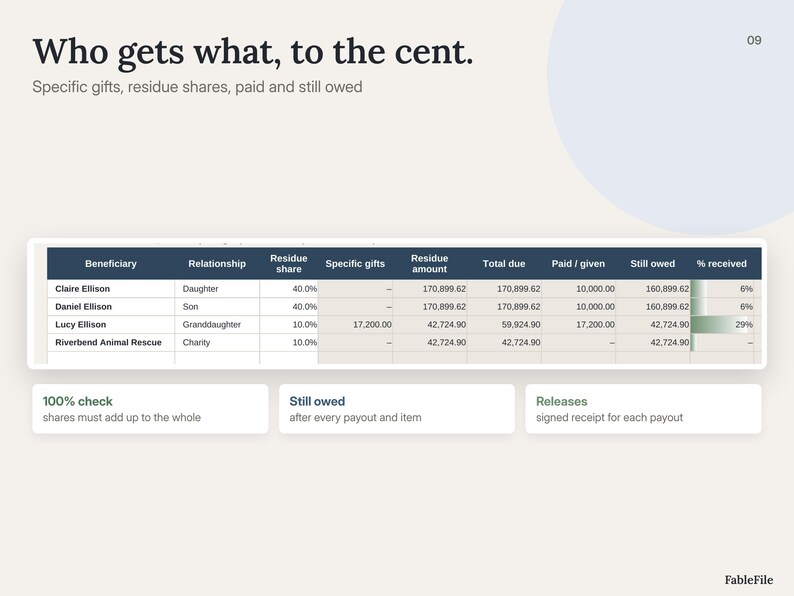
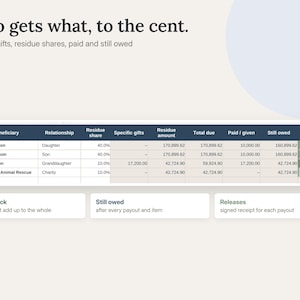
✦ Beneficiaries: specific gifts, residue shares, total due, paid, still owed and signed releases
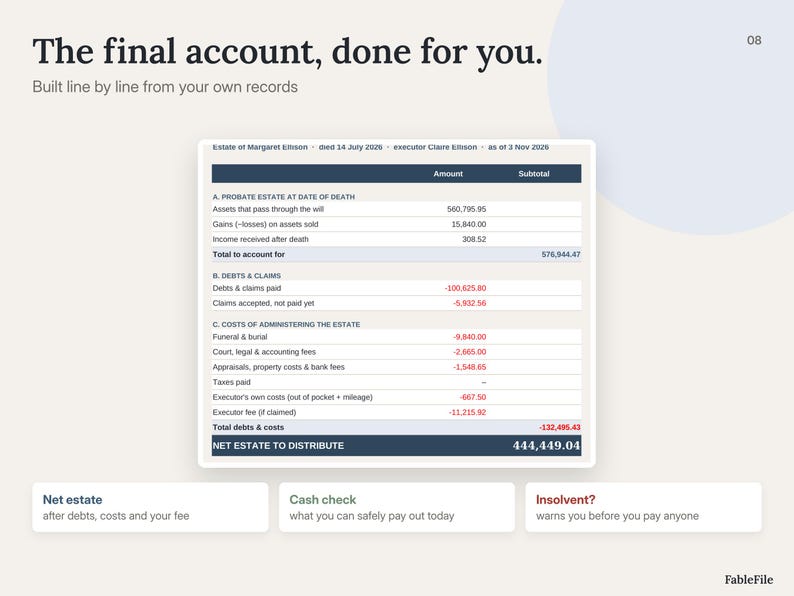
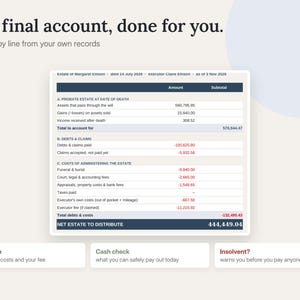
✦ A final account (assets, gains, income, debts, every cost, net estate, gifts, payouts) plus a cash check of what you can safely pay out today
✦ 8 safety checks on the Dashboard: shares add up to 100%, paid claims are on the ledger, cash payouts match, ledger never negative, receipts, categories, assets valued, and whether the estate can pay its debts
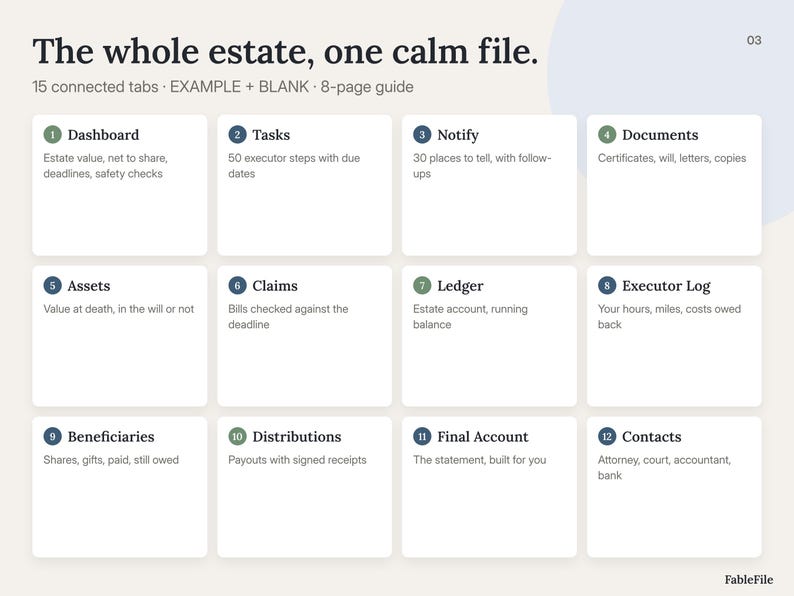
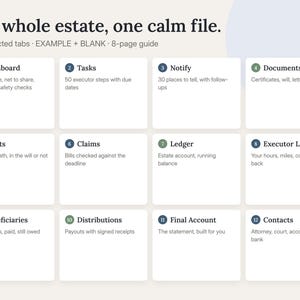
WHAT'S INSIDE (15 TABS)
✔ Start Here: set up in 3 steps
✔ Setup: the estate, the key dates, claim period, fee, editable dropdown lists
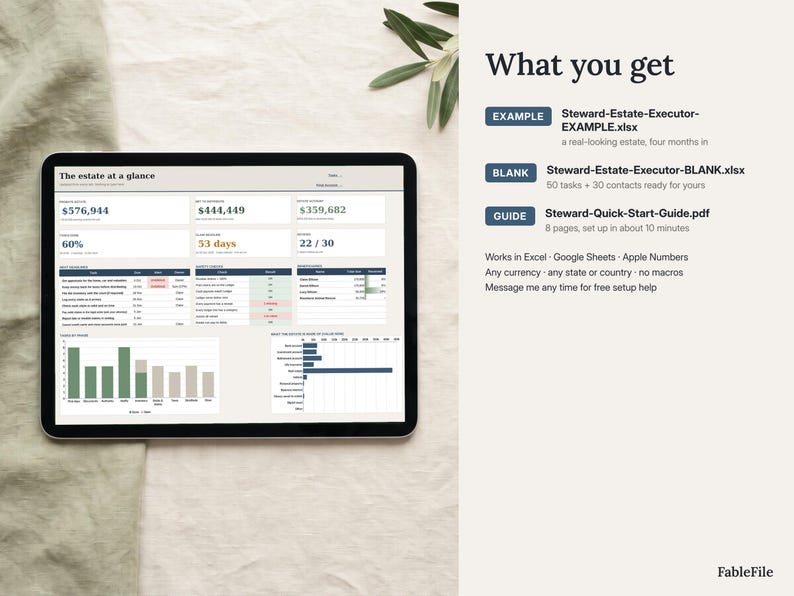
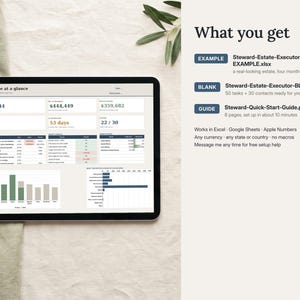
✔ Dashboard: estate value, net to distribute, account balance, tasks, claim deadline, notifications, next deadlines, safety checks, 2 charts
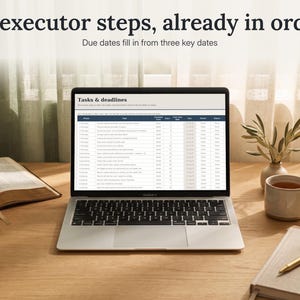
✔ Tasks: 50 executor steps with due dates, owners, status and alerts
✔ Notify: 30 organisations to tell, reference numbers, follow-up dates
✔ Documents: certified copies needed vs had, where originals are kept
✔ Assets: value at death, how it passes, status, sold for, specific gifts
✔ Claims: amount, received date, priority, status, allowed, still to pay
✔ Ledger: estate account in and out with a running balance
✔ Executor Log: hours, miles, costs, reimbursements
✔ Beneficiaries: shares, gifts, paid, still owed, releases
✔ Distributions: every payout, cash or item, with the receipt
✔ Final Account: the statement for beneficiaries and the court
✔ Contacts: attorney, court, accountant, bank and more
✔ Help & FAQ
WHAT YOU DOWNLOAD
• Steward-Estate-Executor-EXAMPLE.xlsx: an invented estate four months in, so you can see every tab working
• Steward-Estate-Executor-BLANK.xlsx: your estate, with the 50 tasks, 30 organisations and 18 documents ready
• Steward-Quick-Start-Guide.pdf: 8 pages with worked examples
HOW IT WORKS
1. Type the date of death, the letters date and the notice date on Setup. Every due date and the claim deadline appear.
2. Work down Tasks and Notify. Add each asset, bill and document as you find it.
3. Log money as it moves. The Dashboard, the checks and the Final Account update themselves.
GOOD TO KNOW
• Digital download: real .xlsx files, no Google-only link, no macros, no Apps Script, no add-ons
• Works in Excel (Windows and Mac), Google Sheets, Apple Numbers and LibreOffice; reads well on a phone
• Any currency, any state or country: dates, claim period, debt priority, fee and lists are all editable
• Input cells are white, calculated cells are protected (no password) so nothing breaks by accident
• Steward is an organiser, not legal or tax advice. Rules and deadlines differ by place, so check them with an attorney.
• Personal use. Please don't resell or share the files.
FAQ
Is it beginner friendly?
Yes. The steps are already in order, you only type in white boxes, and the EXAMPLE shows every tab filled in.
What if I get stuck?
Message me on Etsy. I help with setup for free, usually within a day.
Does it work outside the US?
Yes. The defaults use US names (Social Security, IRS, letters testamentary), but every list, date and rate is editable for England & Wales, Canada, Australia or anywhere else.
Can my co-executor use it too?
Yes. Upload it to Google Drive and share it, or keep it in a shared folder. The Owner column shows who does what.
Is this legal advice?
No. It keeps your records organised and catches common mistakes. Your attorney or the court has the final word.
The screenshots show real views of the spreadsheet. The scene photos around the laptop and tablet were made with AI; the screens themselves are real. All names in the EXAMPLE are invented.
FableFile · calm tools for real life
Instant Download
Your files will be available to download once payment is confirmed. Here's how.
Instant download items don’t accept returns, exchanges or cancellations. Please contact the seller about any problems with your order.
Etsy Purchase Protection
Shop confidently on Etsy knowing if something goes wrong with an order, we've got your back for all eligible purchases —
see program terms

Be the first to review this item

More from this shop
Visit shop-

Digital download
Notion Social Media Planner, Content Creator Planner Notion Template, Content Calendar, Instagram TikTok YouTube Planner, Influencer Planner
Sale Price $17.38
Original Price $23.17
-

Digital download
Workout Planner Spreadsheet for Google Sheets and Excel, Workout Tracker, Gym Log, Progressive Overload, PR Tracker, Strength Training Plan
Sale Price $17.38
Original Price $23.17
-

Digital download
Dark Academia Notion Template, Student Planner 2027, Notion Study Planner with Grade Calculator, GPA, Reading List and Real Focus Sounds
Sale Price $17.38
Original Price $23.17
-

Digital download
75 Hard Challenge Notion Template, 75 Soft Tracker, 75 Day Challenge Planner, Habit Streak Dashboard, Workout, Water and Reading Log
Sale Price $13.90
Original Price $18.54
-

Digital download
After Death Spreadsheet – Executor checklist, estate accounts, assets & debts, prepare for probate (Excel)
Sale Price $13.41
Original Price $19.15
-

Digital download
Canadian Estate Administration Spreadsheet | Executor Checklist & Probate Organizer | Excel Digital Download
$16.87
-

Digital download
After Death Spreadsheet – Executor checklist, estate accounts, assets & debts, prepare for probate (Google Sheets)
Sale Price $13.41
Original Price $19.15
-

Digital download
End of Life Planner: Google Sheets Estate Organizer (Digital Download) Last Wishes Legacy Planner Just In Case
$18.00
-

Digital download
Executor & Probate Spreadsheet | After Death Checklist | Estate Organization Spreadsheet | Google Sheets/Excel
$9.99
-

Digital download
Estate Planning Bundle | Executor Checklist Kit | After Death Checklist | End of Life Organizer Printable
$27.00
-

Digital download
Estate Planning Organizer: Trello Board Tool (Digital Download)
$33.00
-

Digital download
End of Life Planner: Google Sheets Estate Organizer (Digital Download) Last Wishes Legacy Planner Just In Case
$18.00
-

Digital download
Real Estate Transaction Coordinator Checklist - Auto-Calculating Google Sheets
$46.99
-
Digital download
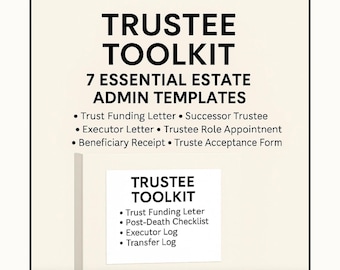
Estate Administration Toolkit: RLT Trustee Checklist, Transfer Log & Executor Letter (Legal Estate Planning)
Sale Price $20.99
Original Price $29.99
-
Digital download
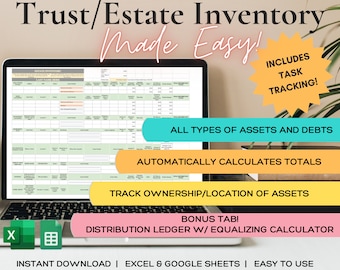
Estate/Trust Inventory Spreadsheet
$99.00
-

Digital download
Complete Estate Planning Organizer | Family Trust Co. | Will • Trust • Beneficiaries • Assets | Printable Workbook
$24.99
Shoppers with similar taste loved these
-
Digital download
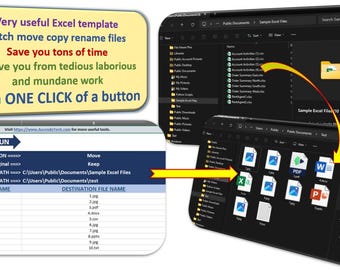
Best Excel Tool - Batch Move Copy and Rename Files
$4.99
-

Digital download
Complete Excel Cheat Sheet, Essential Commands, Shortcuts for Quick Mastery, Digital Download Dark, Light, multiple colors, Owl design.
$2.00
-

Digital download
Camping Checklist Excel Spreadsheet: Tent & Outdoor Adventure (Digital Download)
$6.25
-
Digital download
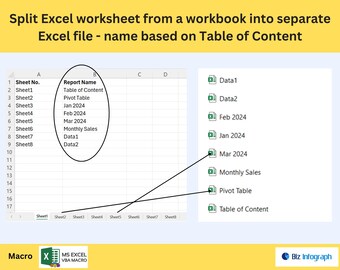
Split Excel Worksheets into Separate Excel File - Name Based on Table of Content
$9.53
-

Digital download
Multiple Excel Files TO Single Sheet - Best Excel Automation Tool
$4.99
-
Digital download
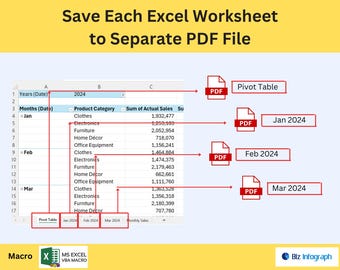
Save Each Excel Worksheet to Separate PDF file
$9.53
-

Digital download
Excel Cheat Sheet, 100+ Formulas Shortcuts Charts, Excel & Google Sheets Quick Reference Digital Download
$5.90
-

Digital download
Bulk Rename Files with Excel | VBA Macro, Batch File Renamer, Rename Multiple Files at Once
$13.81
-
Digital download
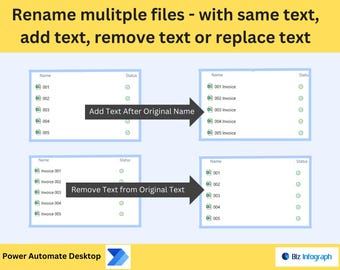
Bulk File Rename Tool – Add, Remove, Replace Text
$9.53
-
Digital download
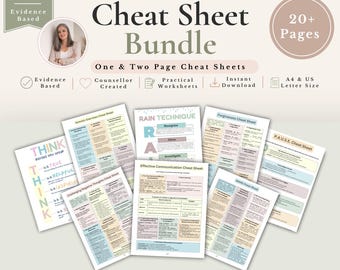
Therapy Cheat Sheet Bundle, 20+ Therapist Cheat Sheets, Counselling Resources, Therapy Tools, Mental Health Resources, Therapist Worksheets
Sale Price $5.62
Original Price $12.48
-
Digital download
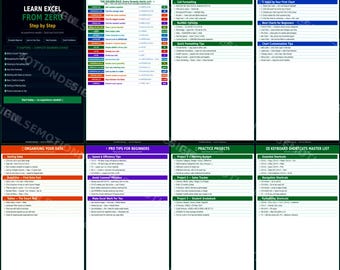
Excel for Beginners Guide | Step-by-Step Formulas, Charts, Data (8 Pages )
$4.99
-
Digital download
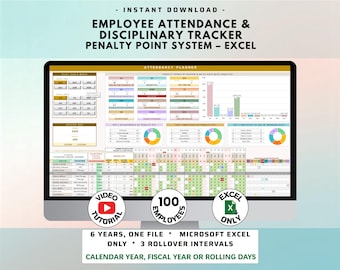
Employee Attendance Tracker for Small Businesses with Penalty Point System included (MS Excel)
$17.97


