

Polecane produkty
Wszystkie produkty
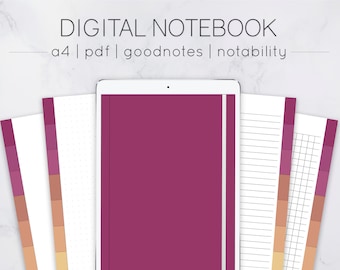
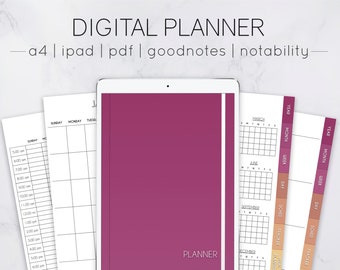
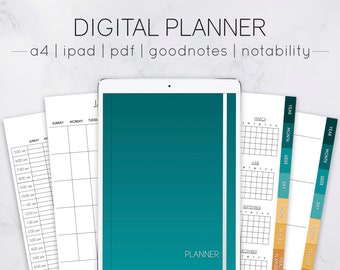
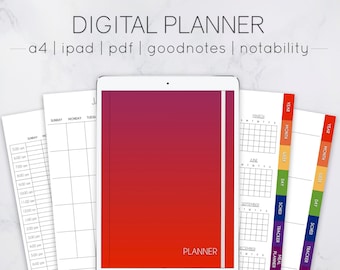
Ogłoszenie
Data ostatniej aktualizacji 10 mar 2021

Opinie
4.8
(140)
Średnia opinia o produkcie
Przy obliczaniu tej wartości wykorzystujemy średnią ocenę z wszystkich ocen, biorąc pod uwagę to, kiedy zamieszczono opinię – co roku wartość oceny zmniejsza się o połowę, tak aby jak najlepiej oddać aktualne doświadczenia zakupowe.
Ładowanie
-

-

Lisa w dniu 7 sty 2026
5 na 5 gwiazdekThis item is wonderful and works exactly as expected.
Ładowanie -

Julie w dniu 3 sty 2026
5 na 5 gwiazdekThis is just what I was looking for to make notes for home and work.
Ładowanie -
-
-

dreamers w dniu 9 wrz 2025
5 na 5 gwiazdekThe PDF file is much more flexible even though it isn't already filed like a set up notebook, I have way more freedom is setting it up exactly the way I want without having to adjust it so much.
Ładowanie -

Jackie w dniu 2 kwi 2025
5 na 5 gwiazdekBeautiful quality and easy to use in your desired program!
Ładowanie -

Informacje o sklepie SimpleNotesStudio
Transakcje
2 142
Na Etsy od 2018
Pracownicy sklepu
-

Marcy Tolentino
Właściciel
Hi! I'm Marcy. I'm currently studying at university. I create digital notebooks and planners during my spare time. Feel free to message me if you have any suggestions or concerns. I'll make sure to address them right away. Thanks!
Regulamin sklepu
Data ostatniej aktualizacji 24 cze 2020
Produkty cyfrowe do pobrania
Pliki do natychmiastowego pobrania
Pliki będą dostępne do pobrania po potwierdzeniu płatności. Procedura.
Opcje płatności
Bezpieczne opcje
Akceptuje karty podarunkowe Etsy i bony Etsy
Etsy zapewnia bezpieczeństwo Twoich informacji o płatnościach. Sklepy Etsy nigdy nie otrzymują danych Twojej karty kredytowej.
Zwroty i wymiany produktów
Sprawdź szczegóły produktu, aby dowiedzieć się, czy kwalifikuje się on do zwrotu lub wymiany.
Anulowania
Anulowania: niezaakceptowane
Skontaktuj się ze sprzedawcą w razie problemów z zamówieniem.
Więcej informacji
Data ostatniej aktualizacji
17 gru 2025
Często zadawane pytania
How to download your purchase
.METHOD 1
- Log in to your Etsy account through your web browser
- Click your profile icon on the upper right
- Choose "Purchases and Reviews"
- Click Download
METHOD 2
- Check the inbox of the email you used on etsy to purchase the listing
(Check the spam or junk folder if you can't find it)
- Find the email with the download link sent by Etsy
- Download
Compatibile devices and apps
DEVICES
- iPad
- Tablet
Any PDF editor/annotator will work as long as it can read hyperlinks
SAMPLE APPS
- Goodnotes
- Notability
- Noteshelf
- Xodo
*not compatible with OneNote (the hyperlinks don't work)
How to import the pdf files into the app (iPad)
- Download the files onto your iPad
- Locate the pdf files in the Files app (unzip them if needed)
- Press and hold the file
- Choose "Share"
- Choose the app you want to import it to
How to import stickers into Goodnote/Notability
METHOD 1
- Open Notability and the Files app in splitscreen
- Locate the png sticker files in the Files app (must be unzipped)
- Press and drag the file into Goodnotes/Notability
I have trouble importing the planner/notebook into the app. Please advise
Please make sure to unzip files before importing. The planner/notebook should be in pdf format when you import it to the app
How to unzip files
Download a zip file extractor app and unzip the files from there
APP SAMPLES
- iPad (Documents by readdle, izip)
- Computer (7zip, Winzip)
Do you allow refunds?
No, due to the nature of digital products, I can't allow refunds. All purchases are final and can neither be exchanged nor refunded