
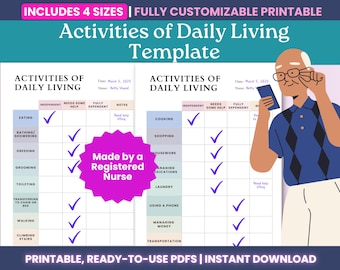
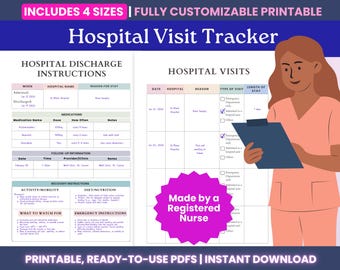
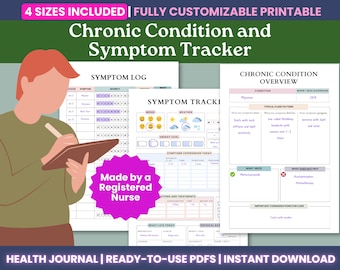
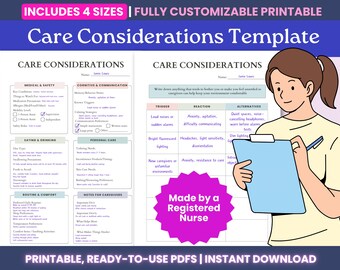



Thoughtful Tools for Life’s Busy Moments
Featured items
All items
Announcement
Last updated on Dec 6, 2025
Reviews
4.8
(56)
Average item review
We calculate this number using a recency-weighted average of all ratings, with a rating's value decreasing by half each year to best reflect the current experience.
Loading
-

Sam on Dec 7, 2025
5 out of 5 starsI was very impressed with this care planner. It was easy to use and follow. The whole buying experience was smooth and the links were easy to navigate. I highly recommend it!

Template responded on Dec 7, 2025
Thank you for the feedback! I’m glad this was a good experience for you
-
Dorothy on Nov 20, 2025
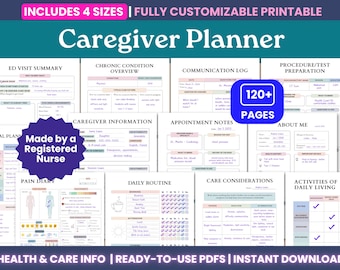
5 out of 5 starsI’m trying to organize taking a more active role in monitoring/managing the health of my aging parents—this has been so helpful in coordinating their information for me and my siblings to be able to track things and communicate well!!
Template responded on Nov 20, 2025
Dorothy, it truly made my day to hear that! I’m so happy this has been helpful for you, and thank you for taking the time to write a review!
About TemplateDesignerCo
Sales
664
On Etsy since 2021
Shop members
-

Template Designer
Owner, Maker, Designer
I'm a Registered Nurse and my experience showed me the need for simple, supportive health tools. My shop is where that comes to life! I'm dedicated to providing you with the practical resources you need to take an active role in your well being.
Shop policies
Last updated on Jun 26, 2021
Digital downloads
Instant downloads
Your files will be available to download once payment is confirmed. Here's how.
Payment options
Secure options
Accepts Etsy Gift Cards and Etsy Credits
Etsy keeps your payment information secure. Etsy shops never receive your credit card information.
Returns & exchanges
See item details for return and exchange eligibility.
Cancellations
Cancellations: not accepted
Please contact the seller if you have any problems with your order.
More information
Last updated on
Dec 17, 2025
Frequently asked questions
How do I access my files?
If you have an Etsy account:
Go to Etsy
Sign into your Account
Click on Purchases & Reviews
Find your order
Click “Download Files”
Your individual PDFs will appear — save them to your device.
If you don’t have an Etsy account:
Check the email receipt Etsy sent you
Click the “View Your Files” link in that email
Download your files to your device
I have downloaded my files — where is my Canva template?
Look for the PDF file with “Link” in the name
Open this PDF file
Tap the “Click Here” button in the PDF file for the size you want
Your Canva template will open in Canva — log in or create a free account if prompted
How do I edit my fillable PDF files?
Option 1 — Using a PDF app or reader (recommended):
Open the PDF in any PDF annotation app (Adobe Acrobat, GoodNotes, Xodo, etc.)
Tap or click the fields where you want to type or check boxes
Your entries will save automatically if your app supports it
Option 2 — Using Preview (macOS) or browser PDF preview:
Open the PDF in Preview (Mac) or your browser’s PDF viewer
Use the Text Tool (usually a “T” icon) to type into the fields
Use the Markup tools to draw check marks or highlight if needed
Save your changes after typing
Tip: Editing directly in Etsy’s website preview is limited — for best results, open the PDF in Preview, your device’s PDF viewer, or a PDF app.
How do I print using Canva?
Open your Canva template using the LINK PDF
Customize your template as desired
Click Share → Download in Canva
Select PDF Print for high-quality printing
Save the PDF and print at home or through a print shop
Tip: Choose “Crop marks and bleed” if your printer needs extra space for cutting.
What if I notice an error in the template?
I carefully design and test each template, but if you notice any errors or something isn’t working as expected, I’m happy to make adjustments for you.
Please message me on Etsy with the issue, and I’ll provide an updated version or help you resolve it as quickly as possible.
Your feedback helps me improve my templates for everyone!
Can I request changes to a template?
Yes! I’m happy to consider small customizations for your templates, such as:
- Changing fonts to make them easier to read
- Adding extra writing space on certain pages
- Adjusting colors or layout for better usability
Please send me a message on Etsy with your request. I’ll confirm whether it’s possible and provide or list an updated file if I can make the adjustment.
Note: Major redesigns or adding new pages may require a separate purchase.
How do I use my planner in GoodNotes?
1. Open GoodNotes - Launch the GoodNotes app on your iPad or iPhone.
2. Import your PDF - In GoodNotes’ Library view, tap the “+ New” (or plus) icon → choose “Import”. Choose your template and tap "Open"
The planner/template will open in GoodNotes as a document you can annotate or fill out.
3. Edit / Write / Fill In - Use GoodNotes’ pen or text tools to write, check off boxes, or add notes.
4. Save or Export (optional) - Once filled out in GoodNotes, your changes are saved automatically. You can also export or print the document later if needed.
If you want a detailed walkthrough or run into trouble, here's GoodNotes’ own guide on importing files:
https://support.goodnotes.com/hc/en-us/articles/7353717816463-Import-files-into-Goodnotes