
Polecane produkty
Wszystkie produkty
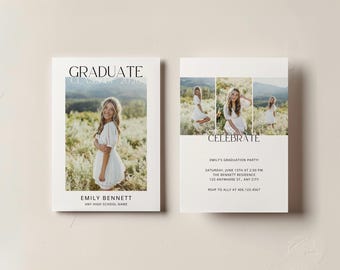
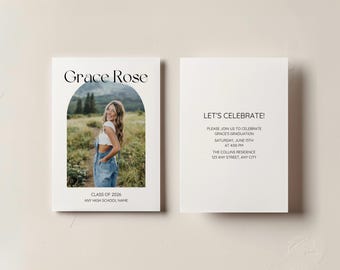
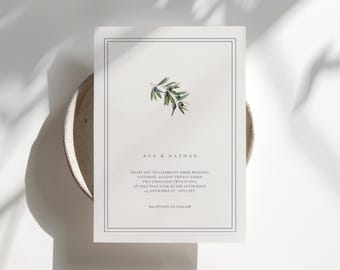
Ogłoszenie
Opinie
-

-

Miley w dniu 2 mar 2026
5 na 5 gwiazdekThis template was amazing! It was so easy to use and was sent to my email in seconds! I would definitely recommend this product!
Ładowanie
Sprzedawca Kristen odpowiedział w dniu 2 mar 2026
Thank you so much 🤍 I’m so glad it was easy to use! I really appreciate you taking the time to leave a review.
Ładowanie -

-

-

-
Natalie w dniu 17 lip 2025
5 na 5 gwiazdekThis template was very easy to use and we were able to get it done quickly!!!! Love that!!
Ładowanie -
Brittany w dniu 2 lip 2025
5 na 5 gwiazdekGreat quality and easy to customize. Highly recommend
Ładowanie -
Laura w dniu 25 cze 2025
5 na 5 gwiazdekAnnouncement was easy to personalize and turned out just as I’d hoped.
Ładowanie -

Lori w dniu 22 cze 2025
5 na 5 gwiazdekSo easy to use. This template helped me create invitations that looked way pricier than they actually were. Highly recommend!
Ładowanie -
Megan w dniu 11 cze 2025
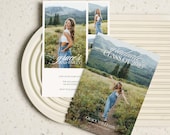
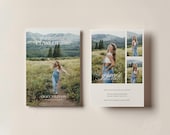
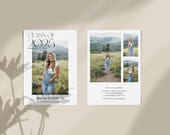
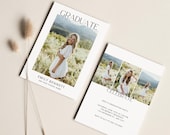
5 na 5 gwiazdekWe were very pleased with the end product of my son’s Graduation announcement. This program works with Canva, which some people may not be familiar with. There were instructions for Canva edits, and my son was able to edit the announcements easily. We recommend this product.
Ładowanie


Informacje o sklepie TheEventNote
Regulamin sklepu
Produkty cyfrowe do pobrania
Opcje płatności
Zwroty i wymiany produktów
Anulowania
Anulowania: niezaakceptowane
Skontaktuj się ze sprzedawcą w razie problemów z zamówieniem.
Polityka prywatności
Więcej informacji
Często zadawane pytania
1. How do I access my digital template?
After purchasing, you'll receive an email from Etsy with a link to download your file.
You can also access it anytime under Your Account → Purchases & Reviews on Etsy.com (downloads are not available in the Etsy app, so please use a web browser).
2. How do I customize my template?
Your download includes a step-by-step guide with the template link on page 4. Click the link to personalize your design — it’s simple, beginner-friendly, and no special software is required.
3. What can I edit?
You can edit text, fonts, colors, and images to match your event. Some design elements may be locked due to licensing restrictions. Please review the listing description for specific details.
4. Do I need a Canva Pro account?
No, all templates work with Canva's free version. You do not need a Canva Pro subscription.
5. How do I print my design?
For best print quality, download your design as a PDF (Print) in Canva. Enable bleed if your design extends to the edges and add crop marks if required by your printer. Always confirm specifications with your print provider before printing.
6. Can I share or resell the template?
Templates are for personal use only. You may edit and print as many times as needed for your event, but reselling, sharing, or distributing the file in any form is not permitted.
7. Do you offer refunds?
Due to the nature of digital products, all sales are final. Please review listing details carefully before purchasing.
8. My download link isn’t working. What should I do?
If you’re having trouble accessing your file:
• Use a web browser instead of the Etsy app
• Make sure you’re logged into the correct Etsy account
• Check your spam folder
If you’re still stuck, send me a message and I’ll gladly help.
9. Can I try the template before purchasing?
At this time, Canva does not offer demo access for templates. You’re always welcome to message me before purchasing with any questions.