

All items

Announcement
Last updated on Nov 10, 2017

Reviews
5.0
(65)
Average item review
We calculate this number using a recency-weighted average of all ratings, with a rating's value decreasing by half each year to best reflect the current experience.
Loading
-

Annolene on Jun 7, 2025
5 out of 5 starsExactly what I wanted and needed. Misplaced my old one and have been looking for a replacement. Thanks
-

Patricia on May 27, 2025
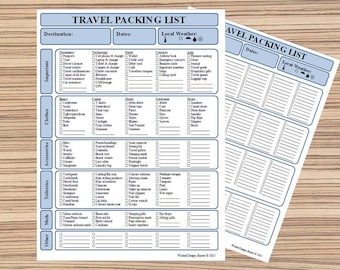
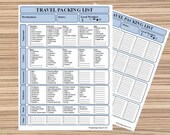
5 out of 5 starsI love the look of this travel packing list. Simple. Clear. Easy to read. It helps me keep organized for traveling.
-
-
-
-

Lacheris on Apr 22, 2024
5 out of 5 starsGreta customer service and very reliable. I have used many times.
-

-

Tara on Jul 25, 2023
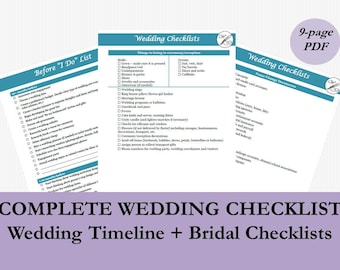
5 out of 5 starsThere are many downloads available, but I promise you, this one is the best! It was gifted it for my wedding and I will continue to gift it to everyone getting married!
-
Carol on Sep 18, 2022
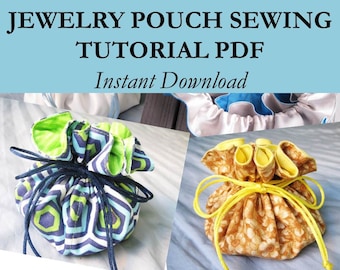
4 out of 5 starsI'm a pretty experienced sewer, so the directions were fine. More detail might be needed for less experienced sewers.
-
Karson on Feb 13, 2022
5 out of 5 starsThis shop owner was very patient and respectful with me. I am not tech savvy at all and they walked me through every step! I am so excited to use their name changing help. Could not have don't it without them!! Thank you so much. 10/10 would recommend.



About WickedDesignsBoston
Sales
596
On Etsy since 2015
Shop policies
Last updated on Feb 10, 2017
Digital downloads
Instant downloads
Your files will be available to download once payment is confirmed. Here's how.
Payment options
Secure options
Accepts Etsy Gift Cards and Etsy Credits
Etsy keeps your payment information secure. Etsy shops never receive your credit card information.
Returns & exchanges
See item details for return and exchange eligibility.
Cancellations
Cancellations: not accepted
Please contact the seller if you have any problems with your order.
More information
Last updated on
Dec 17, 2025
Frequently asked questions
How Do I Download My Digital Item?
Once your payment is confirmed, you’ll see a “View your files” link which goes to the Downloads page.
You can also download the files from your Etsy account:
1. Click on the “Your Account” bubble at the top right corner.
2. Select “Purchases & Reviews” and look for the order.
3. To the right of the order, click “Download Files.”
For detailed instructions, see: https://www.etsy.com/help/article/3949
I M P O R T A N T ∞ N O T E S
1. You have to use a computer to download your files. This will not work on a mobile phone or a tablet.
2. If for some reason you're having trouble downloading your files, please let me know and I'm happy to email them to you directly. However, you will not receive the final files in your email automatically.
How Many Times Can I Download My Digital Files?
There are generally no limits for when or how many times you can download a file. You can download and print them as many times as you’d like. However, the files are for personal use only and may not be copied, resold or redistributed under any circumstances.
Do You Offer Printing Services?
We do not offer any printing services at the moment.
How Do I Print My Digital Files?
Our templates can be printed from any printer. You can print these from your home computer, or take the files to a professional copy shop or online service (Staples, Office Depot, CVS, Shutterfly, etc.). For best results, we suggest using a color printer. Note that there may be slight variances between colors you see on screen and how they appear printed.
I M P O R T A N T ∞ N O T E S
1. For all our PDF digital files, you must have Adobe Acrobat Reader in order to open the files. Free download here: http://get.adobe.com/reader
2. For our Microsoft Office digital files, you must have a working knowledge of Excel and Word. Free download trial here: http://products.office.com/en-us/try
How Do I Print My Digital Files Without a White Border (i.e. No Bleed, No White Space Margins, Borderless)?
Select Print > Printer Properties.
Look for an option that says “Borderless” and check that box.
Depending on your printer, this may not be an option, but there are other ways to achieve that.
Look at Page Setup > Borderless Page Layout. Or if you see an option that says “No bleed” – set that to 100%. Or if you see an option that says “Scaled” – set that to 100% Scaling.
I M P O R T A N T ∞ N O T E S
Printing borderless is directly linked to your printer’s settings and has nothing to do with the quality or style of our templates.
Some printers may not have that option, so you would have to go to a professional printing shop.