











































About 333 Designery
Featured items
All items
Announcement
Last updated on Aug 11, 2024
Reviews
4.8
(374)
Average item review
We calculate this number using a recency-weighted average of all ratings, with a rating's value decreasing by half each year to best reflect the current experience.
Loading
-

-
-
-
-
Jazlyne on Jul 3, 2026
5 out of 5 starsA bit difficult to understand how to install it at first , but once you watch the videos, you would understand how to use them
-
-

-
Katherine on Jun 5, 2026
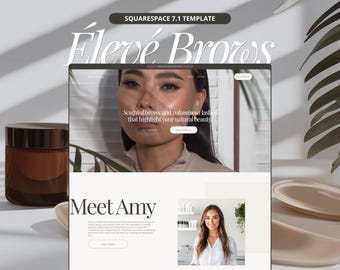
5 out of 5 starsGreat website template, I was able to customize it to exactly what I was looking for and could easily add and remove pages. Thank you for such a great product!
-
-

Alia on May 18, 2026
5 out of 5 starsReally useful as a beginner lash tech who wants a super easy way to document everything in one place. Customer service from Vanessa was really helpful when i was having issues fully loading the file k to Goodnotes. Would highly recommend this to all lash techs of any level
About 333Designery
Sales
7,158
On Etsy since 2022
Shop members
-

Vanessa
Owner
-

Madison
Customer Service
Shop policies
Last updated on
Accepted payment methods
Accepts Etsy Gift Cards and Etsy Credits
Returns & exchanges
See item details for return and exchange eligibility.
More information
Last updated on
Dec 17, 2025
Frequently asked questions
Can I use the existing images in the designs?
Yes! All of the images are free to use. For Canva templates, you only need a free Canva account to access the templates.
I have not received my order yet
Your order is available immediately after purchased. To access your digital files, follow these steps:
Sign in to Etsy.com (must be the website and not the app) and go to Your account.
Go to Purchases and reviews. Next to the order, select Download Files. This goes to the Downloads page for all the files attached to your order. Once you download the file, click on the link to access the files.
How do I download my files?
To access your digital files, follow these steps:
Sign in to Etsy.com (must be the website and not the app) and go to Your account.
Go to Purchases and reviews.
Next to the order, select Download Files. This goes to the Downloads page for all the files attached to your order.
Once you download the file, click on the link to access the files.