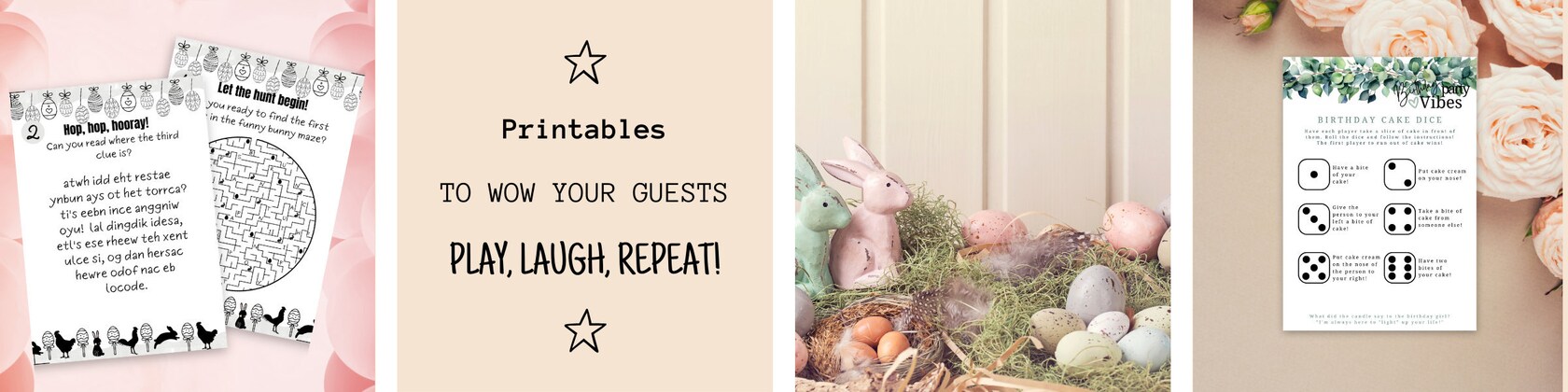



We love to be creative. And you?
ColorCatGames is taking a short break
Loading
Reviews
4.6
(178)
Average item review
We calculate this number using a recency-weighted average of all ratings, with a rating's value decreasing by half each year to best reflect the current experience.
Loading
-

-

-

Joy on Apr 20, 2026
4 out of 5 starsThe product is great and creative and easy to edit. I was able to go into the site I ordered invitations from and copy the image on my invitations. I used that instead of the provided sunflowers. I would advise reading each game before using and making edits. There are grammatical errors and some context that made certain games not applicable for my wedding reception. Again, I could easily edit and tweak some games to be a better fit.
-
-
-

Bethany on Nov 16, 2025
5 out of 5 starsWe cannot wait to use these at my daughter's birthday party!
-

-

-
About ColorCatGames
Sales
2,132
On Etsy since 2023
Etsy automatically translates most text on the site to your preferred language.
See in original language
Shop about video description
Shop members
-

Niki
Owner, Maker, Customer Service
I am a sociologist and I worked as an operational manager in an IT company in Hungary. I am lucky because I found my passion in creative arts. My goal is to improve our small creative manufactory so that we can live only from it.
-

Dorina
Owner, Designer, Photographer
I love digital art and looking for new opportunities. I love to be creative, but I hate boring processes like making the listing :) My passion is driving and being with my dogs.
Shop policies
Last updated on
Accepted payment methods
Accepts Etsy Gift Cards and Etsy Credits
Returns & exchanges
See item details for return and exchange eligibility.
More information
Last updated on
Dec 17, 2025
Frequently asked questions
There is no link in my PDF to the digital item I purchased
For a quick fix, please open your PDF in your browser (Chrome, Edge etc) and the link will be clickable at the bottom of your PDF. Unfortunately, some PDF viewers do not support embedded links.
Still unable to click on the link? Please contact us and we will send you a message with your link as soon as possible.
I've edited my Canva template and it says I need to pay to download it.
Usually it means that you have Canve FREE subscription, but you have used PRO elements. With Free subscription you can only use the free CANVA elements when editing your template. So all the elements marked with that little crown are for PRO users, you can only use them if you pay for them.
There are two options:
1. Simply delete the marked PRO elements from your design.
2. At the bottom you will see a TRY CANVA PRO button. Click it and register for a 7 day CANVA PRO trial. Once you have downloaded your design, simply cancel your subscription. Please note! If you do not cancel within 7 days, Canva will charge you the first CANVA PRO monthly fee.
If it doesn't fix your problem, please contact us!
Can I use your games for commercial purposes?
No, our games are for private and office use only.
How to download my editable game from Canva?
Here are the steps to download from Canva after you are done editing or if you do not want to edit:
- Click the top right corner: SHARE button
- In the middle of the pop-up box you will find DOWNLOAD
- Select the file type you can print (I usually use PDF Standard)
- Select the pages you would like to print
- Click DOWNLOAD
Once downloaded, open and print the file.
What is Canva?
Canva is a free online graphic design tool. It also has a paid version with additional design elements and features, but you can also create many designs in the free version. Canva is easy to use and you can create documents, ebooks, videos, social media posts, posters, banners or even a website. If you haven't tried it yet, register and take a look at its features, just write into your browser: Canva
How do I print 2 pages on one sheet if the original PDF is a one page per sheet template?
First, open the PDF. Go to File / Print. Look for Page Sizing / Handling and select the Multiple option. Here you can set how many pages you want to print on one sheet. The best option to set up is 2 pages on 1 sheet and set the orientation to landscape.
You can even print on 2 sides of your paper by selecting the Print on both sides of the paper option. Here you have to choose how you want to flip your paper. In most cases it is better to choose the long edge, but please make a test print before printing all pages.
How can I print only the pages I need from a PDF?
First, open the PDF. Go to File / Print. Look for Pages to print and add the number of pages you want to print. For example, if your PDF has 16 pages, but you want to print the first and fourth pages, fill in the blank: 1, 4
Or if you want to print from page 3 to page 6, then add: 3-6
How to download files from Google Drive on iPhone / iPad / Macbook?
Click on the three dots in the right corner of the file you want to download. You won't be able to find download or save option, so you must first click on OPEN IN (in some cases it is SHARE) in the pop up you will have the option to open it in one of your applications, or to SAVE TO FILES. The best is if you choose SAVE TO FILE, then you will be able to choose the folder you want to save the images in, and from there you can open it in any of your applications.
I have not received my order, where can I find it?
If you did not receive your order via email, you can always find it in your Etsy account, in your profile on the Etsy website (top right corner --> your account --> purchases and reviews --> search for the purchase and you will find the file there). You cannot download it from the Etsy APP, you have to open it in a browser.