








Welcome to DigitalProphets!
All items
Announcement
Last updated on Sep 7, 2024
Reviews
4.6
(43)
Average item review
We calculate this number using a recency-weighted average of all ratings, with a rating's value decreasing by half each year to best reflect the current experience.
Loading
-

Maria on Jul 9, 2026
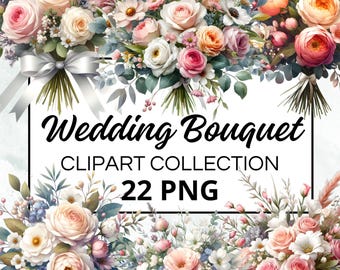
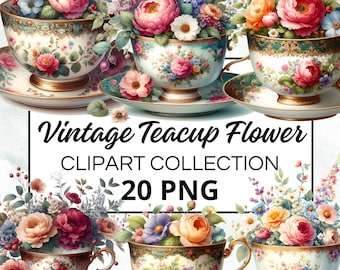
5 out of 5 starsLovely designs, these are just what I was looking for, great choice of flowers in vibrant yellow colours, thank you so much...
-
Ron on Jun 24, 2026
5 out of 5 starsSuch skill and craftsmanship in creating these beautiful pieces of artwork.
-

Jamie on Feb 27, 2026
4 out of 5 starsThese are a great mix of different styles types! I like how they are all unique!
-
-

Kenzie on Feb 6, 2026
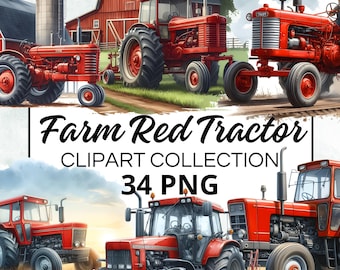
4 out of 5 starsI love these tractor designs. Great quality. Easy download. One complaint; The Antique Tractor with the wheels that are together in the front with the rider on it the’ rider is awful quality! I wish they would’ve left the Rider off because the tractor itself looks great!
-
-
-
-
Flesia on Oct 10, 2025
5 out of 5 starsThese are the best clipart flowers I have ever used in my projects. Please keep adding to your site. They make my funeral programs look amazing!
About DigitalProphets
Sales
453
On Etsy since 2024
Shop policies
Last updated on
Accepted payment methods
Accepts Etsy Gift Cards and Etsy Credits
Returns & exchanges
See item details for return and exchange eligibility.
More information
Last updated on
Dec 17, 2025
Frequently asked questions
Is the quality of your images good?
Our images are enlarged to at least 300 DPI and measure 4096 x 4096 pixels. This is the standard for printing and any other project.
How will I receive my images?
Your images are made with exceptional care and are of the highest quality, thanks to our advanced enhancement techniques. To maintain this extraordinary quality, we host the files on Google Drive and provide you with a secure link for easy access. Downloading your images is a breeze! After purchase you will receive a link via email or directly to the platform. Just click on the link provided and it will take you to the dedicated Google Drive folder. From there you can easily download your files to your device. We understand that technology can be complicated at times, but don't worry-they are here to help you every step of the way. If you experience any difficulties during the download process or have any questions, please don't hesitate to
Licensing information
Terms of use for our clipart and digital paper:✅Allowed use:Create physical or printed products using the graphics. Use graphics for print-on-demand products. Use graphics for digital end products with modifications. No attribution or sales restrictions or additional licensing fees are required.❌Use restrictions:Selling, sharing or redistributing the graphics in their original format is prohibited. Graphics may not be used to generate digital design resources.Please note that the purchase of our clipart and digital documents does not imply the transfer of copyright. Contact me and I will clarify things for you 😊
How do I download images from Google Drive?
Follow these steps:1. Click on the downloaded PDF link to access the Google Drive folder containing the images.2. Hold down the “Ctrl” key (or the “Command” key on a Mac) on your keyboard. You can also scroll to the bottom of the page, then click anywhere in the white space (not on an image) and press Ctrl + A. This will highlight all the images.3. Select the pictures you wish to download by clicking on them. Then right-click on any of the selected photos.4. Choose the “Download” option (down arrow) from the top menu. The selected photos will be downloaded to your computer.