
Digital tools to simplify personal finance.
All items
Announcement
Last updated on Apr 20, 2025
About EasyFinanceStudioEFS
Sales
0
On Etsy since 2025

Shop policies
Last updated on
Accepted payment methods
Accepts Etsy Gift Cards and Etsy Credits
Returns & exchanges
See item details for return and exchange eligibility.
More information
Last updated on
Jan 4, 2026
Frequently asked questions
Do I need Notion Pro to use your templates?
No! All templates work perfectly with Notion's free plan. You can use them on desktop, mobile, or tablet without any paid subscription.
How do I download and duplicate the template?
After purchase, you'll receive a PDF with a link to the template. Simply click "Duplicate" in Notion, and the template will be added to your workspace instantly. A quickstart video guide is included to help you set it up in minutes.
I'm new to investing. Is this template suitable for beginners?
Absolutely! The templates are designed for both beginners and experienced investors. They include quickstart videos, a PDF guide, and automated calculations—no complex formulas or manual work required.
Can I import my existing portfolio data?
Yes! You can manually input your current holdings, transaction history, and target allocations. The template will automatically calculate everything from there.
Do you offer support and updates?
Yes! Free lifetime updates are included, and I provide email support if you encounter any issues. I typically respond within 24 hours.
Is this financial advice?
No. These templates are productivity tools for tracking and organizing your investments. They do not provide financial advice. Always consult a certified financial advisor before making investment decisions.
Does the template work on mobile?
Yes! The template is fully functional on the Notion mobile app (iOS and Android) and on any web browser. You can track your investments anywhere.
What's the difference between EasyPAC and EasyDCA?
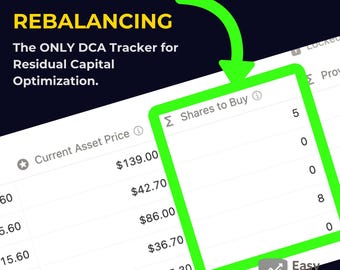
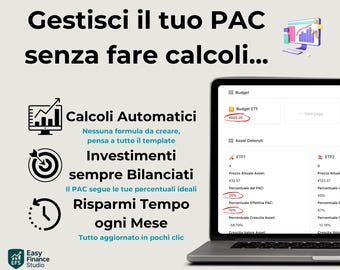
EasyPAC is designed for Italian investors (interface in Italian). EasyDCA is the English version for international investors. Both have the same powerful features: automated rebalancing, residual capital optimization, and "Shares to Buy" calculations.