

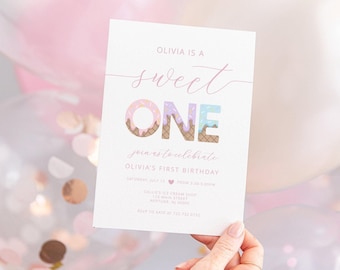
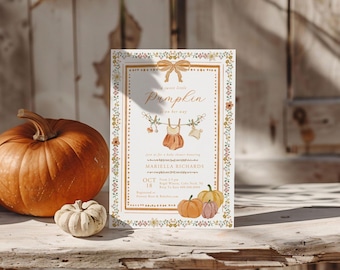
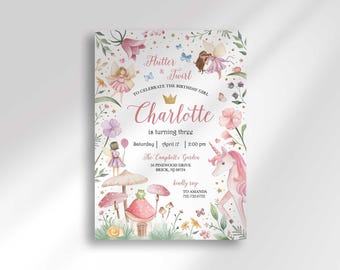
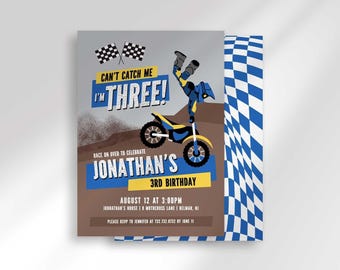


Hi there :) I'm Britt. — a mama, graphic designer, photographer, and full-time mom boss.
Featured items
All items
Announcement
Last updated on Dec 3, 2025
Reviews
4.9
(7855)
Average item review
We calculate this number using a recency-weighted average of all ratings, with a rating's value decreasing by half each year to best reflect the current experience.
Loading
-

Alyssa on Sep 3, 2026
5 out of 5 starsSuper cute and super easy to navigate on the editing website!
-

-

-
-
Etsy buyer on Sep 10, 2026
5 out of 5 starsSuper cute item! Very happy to have found a feminine Noah's ark theme.
-

Stefani on Sep 9, 2026
5 out of 5 starsHave purchased many digital pieces from Etsy and this one was easy to edit and get printed. Perfect for our party
-

Ashley on Sep 8, 2026
5 out of 5 starsI ordered all of the stationary for my friends baby shower from this shop and everything has matched and gone with the theme really well!
-
Ashley on Sep 8, 2026
5 out of 5 starsI ordered all of the stationary for my friends baby shower from this shop and everything has matched and gone with the theme really well!
-
Ashley on Sep 8, 2026
5 out of 5 starsI ordered all of the stationary for my friends baby shower from this shop and everything has matched and gone with the theme really well!
-
Ashley on Sep 8, 2026
5 out of 5 starsI ordered all of the stationary for my friends baby shower from this shop and everything has matched and gone with the theme really well!
About HeliaDesignCo
Sales
98,491
On Etsy since 2018
Shop members
-

Britt
Owner :: Designer :: Mama
I’m Britt, a stay-at-home mom of three boys, homeschooling by day and designing by night. With 11+ years of experience, I started Helia Design Co in 2018. I love sharing my work and seeing it brighten your celebrations!
Production partners
-
Corjl Prints
Phoenix, AZ
Corjl Prints produces our physical invitations using premium Mohawk paper. You edit your design online, and Corjl expertly prints, packages, and ships the finished invites straight to your door—complete with white envelopes included with every order!
Shop policies
Last updated on Feb 20, 2025
Shipping
See item details for estimated arrival times.
Customs and import taxes
For US deliveries, Etsy policy requires that import duties and fees are included in the checkout price. Non-US buyers may need to pay these fees upon delivery. You can message me to confirm how these fees will be paid for your order. I'm not responsible for any customs-related delays.
Digital downloads
Instant downloads
Your files will be available to download once payment is confirmed. Here's how.
Made-to-order downloads
I’ll create your items after purchase and you’ll receive an email when the files are ready to download. The time I need to complete these items can vary. Contact me if you have questions.
Payment options
Secure options
Accepts Etsy Gift Cards and Etsy Credits
Etsy keeps your payment information secure. Etsy shops never receive your credit card information.
Returns & exchanges
See item details for return and exchange eligibility.
Cancellations
Cancellations: not accepted
Please contact the seller if you have any problems with your order.
Privacy policy
More information
Last updated on
Dec 17, 2025
Frequently asked questions
How to access your Digital Order
→ Instant Downloads (All Non-Editable Designs)
Your instant download design will be available immediately after purchase in your Etsy account under the "Purchases" tab and also your Etsy receipt. To view any Etsy downloads you MUST use a web browser and not the Etsy App as the download button is NOT visible in the Etsy App.
→ Corjl Editable Items
➊ Go to www.CORJL.com
➋ Next, click “Edit a Purchased Item, ” then click “New Order”
➌ Choose the dropdown to select where you bought the item.
➍ Enter your Etsy Receipt # in the Etsy Order ID space.
➎ Create your free Corjl account and you’ll be able to edit!
→ Canva Editable Items
Locate the Instruction PDF in your Etsy account for a direct link to edit.
What is Corjl?
Corjl is an online editing platform. It allows me to create designs that customers can easily edit online right in your web browser. You don’t need any software or download any fonts to edit your design in Corjl. After purchasing this design, there is no charge for you to use Corjl to edit.
How long do I have access to my design?
→ Corjl editable designs are accessible for 180 days from the date of purchase.
→ All Canva editable designs are editable for lifetime use.
→ Instant downloads (not editable) you will have access to this design for 1 calendar year.
I ordered an instant download and an editable download. Where’s my designs?
Please advise, if you ordered an editable and a non editable item, they will be available from two different places. Not combined together.
All instant download, non editable items are available immediate after purchase through Etsy, only Etsy. You will see a link on your receipt to download immediately. You can also find a “Download” button right next to your order on your “Etsy Purchases” tab.
→ Etsy does not support digital downloads via their App. You will need to visit their website from a computer or mobile/tablet web browser in the “full site” mode. If you try to download in their App, the “Download” button will not be visible.
All instant access Corjl items are only editable and downloadable from Corjl.com.
How to print multiple items per page:
If you have a Corjl editable Download you can select to print multiple designs per page.
After you’ve edited your item you will click “EXPORT.”
On the next screen it will ask what format your want, JPG or PDF. Please note PDF files are the only way to print multiple per page. It will automatically choose paper size 8.5x11in and 2 per page when you select PDF. If you only want one per page, select “Default size” for the paper size. Your default design size is mentioned in the Etsy listing. (For example the default size of an invitation is 5x7 so it would download as 5x7).
If you download as JPG the automatic paper size will be the designs default size.
Looking for more? Find it on Etsy