

Featured items
All items


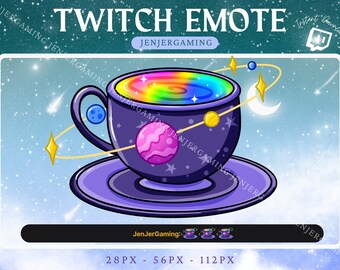

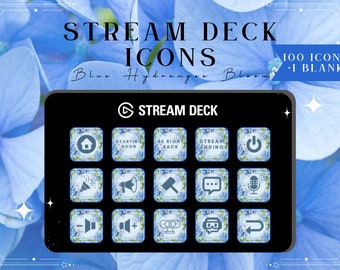

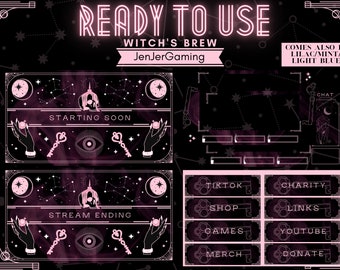
Announcement
Last updated on Jun 27, 2023

Reviews
5.0
(270)
Average item review
We calculate this number using a recency-weighted average of all ratings, with a rating's value decreasing by half each year to best reflect the current experience.
Loading
-

-

-

-
-
Emily on Oct 19, 2024
5 out of 5 starsGreat quality, exactly as described. Can't wait to use them. :-)
-

Dina on Sep 25, 2024
5 out of 5 starsI love it! It has taken my streams to the next level!!! Although I wish we had animated/static scenes without the writing for a « chatting screen » and whatnot. Regardless it’s a great product for the price <3
-
-

-

Jacklyn on Jul 1, 2024
5 out of 5 starsVery cute set with a variety of icons to fit your needs, plus a blank template and a screensaver image if needed. I love the colors!


About JenJerGaming
Sales
1,286
On Etsy since 2021
Shop members
-

Jen & Jerome
Owner
Twitch: https://www.twitch.tv/jenjergaming Hi, we're Jen and Jerome! We wanted to make some overlays for Twitch that were affordable but cute in hopes of helping new streamers! We hope you enjoy the shop!
Shop policies
Last updated on Oct 5, 2021
Digital downloads
Instant downloads
Your files will be available to download once payment is confirmed. Here's how.
Payment options
Secure options
Accepts Etsy Gift Cards and Etsy Credits
Etsy keeps your payment information secure. Etsy shops never receive your credit card information.
Returns & exchanges
See item details for return and exchange eligibility.
Cancellations
Cancellations: not accepted
Please contact the seller if you have any problems with your order.
More information
Last updated on
Dec 17, 2025
Frequently asked questions
How do I upload the files to my streaming platform?
Simply open up your streaming content of choice i.e. streamlabs OBS, OBS, Stream Elements etc. Download the files attached, add a new source (media source for MP4/animated or image for PNG/static source). Name the new overlay, and browse your computer to where you downloaded the files. You may need to drag the overlays on top of your webcam or gameplay in order to have the border!
*if it's an animated overlay, don't forget to check off the "loop" button so it continuously animates!*
Why does my webcam/game capture not fit in the box overlay?
Don't forget to size your webcams/game captures to 1920x1080p! You can adjust the size by clicking on the image, hovering your mouse over the edges and decreasing the size. If you want to more specific sizing, hold down the "shift" key on the keyboard and resize any of the sides!
How do I add text to the overlay?
If you use streamlabs obs, here is an amazing explanation! https://streamlabs.com/content-hub/post/streamlabels-text-overlays-setup-in-streamlabs-obs
These are used for adding in the most recent subs, bits, and follower on the overlays!
Why do my animated screens stop and not continue?
Please remember to checkmark the box that says "loop" in your source for the animated screen! This way it will loop once it's done and appear more smooth to the viewers!
Can I move the elements on the overlays or can you give me the elements separately?
All of our overlays are stagnant (not moving) and come as-is. So sorry, but unfortunately we do not send the elements separately!
Can you provide me with the files in other formats?
Due to the nature of how they are made, we are only able to provide the files in the MP4 and PNG formats for streaming. They are the formats used for Twtich streaming, but if you prefer different formats, you are more than allowed to convert them yourselves.
Can I convert the files /or sell them?
For personal use, feel free to convert the files as you need! For simply respect of the artist, please do not resell or claim them as your own as they have worked hard to help provide overlays for those starting off streaming or wanted a simple way to change the look of their streams!
Looking for more? Find it on Etsy