



Quiet design for a noisy world
Featured items
All items
Announcement
Last updated on Jan 14, 2026
Reviews
5.0
(7)
Average item review
We calculate this number using a recency-weighted average of all ratings, with a rating's value decreasing by half each year to best reflect the current experience.
Loading
-

Etsy buyer on Mar 8, 2026
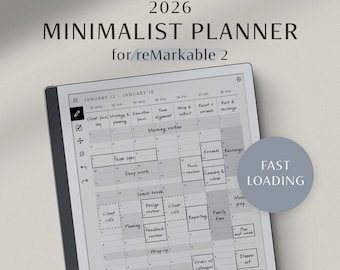
5 out of 5 starsA simple planner that I like and helps me stay organised.

KlarNote responded on Mar 8, 2026
This is lovely to hear, thank you for your review!
-
Heather on Jan 31, 2026
5 out of 5 starsI looked at lots of planners for Remarkable here, and so many were just way too complicated. This one does all the things I wanted it to and had a quick learning curve. It has made keeping my calendar much easier.
KlarNote responded on Feb 1, 2026
Thank you for taking the time to share this! So glad the intention came through — the minimal design and ease of use are exactly what this planner is built for 🤍
-
-
About KlarNote
Sales
308
On Etsy since 2025
Shop policies
Last updated on Nov 23, 2025
Digital downloads
Instant downloads
Your files will be available to download once payment is confirmed. Here's how.
Payment options
Secure options
Accepts Etsy Gift Cards and Etsy Credits
Etsy keeps your payment information secure. Etsy shops never receive your credit card information.
Returns & exchanges
See item details for return and exchange eligibility.
Cancellations
Cancellations: not accepted
Please contact the seller if you have any problems with your order.
More information
Last updated on
Feb 4, 2026
Frequently asked questions
Are your reMarkable 2 planners compatible with reMarkable Paper Pro?
Our planners/templates are designed with each reMarkable device in mind and optimized for how content appears on that device.
Due to differences in display characteristics, we do not recommend using our reMarkable 2 planners on reMarkable Paper Pro or vice versa.
For the best experience, please use planners made for your device.
The same applies to reMarkable Paper Pro Move.
How do I download my files?
After purchase, you’ll receive a download link on the order confirmation page and via email. You can also download your files anytime from your Purchases page: https://etsy.com/your/purchases
If you purchased as a guest, you’ll find your download link in the receipt email sent by Etsy. Be sure to check your spam or junk folder, and if you use Gmail, also check the Social and Promotions tabs.
📱 Note: The Etsy mobile app does not support downloads. Please use a web browser (Safari, Chrome, etc.) to access your files.
For more details, see Etsy’s official help article:
https://help.etsy.com/hc/en-us/articles/115013328108-How-to-Download-a-Digital-Item?segment=shopping
I can’t open the ZIP file. How can I unzip it?
Some products are delivered in ZIP format to include multiple files. Your reMarkable cannot open ZIP files directly, so you’ll need to unzip the file on your desktop or mobile device first.
On Windows, right-click the ZIP file and select “Extract All…” to unzip it.
On Mac, double-click the ZIP file and it will unzip automatically.
On iPhone or iPad, tap the ZIP file in the Files app to unzip it, then open the new folder.
On Android, most devices can unzip ZIP files by tapping on them. If not, a free app such as WinZip or RAR will work.
How do I import files to my reMarkable?
For instructions on importing files to your reMarkable, please refer to reMarkable’s official guide:
https://support.remarkable.com/s/article/importing-and-exporting-files
Can I convert handwritten notes to text on imported PDFs with my reMarkable?
As of now, the reMarkable does not support handwriting-to-text conversion or Type Folio typing directly on imported PDF pages. This is a limitation of the device/software, not an issue with our products themselves.
You can, however, convert handwriting by using the selection tool and an added note page.
How do I use hyperlinks on reMarkable?
To use the hyperlinks, tap them with your finger instead of the marker. The marker is for writing, so links won’t respond when tapped with it.
Do you offer refunds or exchanges?
Due to the nature of digital products, all sales are final and non-refundable.
Please review all details carefully before purchasing.
However, if you experience any issues accessing or using your files, feel free to contact us — we’ll be glad to help resolve them.
Can I share the files with others?
All products are for personal use only, and each purchase grants a single-user license.
You are not allowed to share, resell, or redistribute the files in any form, whether for free or for sale.
All of our files are © KlarNote. All rights reserved.