Featured items
All items
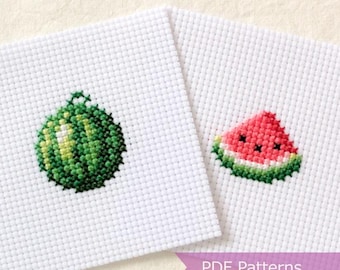
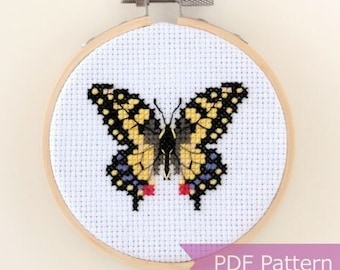
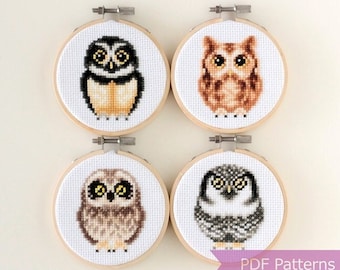
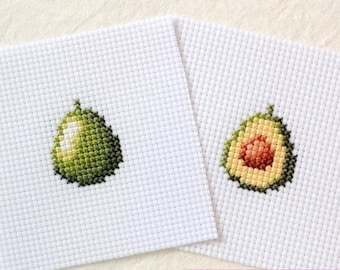




Announcement
Last updated on Sep 20, 2026

Reviews
5.0
(14964)
Average item review
We calculate this number using a recency-weighted average of all ratings, with a rating's value decreasing by half each year to best reflect the current experience.
Loading
-

-

-

-
-
-

-
-
Patricia on Aug 10, 2026
5 out of 5 starsYour patterns are easy to read. I like the color patterns. overall value is good.
-
-
About LaSelvaDesign
Sales
84,286
On Etsy since 2018

Shop policies
Last updated on Apr 23, 2019
Digital downloads
Instant downloads
Your files will be available to download once payment is confirmed. Here's how.
Payment options
Secure options
Accepts Etsy Gift Cards and Etsy Credits
Etsy keeps your payment information secure. Etsy shops never receive your credit card information.
Returns & exchanges
See item details for return and exchange eligibility.
Cancellations
Cancellations: not accepted
Please contact the seller if you have any problems with your order.
More information
Last updated on
Sep 22, 2026
Frequently asked questions
Q1: How do I download the patterns that I purchased?
Step 1: Log in to the account that you placed an order with.
Step 2: Click "Purchases and reviews" under your Etsy account.
Step 3: Click "Download files" and then click "Download".
Please kindly note that PDF downloads are not available on the Etsy app. You will need to sign in to Etsy on your mobile browser or a non-mobile computer.
Please contact me if you have any problems downloading files so I can email you them directly.
Q2: I am not using the Etsy app but still cannot download the files. I get an error message that says "Uh oh! You don't have permission to change or remove this information"
Download errors can also happen if you have multiple Etsy accounts and are logged into a different account from the one you placed an order with. Please make sure to log in to the account that you placed your order with. Feel free to contact me if you continue to have issues.
Q3: How do I import the cross stitch charts to PatternKeeper?
PatternKeeper-compatible files are named “XYZ_PatternKeeper.pdf” or “XYZ_PatternKeeper.zip.” PDFs can be imported directly. ZIP files must be extracted first (on Android, open the Files app, find the ZIP, and tap it to extract the PDFs).
To import a chart into PatternKeeper, open the app, go to the "..." menu, and select "Open PDF." Choose the file named “XYZ_PatternKeeper.pdf.” If prompted about multiple charts, click "OK." My charts include both black-and-white and full-color versions. To remove one, click the trash icon and confirm with "OK."
After importing, click "Verify Chart." The pattern will display with legends and DMC floss numbers. Use the arrow icon for full access.
Q4: How do I import the cross stitch charts to Markup R-XP? (as of Sept 2026)
Markup R-XP-compatible files are named “XYZ_PatternKeeper.pdf” or “XYZ_PatternKeeper.zip.” PDFs can be imported directly. ZIP files must be extracted first (on Android, open the Files app, find the ZIP, and tap it to extract the PDFs).
In Markup R-XP, go to Docs under Add New Project and select your PDF. Tap Open → Next. Select either the color or B&W chart, then Next. Select the matching key page, then Next. Select the picture page (usually the first page), then Next.
Review the grids, tap Next, then set the symbols by tapping each symbol on the right and confirming with ✓. Repeat for each symbol. Tap Next to set colors, review the preview, and tap Next. You're now ready to stitch and mark your stitches!
Q5: I placed an order by mistake. Can I get a refund?
I would happily issue refund as long as the purchased patterns have not been "Downloaded". Please contact me for further details.
Q6: Do you take custom orders?
At this time, I’m not accepting custom orders. All patterns are sold as is, and I’m unable to make color adjustments or offer guidance on color changes.
Q7: I do not know how to cross stitch. Do you sell fully stitched designs?
I am not taking any physical orders at this time. On a happier note, learning to cross stitch is fun and easy! Since most of my patterns are small, they can usually be stitched in a couple of days. All you need is some embroidery floss, cross-stitch fabric, and tapestry needles which you can find at your local crafts store or online.
Q8: Can I sell the products I make with your pattern?
You may sell the items you make from my patterns. However, the patterns themselves cannot be sold, republished, or remade physically and/or digitally. Credit is not necessary but is always appreciated.
Q9: Do you use AI to create your cross-stitch patterns?
No. I do not use AI to design or create my cross-stitch patterns. Each design is created by hand through my own design process, from the initial concept through the finished pattern. I also stitch each sample myself to see how the floss colors come together and to make sure the design can be successfully recreated by following the chart.
Looking for more? Find it on Etsy