
LovePaperEvent is taking a short break
Loading

Reviews
4.9
(9096)
Average item review
We calculate this number using a recency-weighted average of all ratings, with a rating's value decreasing by half each year to best reflect the current experience.
Loading
-

Leah on Jan 27, 2026
5 out of 5 starsWe used this for my daughter's wedding. It matched the invitations beautifully and was very easy to work with. I would highly recommend.
-
-

Sonbal on Oct 15, 2025
5 out of 5 starsAmazing customer service. Needed more tables added and it was adjusted swiftly. Thank you
-
-
-
Adriene on Jun 5, 2025
5 out of 5 starsThis digital template is so beautiful! It made it so easy for me to edit for my nephew’s wedding, I printed them at my local office supply store and they gave a sense of elegance to our tablescape.
-
Toni on May 15, 2025
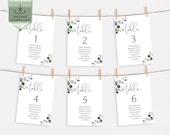
5 out of 5 starsThese table numbers were perfect for our granddaughters wedding. The printed product matched the photo perfectly. Would order from this company again.
-

-
-



About LovePaperEvent
Sales
85,425
On Etsy since 2019
Etsy automatically translates most text on the site to your preferred language.
See in original language


Shop policies
Last updated on Dec 27, 2023
Shipping
See item details for estimated arrival times.
Customs and import taxes
For US deliveries, Etsy policy requires that import duties and fees are included in the checkout price. Non-US buyers may need to pay these fees upon delivery. You can message me to confirm how these fees will be paid for your order. I'm not responsible for any customs-related delays.
Payment options
Secure options
Accepts Etsy Gift Cards and Etsy Credits
Etsy keeps your payment information secure. Etsy shops never receive your credit card information.
Returns & exchanges
See item details for return and exchange eligibility.
Cancellations
Cancellations: not accepted
Please contact the seller if you have any problems with your order.
Privacy policy
More information
Last updated on
Dec 17, 2025
Frequently asked questions
What is Templett
Templett is an online design platform where creators can design editable templates for their customers to purchase and edit. Customers can then download their template in multiple formats and get it printed if they choose
Does it work on mobile?
Templett is currently not available on tablet or mobile devices. You will need to edit your templates on a PC or laptop.
Uploading Elements / Images
Elements can be photos or clipart images.
1) Click on the “Elements” tab on the left hand side
2) Click the upload button
3) Select the image or images you have on your computer that you'd like to upload
Once you do this, you have the option of adding tags for the element. This will help to find it quickly, if you want to use it again in the future. If you don’t want to do this, just click the “continue” button.
You’ll notice the element has been placed in your elements section.
https://help.templett.com/hc/en-us/articles/7976352803860-Uploading-Elements-Images
Custom and personalized orders
• Professional printer → download as a PDF or JPEG and Show Bleed
• Print at home → download as a PDF and + Show Trim Marks + Print Multiples Per Page If Possible
• Share via text messaging apps, email, social media → download as JPEG
How do Template work?
• You will receive an email from Templett.com within minutes with a link to access your template(s). Check your Etsy registered email for the access link from Templett.com.
• Click on the link to access your template, and start editing!
• After you've completed customizing your template, save and download.
Try Before you Buy
Just copy and paste the link below into a new Browser Tab (on PC, Laptop or MAC). Editing ability is rather limited on mobile devices, phone, iPad etc.
Templett framework is currently optimized for use on a desktop browser only.
Custom and personalized orders
• The listing is for digital download only. No physical item will be shipped or printed.
• As all files are digital, and no physical products are shipped, it is not possible to return or exchange your purchase, and no refunds can be given.
• Please contact me before purchasing if you have any questions.