








From Ordinary to Amazing
Featured items
All items
Announcement
Last updated on Oct 4, 2026
Reviews
5.0
(1)
Average item review
We calculate this number using a recency-weighted average of all ratings, with a rating's value decreasing by half each year to best reflect the current experience.
About MoaDays
Sales
71
On Etsy since 2025
Shop members
-

Teon
Owner
I was a flight attendant living without routine, then became a full-time mom more chaos. To regain control, I started designing a planner to manage every moment of my life. It’s not perfect yet, but I’m training myself daily to live with purpose.
Shop policies
Last updated on
Accepted payment methods
Accepts Etsy Gift Cards and Etsy Credits
Returns & exchanges
See item details for return and exchange eligibility.
More information
Last updated on
Oct 4, 2026
Frequently asked questions
Q. Where can I download my files?
Once your payment is completed, you’ll be taken to the Downloads page, where you can access the “View your file” link.
You’ll also get a confirmation email from Etsy.
If you prefer, you can also locate your files by going to Your Account → Purchases (https://etsy.com/your/purchases).
For the best experience, please download your files using Chrome or Safari on your device, as the Etsy app does not support file downloads.
Q. I didn’t get my files. Could you send them again?
Of course! Please verify your email address, and I’ll resend the files within 24 hours from moadays.studio@gmail.com.
If you don’t see them within 24 hours after sharing your email, please be sure to check your inbox as well as your junk or spam folders.
Thank you!
Q. I’m having trouble opening the file
The file is provided in a ZIP format, so you’ll need to extract it before using it. On Windows or Mac, you can unzip it by simply double‑clicking the file.
If you’re using an iPhone, the built‑in Files app can open ZIP files directly.
On Android devices, some phones can open ZIP files automatically; if yours doesn’t, you can use a free unzip app like WinZip or RAR.
Q. Can I use this printable on my iPad?
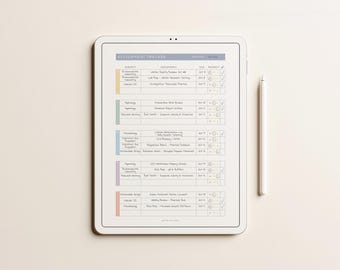
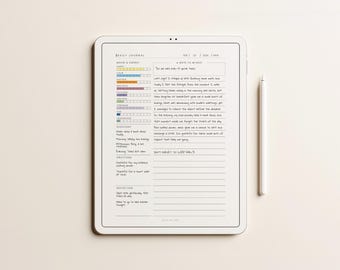
Absolutely! Because the file is a PDF, you can easily import it to your iPad and use it with any PDF‑annotation app like GoodNotes. There’s no need to print it.
Q. The printed colours look different.
Color variations can occur due to differences in printer models, paper types, and individual print settings. Since every printer uses its own technology and ink, the final output may not match exactly what you see on your screen. Thank you for your understanding!
Q. What are my options for printing the file?
• Print it at home if you have a colour printer
• Visit a local office supply store (Office Depot, Staples, FedEx)
• Use an online printing service (Vistaprint, Shutterfly)
• Take it to a nearby professional print shop
For home printing, be sure to set your print options to “Actual Size” or “100% scale” to ensure the best quality.
Q. Can I edit the designs in the files?
No, editing or modifying any printable purchased from gridmyday is not permitted.
Q. Can I share or resell the files I purchased from you?
No, sharing, redistributing, or reselling our printable files is not permitted. They are for personal use only, and all content is protected by copyright © moadays.
Q. Are refunds or exchanges available?
No.
Because the files are delivered instantly after purchase, all sales are final. Please make sure to review the product details carefully before ordering, as we cannot provide refunds or exchanges for duplicate purchases, incorrect sizes, wrong items, and similar issues due to the digital nature of the products.
That said, if you experience any problems or have questions about your files, feel free to reach out — I’m happy to help you troubleshoot as quickly as possible.
Q. How do I print the 'Cut-in-half' formatted file?
A. This file features 2 planner pages per sheet designed to be printed double-sided and cut in half.
1. Set Paper Orientation:
Always select Landscape (Horizontal).
2. Print Double-Sided:
Automatic Duplex Printers: Turn on Double-Sided Printing and select Flip on Long Edge.
Manual Duplex Printers: Print odd pages first, turn the paper over, and print even pages.
⚠️ Since paper feed directions vary by printer, we strongly recommend test-printing just 1 sheet first! (Tip: Draw a small arrow in pencil on top of the paper before printing to see which way your printer feeds.)
3. Cut & Punch:
Cut each sheet straight down the middle, punch holes, and insert them into your binder!