
Simple money tools for paychecks, debt, savings, bills, and everyday life.
Featured items
All items
Announcement
Last updated on Sep 3, 2026
About MoneyPathTools
Sales
0
On Etsy since 2026
Shop policies
Last updated on Sep 4, 2026
Digital downloads
Instant downloads
Your files will be available to download once payment is confirmed. Here's how.
Payment options
Secure options
Accepts Etsy Gift Cards and Etsy Credits
Etsy keeps your payment information secure. Etsy shops never receive your credit card information.
Returns & exchanges
See item details for return and exchange eligibility.
Cancellations
Cancellations: not accepted
Please contact the seller if you have any problems with your order.
Privacy policy
More information
Last updated on
Sep 7, 2026
Frequently asked questions
Is this a physical product?
No. Every item in the shop is a digital download. Nothing will be mailed. After Etsy confirms your payment, download the files from your Etsy Purchases page.
How do I open a ZIP file?
Download the ZIP file, then use Extract or Unzip on your computer or compatible device. Open the extracted folder to find the files listed in your purchase: Excel bundles contain .xlsx workbooks plus the included guide or README; printable packs contain PDF files. Open .xlsx files in Microsoft Excel and PDFs in a PDF reader. For a workbook, save a fresh copy before replacing its sample information.
What paper size should I use?
The planners are designed for US Letter paper, 8.5 x 11 inches. For best results, choose Actual Size or 100% in your printer settings.
Can I print the pages more than once?
Yes. The original purchaser may print unlimited copies for personal use. You can print the entire planner or only the pages you need.
Can I share or resell the files?
No. Your purchase includes a personal-use license for the original purchaser. The digital files may not be shared, uploaded, redistributed or resold.
Are these pages professional advice?
No. The products are organizational tools only. They do not replace tax, legal, financial, medical, employer, DOT or FMCSA guidance. Always follow current official requirements and consult a qualified professional when appropriate.
Do I need Excel, and will the workbooks work in Google Sheets?
Our spreadsheet products are supplied as .xlsx files. Microsoft Excel is recommended for their formulas, charts, data validation, and formatting. Google Sheets and other spreadsheet apps may import them, but full feature and formatting compatibility is not guaranteed. Excel software is not included. Check the individual listing for the exact files; printable PDF products can be opened in a PDF reader.
Where do I download my files, and can I use the Etsy app?
After payment is confirmed, sign in to Etsy.com in a computer or mobile web browser. Go to Your account > Purchases, then choose Download Files beside your order. Etsy currently does not support digital-purchase downloads inside its app. If you checked out as a guest, use the download link in your Etsy receipt email. For ZIP bundles, extract the folder before opening the included files. Need help? Message MoneyPathTools through Etsy with the product name.
What is the difference between the 3-workbook and 4-workbook bundles?
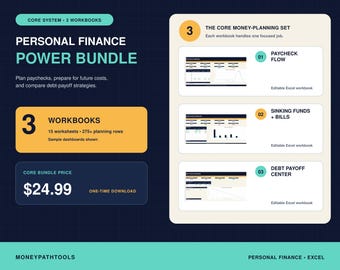
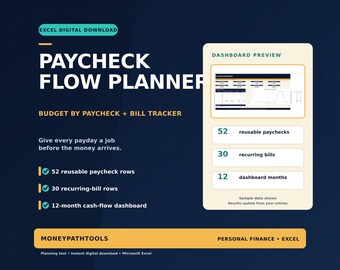
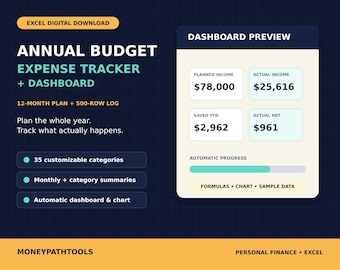
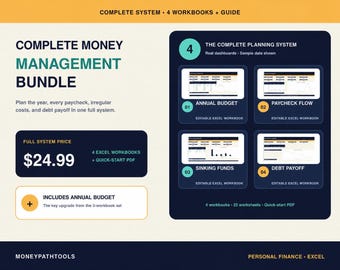
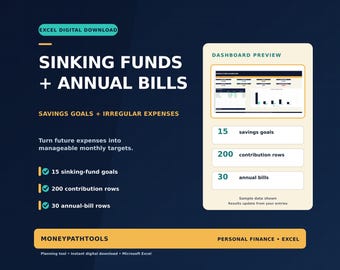
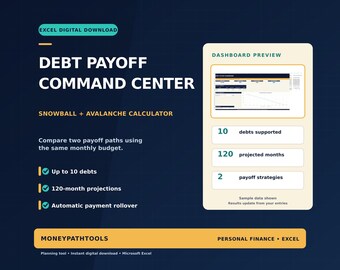
The Personal Finance Power Bundle has 3 Excel workbooks: Paycheck Flow Planner, Debt Payoff Command Center, and Sinking Funds + Annual Bills Planner, plus a README. The Complete Money Management Bundle includes those same 3 workbooks and adds the Annual Budget & Expense Dashboard, plus a two-page quick-start PDF. Choose the Complete Bundle if you also want the 12-month budget and expense dashboard. The workbooks are separate files and do not automatically sync. You do not need both bundles.