
MuStudioMockups

Europe

2.6k
Sales
We calculate this number using a recency-weighted average of all ratings, with a rating's value decreasing by half each year to best reflect the current experience. 5.0 (357)
1 year
on Etsy
We calculate this number using a recency-weighted average of all ratings, with a rating's value decreasing by half each year to best reflect the current experience. 5.0 (357)
2.6k
sales
1 year
on Etsy
2.6k
Sales
We calculate this number using a recency-weighted average of all ratings, with a rating's value decreasing by half each year to best reflect the current experience. 5.0 (357)
1 year
on Etsy
We calculate this number using a recency-weighted average of all ratings, with a rating's value decreasing by half each year to best reflect the current experience. 5.0 (357)
2.6k
sales
1 year
on Etsy
2647 Sales

Etsy automatically translates most text on the site to your preferred language.

See in original language


Featured items

All items

Etsy automatically translates most text on the site to your preferred language.

See in original language

Announcement

Last updated on Apr 21, 2026
Mu

Contact shop owner

Mu

Reviews

5.0 (357)
Average item review
We calculate this number using a recency-weighted average of all ratings, with a rating's value decreasing by half each year to best reflect the current experience.
Loading

About MuStudioMockups

Mockups that Pop

Sales 2,647
On Etsy since 2025

Mockups that Pop

Who are MU*?

Shop policies

Last updated on

Accepted payment methods

Paypal Visa Mastercard Discover Apple Pay Klarna Giftcard
Accepts Etsy Gift Cards and Etsy Credits

Returns & exchanges

See item details for return and exchange eligibility.

More information

Last updated on Mar 20, 2026

Frequently asked questions

My download only included a PDF file, where is my PSD?

Due to file size limitations on the platform, some PSD files that are larger than 20mb may be provided via a link in the PDF instructions file. If this is the case with your order, look for a button at the top of the PDF that says "Click here to download PSD". If you have any issues downloading the PSD just send us a message and we will sort it for you!

Can I use any DIN A sized artwork in the mockups?

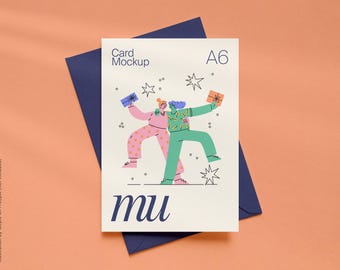
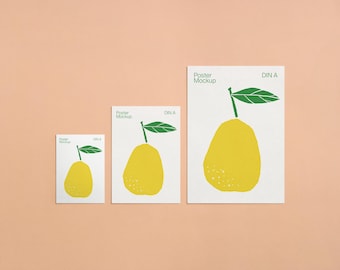
Where the listing description specifies DIN A (5:7) ratio, yes they'll work with any DIN A-sized artwork. In some cases your artwork may need to be scaled to fit the smart object exactly, but the proportions will work if your artwork is in the DIN A ratio. In mockups where there is a person / hands / props showing the relative scale of the artwork, we recommend sticking to the size specified in the listing (A6/A5/A4 etc).

What about US A2 sized cards, will they work for those?

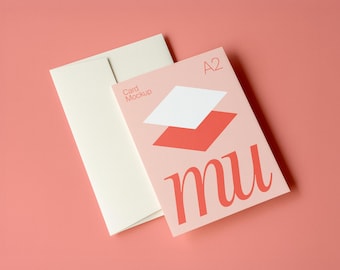
US A2 sized cards (4.25 x 5.5 inch) are in a different proportion to the DIN A ratio cards. Therefore, if you need a mockup for US A2 sized cards, look for the mockups that are labeled "A2". We are currently working on creating more US A2 versions of our popular DIN A mockups so keep an eye out for new additions!

How are your mockups created?

We use a few different methods for creating our mockups: Some are AI-assisted, meaning the base image is generated using AI and then it is manually refined, edited and finished in Photoshop, some are real photos which are refined, edited and finished in Photoshop, and some are built from scratch in Photoshop using textures, effects and layering techniques.

Are your mockups compatible with Affinity Photo?

Our mockups are created in, and designed for use Photoshop. While they may be usable in Affinity, we can't guarantee full compatibility or offer extensive technical support for Affinity users. Some issues/solutions reported by Affinity users include:

1. Clipping masks are released... If this happens, you may need to manually reapply the clipping mask on the Smart Object layer.

2. The Smart Object fails to update... If this happens, open the folder called 'MOCKUP' in the layers panel and locate a duplicate of the Smart Object/s called 'YOUR DESIGN'. Update this Smart Object instead.

For the best experience we recommend using Photoshop or it's free alternative Photopea.com

Can your mockups be used with Canva?

Our mockups are supplied as PSD files, which can only be opened with Photoshop, Photopea or Affinity Photo (with some limitations, see note above). If you'd like a mockup supplied as a PNG or JPG to use in Canva, that's no problem, just let us know! However just be aware that Canva doesn't support advanced editing features like blend modes and texture effects, so the end result won't look as realistic.