
Featured items


All items
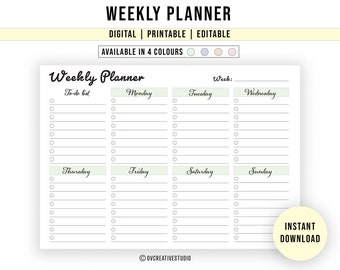
![Editable Weekly Planner | Printable | PDF [A5, A4, Letter] Digital To Do List | Task List | Daily, Weekly Checklist | Habit Tracker](https://i.etsystatic.com/32238679/r/il/1b2a98/3403054692/il_340x270.3403054692_n08s.jpg)


Announcement

Reviews







About OvCreativeStudio
Shop policies
Digital downloads
Payment options
Returns & exchanges
Cancellations
Cancellations: not accepted
Please contact the seller if you have any problems with your order.
More information
Frequently asked questions
Where can I find my downloads?
Please use a web browser on your computer/laptop to download your files.
1. Sign in to Etsy.com and go to Your account.
2. Go to Purchases and reviews. www.etsy.com/your/purchases
3. Next to the order, select Download Files.
Alternatively, an email will be sent to your registered email address on Etsy. There you will find a link to download your files on Etsy.
If you purchased as a Guest on Etsy, you can find your files in an email you received from “transactions@etsy.com”. Check the email you used to make your purchase.
Note: "ETSY APP" DOES NOT SUPPORT DOWNLOADS. So you won't see any link to download in Etsy App. Please use a web browser to sign in to Etsy and download your files.
How do I open .ZIP files?
New computers usually have software installed to handle unzipping files. If yours doesn't, you will need to download a program such as WinRar, WinZip or 7zip.
Windows: https://www.7-zip.org
Mac: https://www.izip.com
How to open ZIP files on your phone/tablets:
Apple iPhone/iPad: https://support.apple.com/en-gb/HT211132
Android: https://support.google.com/files/answer/9048509?hl=en-GB
What are "Editable PDF files"?
The products mentioning "editable PDF files" are fillable/editable using Adobe Acrobat Reader (free software).
https://get.adobe.com/uk/reader/
✔️ Only blue highlighted areas are editable/fillable.
✔️ Fill/type the details in PDF and print in your preferred size if necessary.
(Note: Blue highlights won't appear on the print)
✔️ Text, font, color, and design cannot be altered.
Printing Information
All of our products are available as digital files. It gives you the flexibility to print as many times as you like (for personal use only). Refer to each product for printing sizes.
Use Adobe Acrobat Reader to print the PDFs in the best quality. Download link: https://get.adobe.com/reader/
If you feel like your printer cannot carry out the required printing, you can have your templates printed at your local print shop or with an online printing service. Always print at 100% or the actual size.
All digital files are in high-quality resolution. Please note that I can only control the design quality, not the print quality. The colors, as shown on your screen may print a bit differently based on the printer/ink that is used.