





Jan 2023 - open for business!!
Featured items
All items
Announcement
Last updated on Nov 27, 2025
Reviews
5.0
(158)
Average item review
We calculate this number using a recency-weighted average of all ratings, with a rating's value decreasing by half each year to best reflect the current experience.
Loading
-

-

Paul on Sep 13, 2026
5 out of 5 starsItem was exactly what I was after and the artwork was well done. Will buy from again without hesitation.
-
Natalie on May 10, 2026
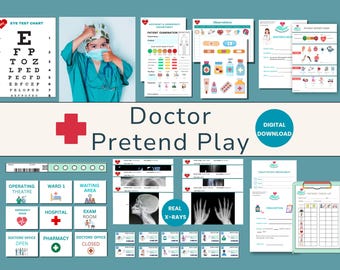
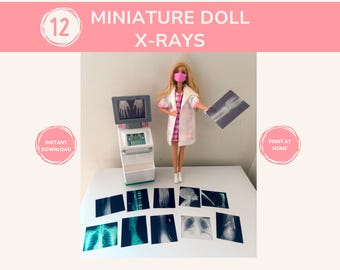
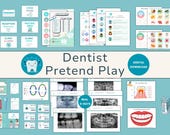
5 out of 5 starsGreat item for play! I used this for an inquiry project with my Grade 5 class. Thanks for saving me some time on my xray items! The only suggestion I have is to make it editable so we can customize it for our own purposes, but overall it served its purpose well. Thanks again!
-
-
-

-
-

Lucy on Aug 12, 2026
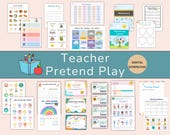
5 out of 5 starsReally lovely to print and have for children to play teacher with. Love that you can just reprint bits that they use up. The only bit I haven’t used is the House certificates and monitor cards as they don’t have anything like that at her primary school. Have recommended to friends!
-
Karen on Aug 6, 2026
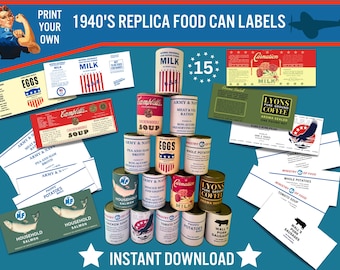
5 out of 5 starsGreat thank you, Ready for 1940’s weekend. Empty tins in my basket. 😃
-
xiaojing on Aug 1, 2026
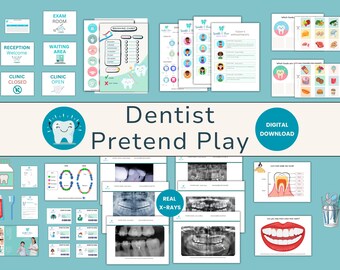
5 out of 5 starslove this package, it is perfect for my dental healthy week with children!
About PaperNurture
Sales
2,153
On Etsy since 2023
Shop members
-

Rachael
Owner
I'm a mum, a scientist, a PhD, a crafter, a creative, but most importantly I'm now an Etsy Shop owner! I love creating anything and especially educational and role play resources.
Shop policies
Last updated on
Accepted payment methods
Accepts Etsy Gift Cards and Etsy Credits
Returns & exchanges
See item details for return and exchange eligibility.
More information
Last updated on
Dec 17, 2025
Frequently asked questions
Where can I find my digital purchases in my account?
Sign in to Etsy.com and go to Your account.
Go to Purchases and reviews.
Next to the order, select Download Files. This goes to the Downloads page for all the files attached to your order.
You can also go back to the item’s listing page, where you should see an “Instant Download" message on the images for the item.
There are generally no limits for when or how many times you can download a file. In most cases, you can access a file any time on your Purchases page, provided the transaction hasn't been cancelled or removed.
If your payment is still processing, the Download Files button will be grey.
Help, I cannot access my download!
Don't worry, this can happen and it's 99.9% caused by the issue below!
Unfortunately, you cannot download files direct from the Etsy app (I know stupid hey?!). What commonly happens is you receive an email notification with a link to your download. However, if you have the Etsy app installed on your device this link will take you automatically to the app! Not helpful!
So instead you need to:
1. navigate to Etsy.com using your device's browser (e.g. Safari or Chrome).
2. log in to your account if you are not already.
3. Click on your profile in the upper right-hand corner. This will take you to your account.
4. A drop-down box appears called 'Purchases and Reviews'. Click on that and you'll see your downloads (black button).