




À propos
Articles à la une
Tous les articles
Annonce
Dernière mise à jour : 16 août 2026
Avis
4.8
(365)
Moyenne des évaluations
Nous calculons ceci en réalisant une moyenne de tous les avis pondérée en fonction de leur caractère récent : le poids d'un avis diminue de moitié chaque année, afin de refléter au mieux l'expérience actuelle.
Chargement
-

Sabrina le 02 sept. 2025
4 étoiles sur 5Dommage que le jeu ne soit pas en Français, j’ai passé beaucoup de temp à tous traduire.
-
-

Erin le 19 août 2026
5 étoiles sur 5Téléchargement instantané et facile à modifier selon mes besoins.
-
-
Jeana le 05 juil. 2026
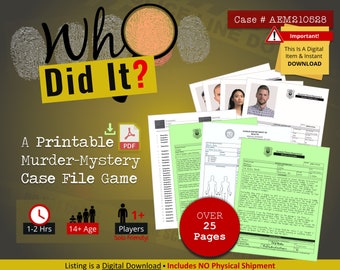
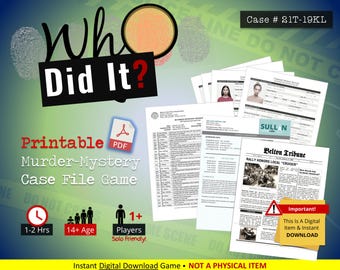
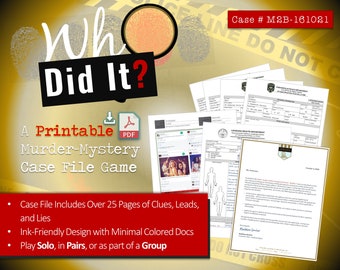
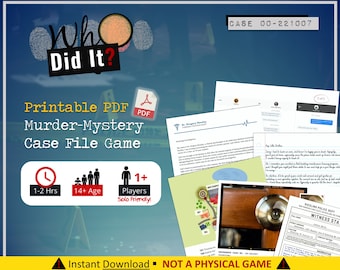
5 étoiles sur 5Une énigme amusante. Téléchargement facile. Instructions et PDF d'accompagnement de qualité. J'ai fait des économies en l'imprimant moi-même, plutôt que d'acheter ces dossiers d'enquête assez chers auprès des éditeurs de jeux.
-
David le 27 janv. 2026
5 étoiles sur 5Excellent polar ! J'ai eu quelques soucis avec l'impression des fichiers (c'était entièrement de ma faute), mais le vendeur a répondu très rapidement à mes questions et m'a aidé à les résoudre ! Je viens de terminer ce polar et c'était comme regarder une série policière ! Bravo ! J'en achète un autre !
-
Melanie le 22 janv. 2026
5 étoiles sur 5Un bon avis sur Post Curious m'a amené ici et je dois dire que je suis d'accord : cette coque est bien conçue. J'en achèterai certainement d'autres à l'avenir. Le seul bémol, c'est que le code QR pour l'audio fonctionne parfaitement ; il faut juste un petit moment pour que votre appareil le reconnaisse.
-

Pauline le 11 janv. 2026
5 étoiles sur 5Fichier volumineux et détaillé de Vert pour toutes les cartes de tarot individuelles.
-
-
A propos de PleaseNotePlanners
Ventes
4 439
Sur Etsy depuis 2020
Membres de la boutique
-

Ryan R.
Propriétaire
Ahoy, je m’appelle Ryan, ou « Ry », et je suis un designer dans le vrai sens du terme, développant diverses ressources. Bien que la plupart de mon travail vise à améliorer la productivité, je suis également fier de fournir des articles personnalisables pour créer des expériences mémorables et amusantes!
Conditions générales de vente
Mise à jour : 28 févr. 2022
Téléchargements numériques
Téléchargements instantanés
Vos fichiers seront prêts à télécharger dès que le paiement est confirmé. Voici comment.
Options de paiement
Options sécurisées
Accepte les cartes cadeaux Etsy et les crédits Etsy
Etsy traite vos informations de paiement de manière sécurisée. Les boutiques Etsy n'ont jamais accès aux informations liées à votre carte de crédit.
Retours et échanges
Consultez les détails de l'article pour l'éligibilité aux retours et aux échanges.
Annulations
Annulations : non acceptées
Contactez le vendeur en cas de problème avec votre commande.
Règlement concernant la confidentialité
Plus d'informations
Dernière mise à jour :
17 déc. 2025
Foire aux Questions
Où/Comment puis-je accéder à mon achat à télécharger ?
MÉTHODE 1 : Votre compteÀ partir d’un navigateur Web (PAS UNE APPLICATION MOBILE), connectez-vous à votre compte et accédez aux options sous « Votre compte » > « Achats et avis » pour localiser la commande.Cliquez sur « Télécharger les fichiers » [bouton] pour enregistrer l’achat. S’il est grisé, l’achat peut être en attente. Réessayez dans 10 minutes. Veuillez me contacter si le problème persiste.MÉTHODE 2: E-mail d’EtsyDans l’e-mail, cliquez sur « Afficher vos fichiers... » pour être redirigé vers la page de téléchargement de votre achat.Instructions d’Etsy : help.etsy.com/hc/en-us/articles/115013328108-Downloading-a-Digital-Item?segment=shopping
Où/Comment puis-je imprimer mon article imprimable ?
Vous pouvez imprimer à la maison. Si cela n’est pas préférable ou possible, choisissez d’imprimer avec une imprimerie locale (entreprise locale ou grande chaîne telle que Staples, Office Depot / Office Max ou FedEx) ou recherchez une imprimante en ligne. J’ai imprimé des documents colorés avec printivity.com et j’étais satisfait de mon produit.
Comment importer dans GoodNotes ou Notability ?
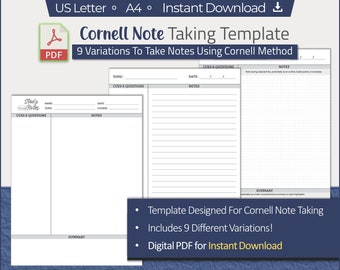
Tout d’abord, enregistrez le fichier téléchargé dans un emplacement ou une source disponible pour l’accès sur l’appareil sur lequel vous utilisez l’application (Exemples: Apple iOS File, Google Drive, OneDrive, DropBox, GOODNOTES- Ouvrez l’application GoodNotes pour iPad- Choisissez la catégorie pour enregistrer le fichier- Appuyez sur " + " pour sélectionner « Importer »- Parcourez l’emplacement du fichier (c’est-à-dire Fichiers, OneDrive, DropBox, etc.) et sélectionnez le fichier PDFAutres instructions spécifiques à l’applicationBONNES NOTESsupport.goodnotes.com/hc/en-us/articles/360000115295-Adding-custom-templates-to-the-template-library(Tutoriel vidéo) youtu.be/Kye00PeLbIE?t=247NOTABILITÉsupport.gingerlabs.com/hc/en-us/articles/227864627-Adding-Paper-Templates-in-Notability
Est-ce que je reçois ma commande par la poste?
Actuellement, tous les articles de la boutique sont des téléchargements instantanés qui sont livrés via (1) votre compte et (2) l’e-mail de confirmation d’Etsy.Les téléchargements instantanés réduisent non seulement les frais d’expédition, mais vous permettent également d’accéder à votre article dans les minutes qui suivent votre achat!Consultez la FAQ des questions pour plus de détails sur la façon d’accéder à votre téléchargement instantané.
Comment imprimer des PDF ?
1. Ouvrez le fichier PDF dans Adobe Reader (ou un autre lecteur PDF).2. Cliquez sur Fichier > imprimer. En option, ou si ce n’est pas le cas, choisissez les paramètres du format de papier US Letter 8,5x11 », l’orientation correcte et imprimez « 100%. » - POUR LES AUTRES TAILLES, utilisez les options d’impression pour « Ajuster » ou « Ajuster à la page »
Commandes personnalisées et personnalisées
Les PDF imprimables sont livrés en tant que produits finaux pour que vous puissiez imprimer et ne sont pas destinés à l’édition de quelque nature que ce soit. Imprimez le PDF et écrivez votre entrée manuellement, ou si vous avez la chance d’avoir une machine à écrire, tapez l’entrée.Les offres futures peuvent proposer des fichiers PDF qui peuvent être personnalisés, mais à moins qu’une description d’article n’indique spécifiquement qu’un article est modifiable/personnalisable, la valeur par défaut est un produit final destiné à l’impression uniquement.
Comment modifier un modèle PDF avec des champs de texte à remplir ?
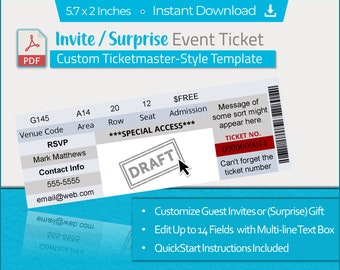
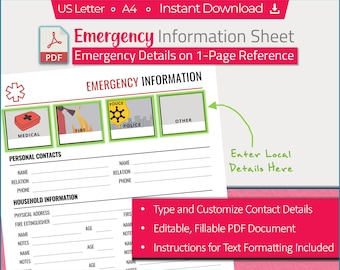
1. Assurez-vous d’être sur un ordinateur et d’ouvrir le PDF dans un lecteur PDF tel qu’Adobe Reader (gratuit à get2.adobe.com/reader).2. Cliquez sur chaque champ modifiable pour commencer à taper votre texte.3. ENREGISTREZ LES MODIFICATIONS (avec un nouveau nom si différent de votre modèle vierge) et imprimez éventuellement votre modèle terminé.* Assurez-vous de vérifier votre commande pour des instructions plus spécifiques en ce qui concerne votre achat.