

Featured items
All items

Announcement
Last updated on Jan 23, 2021

Reviews
4.9
(562)
Average item review
We calculate this number using a recency-weighted average of all ratings, with a rating's value decreasing by half each year to best reflect the current experience.
Loading
-

-

-

-
-
-

-
Randorium on Jul 23, 2026
5 out of 5 starsCan't comment on customer service as I didn't contact. Files worked exactly as needed. Dead easy to use with a Cricut. Will be having a look at the other products.
-
-

Rachel on May 24, 2026
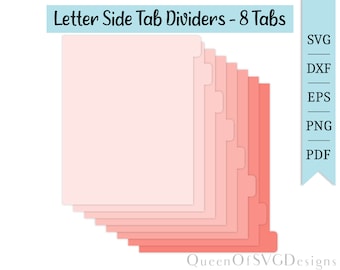
5 out of 5 starsEasy to use and edit to make what I needed to separate a bunch of random forms at work.
-


About QueenOfSVGDesigns
Sales
6,111
On Etsy since 2019
Shop policies
Last updated on Jul 4, 2019
Shipping
See item details for estimated arrival times.
Customs and import taxes
For US deliveries, Etsy policy requires that import duties and fees are included in the checkout price. Non-US buyers may need to pay these fees upon delivery. You can message me to confirm how these fees will be paid for your order. I'm not responsible for any customs-related delays.
Digital downloads
Instant downloads
Your files will be available to download once payment is confirmed. Here's how.
Payment options
Secure options
Accepts Etsy Gift Cards and Etsy Credits
Etsy keeps your payment information secure. Etsy shops never receive your credit card information.
Returns & exchanges
See item details for return and exchange eligibility.
Cancellations
Cancellations: not accepted
Please contact the seller if you have any problems with your order.
More information
Last updated on
Dec 17, 2025
Frequently asked questions
How do I download my files?
To download your files, go to your profile and then go to 'purchases and reviews'. From there you can download your files.
How do I unzip/extract my the files?
How to unzip/extract your files depends on which device you are using.
For windows: Right-click the zip file, and select 'extract all'
For mac: Double-click the zip file
For ios (apple): Go to your files app, press and hold the zip file, go to 'uncompress'
For android: Locate the zip file (usually easy to find in recent files 'my files' app). Tap the zip file, and tap unzip.
Why can't I see the layers in my SVG file?
Be sure you are opening the SVG file in a program that supports this file type such as cricut design space, silhouette or inkscape. If you open the SVG file in a browser such as microsoft edge or chrome, the layers will not appear.
There's no SVG file type in my zip file
Sometimes computers will read SVG file types as 'Microsoft Edge HTML'. If your computer reads the file like this, do not worry this is the SVG file.