




















Designs and Stickers - Just for you!
Featured items
All items
Announcement
Last updated on Oct 31, 2023
Reviews
4.9
(936)
Average item review
We calculate this number using a recency-weighted average of all ratings, with a rating's value decreasing by half each year to best reflect the current experience.
Loading
-

-

Robin on May 24, 2026
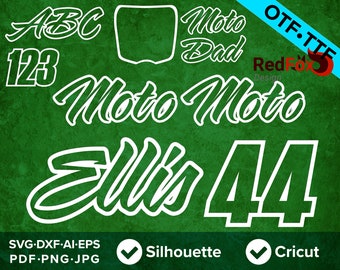
5 out of 5 starsGreat font, got it just in time to make a custom jersey and have it signed by the pros at Supercross. Excellent customer service - added some additional characters last minute and very responsive.
-

-
-
-

-

-
-
-
About RedFoxDesignShop
Sales
14,307
On Etsy since 2016
-
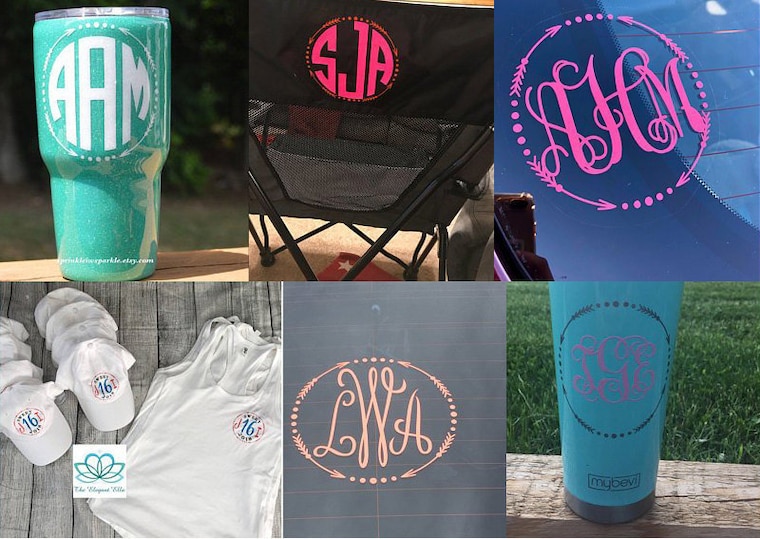 Use any of my patterns to create custom, cups, chairs, window decals or even shirts! Create something unique today
Production partners
-
Printify
United States
A production partner
Shop policies
Last updated on Sep 5, 2023
Shipping
See item details for estimated arrival times.
Customs and import taxes
For US deliveries, Etsy policy requires that import duties and fees are included in the checkout price. Non-US buyers may need to pay these fees upon delivery. You can message me to confirm how these fees will be paid for your order. I'm not responsible for any customs-related delays.
Digital downloads
Instant downloads
Your files will be available to download once payment is confirmed. Here's how.
Payment options
Secure options
Accepts Etsy Gift Cards and Etsy Credits
Etsy keeps your payment information secure. Etsy shops never receive your credit card information.
Returns & exchanges
See item details for return and exchange eligibility.
Cancellations
Cancellations: not accepted
Please contact the seller if you have any problems with your order.
Privacy policy
More information
Last updated on
Dec 17, 2025
Frequently asked questions
How do I open a Zip file on my computer?
Your files are in a compressed or zipped file. You must unzip, extract, or expand the zipped file before attempting to use the files. Opening your zipped file will vary depending on the computer system you use.
1. Find the zipped file after downloading.
2. Right-click (or press and hold ) it, select "Extract All" ("Open With" then "Archive Utility" on a Mac), and then follow the instructions.
How do I open my design in Cricut Design Space?
1. After you’ve extracted your files, open Cricut Design Space, and select the blue “Create New Project” button, or click File, New.
3. Click the Upload Images button on the left vertical panel.
4. Click the blue Upload Image button on the next screen.
5. Click the blue Browse button, and select the SVG file you have saved.
6. Click the green Save button on the bottom right of the screen.
7. Your file is now saved to your library and you will not need to upload it again to use it.
How do I open my design in Silhouette Studio Basic or Designer Edition
1. After you have extracted your files, open Silhouette Studio and select:
File, Import, Import to Library from the top menu.
2. Navigate to the location where you saved your files, and select the DXF file (SVG file for the Designer Edition).
3. Your Library will open and Studio will automatically place the file in your My Own Designs folder.
4. Open the file by double clicking the thumbnail image in your Library.
To access the file in the future, select File, Library from the top menu bar. You will see the file in your My Own Designs folder.
How do I use these designs to print on iron on transfer paper?
1. Open the PNG file from your unzipped folder in any software that can open clipart, such as Microsoft Powerpoint or Word, Apple Photos, Adobe Photoshop, Adobe Illustrator or GIMP.
2. Adjust the size of the image to your desired size. All PNG files are saved at maximum quality and 300ppi and will maintain excellent resolution when resized.
3. Select File, Print. Your printing options will now appear.
4. Select mirror image (sometimes referred to as reverse image or flip horizontal) from your printer settings and then proceed to print.
How do I download AND I did not receive my Etsy order confirmation email after purchase!
Try this help Article: https://www.etsy.com/help/article/3949
After purchasing, you’ll see a View your files link which goes to the Downloads page. Here, you can download all the files associated with your order. You will also receive an Etsy order confirmation email with a link to your instant download.
If you have not received the email yet make sure to check you bulk or junk mail folders. The email should come instantly from Etsy (or within 5-10min). You can also try the suggestions outlined in this FAQ: https://www.etsy.com/help/article/56?
You can also log into your Etsy account and go to your Purchases and Reviews page: https://www.etsy.com/your/purchases and look for the order.
How to Uncompress a Zipped File on iPhone and iPad
1. Launch the Files app on your iPhone or iPad.
2. Find the zip file that you want to uncompress.
3. Press and hold on the zip file, then select Uncompress from the contextual menu.
Looking for more? Find it on Etsy