



Whimsical SVG designs made for crafters by a crafter
Featured items
All items
Announcement
Last updated on Mar 18, 2026
Reviews
4.8
(328)
Average item review
We calculate this number using a recency-weighted average of all ratings, with a rating's value decreasing by half each year to best reflect the current experience.
Loading
-

-
-
Bonnie on Jul 24, 2026
5 out of 5 starsI like it because it has all the info needed while constructing the quilr
-
-

Nancy on May 1, 2026
5 out of 5 starsI'm doing the happy dance here :) I wanted a little something to include my business card and small gifts in with my orders. Wasn't having any luck going retail then the light bulb went on. I have a ton of extra cardstock, why not just make something? Didn't want anything complicated and this is perfect. I can make it the size I need and it adds a little surprise to my orders. I did have a little issue figuring out the score lines and messaged Emy then and after I figured it out before Emy got back to me, and messaged her that, she still responded :)

Emy responded on May 14, 2026
I love this idea so much! I would have never thought to use these for that. So cute!
-

-

Becky on Apr 18, 2026
5 out of 5 starsI have downloaded this download but haven't had time to print it. I think it will be very helpful when I use it and can learn from it.
-
Becky on Apr 13, 2026
5 out of 5 starsI haven't used it yet. But it looks like information that I will need when I bind a quilt for the first time.
-
-

About SemiglossDesignShop
Sales
3,952
On Etsy since 2017
-
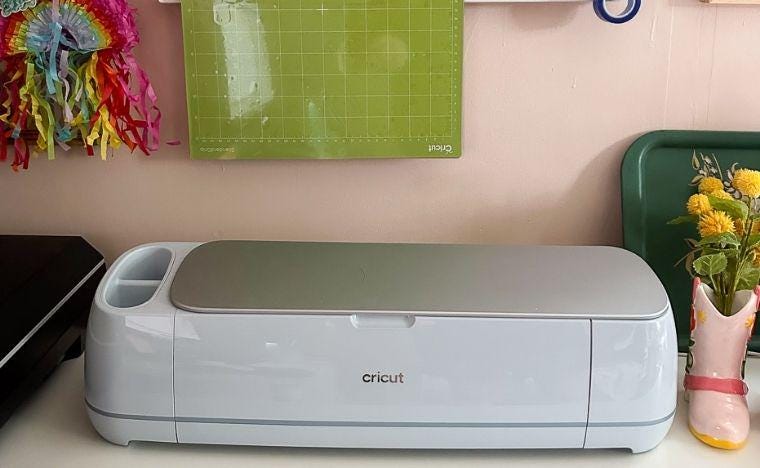 This is my BFF, my Cricut Maker 3.
 -
 Hi there! It's so nice to meet you.
Shop members
-

Emy Flint
Owner, Designer
Hi, I'm Emy, the creator behind Semigloss Design. When I'm not crafting, you can find me drawing or reading. I'm a huge homebody, but sometimes I'll venture out to the beach.
Shop policies
Last updated on May 21, 2018
Digital downloads
Instant downloads
Your files will be available to download once payment is confirmed. Here's how.
Payment options
Secure options
Accepts Etsy Gift Cards and Etsy Credits
Etsy keeps your payment information secure. Etsy shops never receive your credit card information.
Returns & exchanges
See item details for return and exchange eligibility.
Cancellations
Cancellations: not accepted
Please contact the seller if you have any problems with your order.
Privacy policy
More information
Last updated on
Dec 17, 2025
Frequently asked questions
How do I print my planner?
Always choose "scale" and set it to 100%.
How do I download a file?
Your downloads can be found in your account, under Purchases and Reviews.
For more help, check out this link. https://help.etsy.com/hc/en-us/articles/115013328108?flash_digest=cb073d07ce022bf882dba0b4c4e7d6904103461e
And if you still need help, send me a convo. I'm happy to help.
How do I use the cut files?
For all cut files, I provide a few options. For stickers, use PNG files with a cricut.
Use DXF files with a Silhouette. Silhouette cut files cannot be sold, so DXF files are the next best thing. Just open the file in your Silhouette Studio. I include a rectangle around them to help you figure out the spacing. Select all images and enlarge them to fit the 8.5" x 11" page. Then delete the rectangle.
Another option is to use the print and cut feature. Open the stickers in the Silhouette Studio. You will need to cut the design apart to use this option. The registration marks must be clear for printing. Add the marks, print and cut the outlines of the shapes.
Looking for more? Find it on Etsy