
Featured items
All items





Announcement
Last updated on Jul 27, 2017

Reviews
4.7
(1503)
Average item review
We calculate this number using a recency-weighted average of all ratings, with a rating's value decreasing by half each year to best reflect the current experience.
Loading
-

-
BluePalmDesigns on May 16, 2026
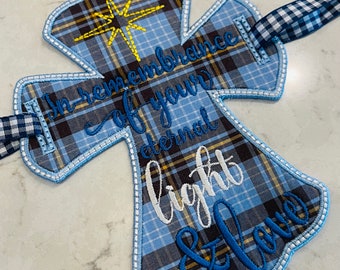
5 out of 5 starsThis design Stitched out beautifully !!!! I embroidered it on a black stone washed shirt and used all white thread. The Pre-K teachers loved them!! Thank you !!
-

-
Rosaline on Mar 9, 2026
5 out of 5 starsThis graphic was a perfect addition to the other ties I use in preschool!
-

-
-
-

Susan on Sep 9, 2025
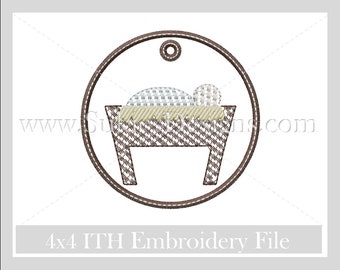
5 out of 5 starsGreat and quick stitch-out! So cute for the little ones to hang on tree with their letter to Santa!
-





About SukiesDesigns
Sales
19,065
On Etsy since 2016
-
 My greatest inspiration my beautiful daughter Madelyn.
 -
 Meet my daughter Madelyn my greatest inspiration behind Sukie's Designs.
 -
 The face behind Sukie's Designs and my greatest inspiration my daughter Madelyn.
Shop members
-

Sukie Bracewell
Designer, Owner
Hi, my name is Sukie Bracewell I found a passion for designing SVG and Embroidery Designs. I love to create custom shirts for my little one and in the mean time help my fellow crafters by sharing some of my designs with yalll.
Shop policies
Last updated on May 8, 2016
Digital downloads
Instant downloads
Your files will be available to download once payment is confirmed. Here's how.
Payment options
Secure options
Accepts Etsy Gift Cards and Etsy Credits
Etsy keeps your payment information secure. Etsy shops never receive your credit card information.
Returns & exchanges
See item details for return and exchange eligibility.
Cancellations
Cancellations: not accepted
Please contact the seller if you have any problems with your order.
More information
Last updated on
Dec 17, 2025
Frequently asked questions
I have purchased an SVG but when I attempt to open the file in Silhouette Studio, I receive an error message indicating the file is not supported. Why I am I receiving this message?
You are receiving this message because you are not able to open an SVG in Silhouette Studio. You must have the upgraded software (Silhouette Designer Edition) to open an SVG. However, this is not a problem you are able to open a DXF File in Silhouette Studio. If you did not receive a DXF file with your purchase, please send me a message and I will be happy to email you the file in a DXF Format free of charge.
May I use the designs I purchase to make and sell Items?
Yes, I only ask that you do not give or sell the actual digital file that you have purchased. Also please do not convert my design into an embroidery designs to sell digitally
I am new to using my Cricut Explore cutting machine can you please explain how an SVG works?
SVG stands for Scalable Vector Graphic. An SVG will upload to your cutting machine the same way as any image would just by simply clicking upload icon in Design Space or Silhouette software. You will not have to do anything different your cutting machine will know that you are uploading an SVG design and it will automatically separate each layer for you. Once the file has been uploaded and you want to make any changes please select the image then click ungroup.
Do you offer any sample files?
Sure, I will be happy to send you a sample file. Please message me for assistance.
How do I open A DXF file in Silhouette Studio ( Free edition ) ?
1.Click the File tab.
2.Click Open.
3.In the Files of type list, click AutoCAD Drawing (*.dwg; *.dxf).
4.Browse to the file and click Open.
Please copy and paste this link to your browser for instructions with pictures!
http://sukiesdesigns.com/blog/how-do-i-open-a-dxf-file-in-silhouette-studio-free-edition/
How do I download A SVG?
How to Download Files.
1. You can download the selected image by right-clicking on it and choosing “Save image as.” A window will appear where you can navigate to the folder you want to save the image in.
2. Navigate to the folder you want to save the image in using the left panel of the pop-up window. Once you are in the folder, click “Save.” ( For easy finding use save to desktop)
3. Once the file has been saved to your desktop you will now be able to open your cutting software and upload the files.
Are you able to formate the file to a different formate for example ( PNG, EPS DXF) ?
Yes, please message me if you need any of files to formatted in a different format. I will be happy to convert the file for you free of charge.
Do you create custom svgs ?
Yes, please submit all custom svg request using this form. If you have a PNG image that you would like to be convert to an SVG please be sure to upload the image. I will contact you via email with pricing and availability within 24 hours. Pricing starts at $3.00 and goes up depending on difficulty of the design.
Submit request here :
https://form.jotform.com/62561089446159
How do I open a zip folder?
To unzip a single file or folder, open the zipped folder, then drag the file or folder from the zipped folder to a new location.
To unzip all the contents of the zipped folder, press and hold (or right-click) the folder, select Extract All, and then follow the instructions.
What is an Appliqué?
An appliqué is a sewing technique that involves stitching a small piece of fabric onto a larger one to make a pattern or design.
Please use this copy and pate this link for a tutorial.
http://sukiesdesigns.com/sukies-blog/lets-talk-about-appliqus-/
Looking for more? Find it on Etsy