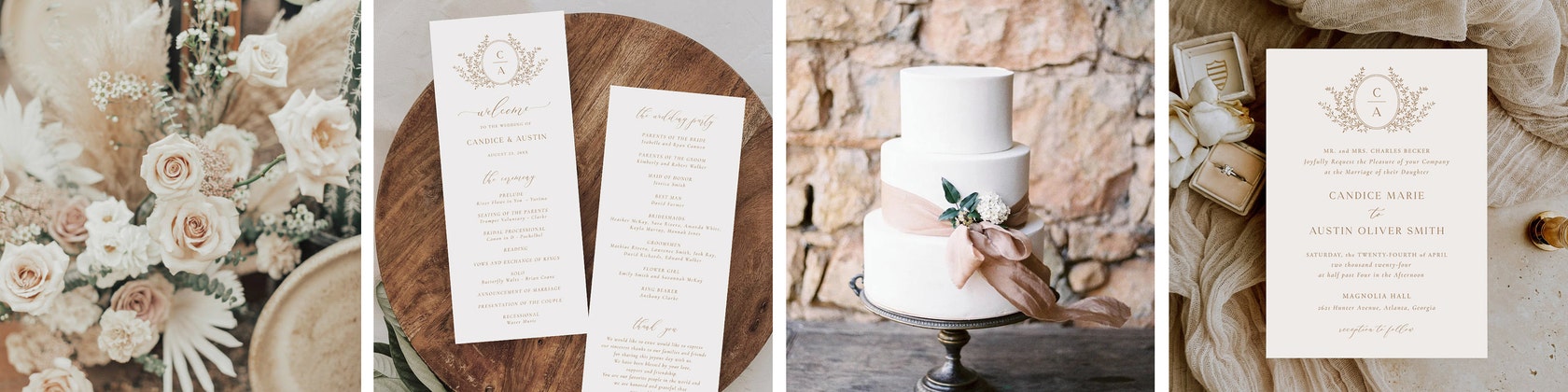

SweetPeonyDesign is taking a short break
Loading

Reviews
4.9
(662)
Average item review
We calculate this number using a recency-weighted average of all ratings, with a rating's value decreasing by half each year to best reflect the current experience.
Loading
-

-
Grace on Jul 18, 2025
5 out of 5 starsVery easy to use and edit. Love that you get to choose your own paper print from home!
-
Dianna on Apr 17, 2025
5 out of 5 starsI loved the design, it matches exactly. I did struggle to upload it to Zola to print them, but once I found the on switch to add extra around the edges it worked perfectly! Extremely pleased with the product.
-
Casey on Mar 31, 2025
4 out of 5 starsThe invite was easy to edit. The instructions were understandable. I wish there was an option to order it printed. I like the invites, it will work for my elopement.
-

-
-

Molly on Dec 20, 2024
4 out of 5 starsThe most beautiful template, exactly what I was looking for my wedding invites. So, so pleased and the digital format is easy to use too, would definitely recommend!
-
-

Nicole on Dec 2, 2024
5 out of 5 starsThe design was very easy to download and edit! They look great printed out too!



About SweetPeonyDesign
Sales
3,830
On Etsy since 2015
Etsy automatically translates most text on the site to your preferred language.
See in original language
Shop policies
Last updated on Aug 20, 2017
Shipping
See item details for estimated arrival times.
Customs and import taxes
Buyers are responsible for any customs and import taxes that may apply. I'm not responsible for delays due to customs.
Returns & exchanges
See item details for return and exchange eligibility.
Cancellations
Cancellations: accepted
Request a cancellation: within 12 hours of purchase
More information
Last updated on
May 11, 2022
Frequently asked questions
How do I access my template?
Following your order placement, an email from JetTemplate will be sent to your Etsy associated email. Please be sure to check your spam folder if you are unable to locate it.
If you do not have access to this email you can still open and edit your template. Go to www.jettemplate.com/design, enter the email address that has been linked to your Etsy account, then click on the button 'I don't have access to this email' and enter your order number. Once you are logged in, you will be able to update your email address under user settings.
Can the wording or font be changed?
Yes, any text can be changed. You can easily change the font style, color and size.
Do I need to install any software or font?
No software download or installation is needed, everything is contained in your browser.
The fonts shown in the listing image will be available when you open your template. There is no need to install any fonts.
Where can I print my template?
- Print at home using a home printer
- Online photo printing service such as Mpix, Snapfish or Shutterfly
- Copy center such as Staples, Fedex or Office Depot
- Local professional printing shop
What type of paper/cardstock do you recommend?
I recommend printing the cards on heavyweight (90 to 110lb) card stock for best results. Most home printers will comfortably print on at least 90lb card, but please check your printer's specification.