






How It Started
Featured items
All items
Announcement
Last updated on Apr 7, 2024
Reviews
5.0
(51)
Average item review
We calculate this number using a recency-weighted average of all ratings, with a rating's value decreasing by half each year to best reflect the current experience.
Loading
-

-

-
Etsy buyer on Mar 24, 2025
5 out of 5 starsEasy to use and highly organized.

Stephanie responded on Mar 25, 2025
Thank you so much for your review! 😊
-

Noelle on Feb 7, 2025
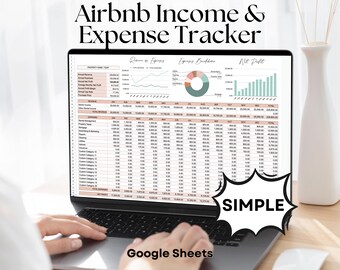
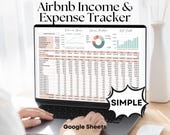
5 out of 5 starsNice and simple for tracking income and expense. Seller responds to questions quickly
-
Etsy buyer on Jan 10, 2025
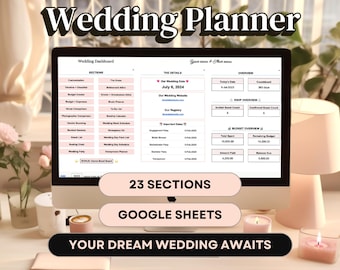
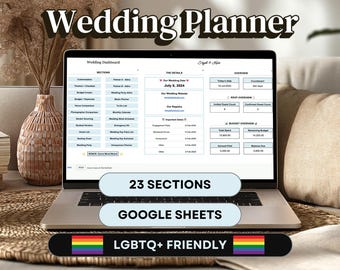
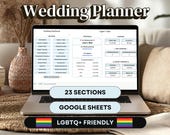
5 out of 5 starsIt’s hard to find LGBTQ friendly wedding organizers. This spreadsheet is awesome.
Stephanie responded on Jan 16, 2025
Thank you so much for your kind review! 😊 This is what I strive for and I'm very happy you love it. All the best to you and yours!
-

-
-

Shop policies
Last updated on Jun 27, 2023
Digital downloads
Instant downloads
Your files will be available to download once payment is confirmed. Here's how.
Payment options
Secure options
Accepts Etsy Gift Cards and Etsy Credits
Etsy keeps your payment information secure. Etsy shops never receive your credit card information.
Returns & exchanges
See item details for return and exchange eligibility.
Cancellations
Cancellations: not accepted
Please contact the seller if you have any problems with your order.
Privacy policy
More information
Last updated on
Dec 17, 2025
Frequently asked questions
Where can I find my download after purchase?
After purchase and once Etsy processes your payment, you should receive an email from Etsy with a link to your download. You can also find this download link in your Etsy account by clicking on your "Purchases": https://www.etsy.com/your/purchases
For Google Sheets Templates you'll download a PDF file which contains a link to your new template!
How can I access my Google Sheets template?
Once you download the instructional PDF file with the template link, make sure you're logged into your Gmail account. Then, click on the link to view your new template and click on the blue button in the top right corner that says "Use Template". You're ready to go!
Can I use the Google Sheets templates with Excel?
No, the Google Sheets templates are not compatible with Excel and will lose aspects of functionality if you try to export to Excel.
Do you offer returns or exchanges?
Due to the nature of these digital templates, and once you download the file, you have access to it forever, I don't offer returns or exchanges. If you experience any issues with your template, please reach out to me and I'll be more than happy to assist you.
How can I change my time zone in Google Sheets?
If your template has a feature for the current day, and is not updating in time, you may have to update your time zone / location settings within Google Sheets. To do this, have the spreadsheet open:
1) Click on FILE at the top
2) Then click on SETTINGS toward the bottom
3) A pop-up window will appear where you can select your current location and time zone
Voila! That should do the trick.
Looking for more? Find it on Etsy