






Digital Files to Enhance Your Own Projects
Featured items
All items
Announcement
Last updated on Feb 28, 2023
Reviews
4.9
(3183)
Average item review
We calculate this number using a recency-weighted average of all ratings, with a rating's value decreasing by half each year to best reflect the current experience.
Loading
-

-

Darcey on Jul 31, 2026
5 out of 5 starsI made shirts with this logo and it looks adorable. Love how it represents our goat milk soap business ❤️
-

-

-
AiR on Jun 2, 2026
5 out of 5 starsExactly as described. Smooth transaction, beautiful item. Will buy from here again.
-

-
-
-
-
Jennifer on Dec 15, 2025
5 out of 5 starsThese are really cool designs and transfer to cricut design space easily
About TreeHouseOffice
Sales
54,929
On Etsy since 2019
-
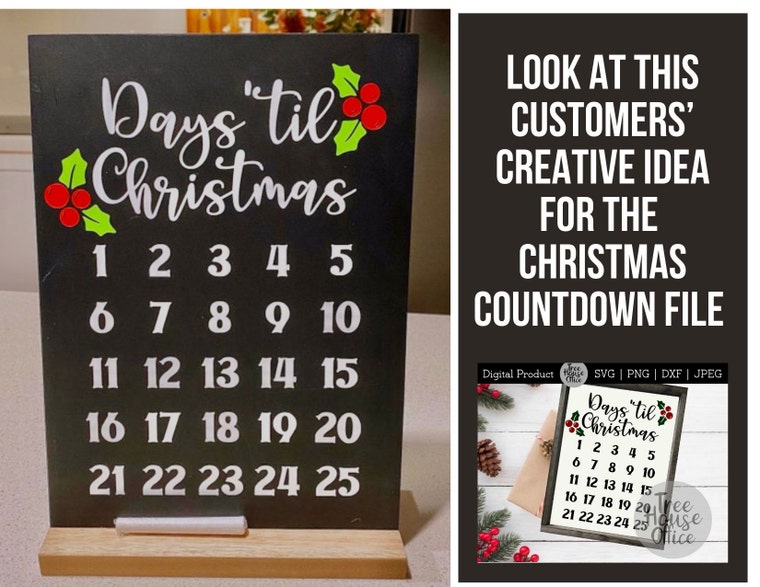 The options are endless on this design. How would you put together an interactive Christmas countdown with this file?
Shop members
-

Rachel
Owner, Designer
Hey there, I'm Rachel. When I'm not designing, I am a wife, momma (let's be honest, those all happen together with designing), gardener, crafter, photographer, writer, and think-tank director of this and our other Etsy shop, OakHillForgeDesigns.
-

Logan
Assistant, Ultimate Distractor
Logan is our spunky kiddo that’s learning the crafting ways from his parents. He's great at staging photographs of our goods, and providing background "music" in our home office.
Shop policies
Last updated on
Accepted payment methods
Accepts Etsy Gift Cards and Etsy Credits
Returns & exchanges
See item details for return and exchange eligibility.
More information
Last updated on
Dec 17, 2025
Frequently asked questions
About File Types
JPEG/JPG: These files are like a "photo" with a white background. Will not maintain clarity/resolution when scaled too large. Good for printing. Colors cannot be edited. Fairly universally accepted format.
PNG: These files do NOT have a white background around them. They can be used for printing. Colors cannot be edited, and will not maintain clarity/resolution when scaled too large.
SVG: Black and white files that maintain resolution no matter how big or small they are scaled. Universally accepted in most design programs (but not basic Silhouette software).
DXF: Files suitable for use in basic silhouette software (work like SVG's).
PDF: High resolution files that open in Adobe Acrobat (free software). Ideal for printing.
How to get your files
If you have an Etsy account, after your purchase you’ll see a "View Your Files" link which goes to the Downloads page. Here, you can download all the files associated with your order.
Downloads are available once your payment is confirmed. If you paid with PayPal or a credit card on Etsy, confirmation might take a few minutes.
Etsy will also send you an email with a link to download after your purchase clears. It will be sent to the email you have associated with your Etsy account (make sure you're checking the right one!)
If you need further assistance downloading, see Etsy's help page here: https://help.etsy.com/hc/en-us/articles/115013328108-Downloading-a-Digital-Item
Can you sell my files?
Though I have commercial use limitations on each of my listings, chances are you CAN use them for what you're looking to do 'commercially'! Please see the details in the "description" part of the listing for more info.
Please help to support independent crafters and artists, such as you and me, by respecting these limitations.
Contact me if you have further questions or would like to purchase full commercial licensing rights.
How to Fix Common Issues in Cricut / Design Space / Silhouette Studio
Firstly, DO NOT try and double click to open the SVG file from within your downloads folder. It will either (a) look blank, (b) look very small, or (c) look like it's opened in an internet browser page, or all of the above!
Do this Instead:
-Download the file from Etsy to your desktop/hard drive
-Open Design Space / Silhouette program
-Start a new "canvas" or project.
-Use "upload" button to get your file
-Find the SVG file on your desktop/hard drive. Usually it has saved to a "download" folder.
-Upload the file into your project space
(If you're having trouble seeing the image within your canvas, make sure your "X and Y Positions" are at 0 and 0, and you've resized it to a manageable and scaled size - in relation to your screen grid).
Looking for more? Find it on Etsy