





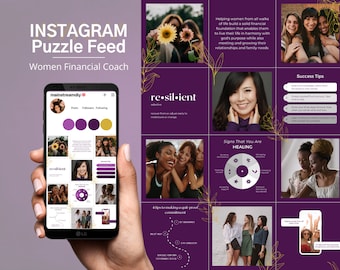









About Mainstream Multi-Media
Featured items
All items
Reviews
4.5
(185)
Average item review
We calculate this number using a recency-weighted average of all ratings, with a rating's value decreasing by half each year to best reflect the current experience.
Loading
-

Sarah on Jan 3, 2023
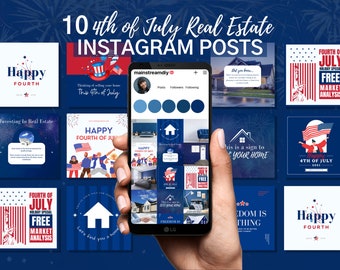
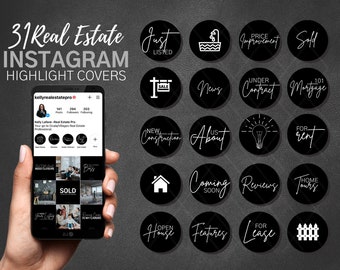
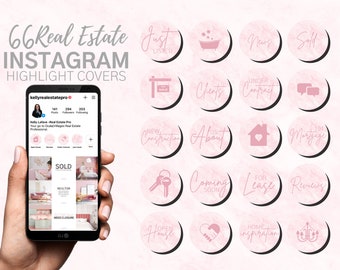
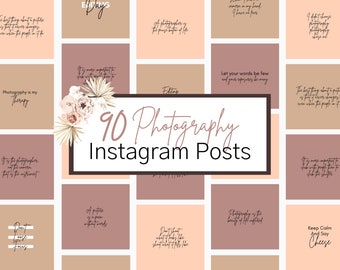
4 out of 5 starsThey are very nice looking - but would be better if they are editable in CANVA, my mistake when purchasing, thought they were. But pretty.
-

-

부자마녀 on Sep 9, 2025
1 out of 5 starsI didn't know it was a non-editable file. It's the most important part, so shouldn't it have been mentioned right at the beginning?
-
-
-
-

-
James on Oct 7, 2022
1 out of 5 starsDidn't realise its not editable and can't be use for Singapore.
-

Melissa on Aug 16, 2022
5 out of 5 starsThese were perfect for my client. It was easy to change color, font and make them the way she wanted. Thanks a bunch.

Shop policies
Last updated on Nov 5, 2020
Digital downloads
Instant downloads
Your files will be available to download once payment is confirmed. Here's how.
Payment options
Secure options
Accepts Etsy Gift Cards and Etsy Credits
Etsy keeps your payment information secure. Etsy shops never receive your credit card information.
Returns & exchanges
See item details for return and exchange eligibility.
Cancellations
Cancellations: not accepted
Please contact the seller if you have any problems with your order.
More information
Last updated on
Dec 17, 2025
Frequently asked questions
How do I access my editable files
1. After checkout, you will be emailed your files
2. Open the instruction pdf and locate the links
3. Create a FREE Canva account using the first link on the PDF
4. Click the next link to access editable files and launch Canva
5. Make all the edits, changes, and adjustments desired
6. The remaining instructions on how to download adjustments will be in your email
I don't need to make any adjustments. How do I access instant download NON-EDITABLE files?
>Download the file labeled "NON-EDITABLE Instant Download"
>Locate the download in the "downloads" section of your computer
>Open the ZIP file to access your photos
>Follow the steps on the "instructions" PDF if you need help sharing the images to your phone or another device