


AuDHD Planner App, Digital ADHD Autism Organizer, Sensory Tracker, Budget & Executive Function, iPhone Android
Preis:7,46 €
Ursprünglicher Preis: 9,95 €
25 % Rabatt
Zeitlich begrenzte Sale-Aktion
Verkäufer-Star
Verkäufer-Stars können eine herausragende Erfolgsbilanz beim Kundenservice vorweisen – sie haben kontinuierlich 5-Sterne-Bewertungen erhalten, Bestellungen pünktlich verschickt und schnell auf alle erhaltenen Nachrichten geantwortet.
Du kannst nur dann ein Angebot machen, wenn du einen einzelnen Artikel kaufst.
Verkäufer-Star. Dieser Shop hat regelmäßig 5-Sterne-Bewertungen erhalten, pünktlich verschickt und schnell auf alle Nachrichten geantwortet.
Highlights
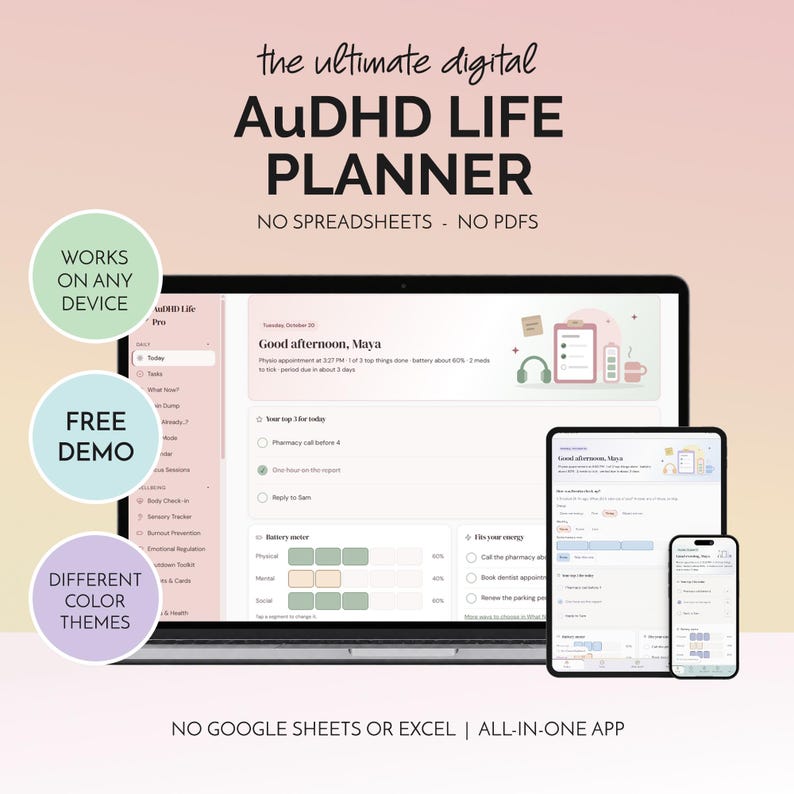
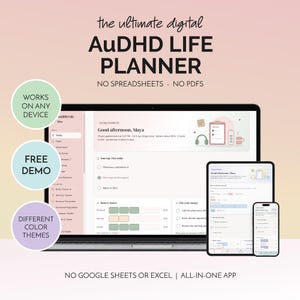
AuDHD Life Pro is an AuDHD planner app for adults who are both autistic and ADHD. I have AuDHD myself, and I designed it for the days when one half of your brain needs routine and calm, and the other half can't start anything at all. Tasks, routines, sensory and burnout tracking, brain dumps and a calm escape button, all in one app on your phone.
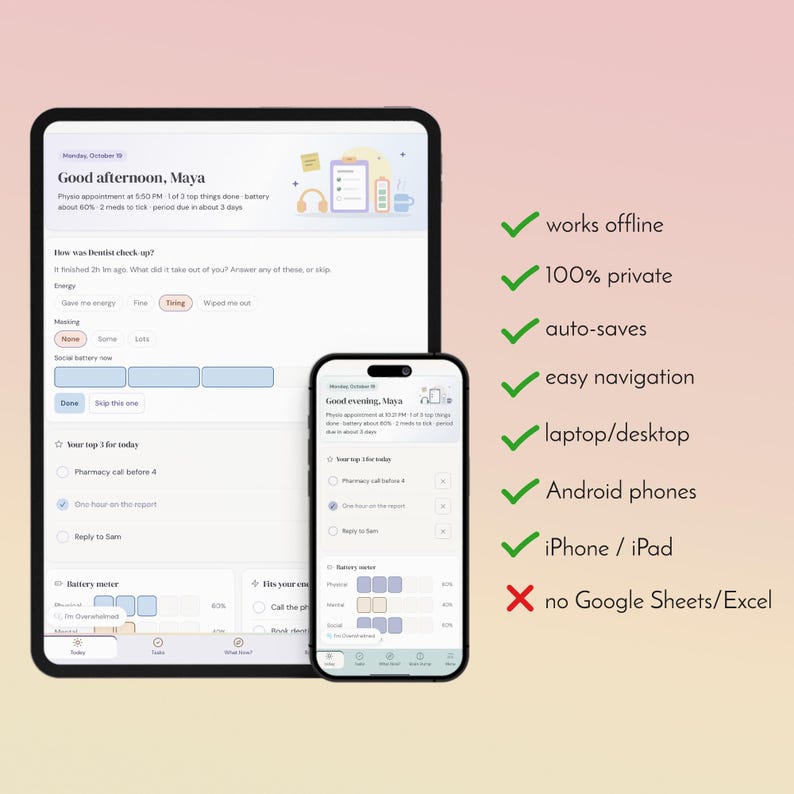
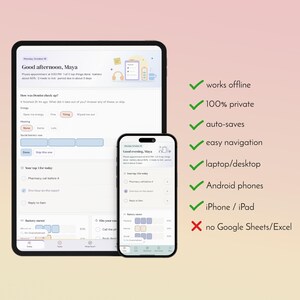
✔ Installs on your phone, tablet or computer. No App Store, no account
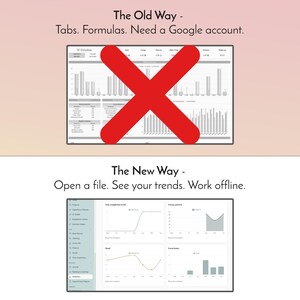
✔ Works offline, even with no signal
✔ Optional sync keeps your phone, tablet and computer up to date. Link them with a 6-digit code, no account or email needed
✔ Free automatic updates, nothing to re-download
✔ One-time purchase. No subscription, no monthly fee
✔ Try the live demo before you buy (copy into your browser):
🔗audhd-life-pro-demo.pages.dev
→ Your download is a short PDF holding your install link and quick-start steps.
The planner itself is a real app, not a printable.
➡️ TRY IT BEFORE YOU BUY ⬅️
The live demo (link above) is the real app, filled with a sample planner for "Maya" so you can tap around: plan a day, try Wait Mode, open the Breakdown Library. A few things are different in the demo:
• Anything you change resets when you close it or open it again
• It can't be installed to your home screen, so it doesn't work offline
• Sync, backups and updates are switched off
The app you buy starts empty, saves everything you add, installs to your home screen, works offline and can sync across your own devices, with every feature switched on.
⭐ Never installed an app from a link before? Grab my free mini app first and practice. It installs the same way as the full planner, so you will know exactly what to expect (copy into your browser):
🔗 https://drive.google.com/file/d/1lVFNUiE6S1E6jHqG2ejJNu11_yBrxI3p/view
🌈 WHY I MADE IT
Most planners are built for one brain. ADHD planners push more structure and more streaks. Autism tools are often made for children. When you have both, you need a planner that gives you structure without pressure, and that knows the difference between a lazy day and a burnout day. This is the app I wanted for myself. Nothing in it shames you: overdue tasks say "Still here, and that's allowed", and streaks pause instead of resetting to zero.
✨WHAT IT HELPS WITH ✨
When your head is full and you can't start anything
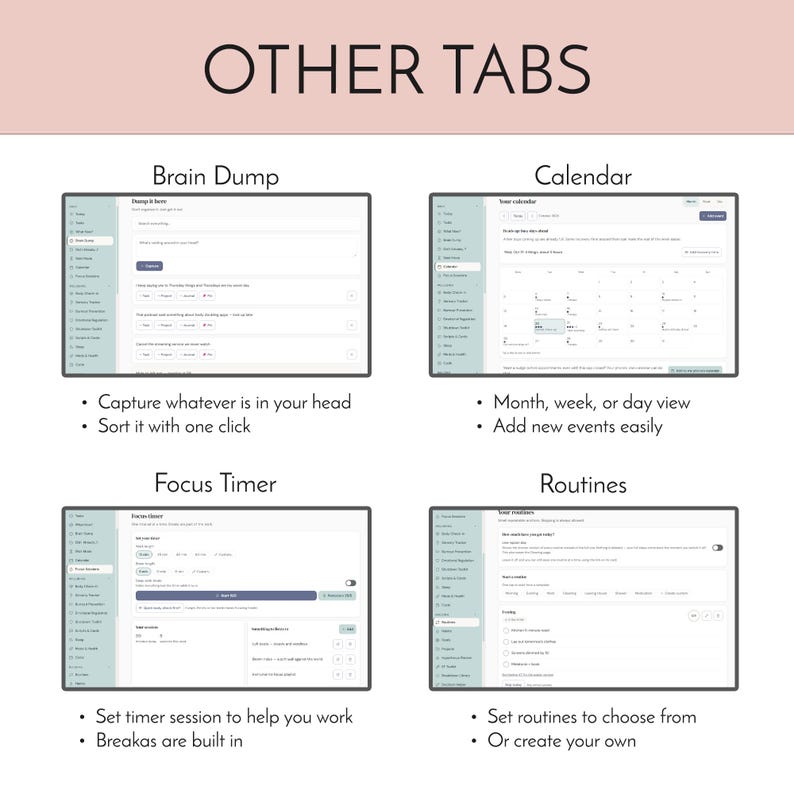
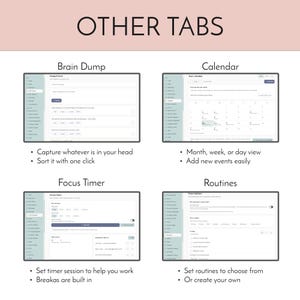
• Brain Dump: get everything out fast, then turn any note into a task, project or journal entry with one tap
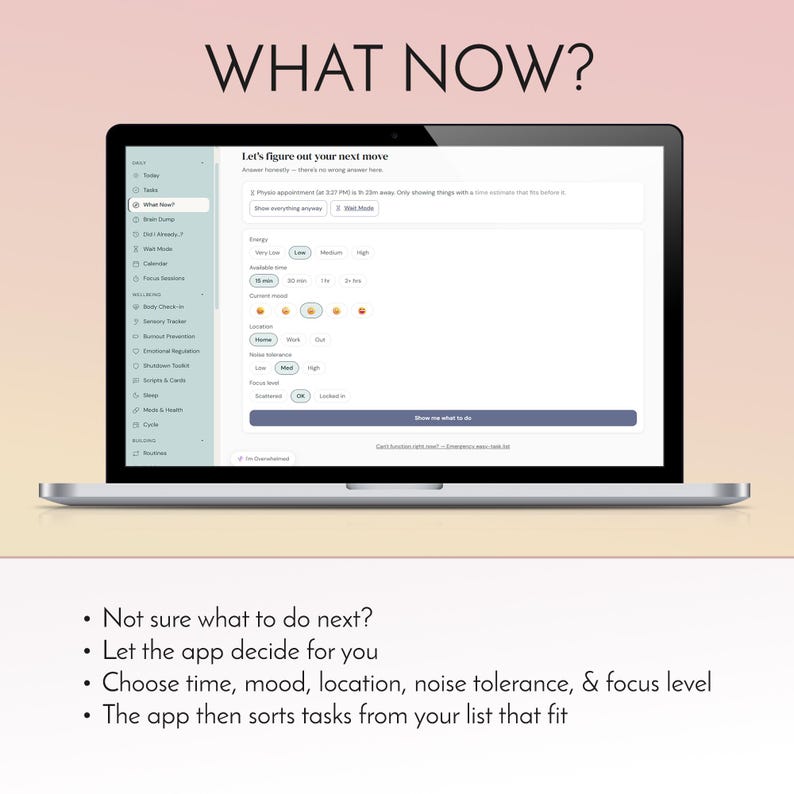
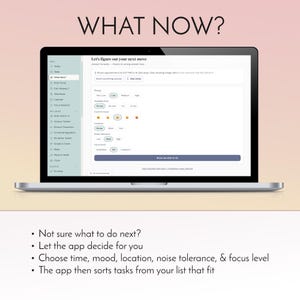
• What Now? asks a few quick questions about your energy and time, then hands you three things that fit
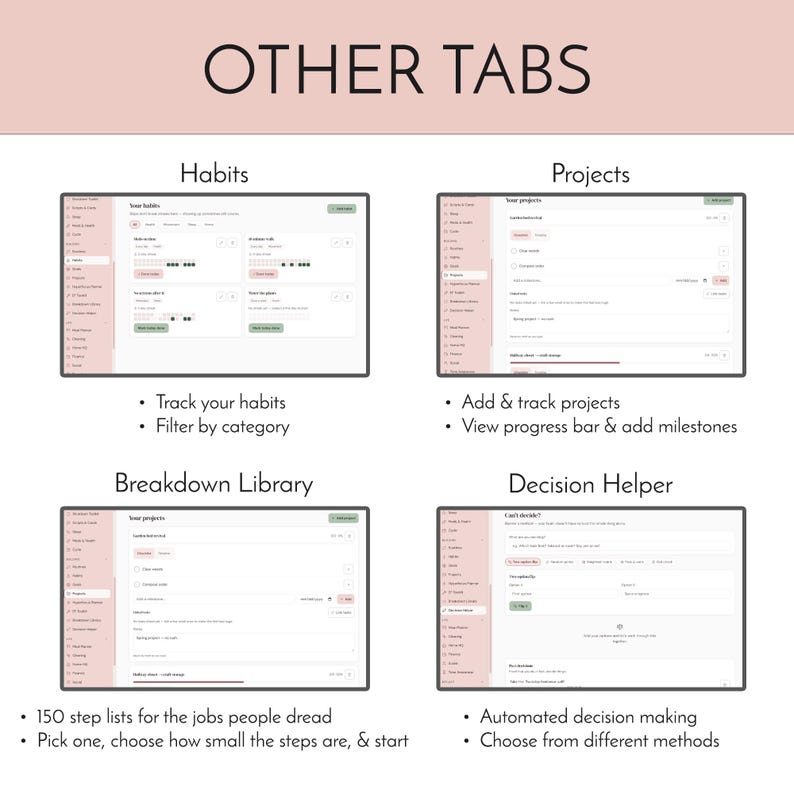
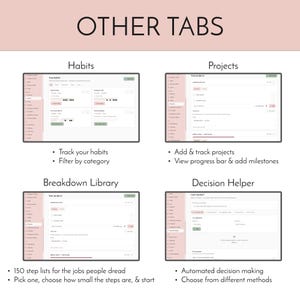
• Breakdown Library: 150 step lists for jobs you dread, from phone calls to laundry, in big, small or tiny steps
• Decision Helper: five ways to get unstuck, from a coin flip to a weighted matrix
When your energy and senses run out
• A battery meter for physical, mental and social energy, right on your Today screen
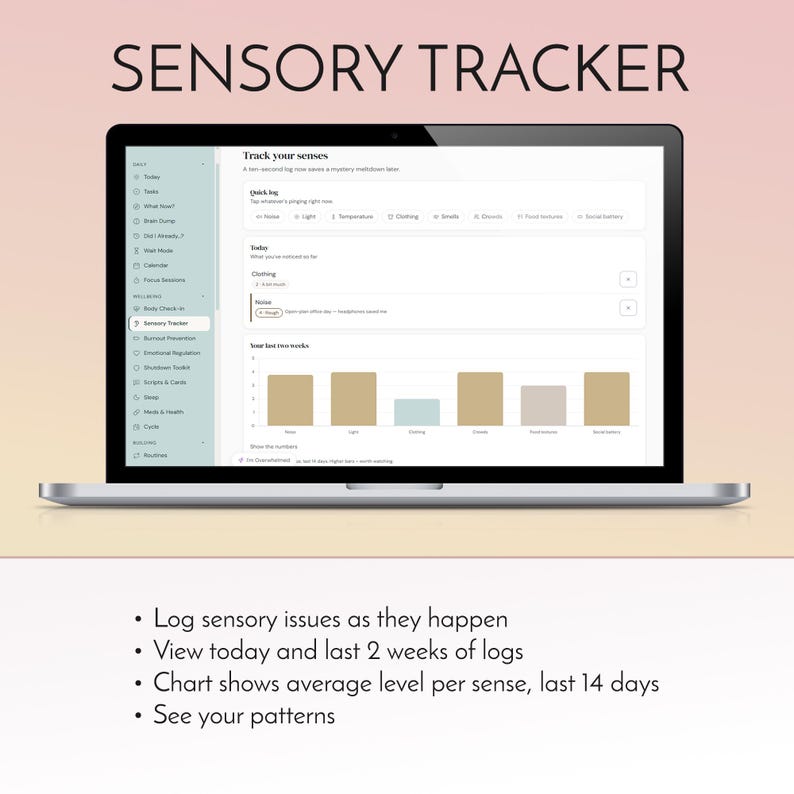
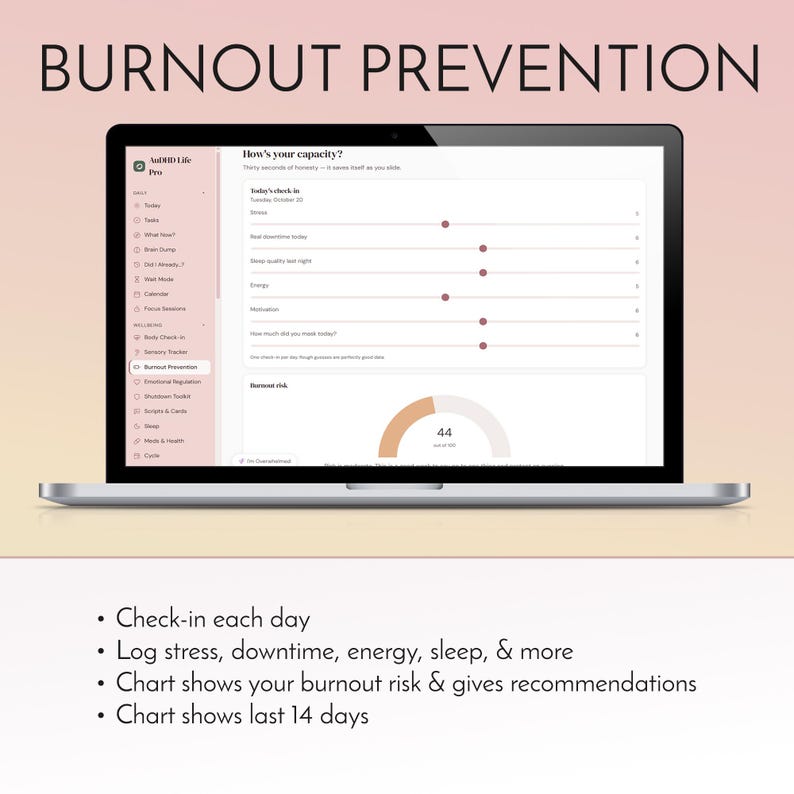
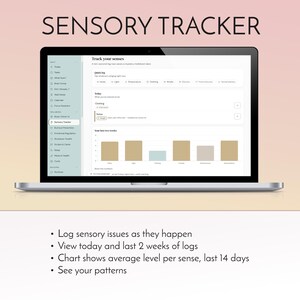
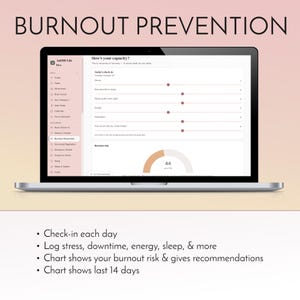
• Sensory Tracker for overload and understimulation, and Burnout Prevention for early warning signs
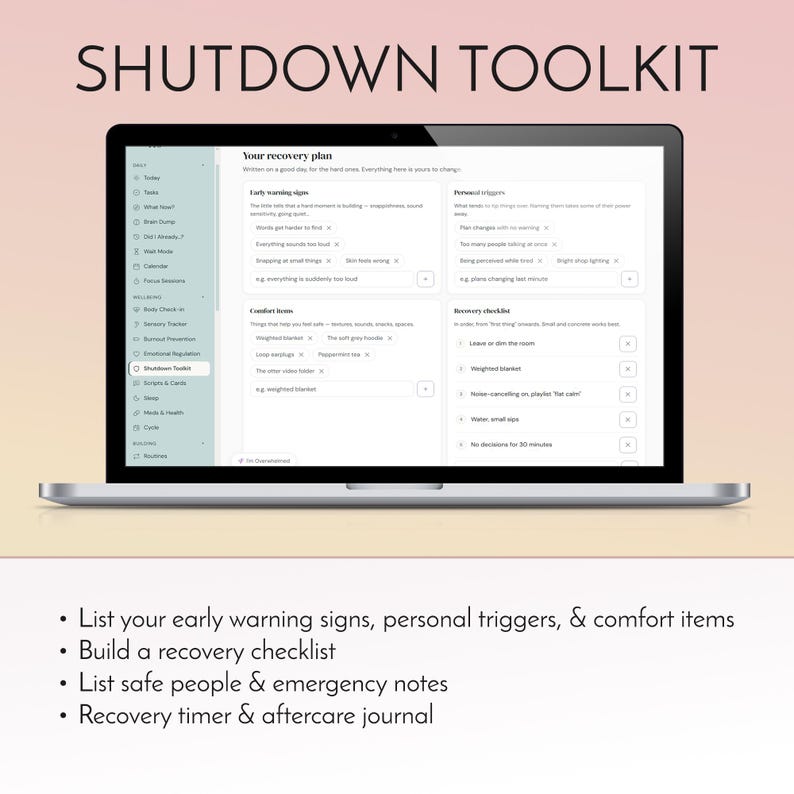
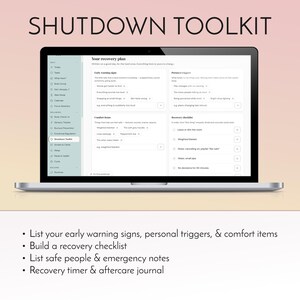
• Shutdown Toolkit: your own plan, written while you're calm, for when things go wrong
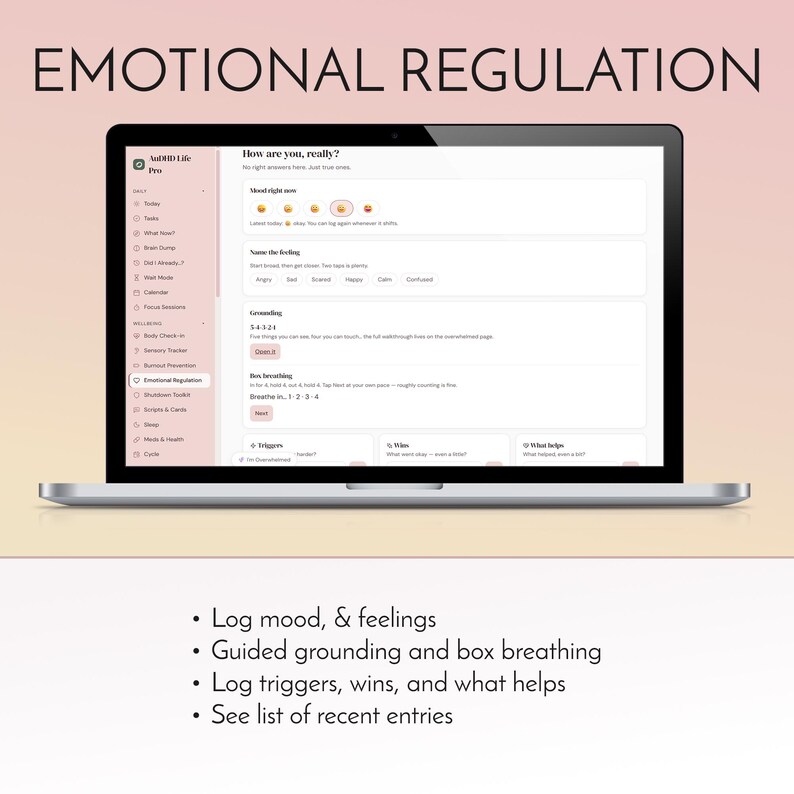
• The I'm Overwhelmed button is always on screen. It clears everything away and walks you through grounding
• Low-spoon mode swaps in shorter routines. Low-demand mode turns tasks into choices instead of instructions
When time slips away
• Wait Mode: a calm countdown to your next appointment, with gentle nudges at 10, 5 and 1 minute while the app is open
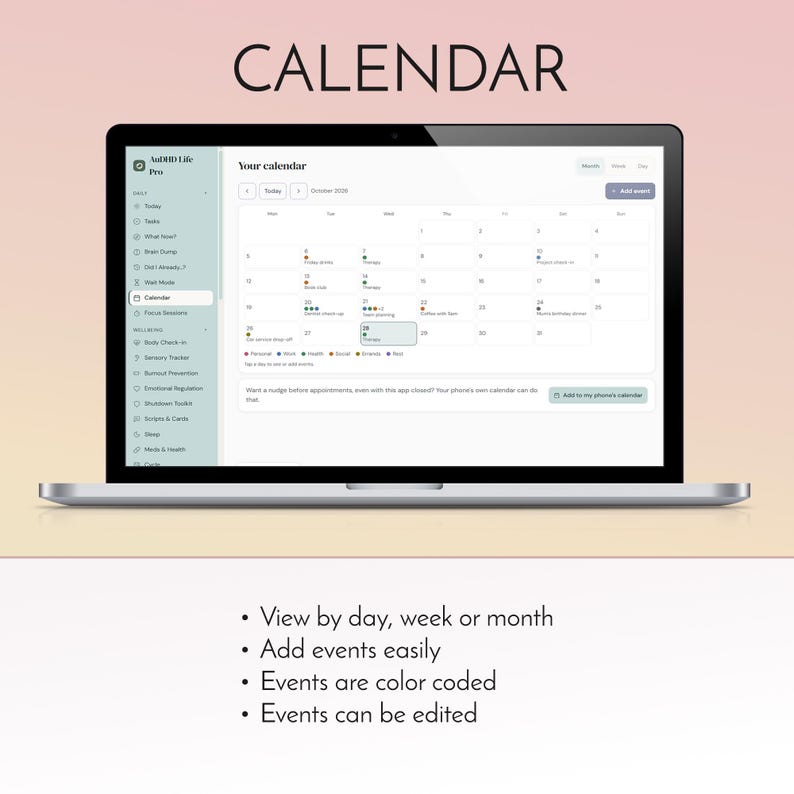
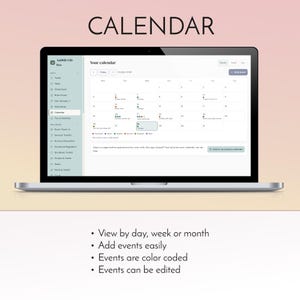
• Calendar with repeating events and finish times
• Add your appointments, daily meds, bills and free-trial dates to your phone's own calendar, so your phone reminds you even when the app is closed
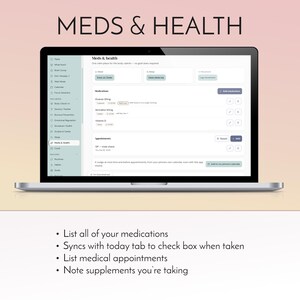
• Did I Already...?: one tap records when you locked the door, turned off the stove or took your meds
When routines and habits feel like a test you keep failing
• Routines as step-by-step checklists, each with an easier low-spoon version
• Habits with streaks that pause, never reset
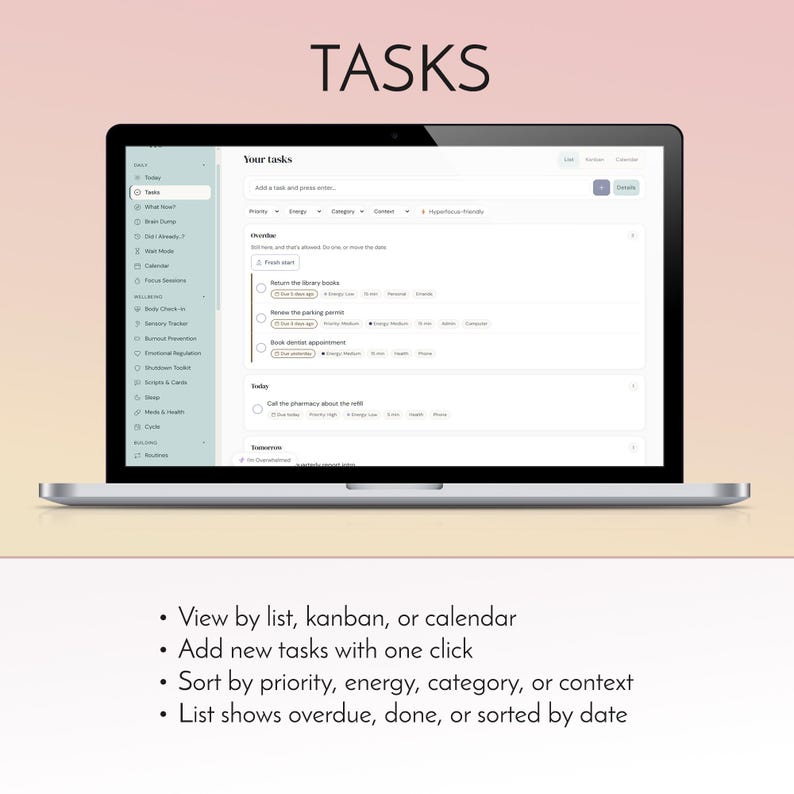
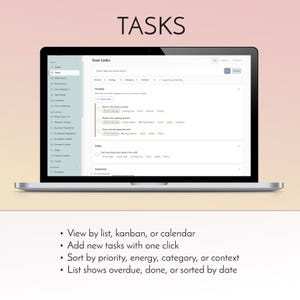
• Tasks grouped by when they're due, with energy tags, a Done list that shows what you finished, and a one-tap fresh start when things pile up
When life admin piles up
• Bills, subscriptions and free-trial cancel-by dates, shown on Today before they're due
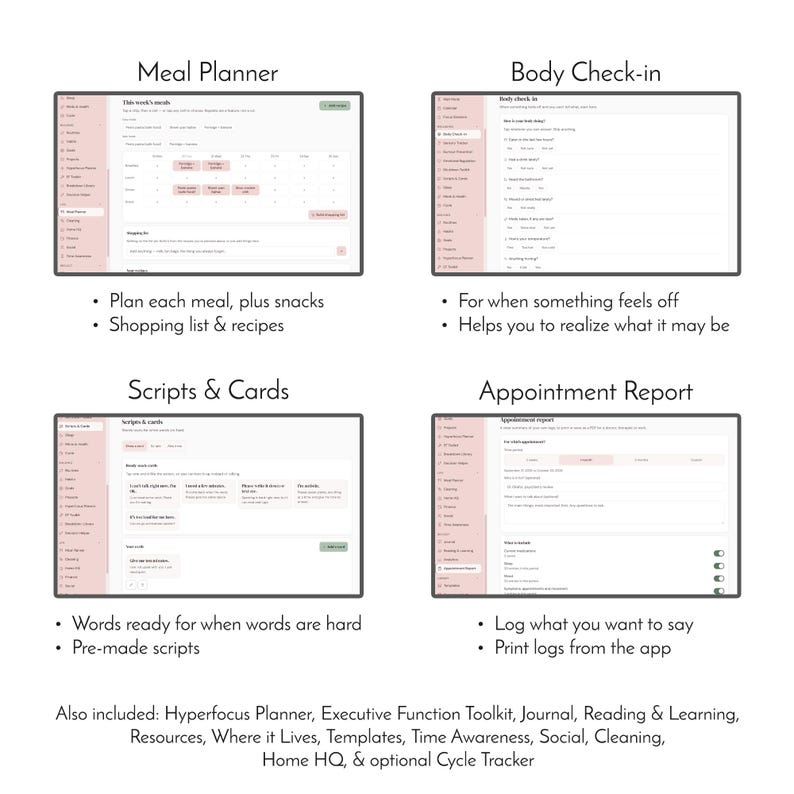
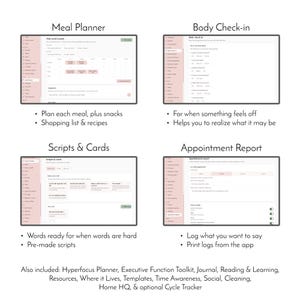
• Meal Planner for this week and the weeks ahead, with a shopping list
• Where It Lives: remember where you put the passport, the spare keys and the good scissors
• Cleaning in five-minute bursts, room by room
When you need to explain yourself
• Scripts & Cards: full-screen cards to hold up ("I can't talk right now"), phone scripts, and an About Me page
• Appointment Report: your own logs, ready to print for a doctor or work
📂 EVERYTHING INCLUDED 📂
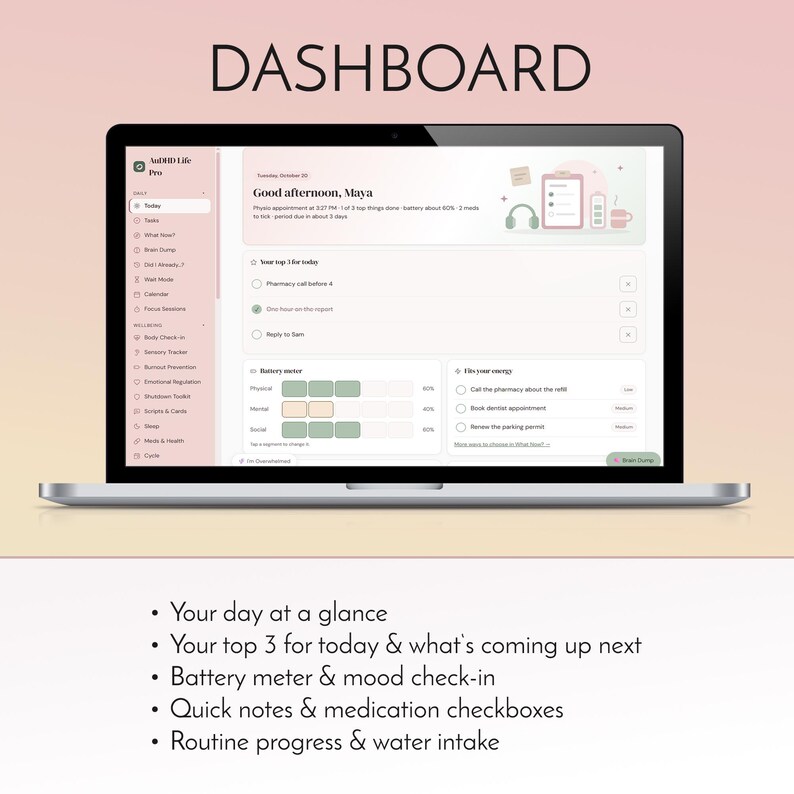
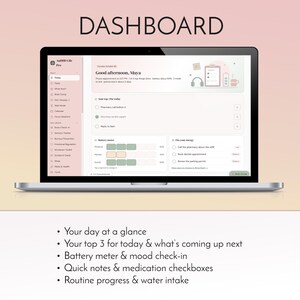
• Daily: Today dashboard, Tasks (list, board and calendar views), What Now?, Brain Dump, Did I Already...?, Wait Mode, Calendar, Focus Sessions with a focus timer
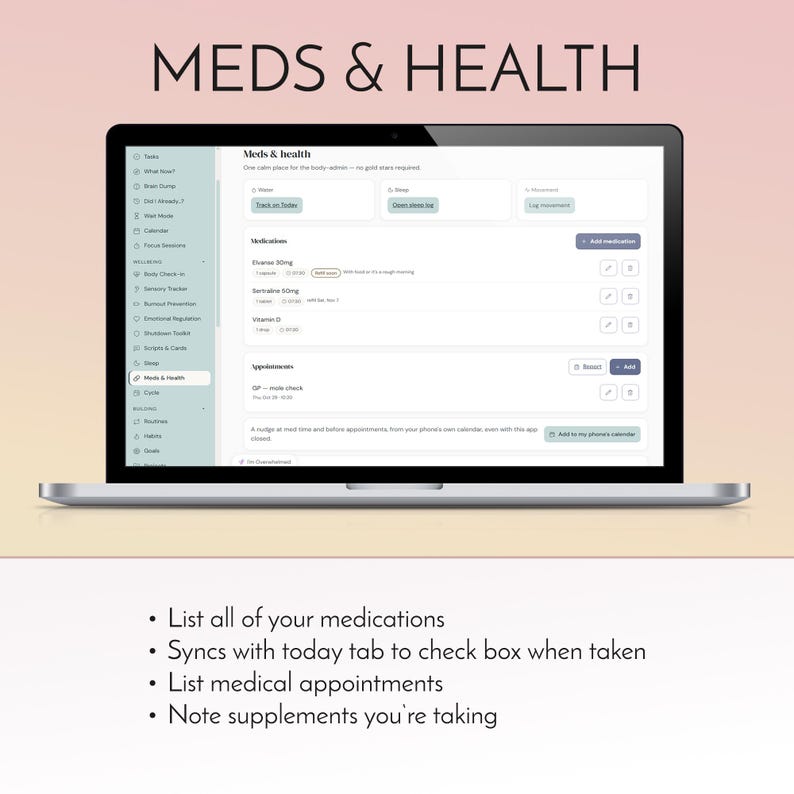
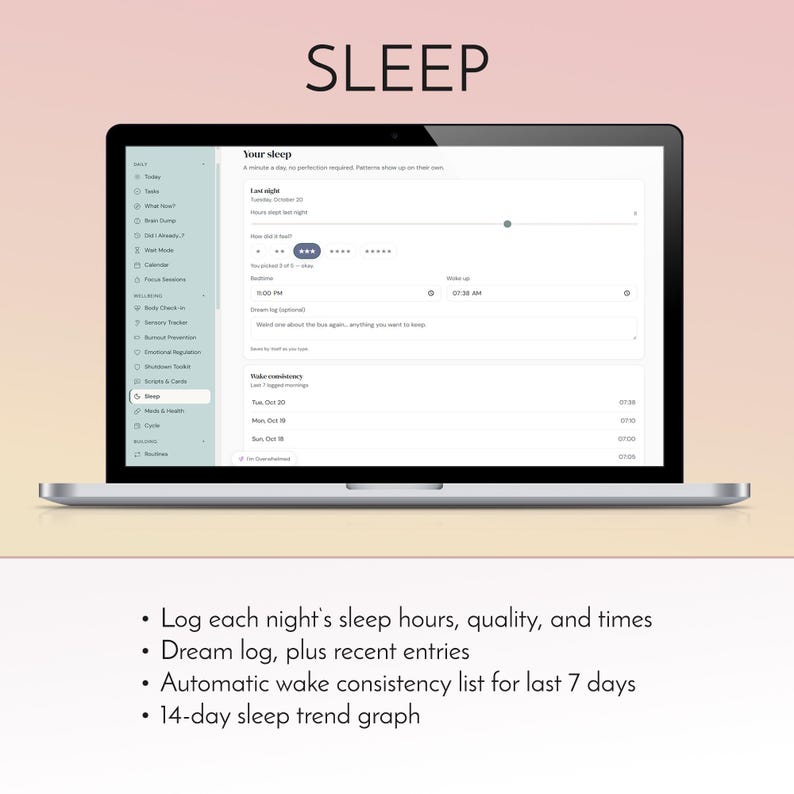
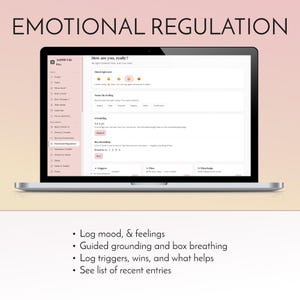
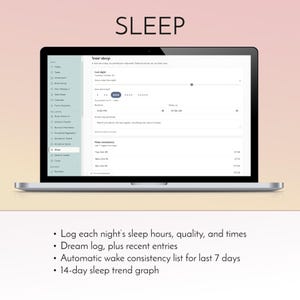
• Wellbeing: Body Check-in (eaten? drunk? too hot?), Sensory Tracker, Burnout Prevention, Emotional Regulation, Shutdown Toolkit, Scripts & Cards, Sleep, Meds & Health, Cycle tracking (optional, switch it on in Settings)
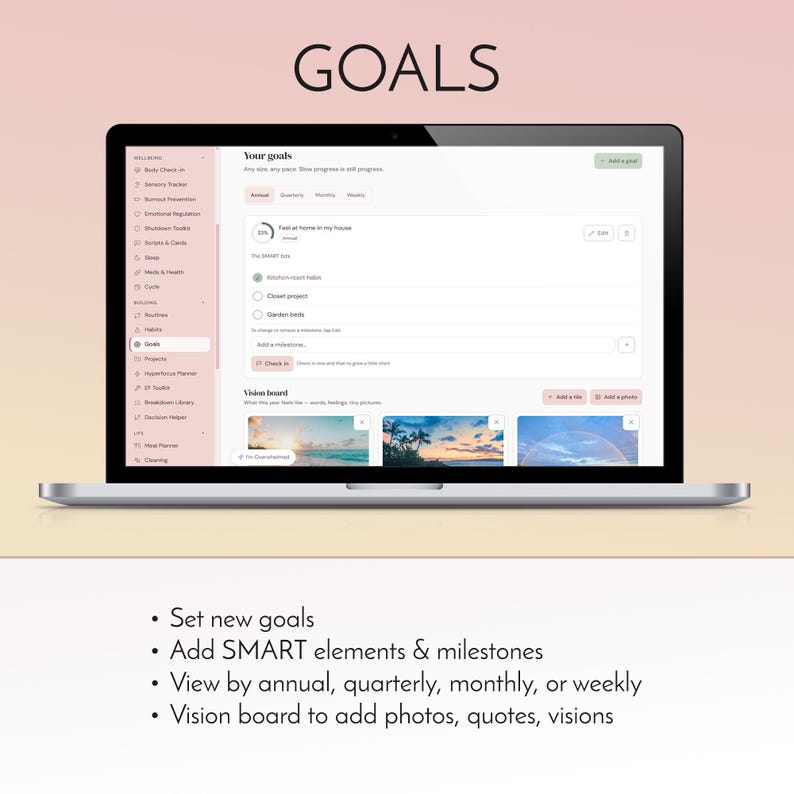
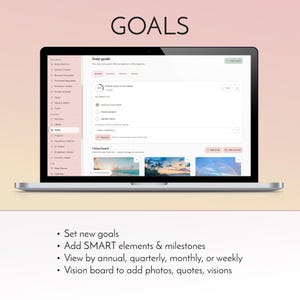
• Building: Routines, Habits, Goals with milestones and a vision board, Projects, Hyperfocus Planner, EF Toolkit, Breakdown Library, Decision Helper
• Life: Meal Planner, Cleaning, Home HQ (bills, documents, maintenance, contacts), Where It Lives, Finance (budget, spending, income, savings), Social, Time Awareness with countdowns
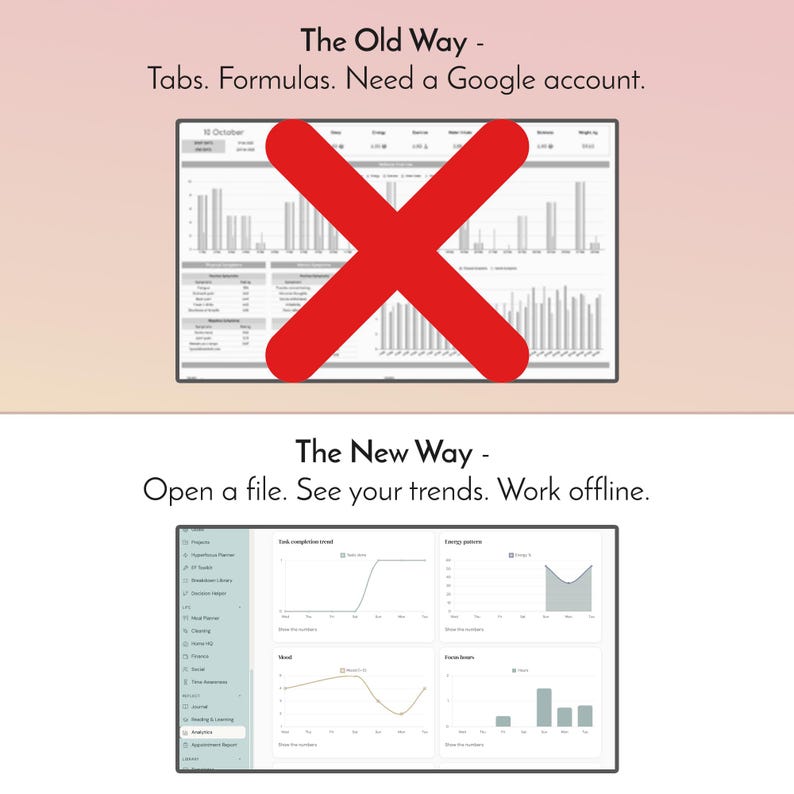
• Reflect: Journal with prompts and photos, Reading & Learning, Analytics charts, Appointment Report
• Library: 10 ready-made templates (morning reset, bad day reset, packing list and more) and a Resources Vault for links worth keeping
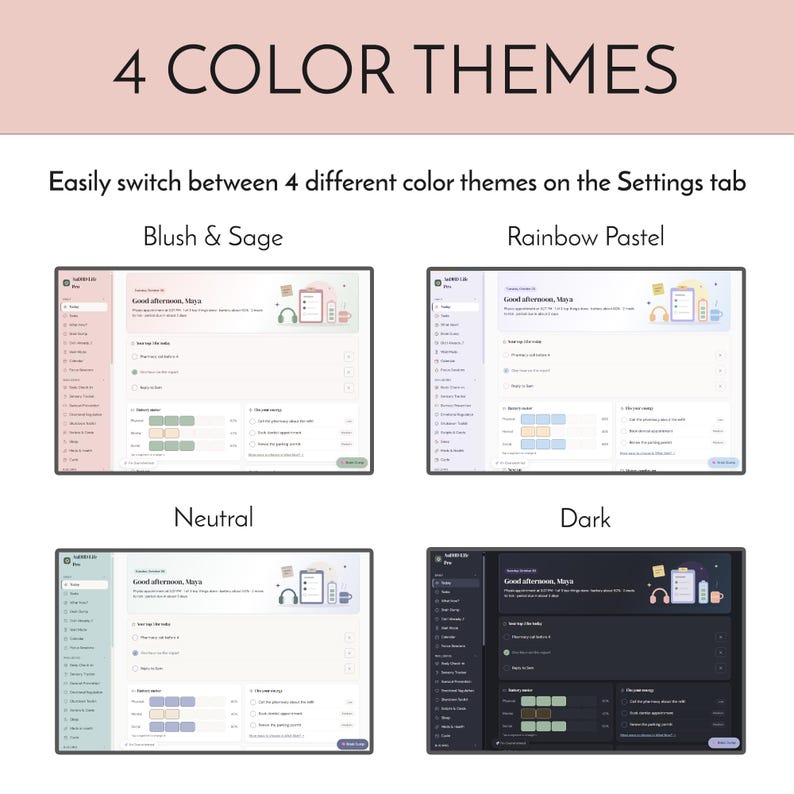
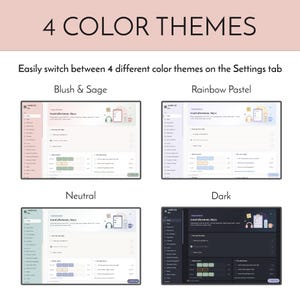
• Comfort: 4 themes (Blush & Sage, Rainbow Pastel, Neutral, Dark), bigger text, an easy-read font, roomier spacing, less motion, and a Today screen you can rearrange
• Choose the tools you use most for your phone's bottom bar
• Backup file you can save and load again, with Undo
• Every page prints cleanly
⬇️ HOW IT WORKS ⬇️
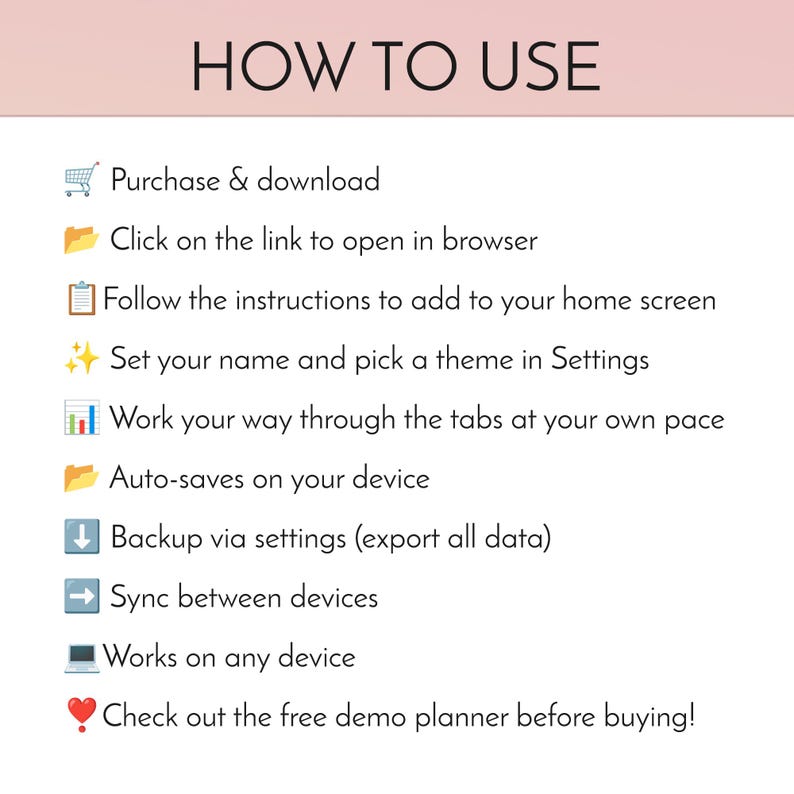
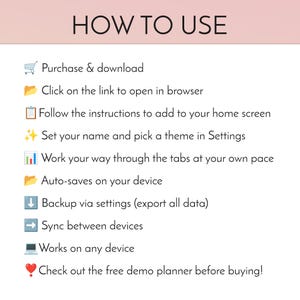
1. Buy and download your PDF. It holds your personal install link.
2. Open the link on your phone, tablet or computer.
3. Install it: on iPhone or iPad, open the link in Safari, tap Share, then Add to Home Screen. On Android, open it in Chrome and tap Install. On a computer, use Chrome or Edge and click the install icon in the address bar.
4. Tap the new icon on your home screen. The app opens on a short setup page: add your name, pick a theme and choose your daily tools. That's it.
Today is your home screen: your top 3, battery meter, water, mood, what's next and anything due. Your daily tools sit in the bottom bar, and everything else is one tap away in the Menu. It saves as you type.
📲 HOW SYNC WORKS 📲
1. Sync is off until you switch it on. Everything stays on your device unless you turn sync on.
2. On the device that has your planner, open Settings, find "Use on more than one device" and tap "Link another device". You'll see a 6-digit code that works for 10 minutes.
3. On your other device, install the app, open the same card in Settings, tap "I have a code" and type it in.
4. Both screens show three small pictures. If they match, tap "Yes, they match". If the new device already has entries, you choose whether to combine them or replace them.
5. From then on, changes sync when you open the app, come back to it, or a few seconds after you stop typing. Changes made offline are saved and sent the next time you're online.
6. Everything you save syncs, plus shared preferences like your theme and name. Comfort settings like text size stay set per device.
7. Your planner is locked (encrypted) on your device before it is sent, so nobody else can read it, not even me. No account and no email.
8. Keep your recovery key (in Settings) somewhere safe. You can unlink a device at any time.
🗃️ AUTOMATIC UPDATES 🗃️
Updates are automatic and free. When a new version is ready, a small message pops up; tap Update now and you are on the latest version. Nothing to re-download, and your plans stay exactly where they are.
💻 WORKS ON 💻
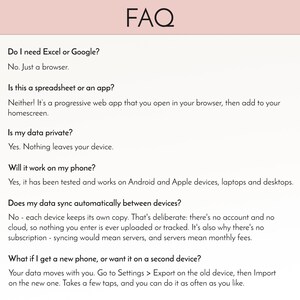
iPhone and iPad (Safari), Android phones and tablets (Chrome), and computers (Chrome, Edge or Safari). It runs in the browser you already have, installed as an app on your home screen.
❓ QUESTIONS ❓
Is this a subscription?
No. You pay once and it's yours, with free updates.
What do I actually download?
A short PDF with your personal install link and quick-start steps. The app itself opens from that link and installs on your device.
Will it work on my phone?
Yes, on iPhone, iPad and Android, and on Windows or Mac computers. Try the live demo on your phone first to be sure.
Can I practice installing before I buy?
Yes. My free mini app (link above) installs exactly the same way.
How is the demo different from the app I buy?
The demo shows sample data, resets every time you open it, can't be installed, and has sync, backups and updates switched off. The app you buy is all yours and has everything switched on.
Does it work offline?
Yes. Once installed, everything works with no signal.
Can I use it on my phone and my laptop?
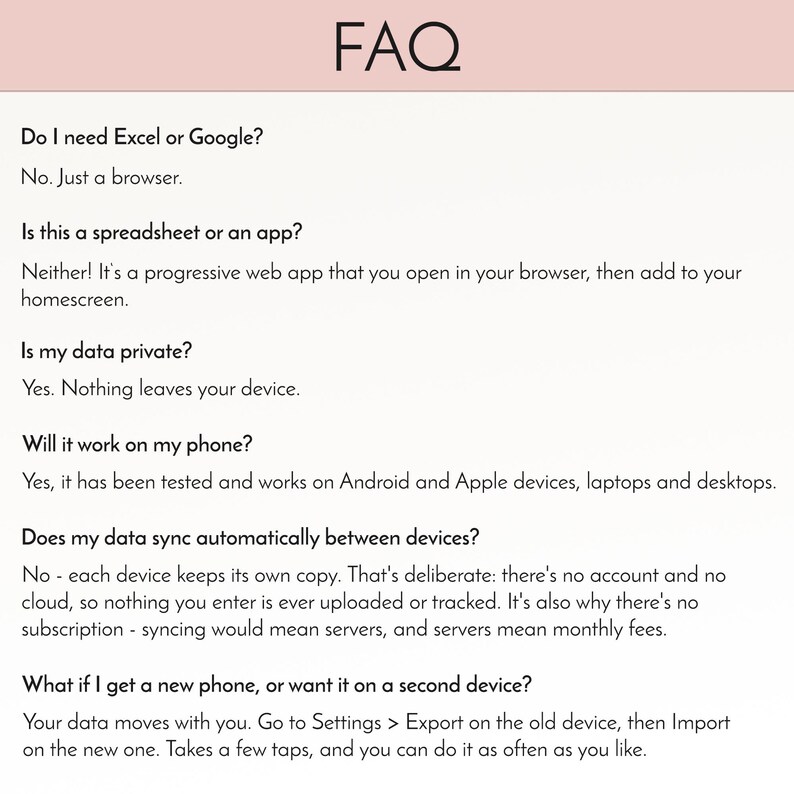
Yes. Turn on sync and link your devices with a 6-digit code. No account needed.
Where is my information kept? Is it private?
On your own device. Nothing is sent anywhere unless you turn sync on, and then it's encrypted on your device first. No ads and no tracking.
Does it send notifications when it's closed?
Not by itself: an app installed from a link can't buzz you while it's closed. Instead, one tap adds your appointments, daily meds, bills and free-trial dates to your phone's own calendar, with alerts built in. Wait Mode nudges you while the app is open.
Do I get updates, and do I pay for them?
Yes, and no. Updates are free and arrive inside the app with a small message.
What happens if I get a new phone?
Link the new phone with sync, or save a backup file in Settings and load it on the new phone.
What if I need help?
Message me here on Etsy. I read every message myself.
‼️ LICENSE ‼️
For personal use in your own household. Sharing, reselling, redistributing in any way is strictly forbidden.
💡 A Note About App Development
AI-assisted tools are used during the development of my digital planners, but every app involves extensive human input, thoughtful design decisions, ongoing refinements, and hands-on testing by multiple people. AI helps bring our ideas to life, but the features, functionality, usability, and final product are carefully developed, reviewed, and tested by real people.
Sofort-Download
Sobald die Zahlung bestätigt wurde, stehen deine Dateien zum Download bereit. Hier erfährst du wie.
Sofort-Download-Artikel können nicht zurückgegeben, umgetauscht oder storniert werden. Bitte kontaktiere den Shop, wenn du Probleme mit deiner Bestellung hast.
Etsys Einkaufsschutz
Kaufe beruhigt auf Etsy ein, denn wenn bei einer Bestellung etwas schief geht, stehen wir dir für alle berechtigten Einkäufe zur Seite –
siehe Programmbedingungen

Bewertungen für diesen Artikel
Auch wenn mein Gehirn mich nicht dabei ließ, dieses Tool dauerhaft zu nutzen, war es doch sehr gut und hat mir einige neue Ideen gegeben.


Reibungsloser Versand Hat bisher immer pünktlich und mit Tracking verschickt.
Schnelle Antworten Hat bisher immer schnell auf Nachrichten geantwortet.
Begeisterte Bewertungen Durchschnittliche Bewertung ist 4,8 oder höher.
Mehr aus diesem Shop
Shop besuchen-
Digitaler Download
ADHD Reading Tracker App, Digital Book Journal, TBR Log, Bookish Book Lover Gift, Offline, Syncs Across Devices
Sale-Preis 6,63 €
Ursprünglicher Preis 8,84 €
-

Digitaler Download
Mood Tracker Bundle zum Ausdrucken, Stimmungs Tracker, Stimmungs Tracker, Stimmungs Tracker, Stimmungs Tracker, Stimmungs Tracker, Stimmungs Tracker zum Ausmalen
Sale-Preis 4,14 €
Ursprünglicher Preis 5,52 €
-

Digitaler Download
Rudolph das Rentier mit der roten Nase Rahmen TV Kunst Weihnachten Vintage Ölgemälde TV Bildschirmschoner Hintergrundbild Samsung Rahmen Urlaub Dekor
Sale-Preis 2,91 €
Ursprünglicher Preis 3,87 €
-

Wandkalender 2027: Waldtiere, Bücher, 12 Monate, gemütlicher Cottagecore-Waldbibliothekskalender, Geschenk für Bücherliebhaber
Sale-Preis ab 21,96 €
Ursprünglicher Preis ab 29,29 €


