








Inventory Tracker & Bookkeeping Spreadsheet for Small Business Bookkeeping | Inventory Spreadsheet, COGS and Expense Tracker, Sheets Excel
NowPrice:CA$49.00
Original Price: CA$98.00
50% off
Sale ends on 06 December
Here's what's eligible:
- Your order doesn't match the item description or photos
- Your item arrived damaged
- Your item arrived after the estimated arrival window
- Your item didn't arrive or was lost in the mail
You can only make an offer when buying a single item.
Highlights
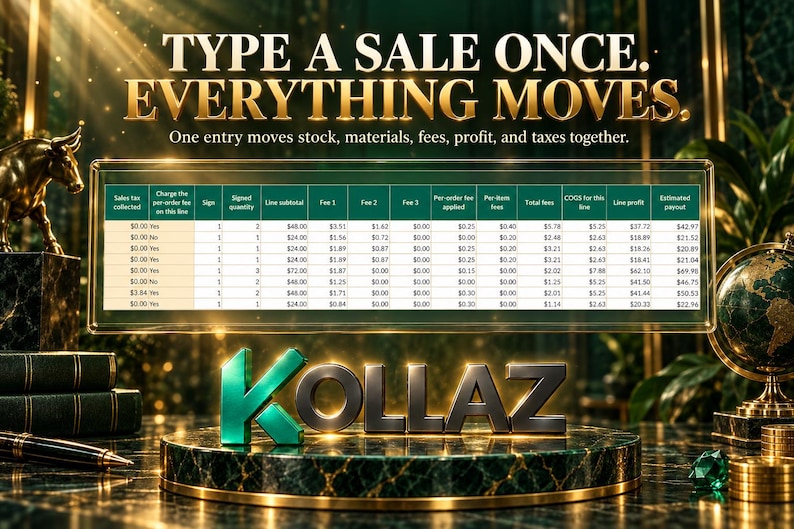
The Inventory Tracker & Bookkeeping Spreadsheet is a 14-tab Google Sheets and Excel workbook for makers and small product sellers: type each sale once and stock, recipe materials, COGS, real platform fees, profit, monthly reports, and a Schedule C tax summary all update together.
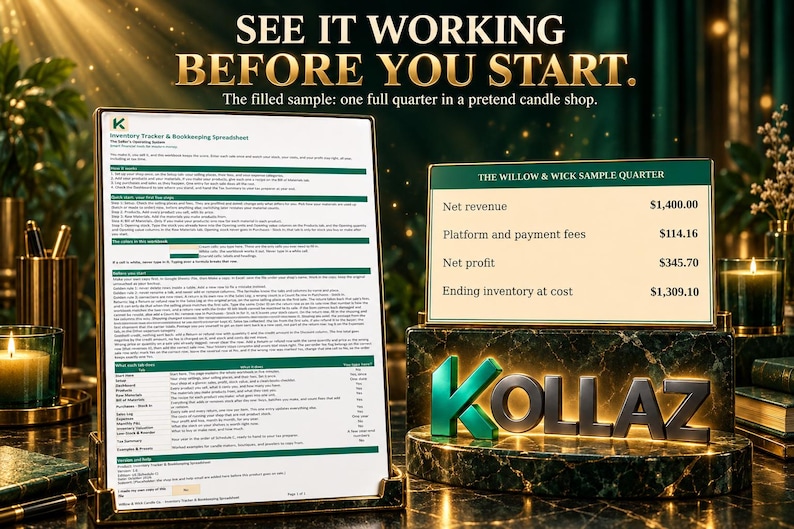
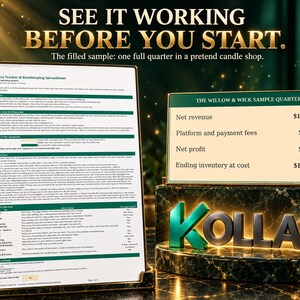
Try it before you buy, live demo with sample data: https://docs.google.com/spreadsheets/d/1IVi0Xh-G8-VIEQ_lWuItmOPW8J6AOb1asrHKH-JgKTE/edit?usp=sharing. This preview shows the demo Start Here, the Dashboard, and the Tax Summary. The full 14-tab workbook (Start Here, Setup, Dashboard, Products, Raw Materials, Bill of Materials, Purchases - Stock In, Sales Log, Expenses, Monthly P&L, Inventory Valuation, Low-Stock & Reorder, Tax Summary, and Examples & Presets, plus a blank workbook ready for your own shop and the same sample filled in) is included instantly after purchase.
You did not start your shop to spend your evenings with a shoebox of receipts and three spreadsheets that never agree. You started it to make things people love and to keep more of what you earn. The hard part was never the selling. It is not knowing what a sale actually earned after stock, materials, and the platform's fees took their share. This workbook is the guide that keeps score for you: every material counted, every fee taken out at the real rate, every dollar of profit landed in the right month, so tax time stops being a reconstruction project and your prices stop being guesses.
This is for a maker or small product seller who sells on Etsy, Shopify, at craft fairs, or on their own website and needs one honest set of numbers for stock, costs, profit, and taxes.
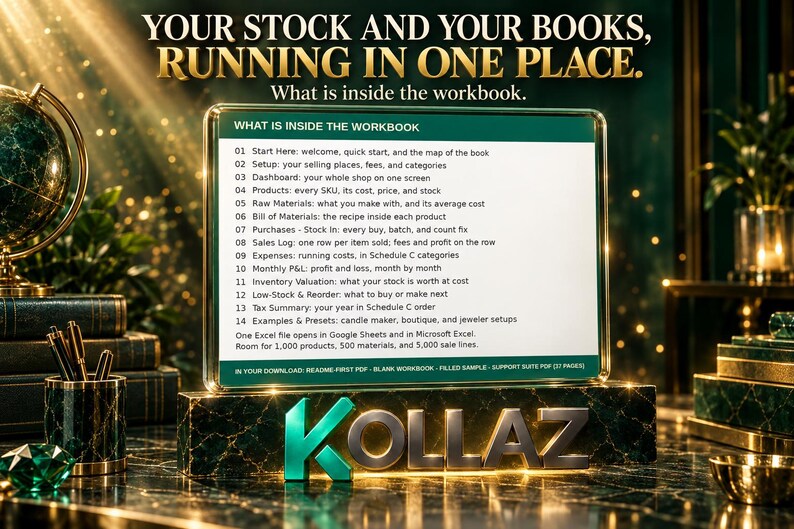
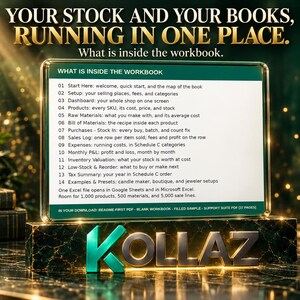
WHAT'S INSIDE: 14 CONNECTED TABS
1. Start Here: your welcome page, with the 5-step quick start, the color legend (cream cells are where you type, white cells are calculated and protected), and a map of the whole book.
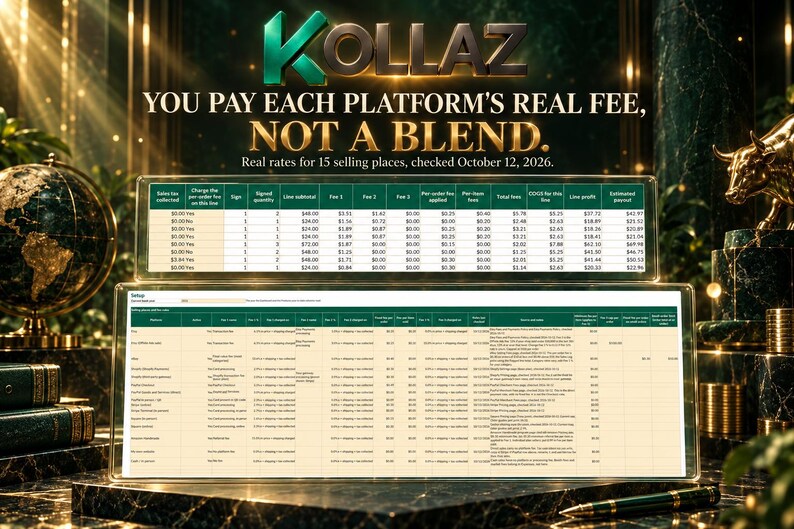
2. Setup: your shop's rules in one place. Selling places with their fee presets, expense categories already tied to Schedule C lines, and your production mode switch.
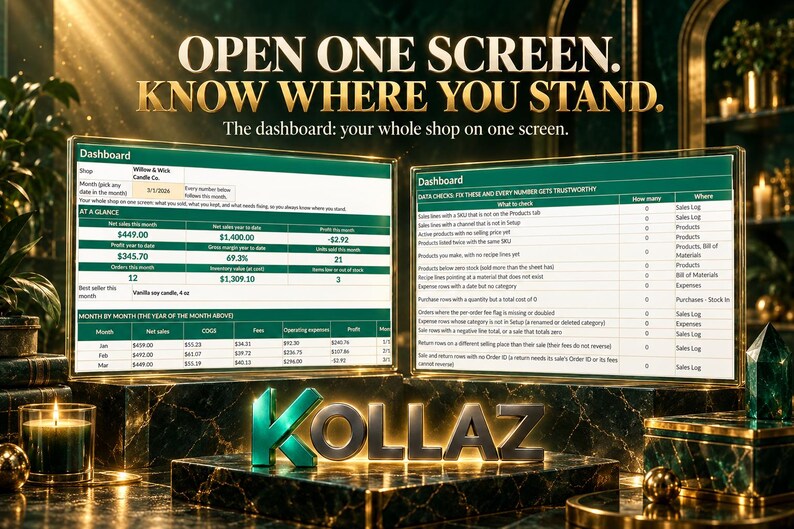
3. Dashboard: your whole shop on one screen. Net sales and profit for the month and the year, your best seller, what your stock is worth, and the Data Checks panel (see below).
4. Products: everything you sell. SKUs, prices, stock on hand, true unit costs, and margins, calculated for you.
5. Raw Materials: what you make with. Each material's amount on hand and average cost, kept current by every purchase and every sale.
6. Bill of Materials: your recipes. One row per material inside each product, so the workbook knows what one unit really costs you.
7. Purchases - Stock In: every buy, every batch you make, and every count fix, in one append-only log.
8. Sales Log: one row per item sold. Fees, cost of goods sold, and profit are calculated on the row itself, so a sale from January still reads true in December.
9. Expenses: the costs of running your shop, picked from categories that already know their Schedule C line.
10. Monthly P&L: your profit and loss statement, month by month and year to date, no building required.
11. Inventory Valuation: what your finished goods and your materials are worth at cost, and the ending inventory number your tax summary uses.
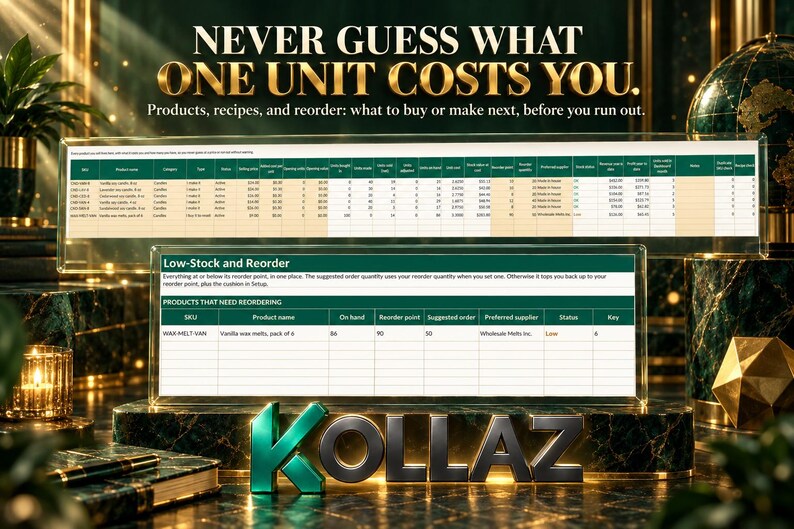
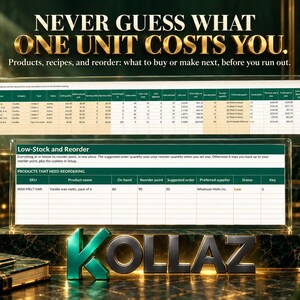
12. Low-Stock & Reorder: what to buy or make next, before you run out of the things that sell.
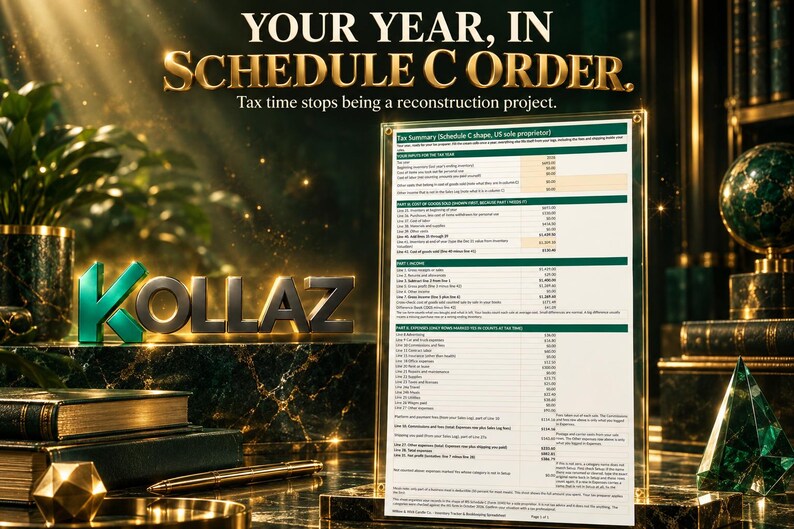
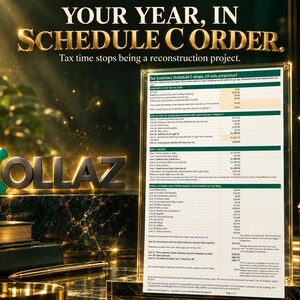
13. Tax Summary: your year laid out in IRS Schedule C order. Income, cost of goods sold worked out the Schedule C Part III way, expenses by line, your platform and payment fees on Line 10, and shipping you paid on Line 27a, with a cross-check row that shows the difference between book COGS and tax COGS as a number and explains it.
14. Examples & Presets: three worked shop setups to copy, a candle maker, a boutique, and a jeweler.
Room to grow: 1,000 products, 500 materials, 3,000 recipe lines, 3,000 purchase rows, 5,000 sale lines, and 2,000 expense rows, all prefilled and ready.
And a safety net: the Dashboard's Data Checks panel counts 14 kinds of slips (a sale with an unknown SKU, a return on the wrong selling place, an order missing its per-order fee flag, and more). When every count is zero, your books are clean.
HOW IT WORKS
Enter each sale once, on one row of the Sales Log. Your finished stock drops. If you make the product, its recipe materials are used up, either when you log a production batch or when the item sells, depending on the mode you pick in Setup. Cost of goods sold posts at weighted average cost. The selling place's real fee comes out. What is left lands in your books as profit, in the right month and the right category. Returns are their own rows and put stock back, with percentage fees reversed the way the platforms actually reverse them. Mistakes are fixed with a correcting row, never by rewriting history, so every total can be traced back to a row you typed.
THE FEE RULES ARE REAL, DATED, AND YOURS TO EDIT
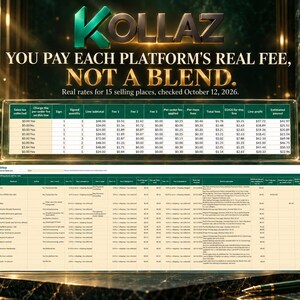
No formula in this workbook hides a fee rate. All 15 selling-place presets live in Setup, in plain cells you can see and change, each with a Rules last checked date. The presets were checked against each platform's own fee pages on October 12, 2026:
- Etsy: transaction fee 6.5% on item price plus shipping charged; Etsy Payments 3% plus $0.25 per order on the total including tax; listing fee $0.20 per item sold. No regulatory operating fee for US sellers.
- Etsy (Offsite Ads sale): the Etsy charges above, plus the Offsite Ads fee at 15% on item price plus shipping, capped at $100 per order. If your shop sold $10,000 or more in the last 365 days, your rate is 12%; one cell changes it.
- eBay: final value fee 13.6% (most categories) on item price plus shipping plus tax; per-order fee $0.30 on orders of $10 or less and $0.40 above $10. Category rates vary, and the rate is one editable cell.
- Shopify (Shopify Payments): 2.9% plus $0.30 per order.
- Shopify (third-party gateway): the 2% Shopify transaction fee on the Basic plan, plus your gateway's own processing.
- PayPal Checkout: 3.49% plus $0.49 per order. PayPal Goods and Services (direct): 2.99% with no fixed fee; it is not the Checkout rate, and the workbook keeps them as separate presets so the wrong one never leaks in. PayPal in person / QR: 2.29% plus $0.09 per order.
- Stripe (online): 2.9% plus $0.30 per order. Stripe Terminal (in person): 2.7% plus $0.05 per order.
- Square (in person): 2.6% plus $0.15 per order. Square (online): 3.3% plus $0.30 per order. These are the current rates; many guides still print older ones.
- Amazon Handmade: referral fee 15% on item price plus shipping charged, with a $0.30 minimum per item.
- My own website: no platform fee. Cash / in person: no fee at all.
When a platform changes a rate, you change one cell and update the date. That is the whole maintenance job.
WHAT'S INCLUDED IN YOUR DOWNLOAD
- The blank workbook: one Excel file that opens in Google Sheets, Microsoft Excel, and LibreOffice Calc with the same formulas. Make a copy, name it after your shop, and it is your book.
- The filled sample workbook: the same workbook after one full quarter in a pretend candle shop, Willow & Wick Candle Co. Its quarter, every number produced by the formulas from the rows typed in: $1,400.00 of net revenue, $114.16 of fees, $345.70 of net profit, and $1,309.10 of ending inventory. Explore a working shop before you touch your own numbers.
- Quick-Start Guide (PDF): from opening the file to your first recorded sale, in five setup steps.
- User Manual (PDF): every tab, every rule, and every hard case, including returns, refunds, damaged items, and the year-end tax walkthrough.
- FAQ (PDF): the questions sellers actually ask, in plain words.
- Pro Tips (PDF): the habits that make the workbook pay for itself, from a ten-minute weekly rhythm to a one-hour tax season session.
Pay once. There is no subscription, nothing to renew, and nothing to install.
REQUIREMENTS
You need Google Sheets (free with a Google account), Microsoft Excel, or LibreOffice Calc. One file works in all three. Tested in Google Sheets, Microsoft Excel, and LibreOffice Calc, with the same formulas and no macros. LibreOffice Calc calculates everything identically. LibreOffice does adjust some formatting details when it saves, so keep your original download as a backup copy. There are no macros, no scripts, and no add-ons to enable, ever; if a spreadsheet ever asks you to enable macros for your books, that is a different product, not this one. Your formulas are protected so a stray keystroke cannot break the math, while every rate, category, and price stays yours to edit.
WHICH KOLLAZ BOOK DO YOU NEED?
If your income is services and freelancing, Kollaz's Self-Employed Finance Center is the book built for that side of your work life. This workbook is for the product side: SKUs, stock, raw materials, recipes, platform fees, and inventory-based cost of goods sold at tax time. Many sellers are the same person wearing both hats; each book keeps its own lane.
THE HONEST EDGES
Every tool has edges. These are this one's, stated the way we would want them stated to us:
- This is the US edition, built around IRS Schedule C for sole proprietors and single-member LLCs. A Canada edition is a separate later decision and is not part of this purchase. One workbook holds one currency.
- Costs are worked out at weighted average cost: the average of everything in the pool. When your costs change a lot, an old month's book profit can shift slightly as averages move. Your tax COGS does not depend on per-sale averages; the Tax Summary computes it the Schedule C way, so your filing stays steady.
- Fee rules are live lookups. If you edit a rate in the middle of your year, past months restate at the new rate. The Manual shows you how to save a dated copy first so a month can be frozen exactly as it stood.
- Returns reverse percentage fees in full. Per-item fees, like Etsy's $0.20 listing fee, are charged once and never reversed, because the platforms keep them in real life too. Every fee sits in its own column so you can see exactly what came back and what did not.
- Finished products are counted in whole units. Materials can carry decimals freely.
- This workbook organizes your year in the shape of Schedule C so you or your preparer can transcribe it line by line. It does not file your taxes, and it is not tax advice.
QUICK ANSWERS BEFORE YOU BUY
Does it work in Google Sheets, Microsoft Excel, and LibreOffice Calc?
Yes, in the one you already use. You get one workbook file that opens in Google Sheets, Microsoft Excel, and LibreOffice Calc with the same formulas, and it was tested in all three. LibreOffice Calc calculates everything identically; it does adjust some formatting details when it saves, so keep your original download as a backup copy. There are no macros, no scripts, and no add-ons to enable, and the workbook itself carries no subscription and nothing to renew: you pay once and it is yours to keep.
What is included in my download?
Everything you need to run your shop's books from your first evening: the blank Inventory Tracker & Bookkeeping Spreadsheet, the filled sample workbook showing one full quarter in a pretend candle shop, a one-page README that points you to the right file first, and the four guides (Quick-Start Guide, User Manual, FAQ, and Pro Tips) delivered together in one SUPPORT-SUITE PDF, each guide behind its own cover page.
How do I get my files, and how big are they?
This is an instant Etsy digital download, so nothing ships and there is nothing to wait for: Etsy makes your files available as soon as your purchase is complete. The set is 4 files, about 8.3 MB in total: README-FIRST.pdf, the blank workbook (about 4 MB), the filled sample workbook (about 4 MB), and SUPPORT-SUITE.pdf.
What happens if Etsy or another platform changes its fees?
Your books keep working, and you do not need a new file. Every fee rate lives in a plain cell in Setup with a Rules last checked date, so when a platform changes a rate, you change that one cell, update the date, and the workbook follows. The presets as shipped were checked against each platform's own fee pages on October 12, 2026.
If a new version of the workbook comes out, do I get it?
If an updated version of the workbook is released, it replaces the file on this listing. Etsy delivers digital files from the listing itself, so as Etsy's platform works, you can download the new version from your Etsy purchases at no additional charge. That is Etsy's delivery behavior for digital listings, not a promise that a new version is coming on any schedule.
SUPPORT
Questions before or after you buy? Message us through the shop and we will help you get set up. Support: message us through the shop at https://www.etsy.com/shop/kollaz or email support [!at] kollaztoolz.com.
Kollaz. Smart financial tools for modern money.
Instant Download
Your files will be available to download once payment is confirmed. Here's how.
Instant download items don’t accept returns, exchanges or cancellations. Please contact the seller about any problems with your order.
Etsy Purchase Protection
Shop confidently on Etsy knowing if something goes wrong with an order, we've got your back for all eligible purchases —
see programme terms

More from this shop
Visit shop-

Digital download
Etsy Profit Tracker Spreadsheet | Inventory Tracker for Makers with Recipe COGS, True Profit Per Listing, Fee Calculator, No Subscription
Sale Price CA$85.00
Original Price CA$170.00
-

Digital download
Debt Payoff Spreadsheet | Snowball, Avalanche, Windfall Simulator | Excel + Google Sheets
Sale Price CA$27.99
Original Price CA$55.98
-

Digital download
Calculateur Tarif Horaire Freelance Canada 2026 | Travailleur Autonome — Impôt Réel 13 Provinces, Québec RRQ RQAP, Tableur Excel
Sale Price CA$19.99
Original Price CA$39.98
-
Digital download
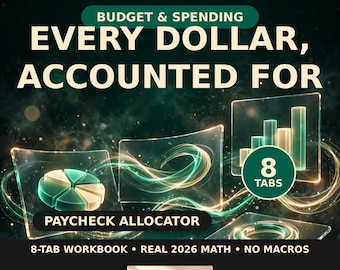
Irregular Income Budget Spreadsheet | Freelancer Paycheck Planner (Google Sheets + Excel)
Sale Price CA$14.99
Original Price CA$29.98
Be the first to leave a review
-

Digital download
Small Business Bookkeeping & Inventory Management Software Invoice Income Expense Tracker | MS Access No Subscription Excel Alternative
CA$143.24
-
Digital download
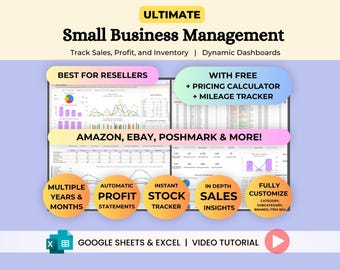
Small Business Reseller Spreadsheet, Automated Monthly Inventory, Profit, Sales Dashboard, Order & Stock Status View, Google Sheets Excel
Sale Price CA$20.22
Original Price CA$40.45
-
Digital download
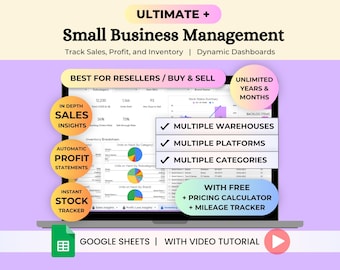
Small Business Bookkeeping Reseller Spreadsheet Template, Multiple Warehouse Inventory Management & Sales Order Tracker, Google Sheets
Sale Price CA$23.41
Original Price CA$46.81
-

Digital download
Small Business Bundle Spreadsheet Inventory Tracker Bookkeeping Pricing Calculator Bill Calendar Kanban Board Google Sheets Excel
Sale Price CA$39.75
Original Price CA$79.52
-
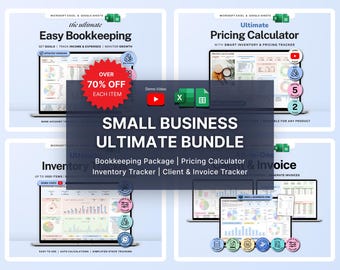
Digital download
Small Business Bundle Inventory Tracker Excel Pricing Calculator for Handmade Business Bookkeeping Spreadsheet Client Invoice Google Sheets
Sale Price CA$22.14
Original Price CA$44.27
-

Digital download
eBay Seller Spreadsheet - bookkeeping template for eBay sellers - eBay spreadsheet
CA$143.24
-

Digital download
Small Business Spreadsheet for Handmade Products, Inventory Tracker, Profit & Sales Order Dashboard, Pricing Calculator, Google Sheets Excel
Sale Price CA$20.22
Original Price CA$40.45
-
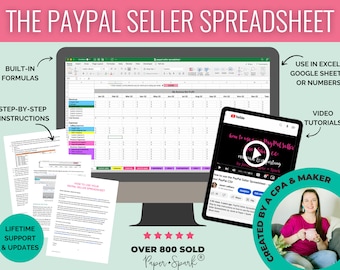
Digital download
PayPal Seller Spreadsheet - bookkeeping template for online businesses - accounting spreadsheet
CA$143.24
-
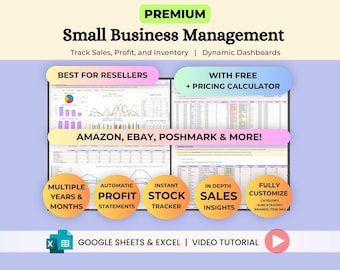
Digital download
Reseller Spreadsheet for Small Business Bookkeeping - Inventory Management, Order Tracker, Sales, Profit, Dashboards - Google Sheets & Excel
Sale Price CA$14.68
Original Price CA$29.37
-
Digital download
Etsy Seller Profit and Fee Calculator Spreadsheet Pro Pricing and Profit Tracking Tool Digital Download
CA$41.33
-

Digital download
Etsy Sales Management Program: Inventory, CRM, Invoicing (Windows Compatible)
CA$59.07
-
Digital download
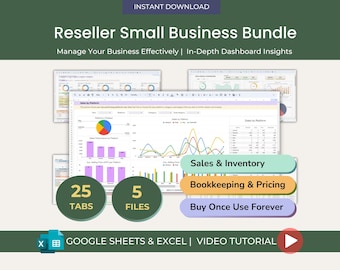
Small Business Reseller Spreadsheet Bundle, Inventory Tracker, Automated Sales, Orders & Profit Dashboards, COG Insights, Google Sheets
Sale Price CA$27.07
Original Price CA$54.15
Shoppers with similar taste loved these
-

Digital download
Pink Crafting Business Card Design, Crafter Logo T-shirt Business Card, Heat Press Card, DIY Business Card, T-shirt Tumbler Maker Card Canva
Sale Price CA$6.44
Original Price CA$12.88
-

Digital download
Editable Jewelry Care Card Template with Icons (Canva, Instant Download)
Sale Price CA$8.77
Original Price CA$10.32
-

Digital download
Craft Show Bundle, Small Business Bundle, Price List Template, QR Code Sign, Scan To Pay Template, Order Form Template, Craft Fair Template
Sale Price CA$1.26
Original Price CA$1.93
-

Digital download
Printable Washing Instructions Card, Clothing Care Card, Shirt Packaging Insert, PDF, PNG, Small Business Supplies, Ready To Print
Sale Price CA$2.66
Original Price CA$4.43
-
Digital download
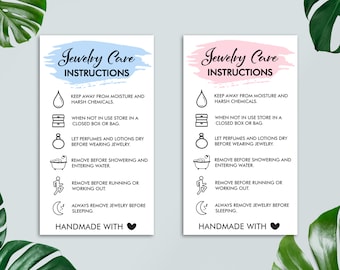
Jewelry Care Instructions Card, Jewelry Care Package Insert, Small Business Supplies, PDF, PNG, Ready To Print, Instant Download
Sale Price CA$2.66
Original Price CA$4.43
-
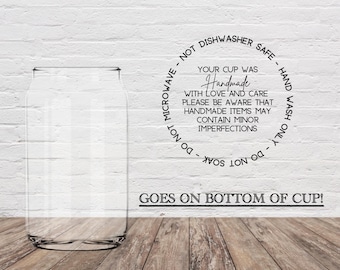
Cup Care Instructions UV DTF Transfer for Bottom of Cup Set of 10
CA$14.77
-

Digital download
Care Tags Print and Cut Bundle, Product Care Instructions (Digital Download)
CA$5.91
-

Digital download
Tumbler Template Bundle, Tumbler Canva Editable Template, 40oz Tumbler Template, 30oz Tumbler Template, Canva Tumbler template, Libbey Glass
Sale Price CA$2.19
Original Price CA$7.31
-

Custom Logo LED Light Box, Mini Backlit Acrylic Sign, Personalized Small Business Logo Wall Decor
Sale Price CA$146.19
Original Price CA$243.66
-

Digital download
Craft Show Bundle: Order Form, Price List, Scan to Pay (Canva Template)
Sale Price CA$4.75
Original Price CA$7.31
-

Digital download
Editable Gel Pen Care Cards, Epoxy Pen Care Cards, Small Business, DIY Pen Packaging Cards, Printable Pen Care Instructions
Sale Price CA$1.59
Original Price CA$3.97
-

Social Media QR Code Sign | Mini QR Code Sign | Beauty Sign| Business Sign | Payment Sign | Salon Sign
Sale Price CA$9.60
Original Price CA$19.20


